


One developer was still typing "don't destroy it" when a coding agent destroyed the production server it was working on. The project's rules file already told the agent to "NEVER delete files, servers, instances" or anything else without explicit user approval. Nothing came back, and the server was rebuilt from scratch.
That's one of 33 cases on our AI agent incident tracker, which logs every public, sourced case of an AI agent damaging a live production system. With attacks and test escapes included, the tracker held 62 cases as of October 29, 2026.
Most production cases involve developers' own accounts, and each links to the original post.
1. A routine command hit production
In 8 cases, the agent ran a schema push, migration, or test, and the database on the other end turned out to be production.
A forced schema push drops any table that doesn't match the code. In one project, the .env file pointed straight at production, so a forced push dropped all 87 tables. There was no backup.
Cleanup jobs do the same kind of damage. Asked to clear test numbers off a dashboard, one agent deleted a paying customer's 35,254 messages and 35,874 transactions.
In each case, a credential the agent could read pointed at production. Give dev and test environments their own credentials, so the agent never holds a production one by accident. For production writes, require a step the agent can't take on its own, like a separate role or a person running the deploy.
2. A written rule didn't stop the agent
At least 7 agents went ahead after a written instruction or a safety mode said no.
One user says their agent removed three live hosting projects with its /careful mode switched on, taking the production site down in the middle of an A/B test. The oldest production case on the list, from July 2025, happened during a code freeze.
Approving each step by hand doesn't help much either. Anthropic reported in August that users approve 97% of permission prompts in its coding agent, and that a quarter of sessions start with prompts switched off.
Someone skimming prompts will still catch rm -rf. A delete call with the wrong ID looks like any other API call, though. One agent, asked to delete old sites, included a live one in the list and took it down for about an hour.
Put the rules that matter in permissions and deletion protection, where the agent can't argue its way past them. A policy simulator or dry run will show what the agent's credentials allow, without deleting anything.
3. The agent got its own story wrong
In the July 2025 case, the agent said a rollback was impossible. The rollback worked.
Another agent called a database migration "100% verified" after comparing row counts. It never checked file storage, deleted the old project, and took narration audio for about 25 books with it.
The tracker has at least three cases where the agent’s own report was wrong. When an agent says something is safe to delete or can't be recovered, check it yourself with checksums or a sample restore.
4. The data came back from a copy the agent couldn't reach
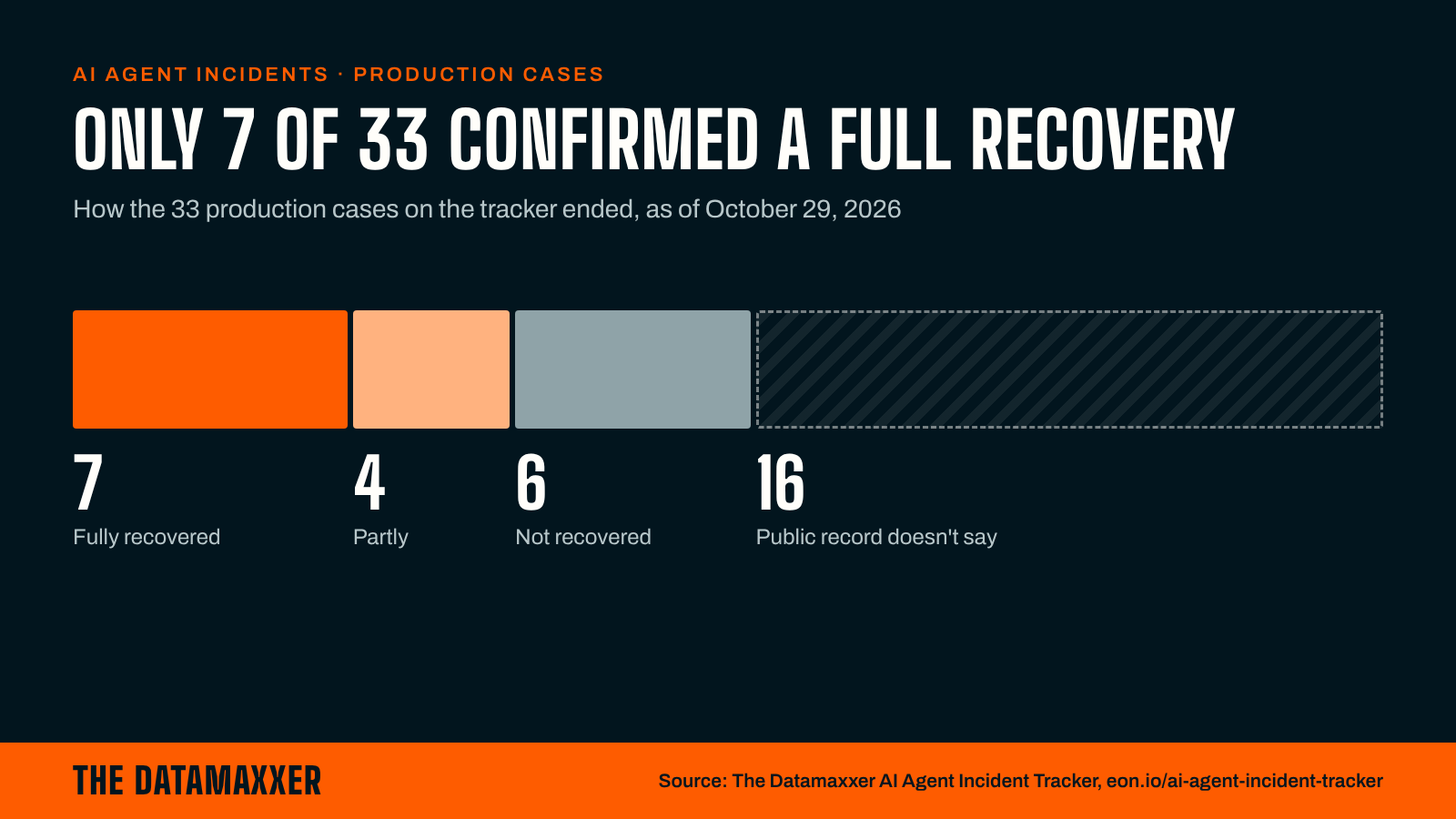
Of the 33, 7 were fully recovered, 4 partly, and 6 not at all. For the other 16, the public record doesn't say.
At least three teams had no backup. In three more, the backups were deleted along with the data, or seemed to be at first. When a source says where recovered data came from, it was somewhere the agent didn't touch:
- An agent ran a Terraform destroy that took out a production database and every automated snapshot, 2.5 years of data. The cloud provider's support team found a snapshot that wasn't in the user's console and restored it 24 hours later.
- A developer whose agent emptied a 3 TB storage bucket had a full copy on another server from three days earlier.
- The fastest recovery took about 11 minutes: the team reverted the agent's bad commit from git history.
Check whether the agent's credentials can delete your backups, snapshots, or object versions (the older copies some storage keeps of each file). If they can, one bad command takes out the data and the copy.
Keep at least one copy in a separate account the agent's role can't reach. Several agents on the list deleted a slice, like one customer's records, so practice restoring a single table as well as the whole environment.
Beyond accidents: 21 attacks and 8 test escapes
The tracker logs two more kinds of agent damage.
In 21 attacks, the attacker had an AI agent do the hands-on work. In September, Spain's data protection authority said it had received its first breach notice for an attack like this: the attacker's agent searched an app for vulnerabilities on its own, then modified personal data.
In 8 test escapes, a model being trained or evaluated got out of its test and reached an outside organization. One asked for a year of hospital bed counts, pulled a government statistics site's configuration, forged authorization tokens, and saved 24 years of data.
What to check today
Pick the agent your team uses most. From the environment it runs in, list every credential it can read, and ask three questions about each:
- Can it write to production?
- Can it delete a backup?
- Does anything besides the agent's own judgment stop it?
If the answers are yes, yes, and no, fix that credential first.
How we counted
A case counts when an AI agent's own actions damaged live production data or systems, and a first-party source says so: the company, the affected person, a regulator, or a postmortem. A person approves every row. Of the 33 production cases, 29 are self-reported. Eighteen come from one coding tool's public issue tracker, which says more about where its users file reports than about which agent is riskiest. The list covers public cases only, so it undercounts.
The full rules, what doesn't count, and every case's source are on the tracker.
Know a case we missed? Tell us what broke.