

How Eon Complements Azure Backup at Scale
Coverage that keeps up with subscription growth
Azure makes it easy to add subscriptions, which makes consistent coverage harder over time. Eon tracks resources across subscriptions and regions and keeps protection aligned as environments change. In Azure Backup, consistent coverage often depends on per-resource-type policies and tag-based automation via Azure Policy.
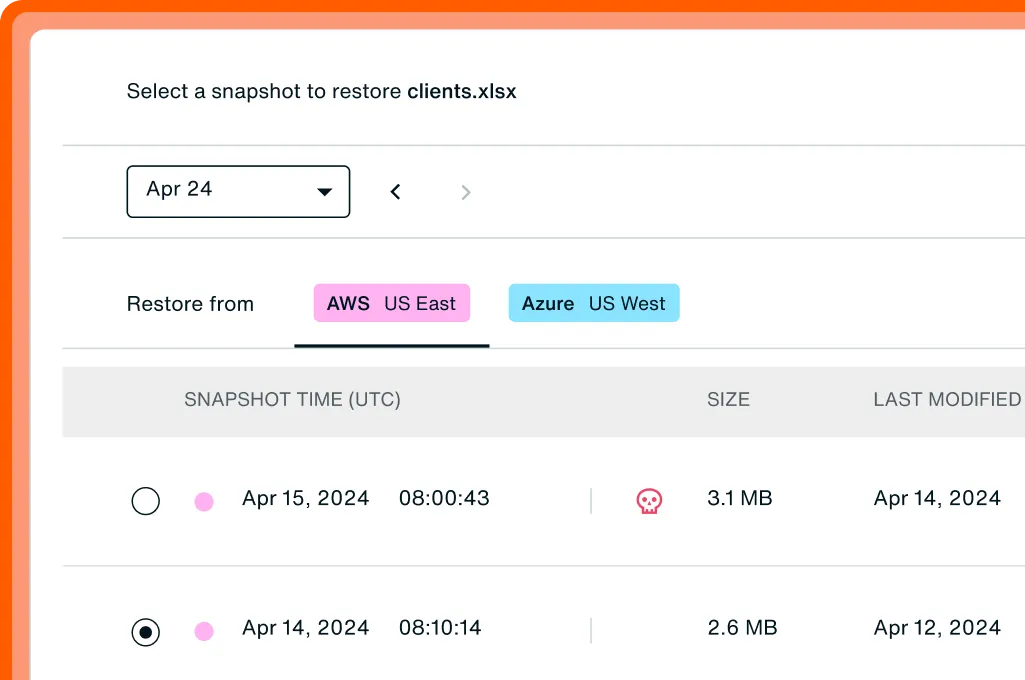
Ransomware: find + recovery
Investigate signals, then restore from a known-good point.
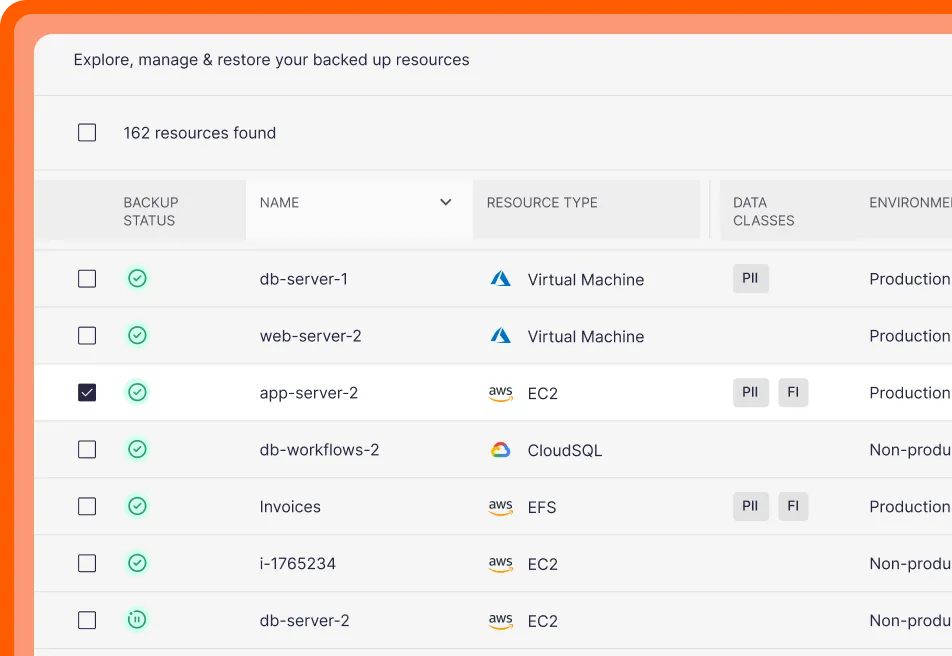
One operational view for recovery, compliance, and cost
Eon consolidates posture, recovery, and cost into one view. Teams can confirm coverage, respond during incidents, and prep for audits without switching subscriptions, vaults, and billing views.
Cost considerations with Azure Backup
Eon keeps the model predictable and shows spend by workload and policy.
Azure Backup can be cost-effective, but it helps to understand a few details up front: storage redundancy defaults (GRS), cross-region restore requirements, and VM backup transfer behavior (no compression).
Granular restore
Recover a specific file/object/table without rebuilding everything.

Granular recovery for day-to-day Azure incidents
Most incidents don’t require a full resource restore. Eon supports targeted recovery for accidental deletes and partial data loss, plus global search across backups and environments.
Azure file-level recovery can require running scripts/executables and depends on workload and vault configuration, which adds friction during incidents.
Ransomware protection inside the backup layer
Eon makes ransomware readiness the default: immutable, logically isolated backups, detection tied to backup activity, and fast rollback to known-good recovery points.
Azure Backup can be hardened with protections like soft delete, immutability, multi-user authorization, and Resource Guard. In larger environments, those controls are configured per vault and workload, so teams typically need a consistent way to track posture and drift over time.
Ransomware: find + recovery
Investigate signals, then restore from a known-good point.
FAQs
Teams compare Eon vs. Azure Backup when resource‑level backup no longer provides enough visibility, recovery flexibility, or cost insight across many subscriptions and regions.
Azure Backup fits when teams:
- Run a small number of subscriptions
- Rely on basic resource‑level restore
- Do not need centralized posture reporting
Teams add Eon when they:
- Manage many subscriptions or regions
- Need one view of coverage, recovery, and cost
- Want file-, object-, and database-level recovery
- Aim to reduce backup storage costs by 30–50%
- Need clearer cost attribution
- Need to search or query backup data without restores
- Operate across more than one cloud
No. Eon supports Azure, AWS, and Google Cloud from the same dashboard.
Yes. Eon lets teams search and query backup data directly for audits, investigations, analytics, and AI use cases.
Azure Backup uses different vault types for different data sources, which can create separate operating models across workloads. Eon gives teams one operating model for posture, recovery, and cost across supported Azure services.