

How Eon Fits Google Cloud at Scale
Coverage that keeps up with project growth
Eon tracks resources across orgs, folders, and projects and keeps protection aligned as teams ship changes.
Google Cloud makes it easy to spin up new projects, which can lead to uneven coverage and policy drift. Native coverage varies by service, and some services aren’t supported by centralized backup tooling.
Ransomware: find + recovery
Investigate signals, then restore from a known-good point.
Centralized backup without customer-run appliances
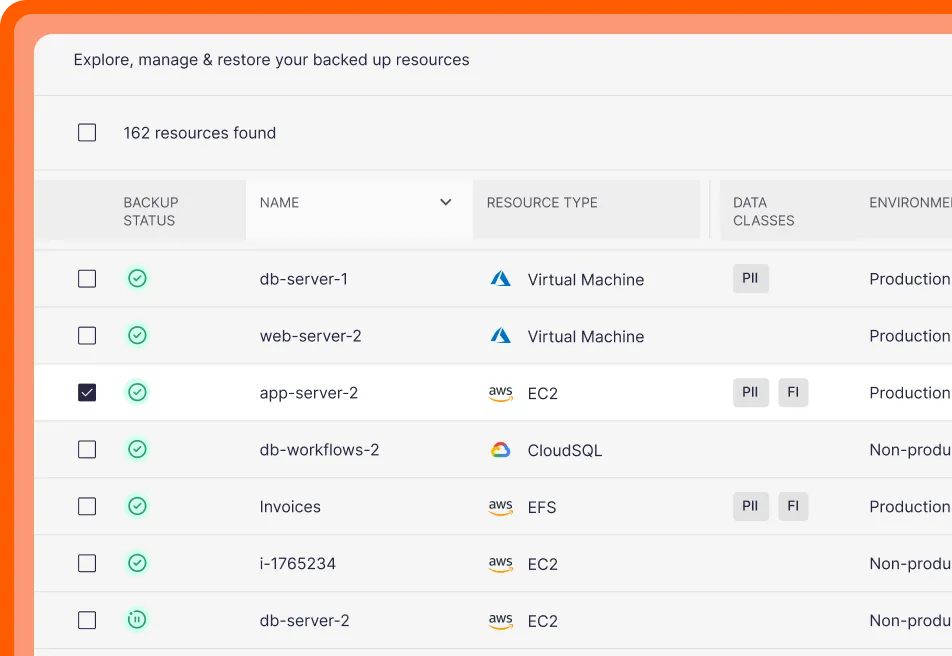
Eon protects Google Cloud workloads without deploying backup/recovery appliances or management servers to move data.
With Google Cloud’s Backup and DR service, centralized protection for certain workloads can require customer-managed compute plus appliances and connectors for discovery, change tracking, and application-aware recovery.
First-class support for analytics workloads
Eon protects BigQuery alongside other infrastructure services, so teams can recover tables and records, inspect historical data, or roll back changes without affecting production tables—without building extra analytics pipelines.
In Google Cloud, centralized BigQuery backups typically require separate workflows (time travel, snapshots, dataset copies, or exports), which adds manual overhead as environments scale.
Recovery without rebuilding environments
Eon supports file‑, object‑, table‑, and record‑level recovery so teams fix the specific issue instead of defaulting to full restores.
Google Cloud’s native protection patterns are service-specific. For object storage, teams often rely on a mix of versioning, soft delete, and replication patterns that don’t always behave like true backups during incidents.
Built for a partner‑led ecosystem
Many Google Cloud teams extend native capabilities with marketplace solutions. Eon fits that model by adding posture management, recovery, and backup data access in one place.
Cost insight across projects and teams
Eon’s Cost Explorer shows how backup spend maps to projects and policies, which helps teams explain growth without spending hours reverse-engineering billing and tags.
FAQs
Native Google Cloud backup fits when teams:
- Protect a small number of services
- Run a limited set of projects
- Rely on service‑level restores
- Don’t need centralized posture reporting across orgs/folders/projects
Teams add Eon when they:
- Manage many projects or folders (often with distributed ownership)
- Need one org-wide view of coverage, policy drift, and recovery
- Do not want to deploy a backup/recovery appliance that acts as a data mover
- Protect BigQuery alongside core infrastructure services (compute, databases, object storage)
- Want backup storage costs that stay predictable as retention grows (often 30–50% lower)
- Need to search or query backup data for audits, investigations, analytics, or AI without full restores
- Run multi-cloud now, or want the option later without changing your operating model
Yes. Eon protects BigQuery along with compute, databases, and object storage in Google Cloud.
Yes. Eon lets teams search and query backup data directly without restoring full resources.
No. Eon supports Google Cloud, AWS, and Azure from a single dashboard view.