In the AWS Backup vs. Veeam comparison, AWS Backup wins on simplicity, Veeam wins on recovery depth, and neither wins on cost transparency. Here's what that means for your team. Against a full enterprise platform rather than a native service, how Rubrik and Veeam compare reaches a different balance.
AWS Backup vs. Veeam: What’s the difference?
AWS Backup is a native, policy-driven AWS service that centralizes backup and recovery for AWS resources without any infrastructure to deploy. It uses a consumption-based pricing model, billed per GB-month of stored data, plus separate charges for restores, cross-region transfers, and optional features.
Veeam Backup for AWS is a customer-managed backup appliance that runs on an EC2 instance and protects AWS workloads using cloud-native snapshots, image-level backups, and S3 storage. It is licensed per instance through the Veeam Universal License (VUL) on top of the AWS infrastructure costs the customer pays directly. Our Veeam pricing breakdown covers what each license tier costs before those infrastructure charges.
Choose AWS Backup if: the environment is AWS-only, the team wants minimal operational overhead, and policy-based backup across native AWS services is the primary need.
Choose Veeam Backup for AWS if: the team needs deeper recovery flexibility, file-level restore, cross-account or cross-region restore, or wants the option to extend the same backup model to other clouds and on-prem environments.
| | AWS Backup | Veeam Backup for AWS |
|---|---|---|
| Operational model | Fully managed AWS service; no infrastructure to deploy or maintain | Customer-managed EC2 appliance + worker instances you run and pay for |
| Pricing | $0.05/GB-month warm storage across 7 billing dimensions | SaaS at $42/TB/month all-inclusive; or VUL licensing + AWS infrastructure costs |
| Key strengths | Widest AWS service coverage; native integration; zero setup | Deeper file-level recovery; license portability across clouds and on-prem; consistent restore workflow |
| Weaknesses | AWS-only; billing complexity across multiple dimensions; limited recovery granularity | Customer manages appliance, EBS volume, IAM roles, and worker instances; cost less predictable at scale |
| Best for | AWS-only teams that want zero operational overhead | Hybrid teams already running Veeam on-prem or needing deeper recovery options |
Meet AWS Backup: Features and highlights
AWS Backup is Amazon’s centralized backup service, generally available since 2019, that consolidates backup and recovery across multiple AWS services through a single console and policy framework.
Pricing:
- Pay-as-you-go across seven billing dimensions (storage, restores, restore testing, cross-region transfer, search, audit, malware protection)
- $0.05/GB-month warm storage in us-east-1 for most services
- Cold storage at $0.01/GB-month for supported services (EBS, EFS, DynamoDB, Timestream, SAP HANA, VMware), with a 90-day minimum retention
- EBS-specific archives can also use EBS Snapshots Archive at $0.0125/GB-month, also subject to a 90-day minimum.
What's included:
- Cloud-native snapshots for EBS, RDS, Aurora, DynamoDB, EFS, FSx, and other supported services
- Application-consistent backups via Windows VSS for EC2 instances
- File-level restore for EBS volumes to an S3 bucket
- Cross-account and cross-region restore (resource-type dependent)
- Backup Vault Lock for compliance-mode immutability
- Logically air-gapped vaults
- S3 Object Lock for S3 backups
Workload coverage: Native protection for EC2, EBS, RDS, Aurora, DynamoDB, EFS, S3, FSx, Storage Gateway, EKS, Timestream, SAP HANA on EC2, VMware on AWS, Redshift, Redshift Serverless, Aurora DSQL, DocumentDB, and Neptune.
Meet Veeam Backup for AWS: Features and highlights
Veeam Backup for AWS is a purpose-built AWS backup product that deploys as a customer-managed EC2 instance and uses cloud-native snapshots plus image-level backups stored in S3. It is part of Veeam’s broader Data Platform and shares licensing portability with on-prem and other cloud Veeam deployments.
Pricing:
Veeam offers two delivery paths for Veeam for AWS:
- SaaS model at $42/TB/month all-inclusive (covering the service, immutable storage, and support) per Veeam's product page
- Self-managed software licensed via Veeam Universal License (VUL) tiers (Foundation, Advanced, and Premium) at list prices of roughly $155 to $227.50 per workload/year, sold in 10-instance packs (AWS Marketplace)
Contact Veeam for current pricing. Self-managed deployments also incur AWS infrastructure costs the customer runs directly.
What’s included:
- Cloud-native snapshots and image-level backups stored in S3
- Application-aware processing via VSS for Windows
- File-level recovery across common Linux and Windows file systems
- Cross-account, cross-region, and cross-platform restores via a consistent wizard-driven workflow
- S3 Object Lock in compliance mode for immutability
- Archive tiering to S3 Glacier Flexible Retrieval and Glacier Deep Archive
Workload coverage: EC2, EBS, RDS, Aurora, DynamoDB, EFS, FSx, VPC config, S3, S3 Glacier, Redshift, Redshift Serverless, AWS Outposts.
AWS Backup vs. Veeam: Feature-by-feature comparison
Workload coverage
AWS Backup covers a broader set of AWS-native services. Recent expansions added Redshift, Redshift Serverless, Aurora DSQL, DocumentDB, and Neptune to the supported list, alongside earlier coverage for Storage Gateway, EKS Cluster state, Timestream, SAP HANA on EC2, and VMware on AWS.
Veeam supports core AWS services such as EC2, RDS, S3, and DynamoDB, plus Redshift, Aurora, EFS, and FSx.
Winner: AWS Backup. For teams using less common AWS services or wanting EKS persistent storage included, AWS Backup has a wider footprint. What that coverage still leaves to you is set out in our guide to EKS backups. We rank the wider field in best AWS backup solutions.
Pricing and predictability
AWS Backup warm storage runs $0.05/GB-month, but the bill rarely stops there. Cross-region transfers add $0.02–$0.04/GB, restores are charged per GB restored, and Audit Manager adds $1.25 per 1,000 evaluations plus $0.003 per AWS Config item. Across all seven dimensions, restores and transfers alone can push total spend 20–40% above storage costs. Our full AWS Backup cost breakdown works through each of those billing dimensions.
Veeam Backup for AWS uses per-instance VUL pricing, which is more predictable per workload. It stacks on top of the AWS infrastructure costs the customer pays directly (EC2 backup appliance, EBS volume, S3 storage, worker instance compute, data transfer).
Veeam also confirmed 4-8% list price increases for both January 2025 and January 2026. Teams treating those increases as a prompt to look elsewhere can start with our Veeam alternatives.
Winner: Tie. AWS Backup is simpler from a licensing perspective; Veeam is more predictable per workload. Both have hidden cost vectors.
Deployment and operations
AWS Backup requires no infrastructure deployment. The service runs as a managed AWS feature, and policies are configured through the AWS Backup console or APIs.
Veeam Backup for AWS deploys as an EC2 instance running Ubuntu 22.04 LTS in current versions (per Veeam's user guide). Veeam recommends a general-purpose instance type sized to the backup workload; verify current minimums against Veeam's deployment guide.
Winner: AWS Backup. It has a clear advantage in operational overhead.
Recovery granularity
AWS Backup supports point-in-time and resource-level recovery for most services. Some services support item-level restore (like EBS file-level), but recovery granularity varies by resource type. Which resource types behave which way, and how to configure around the gaps, is covered in our AWS Backup best practices.
Veeam Backup for AWS supports file-level recovery across multiple file systems, full instance restore, and cross-account, cross-region, and cross-platform restores out of the box. The wizard-driven recovery workflow is consistent across protected workloads.
Winner: Veeam for deeper file-level and cross-environment restore options.
Multi-cloud and portability
AWS Backup is AWS-only by design. Teams running workloads in Azure or GCP need separate native services or third-party tools. If Azure is the second cloud, we compare the two native services in Azure Backup vs AWS Backup.
Veeam licenses are portable across Veeam Backup for AWS, Veeam Backup for Microsoft Azure, Veeam Backup for Google Cloud, and on-prem Veeam Data Platform. The same Veeam Universal Licenses can be reassigned between environments without having to buy new licenses. How that licensing model plays out in practice is covered in our Veeam review.
Winner: Veeam. Its license portability is a structural advantage for hybrid teams.
Ransomware protection and immutability
AWS Backup includes Vault Lock for compliance-mode immutability and supports logically air-gapped vaults. In AWS's published pricing example, EFS storage in a logically air-gapped vault in EU West (Ireland) is billed at $0.0575/GB-month. Rates vary by resource type and region, and are generally close to standard vault storage rates.
Veeam Backup for AWS uses S3 Object Lock in compliance mode, which prevents deletion or overwrite by any user, including the AWS root user. Backups can also be sent to S3 Glacier Flexible Retrieval and Glacier Deep Archive for long-term immutable storage. Sending them there is a retention decision with its own arithmetic, which backup in cold storage works through.
Winner: Tie. Both tools deliver compliance-mode immutability, with similar limitations around early deletion charges.
What real users are saying
Here's what teams actually report after running both tools in production.
AWS Backup
Pros:
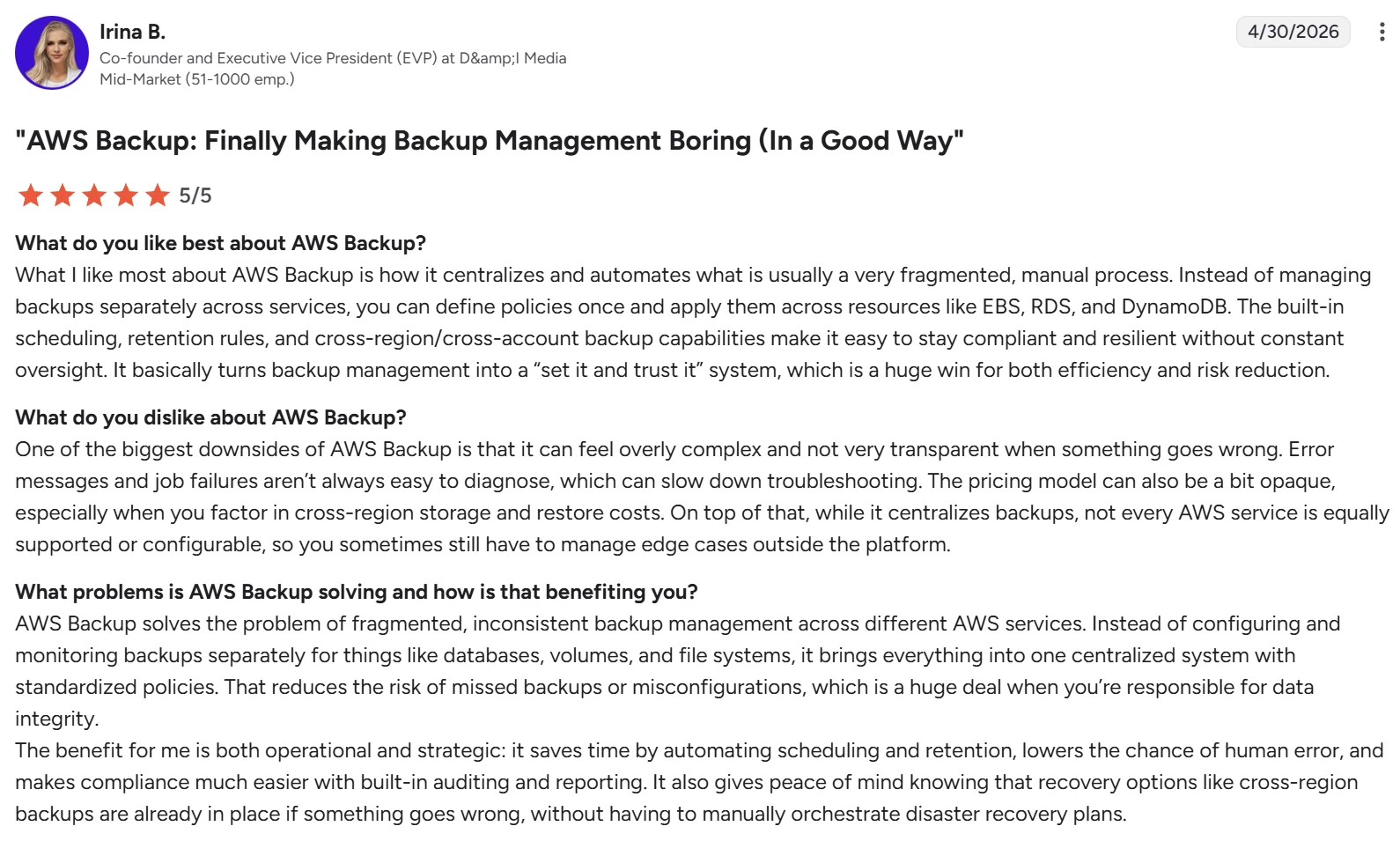
- Replaces fragmented, manual backup processes with a single control plane. Irina B., Co-founder and EVP at D&I Media, shared on G2 that AWS Backup "centralizes and automates what is usually a very fragmented, manual process."
- Policy-driven scheduling and retention removes ongoing manual work. An IT trainer in the education industry noted on Gartner Peer Insights that "its ability to create automated backup plans with defined scheduled retention periods and life cycle rules is a major strength."
- Cost-effective coverage across native AWS services without per-service tooling. A systems engineer in IT services wrote on Gartner Peer Insights that the platform "[centralizes] backup management without putting too much money across multiple native integrations of AWS services."
Cons:
- Restore workflows vary in consistency across services. A senior manager in IT services noted on Gartner Peer Insights that "some restore workflows can feel clunky or inconsistent at times."
- True cost isn't obvious until the bill arrives. A director in banking wrote on Gartner Peer Insights that "pricing adds up really quick and it's not obvious from the get go."
Veeam Backup for AWS
Pros:
- Purpose-built for AWS teams without deep backup expertise. Taryn F., a Software Solutions Specialist, shared on G2 that "Veeam is such a simple product to deploy, implement and use."
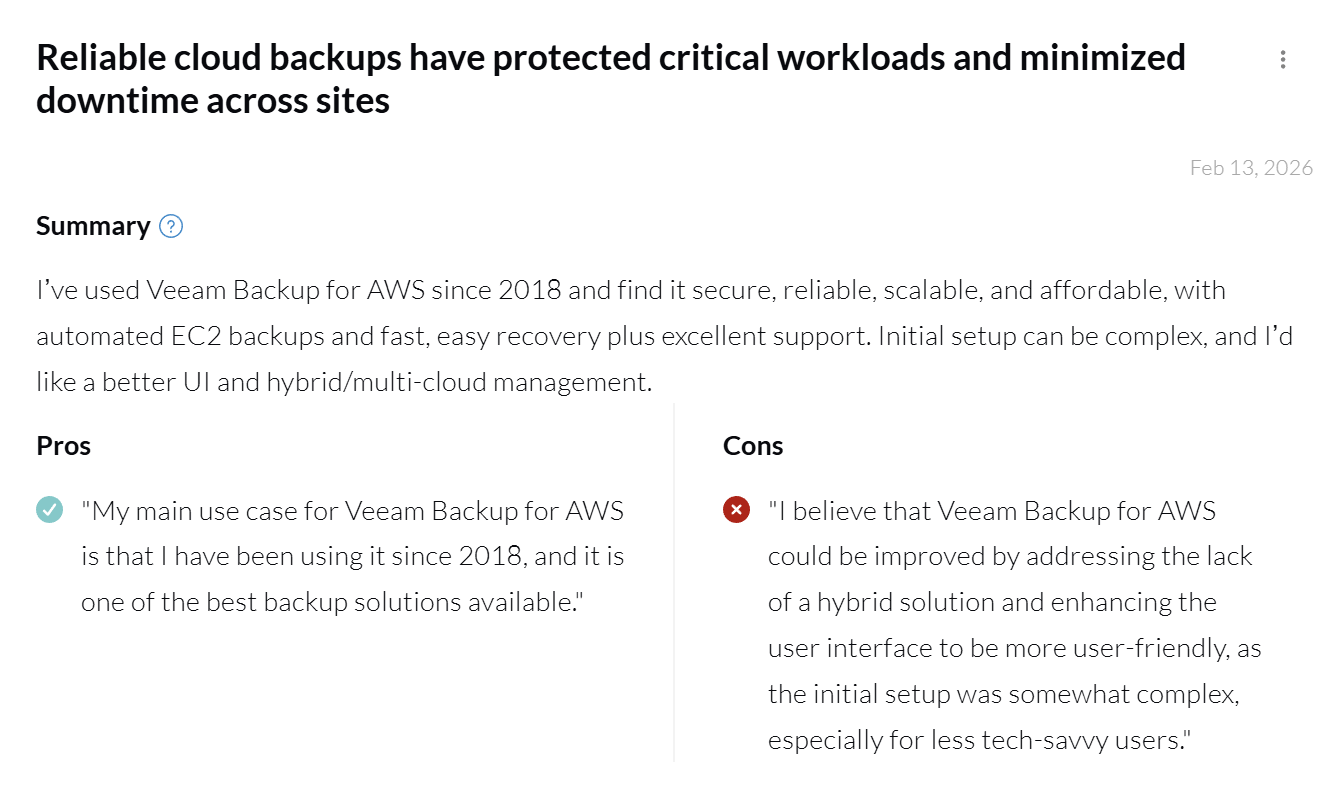
- Recovery speed holds up under real incident conditions. Yakox Gladys, Regional Sales Manager at Novartis, highlighted on PeerSpot "fast, easy recovery plus excellent support."
- Backups are genuinely isolated from production. Rodrigo Hernandez, Head of Cloud Services at Anvek, noted on PeerSpot, "If I need to restore my backup, I have access to a backup outside my environment and I can restore this backup to another AWS account."
Cons:
- Licensing structure adds cost as environments grow. Aditi R., a Technology Analyst, wrote on G2 that "the licensing cost is high and requires separate licenses for each user."
- Operational visibility gaps surface at scale. Rejopi Gladys, a Data Engineer at Genpact, noted on PeerSpot that "Veeam Backup for AWS can be improved with enhanced reporting and monitoring."
How to make your choice
The decision between AWS Backup and Veeam Backup for AWS comes down to operational model preference and recovery requirements. If neither model fits, our roundup of enterprise backup solutions widens the shortlist.
AWS Backup is better for:
- Teams running entirely on AWS who want the simplest possible operational model.
- Organizations standardizing on AWS-native services for governance and audit reasons.
- Workloads that include less common AWS services, such as Storage Gateway, EKS, Timestream, or SAP HANA on EC2.
- Cost-conscious deployments where storage is the dominant cost and complex restore patterns are rare.
Veeam Backup for AWS is better for:
- Hybrid teams that already run Veeam on-prem or in other clouds and want license portability.
- Workloads requiring deep file-level recovery or cross-platform restore flexibility.
- Organizations that prefer a customer-managed appliance model for control over backup infrastructure.
- Organizations that prefer a customer-managed appliance model for control over backup infrastructure and recovery workflows.
The bottom line
AWS Backup is the right default for AWS-only environments where operational simplicity matters most. Veeam is the right fit for hybrid teams already running Veeam on-prem, or workloads that need deeper file-level recovery. For hybrid estates the more useful comparison is how Commvault and Veeam compare, since both are built for mixed workloads.
Neither tool is built for teams running multi-cloud workloads or treating backup data as something more than insurance.
A cloud-native alternative: Eon
Eon is a fully SaaS-managed cloud data protection and recovery platform built for teams running AWS, Azure, and Google Cloud, plus Microsoft 365 and Google Workspace, with no appliances, no worker instances, and no per-cloud license stacking.
Its autonomous Cloud Backup Posture Management discovers cloud resources across accounts and regions, classifies data by risk and compliance context, and applies backup policies based on data characteristics rather than tags for continuous compliance.
Eon supports granular recovery at the file, object, and database-record levels; a recovery process that took SoFi a full day now finishes in under five minutes. Eon also converts backups into Parquet format, turning backup history into governed, queryable data for analytics, ML, and AI without restore-first workflows.
Eon does not charge data retrieval fees for restores, which matters because both AWS Backup and Veeam add restore-related charges on top of storage costs.
Storage savings of 30–50% come from incremental forever backups and global deduplication. NETGEAR, for example, cut backup storage costs by 35% after moving to Eon from a legacy provider. Cost Explorer gave their team instant visibility into spend by resource and application, eliminating the manual reporting they had relied on before.
Ransomware resilience is built into the backup workflow. Eon stores data in immutable, logically air-gapped vaults with anomaly, ransomware, and malware detection tied to backup activity, and surfaces clean recovery points for rollback across compute, object storage, and databases.
Get a demo and see Eon in action across your AWS, Azure, or GCP environment.
Frequently asked questions
Is AWS Backup better than Veeam?
Whether AWS Backup is better than Veeam depends on the environment. AWS Backup is better for AWS-only deployments where simplicity matters, while Veeam is better for hybrid teams or workloads requiring deeper file-level and cross-environment recovery.
Is Veeam Backup for AWS free?
No, Veeam Backup for AWS is not free. Veeam offers two paid options: SaaS at $42/TB/month, or self-managed software licensed via Veeam Universal License (VUL). A free Community Edition has existed historically; contact Veeam directly to confirm whether one is still available.
How much does AWS Backup cost?
AWS Backup costs $0.05 per GB-month for warm storage of EBS and EFS in us-east-1, with rates varying by service and region. Total cost spans seven billing dimensions, including storage, restores, cross-region transfers, restore testing, search, audit, and malware protection.
Can Veeam Backup for AWS protect non-AWS workloads?
No, Veeam Backup for AWS does not directly protect non-AWS workloads. Teams running multi-cloud environments need separate Veeam products such as Veeam Backup for Microsoft Azure or Veeam Backup for Google Cloud, with VUL portability between them.
Does AWS Backup support immutable backups?
AWS Backup supports immutable backups through Vault Lock in compliance mode and through logically air-gapped vaults. Compliance-mode locks cannot be modified or deleted by any user, including AWS root users.
What workloads does AWS Backup not cover?
Both AWS Backup and Veeam Backup for AWS cover Redshift. AWS Backup additionally covers Storage Gateway, EKS, Timestream, VMware on AWS, SAP HANA on EC2, Aurora DSQL, DocumentDB, and Neptune, all of which Veeam Backup for AWS does not protect directly.
What is the difference between AWS Backup and Veeam Backup for AWS?
The difference between AWS Backup and Veeam Backup for AWS lies in their operational models and feature depth. AWS Backup is a native AWS service with no infrastructure to deploy, while Veeam is a customer-managed appliance with deeper recovery, immutability, and cross-cloud licensing portability. The same native-versus-orchestration split shows up in N2WS vs AWS Backup, with a narrower AWS-only scope.