The seven Azure cost optimization tools below each tackle a different part of the bill, from compute rightsizing to managed disks. The comparison shows where each earns its place in a stack, and where all of them stop short of backup and snapshot spend. The native service is still widely called Azure Cost Management, and the Azure optimization tools below cover the ground it leaves out. Retention is where that backup spend is set, and locking it changes what you can trim: see immutable Azure backups.
7 best Azure cost optimization tools: Quick comparison
| Tool | Best for | Pricing model | Free entry point |
|---|---|---|---|
| Microsoft Cost Management + Azure Advisor | Authoritative billing and baseline rightsizing | Free for Azure usage | Yes |
| Turbo360 | Azure-only shops, MSPs, and CSPs | Custom, from $250/mo | Free trial |
| CloudHealth by Broadcom | Large multi-cloud governance plus rightsizing | Custom annual contract | No |
| IBM Cloudability (formerly Apptio) | Enterprise allocation, chargeback, and multi-cloud FinOps | Custom, percentage of managed spend | Free trial |
| Spot (now Flexera) | Interruptible compute on Spot VMs | Savings-share or vCPU-based | Marketplace |
| Cast AI | Autonomous AKS cost reduction | Usage-based, often savings-aligned | Free tier |
| Lucidity | Idle and over-provisioned managed disks | Savings-share | Free assessment |
How we evaluated these Azure cost optimization tools
We followed a practical FinOps order of operations. This involves seeing the spend first, then rightsizing, then optimizing rates and commitments, then governing. We applied the same order to the AWS cost optimization tools we tested, so the two lists are directly comparable.
For each tool we checked documentation, walked the interface where access allowed, and weighed public reviews against vendor claims.
Four questions guided every review:
- Does the tool read Azure billing data at the resource level, or only summarize it?
- Can it rightsize and scale workloads safely without manual babysitting?
- How does it handle Reservations, Savings Plans, and Spot VM coverage?
- What does it do about storage waste, the line item that grows quietly?
Because AI and GPU workloads are now the fastest-growing driver on many Azure bills, we noted where each tool reaches into that spend. We also scored backup and snapshot cost visibility, a category most Azure roundups skip. That gap shapes our verdict at the end. If Azure is only part of the estate, the same scoring applied across providers is in our review of multi-cloud cost visibility.
The 7 best Azure cost optimization tools
1. Microsoft Cost Management + Azure Advisor: best for authoritative billing data
What it does: Microsoft Cost Management reports and forecasts Azure spend, sets budgets and alerts, and pairs with Azure Advisor for cost, performance, and reliability recommendations.
Best for: Any team starting a cost program, and any environment that needs a single source of billing truth.
Native tooling sits underneath every third-party platform in this list, because they all read the same Azure billing data. We treat it as the baseline rather than the finish line. If a vendor's numbers drift from your Cost Management exports, that is a signal to investigate.
Key features
- Cost analysis and forecasting: Break down spend by subscription, resource group, service, region, and tag, with management-group rollups for top-down budgeting.
- Budgets and anomaly alerts: Set thresholds and get notified before a spike lands on the invoice.
- Azure Advisor rightsizing: Surface idle or underused VMs, plus Reservation and Savings Plan purchase recommendations.
Pros
- Free for Azure usage, with direct access to first-party billing data.
- Native integration with Azure Policy, RBAC, and management groups for enforcement.
- No setup or connectors to maintain.
Cons
- Recommendations and reporting live across several consoles with no unified workflow.
- Allocation and chargeback get thin once you cross many subscriptions and tenants.
- Cost attribution stops at the vault level for backups, so it cannot tell you what your backup spend actually contains.
What users say
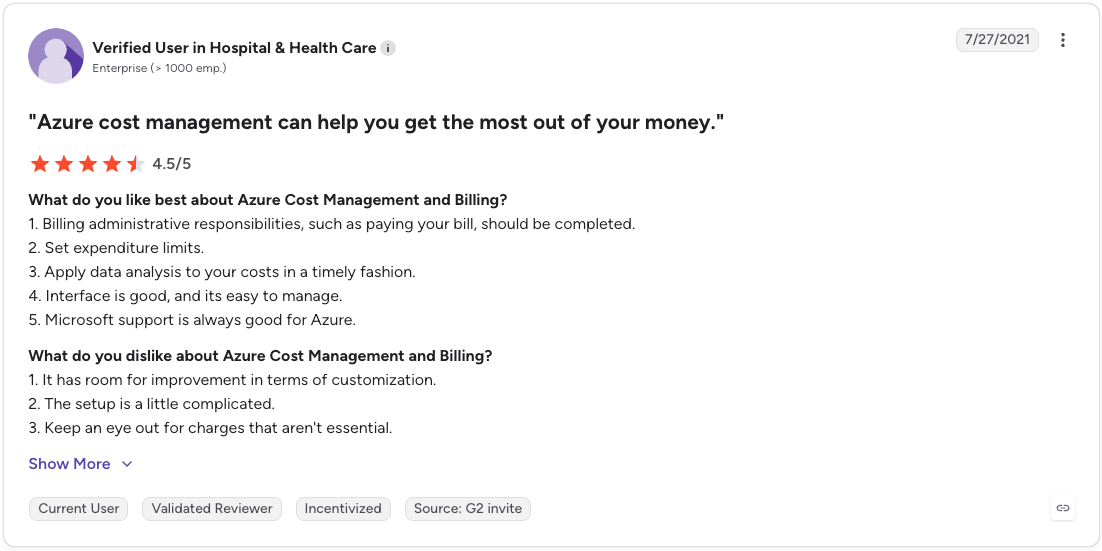
“Interface is good, and its easy to manage.”” - Verified User in Hospital & Health Care., G2.
“The setup is a little complicated.” - Verified User in Hospital & Health Care., G2.
Pricing
Microsoft Cost Management is included for Azure resources at no extra charge. Some advanced exports and Power BI integration can carry separate costs depending on configuration.
Bottom line
Start here. It is the only place you see your real Azure bill at the resource level. Native tooling handles visibility and first-pass rightsizing well, then runs out of room on allocation, automation, and storage once you operate across teams and accounts.
2. Turbo360: best for Azure-only shops, MSPs, and CSPs
What it does: Turbo360 is an Azure-focused FinOps and monitoring platform built around Azure's billing structure, subscription hierarchy, and pricing models.
Best for: Organizations where Azure is the primary or only cloud, and service providers managing many client subscriptions.
Because it commits fully to Azure rather than splitting development across three clouds, Turbo360 maps cleanly to Azure's tagging and subscription model. Its Cost Analyzer breaks spend down by resource, service, and subscription, and its scheduling feature scales resources down during off-peak hours.
Key features
- Multi-subscription allocation: Normalizes inconsistent tags and assigns cost to business units across subscriptions.
- Optimization scheduling: Powers down non-production resources on a schedule, then brings them back for business hours.
- Anomaly alerts: Flags cost spikes within the same day they occur, shortening the gap between spike and fix.
Pros
- Built specifically for Azure billing, so reports match how Azure structures spend.
- Strong multi-tenant support for MSPs and CSPs.
- Public starting price and a real free trial, which is rare in this category.
Cons
- Single-cloud focus means limited value for AWS or GCP-heavy estates. Where the two native backup services diverge is covered in Azure Backup vs AWS Backup.
- Deep financial modeling can require more configuration than smaller teams want.
What users say

“This platform excels in providing detailed right sizing recommendations, ensuring that resources are neither over- provisioned” - Varsha R. Associate 2 Enterprise (> 1000 emp.), G2.

“Its learning curve for new users or teams adjusting to its interface and integration process.” - Amith P. Senior Manager-Enterprise Integrations Enterprise (> 1000 emp.), G2.
Pricing
Custom quotes based on usage tiers, starting around $250 per month, with a free trial and demo available.
Bottom line
Turbo360 is a strong fit when Azure is your center of gravity. The transparency on pricing and the Azure-native reporting make it easier to adopt than enterprise suites built for multi-cloud first.
3. CloudHealth by Broadcom: best for large multi-cloud governance
What it does: CloudHealth (formerly VMware Tanzu CloudHealth, now part of Broadcom) is a multi-cloud cost management platform that pairs financial visibility with governance and rightsizing.
Best for: Large enterprises running Azure alongside AWS, GCP, and VMware that need centralized governance.
It centralizes cost across providers and applies policy-based rules for budgets and usage thresholds. For Azure specifically, it surfaces rightsizing recommendations for Virtual Machines, SQL Databases, and AKS, plus commitment-based discount guidance.
Key features
- Rightsizing recommendations: Identifies oversized Azure VMs, SQL, and AKS resources, and reservable-service discounts.
- Governance policy engine: Enforces budgets and usage rules with role-based access for stakeholders.
- Security posture overlap: Adds cloud security posture management for teams where SecOps and FinOps meet.
Pros
- Centralized governance across large, multi-account, multi-cloud estates. Running that governance across clouds rather than one is the subject of multi-cloud cost and security management.
- Fits finance and procurement workflows at enterprise scale.
Cons
- Following the Broadcom acquisition, some users report slower updates and roadmap uncertainty.
- Heavier than smaller teams need, with no free trial to test first.
What users say

“helps us understand the cloud costs of our customers with a deep drill down to each service, linked account, etc.” - Daniel V. Senior Consultant, Cloud & DevOps Mid-Market (51-1000 emp.), G2.
“VMware Aria Cost powered by CloudHealth is lacking a central view of cost savings recommendations for many services.” - Daniel V. Senior Consultant, Cloud & DevOps Mid-Market (51-1000 emp.), G2.
Pricing
Custom, annual enterprise contracts. No public free trial; pricing scales with managed cloud spend.
Bottom line
CloudHealth makes sense when governance across several clouds is the primary requirement and budget supports an enterprise contract. Teams that live mostly in Azure will get faster value from an Azure-native option.
4. IBM Cloudability: best for enterprise allocation and chargeback

What it does: IBM Cloudability (formerly Apptio Cloudability) is an enterprise FinOps platform that allocates cloud and AI spend across teams, then layers forecasting, anomaly detection, and rightsizing on top.
Best for: Large organizations that need finance-grade cost allocation and chargeback across Azure, AWS, GCP, and OCI.
Cloudability turns a tangled multi-cloud bill into cost that maps to teams and products. Its business mapping engine allocates all spend without rewriting native tags, so chargeback and showback hold up at scale.
IBM placed furthest in Vision and highest in Execution for Cloudability on the 2025 Gartner Magic Quadrant for Cloud Financial Management Tools.
Key features
- Business mapping and full allocation: Assigns all cloud and AI spend to teams, products, or features without changing native tags.
- Forecasting and anomaly detection: Driver-based forecasts and alerts that surface variance before it lands on the invoice.
- AI and Kubernetes coverage: Ingests Azure OpenAI, third-party LLM, and container costs into one allocation model.
Pros
- Deepest allocation and chargeback model in this list, giving finance and engineering one shared source of truth.
- Broad coverage across Azure, AWS, GCP, OCI, Kubernetes, and AI services. The GCP half of that coverage is ranked on its own terms in our roundup of GCP cost optimization tools.
Cons
- Best value tends to appear above roughly $5M in annual cloud spend, so smaller teams rarely justify the license.
- Full chargeback modeling takes real implementation time, often 8 to 16 weeks, longer than native Azure tooling.
What users say

“I like the level of granular visibility IBM Cloudability provides into cloud costs.” - Raghav M. System Engineer Enterprise (> 1000 emp.), G2.
“Sometimes it becomes complex, especially when we need deeper analysis and advanced reporting.” - Raghav M. System Engineer Enterprise (> 1000 emp.), G2.
Pricing
Custom enterprise pricing, typically a percentage of managed cloud spend, with a free trial available by request. Public benchmarks put the entry point near $30,000 per year, with the strongest return above roughly $5M in annual cloud spend.
Bottom line
Cloudability earns its place when finance-grade allocation and chargeback across several clouds is the priority. Where CloudHealth leans toward governance and policy, Cloudability leans toward attribution and unit economics, so teams that need to answer which team or product drove a given line of spend get the most from it.
5. Spot (now Flexera): best for interruptible compute on Spot VMs

What it does: Spot, now part of Flexera after the March 2025 acquisition from NetApp, automates spare-capacity usage and balances workloads across Spot, reserved, and on-demand capacity.
Best for: Workloads that tolerate interruption, mainly batch processing, CI/CD, and dev/test fleets.
Azure Spot Virtual Machines offer deep discounts in exchange for eviction risk, and managing that risk by hand gets complex at scale. Spot orchestrates placement and reschedules work before evictions hit. Flexera's portfolio now also includes ProsperOps for commitment automation, which pairs naturally with Spot's compute focus.
Key features
- Spot orchestration: Continuously evaluates price and availability, shifting workloads ahead of eviction events.
- Kubernetes integration: Manages node groups and reschedules pods during interruptions.
- Policy controls: Sets availability targets and cost thresholds across large fleets.
Pros
- Large compute savings for interruption-tolerant workloads once policies are tuned.
- Reduces manual capacity management at scale.
Cons
- Initial setup and policy tuning take real effort.
- Limited upside for steady, production-only workloads.
What users say

“Reducing compute costs by 80%+ is the most obvious thing to like about Spot Ocean..” - Steve E. Vice President, Engineering Services Enterprise (> 1000 emp.), G2.

“the documentation is confusing some aws permissions is confusing to understanding” - Andrei D. Tech Manager Mid-Market (51-1000 emp.), G2.
Pricing
Available through Azure and AWS Marketplace, billed on a savings-share or vCPU-based model depending on the product, with private offers for larger contracts.
Bottom line
Spot pays off most in environments designed for interruption tolerance. For production-heavy estates with low eviction tolerance, the savings window is narrower.
6. Cast AI: best for autonomous AKS cost reduction
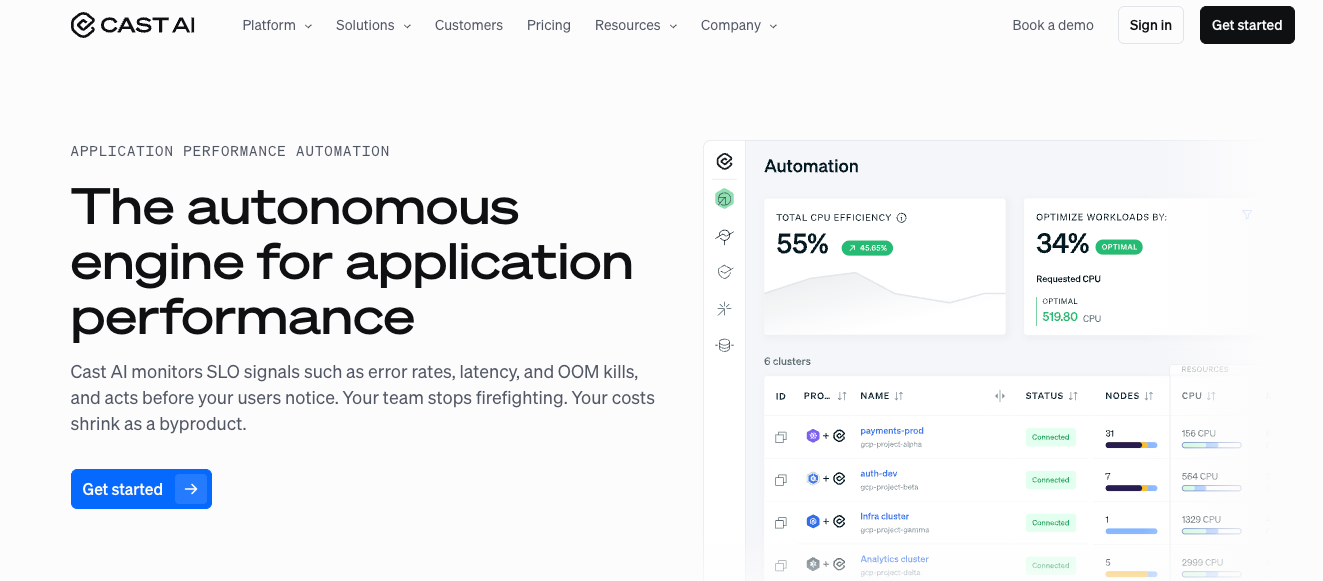
What it does: Cast AI continuously tunes Kubernetes clusters by selecting instance types, scaling nodes, and bin-packing workloads in real time.
Best for: Teams running Azure Kubernetes Service that want hands-off, ongoing cost reduction.
Rather than only showing where AKS spend comes from, Cast AI acts on it, mixing Spot, reserved, and on-demand capacity automatically. That suits teams comfortable handing scaling decisions to automation.
Key features
- Autonomous scaling: Adjusts node count and instance types against live demand.
- Instance selection: Picks the lowest-cost infrastructure that still meets workload requirements.
- Continuous optimization: Applies changes without waiting for manual review cycles.
Pros
- Cuts Kubernetes costs without ongoing manual tuning.
- Handles scaling and instance choices automatically.
Cons
- Requires trust in automated changes to production clusters.
- Initial setup and tuning take time in complex environments.
What users say

“The automation is genuinely impressive - once Cast AI is connected to our clusters, it handles the scaling decisions that used to eat up hours of our engineers' time each week. ” - Rahul Abishek K. Senior DevOps Engineer Mid-Market (51-1000 emp.), G2.

“While the onboarding is fast, there is a slight learning curve when it comes to fine-tuning policies” - Ajay B. DevOps Engineer Enterprise (> 1000 emp.), G2.
Pricing
Usage-based, often aligned with the savings generated, with a free tier for visibility before paid optimization.
Bottom line
Cast AI is a strong pick for AKS-heavy teams that accept vendor-led autoscaling. Teams that require manual change control over production may find the autonomous model harder to adopt.
7. Lucidity: best for idle and over-provisioned managed disks
What it does: Lucidity optimizes Azure block storage. Its Assessment quantifies disk waste, Lumen surfaces idle disks and tier mismatches, and AutoScaler resizes live managed disks with no downtime.
Best for: Azure-heavy teams whose managed disks sit half-empty, a layer compute and Kubernetes tools ignore.
Azure managed disks can account for a meaningful slice of the bill, and average disk utilization often sits near 30%. Lucidity shrinks and grows volumes automatically to push utilization higher without manual provisioning. It is agentless for assessment and visibility, with a lightweight agent for autoscaling.
Key features
- Free assessment: A 15-minute, metadata-only scan that quantifies block storage waste.
- AutoScaler: Expands and shrinks live disks in real time, the only approach that shrinks a live partition without downtime.
- Windows and Azure depth: Built for Azure-heavy, Windows Server environments.
Pros
- Targets a real, overlooked source of waste in primary storage.
- Savings-share pricing keeps it budget-neutral for many teams.
Cons
- Scope stops at block storage, so you still need other tools for compute and commitments.
- AutoScaler installs a lightweight agent, which some security teams will want to review.
What users say

“Lucidity provides a one-stop platform to assess your business, develop a robust strategy and establish and monitor the steps required to execute the plan.” - F H, G2.

“Presentation of structure in network is sometimes a bit time consuming to navigate” - Simon C., G2.
Pricing
Savings-share, funded by the reduction in your monthly Azure bill, with a free self-serve Assessment to start.
Bottom line
Lucidity earns a place when managed-disk waste is a known problem. It optimizes the disks your applications run on, which leaves the backup and snapshot layer as a separate, unaddressed cost. We break that layer down on its own in our guide to Azure backup cost.
The Azure cost category these tools overlook
Every tool above covers compute, commitments, Kubernetes, or primary storage. Backup and snapshot storage sits outside that scope, and for organizations running at scale it grows quietly with no view into what it actually holds.
Azure splits backup across two vault types, Recovery Services vaults for VMs and SQL and Backup vaults for Blobs and Disks, which makes policy consistency hard to hold as subscriptions multiply. Geo-redundant storage defaults, uncompressed VM transfers, and cross-region restore charges add cost that vault-level billing never explains.
Eon built Cloud Backup Posture Management (CBPM) for this gap. It discovers and classifies Azure resources across subscriptions and regions, applies the right backup policy without manual tagging or agents, and shows what is protected, what is drifting, and what each backup costs.
Two problems usually run at once in a large estate:
- over-retaining data that aged out of policy years ago
- under-protecting production that slipped through coverage
From there, the work shifts from storing copies to using them:
- Cloud-native discovery and classification across Azure, AWS, and Google Cloud, with no agents, appliances, or software installed in-tenant.
- Granular recovery at the file, object, or database-record level through granular restoration, with no full-environment rebuild.
- Queryable backups in open Parquet and Iceberg formats, reachable through Microsoft Fabric and OneLake for analytics and AI (the OneLake integration is in public preview).
- 30 to 50% lower storage costs through deduplication, compression, and intelligent tiering versus provider list prices, with backup data kept inside your own cloud environment.
For the broader picture on where backup spend leaks, Eon's guide to reducing cloud backup costs walks through the main drivers.
Which Azure cost optimization tool should you choose?
Start with native Azure tools to establish billing truth, then add one or two layers based on where your spend concentrates.
- Azure-first, single cloud: Turbo360 gives Azure-native allocation, scheduling, and anomaly alerts with transparent pricing.
- Enterprise allocation and chargeback: Cloudability maps multi-cloud and AI spend to teams and products for finance-grade accountability.
- Large multi-cloud enterprise: CloudHealth centralizes governance across Azure, AWS, and GCP, if the contract fits the budget.
- AKS-heavy: Cast AI reduces Kubernetes spend automatically; pair it with native tools for billing reconciliation. Reconciliation is the input to a real cloud cost analysis, not a substitute for one.
- Interruptible compute: Spot (Flexera) captures Spot VM savings for batch, CI/CD, and dev/test.
- Managed-disk waste: Lucidity right-sizes live block storage without downtime.
Most Azure estates end up combining native tools with one or two specialists. If backup storage is becoming a real part of your bill, that is a separate problem these tools do not solve.
Azure cost optimization best practices
Tools surface waste. Practices remove it. These habits do the heavy lifting on an Azure bill, and they work alongside any tool above.
Rightsize and autoscale before you commit
Buy nothing until usage is honest. Azure Advisor and most tools here flag oversized VMs and idle resources, so resize or retire them first. Then turn on autoscale for variable workloads so capacity tracks demand instead of peak guesses. Committing to a reserved rate on an oversized VM locks in waste for a year or more.
Choose Reservations and Savings Plans deliberately, then stack Hybrid Benefit
Azure Reservations lock a specific resource type and region for one or three years at a steep discount, while Azure Savings Plans for compute trade some of that discount for flexibility across instance families and regions.
Reserve only the steady baseline you are confident about, and cover variable usage with a savings plan. Layer Azure Hybrid Benefit on top to reuse existing Windows Server and SQL Server licenses. ProsperOps (now part of Flexera) automates this buying for teams that want commitment coverage managed continuously rather than by hand.
Use Spot VMs and scheduling for interruptible work
Move batch jobs, CI/CD runners, and dev/test fleets onto Azure Spot VMs for discounts that can reach a large share of on-demand pricing, with the trade-off that Azure can evict them. Pair that with simple scheduling so non-production resources sleep nights and weekends.
Spot and Cast AI both automate this pattern, though a basic schedule captures most of the win for small teams.
Put AI and GPU workloads under the same discipline
AI is the fastest-growing line on many Azure bills, and it behaves differently from VM spend. Azure OpenAI bills per token, so one prompt change or a viral feature can multiply consumption in a day. Match the model to the task first, since the mini and nano tiers handle simple work at a fraction of flagship rates, and move async jobs to the Batch API for its standing discount.
On the GPU side, an 8-GPU H100 node runs near $98 an hour, so reserve only the steady baseline and put interruptible training on Spot VMs. Idle clusters that keep billing between runs are the biggest remaining drain.
Tier and clean up storage
Match data to the right Azure Blob access tier, moving cold data to Cool, Cold, or Archive instead of paying Hot rates for files no one touches. Then hunt down orphaned disks left behind by deleted VMs, stale snapshots, and over-provisioned volumes. Lucidity automates the managed-disk side of this, and lifecycle policies handle Blob data.
Scope the backup blind spot
Compute, AKS, and storage tools rarely look at backup, yet Azure Backup costs climb with every redundancy default and retention rule. Azure Backup pricing starts around $5 per month per protected instance, then scales fast as geo-redundant defaults and long retention add up. It is a cost category with its own drivers, covered in full below.
Final verdict
Build your Azure cost optimization stack in layers. Use native tools for billing truth, add specialists for compute, AKS, commitments, and managed disks, and treat backup as its own cost category rather than an afterthought. The teams that save the most are not standardizing on one tool. They are matching the right tool to each cost driver.
Backup is the layer that hides the longest, because vault billing tells you the total without telling you what is inside it. Want to see what your Azure backup spend actually contains before your next invoice? See what Eon finds in your environment.
Frequently asked questions
What are the best Azure cost optimization tools?
The best Azure cost optimization tools depend on where your spend sits. Microsoft Cost Management and Azure Advisor cover billing and baseline rightsizing, Turbo360 and Cloudability handle FinOps allocation and chargeback, Spot and Cast AI cut compute and AKS costs, Lucidity targets managed-disk waste, and Eon covers backup storage that the others leave out. (Check out our guide on cloud cost optimization).
Are native Azure cost tools enough on their own?
Native Azure cost tools are enough for stable, single-subscription environments with straightforward needs. They handle billing visibility and first-pass rightsizing well, but allocation, automation, and backup cost attribution thin out once you operate across many subscriptions, regions, and clouds.
What is the difference between Azure Reservations and Savings Plans?
The main difference between Azure Reservations and Savings Plans is flexibility. Reservations lock a specific resource type and region for a one or three-year term at the deepest discount, while Savings Plans commit to an hourly compute spend across instance families and regions for a smaller discount with more room to change.
How do I reduce Azure storage and backup costs?
You reduce Azure storage costs by matching data to the right access tier, deleting orphaned disks and stale snapshots, and right-sizing managed disks. Backup costs need separate attention, since deduplication, compression, retention discipline, and resource-level visibility can cut backup storage spend by 30 to 50%.
Does Azure Advisor actually reduce costs?
Yes, Azure Advisor reduces costs by recommending idle-resource cleanup, VM rightsizing, and Reservation or Savings Plan purchases. It surfaces the opportunities, but acting on them still requires a workflow or a tool, since Advisor reports recommendations rather than applying them automatically.