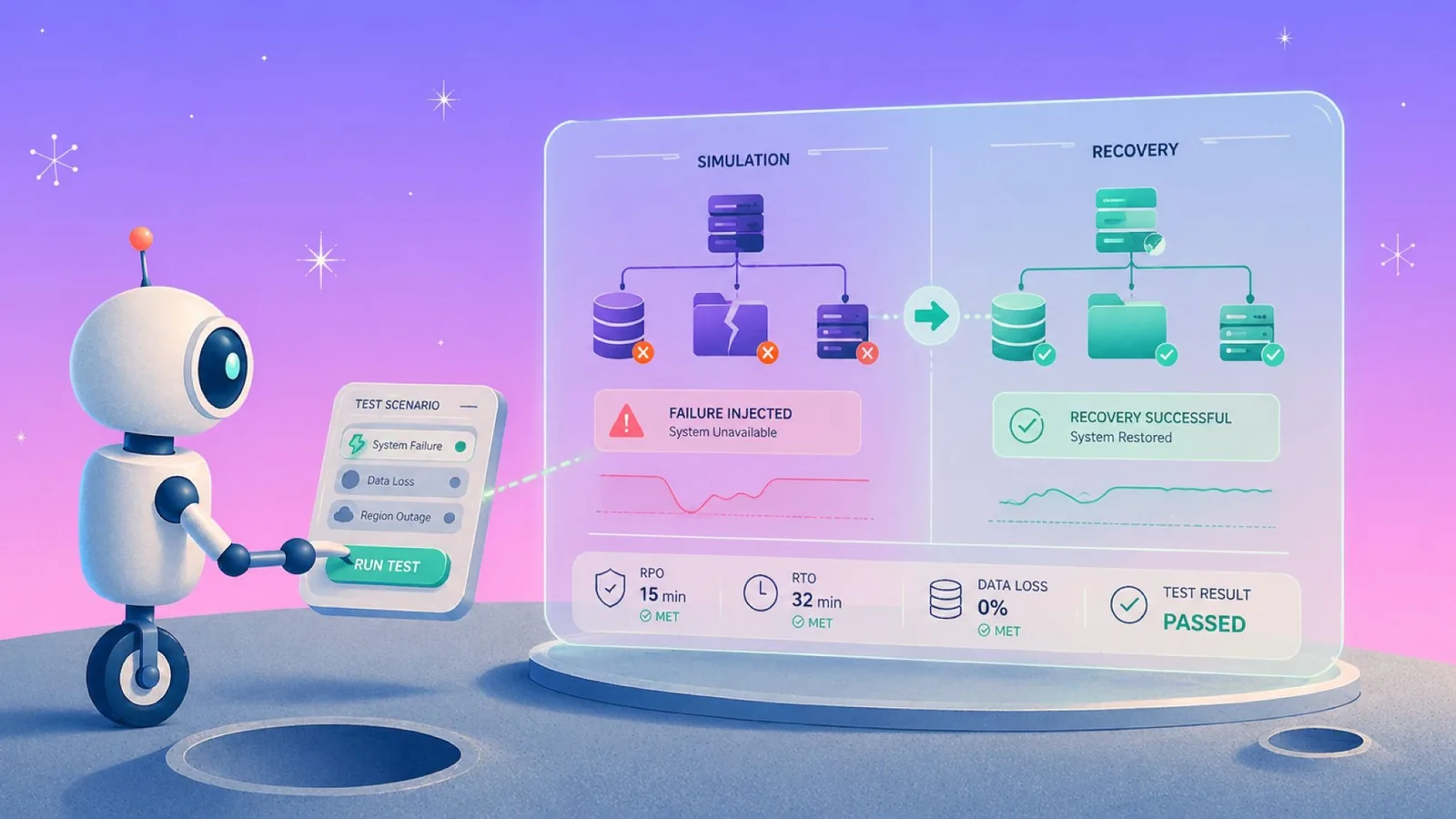


Most disaster recovery tests prove that a backup job ran. They don't prove recovery works. That gives a false sense of readiness that holds up until the first real incident. We use this process to test the recovery path before an outage, audit, corruption event, or ransomware incident turns an untested backup into an operational risk. Backup and recovery testing is the same discipline under another name, and a disaster recovery test plan is simply the written version of it.
The gap narrows when you can query backup data directly by inspecting schemas, sampling records, and confirming data integrity without restoring anything. That turns validation from a quarterly event into a continuous check.
What disaster recovery testing is and how it actually works
Disaster recovery testing is the process of proving that protected data can be recovered into a usable state within your required time window. It confirms that critical resources are covered, backup data is intact, the application can use it, and the restore path meets your RTO and RPO targets.
In cloud environments, the harder part is proving that coverage has not drifted. New databases, buckets, VMs, and accounts can appear faster than manual reviews or tags can keep up, which means the first DR testing failure often happens before anyone starts a restore. That drift compounds once the estate spans providers, which is the problem multi cloud disaster recovery has to solve.
This keeps happening because backup ownership is split across teams, and no one owns the gap between 'backed up' and 'recoverable.' Infra sets up the job. Security assumes it's tested. Compliance asks for proof once a year. The restore path doesn't live in anyone's job description until it's on fire. Once a year is the whole problem in regulated environments, because disaster recovery under HIPAA is judged on evidence that a restore worked, not on a signed plan.
A stronger test plan validates four things: what is protected, whether the protected copy is clean, whether the data is usable, and whether recovery can happen at the right level of granularity. Sometimes that means a full restore. More often, it means querying backup data directly by running SQL against a snapshot, inspecting a schema, or recovering a specific record before a larger test is needed. When the cloud disaster recovery solution allows, this kind of validation can run continuously, not just during scheduled test windows.
Why cloud DR testing needs more than restore drills
Traditional restore tests answer one narrow question: can we bring something back? Cloud teams need to answer a broader one: can we prove the right data is protected, clean, searchable, and recoverable before an incident?
That is where backup posture matters. Eon's CBPM continuously discovers and classifies cloud resources, maps them to policies, and surfaces coverage gaps across accounts and regions. But posture is only half the equation. Eon also treats backup data as a live, queryable asset that teams can run SQL queries against snapshots, browse files and records, and verify data integrity without restoring anything. That shifts DR validation from a scheduled restore drill to something teams can do continuously, at near-zero cost per check.
Ransomware readiness raises the bar again. A useful DR test should confirm that backups are immutable, logically isolated from production access, and tied to a known clean recovery point. Otherwise, a restore test can prove that recovery is technically possible without proving that the restored copy is safe to use.
Customer results show why this matters in real DR planning. NETGEAR cut recovery time for a mission-critical 10TB SQL Server database from 24 hours to under three with Eon. SoFi moved from a full-day recovery delay to recovery in minutes across a five-region AWS environment.
How to run disaster recovery testing best practices in 5 steps
Use these steps to run disaster recovery testing with a focus on real recovery outcomes.
1. Confirm backup coverage across all resources
The most common DR testing failure isn't a bad restore but a missing backup. Teams don't know what isn't protected until an incident surfaces the gap. If new databases, buckets, or VMs are not under an active backup policy, they never enter the test plan in the first place.
In cloud environments, that gap grows fast because infrastructure changes faster than manual tagging and periodic reviews can keep up.
How to check this:
- Audit backup coverage across every account, region, and cloud (see our 13-point disaster recovery audit checklist).
- Review resources created or changed since the last coverage check.
- Flag production resources that are unprotected, manually excluded, or mapped to the wrong policy.
- Use automated discovery and classification instead of relying on manual tags to keep the inventory current.
In Eon, most of this happens automatically. CBPM continuously discovers new resources, classifies them, and assigns backup policies without manual tagging or periodic review cycles. Teams review policy matches, exclusions, and control violations in one place, and Eon surfaces the gaps rather than waiting for someone to go looking.
2. Define recovery targets (RTO and RPO) before backup and recovery etesting
Everyone has RTO and RPO targets on paper. Fewer teams have tested whether they can actually hit them. The planning document says '4-hour RTO.' The last test (if there was one) took twelve hours and involved three people who have since left the company. Define your targets, then prove them under conditions that look like a real Tuesday afternoon.
Define acceptable data loss and downtime for each workload, then align those targets with business-critical systems. Without that baseline, you can run tests, but you cannot determine if recovery actually meets operational requirements.
3. Test restores at the right level of granularity
Granular recovery makes frequent disaster recovery testing realistic. If every test requires a full environment restore, teams postpone testing until an outage or audit forces it.
For data integrity checks, do not start with a full restore. In Eon, teams can inspect schemas and run SQL queries against backed-up database snapshots to confirm that protected data is readable and usable before spinning up an environment.
Use granular restores for file, table, record, and cross-region validation. Reserve full restores for proving the end-to-end recovery path. What each platform actually means by granular restore varies more than the marketing suggests.
How to test this:
- Query backed-up database snapshots to inspect schemas and sample records before restoring.
- Use file-, table-, and record-level restores for regular validation.
- Test multiple levels for Tier 1 systems: records, tables, and full databases.
- Validate cross-region and cross-account restores explicitly.
- After major schema changes, inspect the pre-change snapshot and test a targeted restore.
4. Measure actual RTO and RPO during testing
RTO and RPO targets matter only if your last test proved you can hit them. Planning documents age quickly as workloads grow and real recovery conditions drift away from assumptions. If the targets themselves are still being set, start with RPO vs RTO.
Measure recovery times during real restore tests and compare them against your defined targets. Run tests under realistic conditions where possible, then log results and escalate any gaps between expected and actual performance.
5. Build a restore testing cadence your team will actually follow
The best disaster recovery testing plan is the one your team will still run six months from now. If every test requires a full environment restore, the schedule slips, and testing stops.
Build a cadence that makes lightweight posture checks and granular validation the default. Then layer in full recovery tests at a pace the team can sustain.
How to operationalize this:
- Run continuous posture and integrity checks at the infrastructure level.
- Run monthly granular restore tests for Tier 1 systems.
- Run quarterly full restore tests for Tier 1 systems, and at least annual full restores for lower-priority systems.
- Assign clear ownership for scheduling and follow-up.
- Track outcomes, gaps, owners, and remediation after every test.
Why a disaster recovery test plan fails before it starts
Most backup restore test plans fail before they start because teams treat a completed backup job as proof of recovery. A successful job only confirms data was written; it does not prove the restore will work cleanly, match the current schema, or finish within your recovery window.
That gap is why restore failures often surface during a real incident instead of during routine testing.
Common mistakes to avoid in disaster recovery testing
Teams usually miss recovery targets because they trust the wrong signal, test at the wrong level, or leave ownership unclear. These are the three mistakes worth catching before the next test cycle.
- Treating a backup job's success as proof of recovery. The job log turns green, and the check mark gets filed away, which is exactly why schema mismatches, corrupt snapshots, and RTO failures tend to surface during a real incident rather than before one. A successful write is not a tested restore path.
- Relying on full restores as the only test. When every validation requires spinning up a full environment, teams quietly stop testing on schedule. The cadence slips, the gaps widen, and the next real incident is also the next real test.
- Leaving coverage ownership undefined. Without a named owner, new resources get missed, exclusions go unreviewed, and policy drift accumulates silently across accounts and regions. By the time the gap shows up, it's usually too late to fix it cleanly.
Eon vs AWS Backup for restore testing and backup posture
AWS Backup works well for teams that need native snapshot orchestration and restore within AWS. It fits simpler environments where restore testing stays within a single account and region.
Limits start to show as environments grow. Cross-account visibility is limited, granular recovery options are constrained, and accessing backup data requires full rehydration. That makes it harder to restore only what you need, validate coverage across accounts and regions, or run frequent restore tests without significant overhead.
Eon is designed for those gaps. Its Cloud Backup Posture Management (CBPM) automatically discovers and classifies cloud resources, enforces backup policies without manual tagging, and surfaces coverage gaps across accounts and regions.
It deploys 100% agentless with no infrastructure in your environment. That means no appliances, no agents, no compute overhead during backup or recovery validation.
On the recovery side, Eon supports granular restore down to file, object, and record levels and allows direct access to backup data (including SQL queries against snapshots) without requiring a full restore. That combination makes it possible to validate recoverability frequently, and at the level of detail production environments actually require.
| Capability | Eon | AWS Backup |
|---|---|---|
| Recovery granularity and speed | File-, object-, and database-level recovery plus global backup search | Primarily resource-level restore with limited granular options for select services |
| Backup posture visibility | Automated discovery, classification, and policy enforcement across accounts and regions, with drift alerts and audit-ready posture reporting (CBPM) | Works well for single-account, single-region environments; org-wide posture requires additional effort |
| Cross-cloud coverage | AWS, Azure, and Google Cloud under one control plane | Centers on AWS-native services |
| Backup data access without restore | Instant access to backed-up files, tables, and records; full SQL search across database snapshots; global search across all backups at no additional cost | Search and item-level recovery for indexed S3 and EBS backups; other workloads still rely mainly on restore-first workflows. |
| Storage cost efficiency | Incremental-forever backups with deduplication and compression; typically 30–50% lower backup storage spend vs. hyperscalers | Snapshot- and versioning-heavy storage model; cost control depends on service, retention, and lifecycle configuration |
| Ransomware resilience | Immutable, logically air-gapped backups with detection across VMs, object storage, and databases, plus clean recovery point identification | AWS-native isolation and malware-scanning building blocks; ransomware recovery usually requires additional services and configuration |
Verdict: AWS Backup works for teams with straightforward, AWS-only restore needs and limited cross-account or cross-region complexity. For multi-account, multi-region, or multi-cloud environments, where testing needs to be frequent, granular, and repeatable, native tooling typically falls short.
Eon was built by the team behind CloudEndure (acquired by AWS), who scaled AWS's Migration and DR services into a $1B+ business. The platform reflects that operational depth that was purpose-built for cloud-scale recovery. (See our AWS disaster recovery guide for strategies and best practices).
What sustainable disaster recovery testing looks like
Sustainable disaster recovery testing means reducing the scope of each test while increasing frequency. Teams that get this right rely on granular recovery, continuous visibility into what is actually protected, and direct access to backup data without full restores.
This is where Eon changes the model. By combining CBPM with granular recovery and queryable backup data, teams can run restore tests more frequently without the all-or-nothing restore model that native cloud tools like AWS Backup require.
Ransomware resilience is part of that picture too: continuous posture monitoring through CBPM, combined with immutable air-gapped backups and clean recovery point identification, means teams aren't just testing whether data restores, but whether it's safe to restore.
If you need to validate backup recoverability at scale without spinning up full environments every time, book a demo with Eon and see how CBPM and granular recovery work across your accounts and regions. (And check our our guide on how to plan for cloud disaster recovery).
Frequently asked questions
How often should you run disaster recovery testing?
Disaster recovery testing should run on a tiered cadence: continuous posture checks, monthly granular restore tests for critical systems, and scheduled full recovery tests. The right frequency depends on workload criticality, RTO, RPO, and audit requirements. (See our business continuity vs disaster recovery guide).
Can I test a backup without doing a full restore?
Yes. Granular restore at the file, table, and record level lets you validate that backup data is recoverable and usable without spinning up a full environment. This makes it practical to test frequently, reduce cost of disastery recovery, and still produce evidence that backups work without the risk and overhead of a full restore.
What is the difference between a backup job completing successfully and actual recoverability?
A successful backup job confirms data was written, but actual recoverability goes further: it validates that the data is intact, that the application can consume it, and that the restore completes within RTO and RPO targets under real conditions. Without testing the restore path, a green backup status can mask failures that only surface during an actual incident. Setting the target in the first place is covered in our guide to recovery time objectives.
How do I prove to auditors and regulators that we tested our backups?
To prove backup restore testing to auditors, document restore test outcomes with timestamps, ownership, what was tested, and remediation of any gaps. Paper-based business impact analyses or backup job logs alone are not sufficient. Running granular restore tests on a regular cadence and capturing the results gives you concrete, auditable evidence that recovery works. (See our guide to disaster recovery vs backup as a service).
How does ransomware recovery change disaster recovery testing?
Ransomware recovery changes disaster recovery testing because teams need to prove they can identify a clean recovery point, not just restore the latest backup. A useful test should validate immutable backup coverage, isolation from production access, and recovery from the last known clean version.
Is Eon the same as AWS Backup for restore testing?
The main difference between Eon and AWS Backup for restore testing is that AWS Backup focuses on AWS-native backup orchestration. In contrast, Eon adds CBPM, cross-account visibility, granular recovery, and direct access to backup data. That makes frequent, targeted restore validation easier across complex cloud environments.