We evaluated nine Google Cloud cost optimization tools across compute, Kubernetes, storage, and backup categories over Q1 2026, and these are the ones that delivered measurable results for cloud-first teams running $5M+ in annual GCP spend. Our Google Cloud costs breakdown covers what those services are billed at before any tooling.
9 best Google Cloud (GCP) cost optimization tools: Quick comparison
| Tool | Strengths | Best for |
|---|---|---|
| Google Cloud Cost Management | Native billing integration, FinOps Hub, BigQuery export | Under $5M annual GCP spend with simple environments |
| CAST AI | Automated GKE rightsizing, Spot VM management, bin-packing | Hands-off Kubernetes optimization for GKE-heavy environments |
| CloudZero | Unit economics, cost-per-customer allocation, anomaly detection | Cost tied to products and features |
| Eon | Data protection and recovery cost exploration and visibility, snapshot sprawl reduction, retention optimization | Efficiently managing GCP projects or environments across regions in a single pane of glass |
| Vantage | Multi-cloud dashboards, 20+ integrations, FinOps Agent automation | One dashboard across GCP, AWS, and Azure |
| Kubecost (IBM) | Kubernetes namespace-level cost allocation, open-source core | Chargeback and showback for GKE clusters |
| Spot by Flexera | Spot VM purchasing automation, commitment management | Fault-tolerant workloads that can run on Spot VMs |
| Harness Cloud Cost Management | Cost visibility inside CI/CD pipelines, auto-stopping dev environments | Existing Harness CI/CD users |
| nOps | Automated CUD/savings plan purchasing, idle resource scheduling | Commitment automation for AWS-primary teams moving into GCP |
How we evaluated these Google Cloud cost optimization tools
We looked at tools across these dimensions, weighting them by tool type:
- Native GCP integration depth (does it support GKE, BigQuery, Cloud SQL, and Cloud Storage natively?).
- Cost allocation granularity (can you break spend down to the namespace, team, or customer level?) How granular each approach can get is compared in our guide to cloud cost allocation methods.
- Automation level (recommendations only vs. automated action)
- Kubernetes-specific features,
- Backup and storage cost coverage
Each tool was assessed against real-world GCP cost scenarios. We prioritized platforms that deliver measurable savings and offer clear visibility into where those savings come from. Backup is one of the categories where that visibility is hardest to get, and our breakdown of Google Cloud backup costs separates the storage, management, transfer, and retrieval layers that make up the bill.
The 9 best Google Cloud cost optimization tools
1. Google Cloud Cost Management: Best for teams under $5M annual GCP spend

What it does: Google Cloud's native billing and cost management suite, including Billing Reports, Budgets & Alerts, Recommender, Active Assist, Cost Anomaly Detection, and the FinOps Hub.
Best for: Small-to-mid GCP environments with fewer than 10 projects and straightforward cost allocation needs.
Google Cloud Cost Management is the starting point for every GCP team, and for plenty of them, it's the only cost tooling they need. It's the native billing and optimization suite that ships with every account, built for GCP-only environments with a handful of projects and straightforward allocation needs.
What makes it interesting is how far it stretches before you outgrow it. A team comfortable with SQL can build custom dashboards on first-party billing data and catch spend anomalies automatically, reaching visibility that rivals paid tools without spending a dollar.
The limits show up later, once you're running multi-team, multi-cloud workloads that need the automation and allocation depth the native suite doesn't reach. That is the point at which the 9 ways to manage multi-cloud cost and security become the operating model.
Key features
- FinOps Hub aggregates rightsizing, CUD optimization, and waste reduction recommendations in one view.
- Cost Anomaly Detection runs automatically, requires no configuration, and surfaces root-cause breakdowns by project, service, region, or SKU.
- Billing export to BigQuery enables custom reporting, chargeback models, and integration with Looker or Data Studio.
- Recommender API programmatically surfaces VM rightsizing, idle resource cleanup, and CUD purchase suggestions.
Pros
- ✅ Zero cost and zero setup, so there's no procurement cycle or onboarding before you get value.
- ✅ Because the data comes straight from Google's billing systems, it's the authoritative source that third-party tools reconcile their numbers against.
- ✅ For teams with SQL skills, the analytical depth is effectively unlimited, which answers cost questions most paid tools can't.
Cons
- ❌ GCP-only. No visibility into AWS, Azure, or SaaS spend. Teams in that position are really shopping for multi-cloud cost visibility rather than another GCP tool.
- ❌ Recommendations are advisory only. No automation, no one-click enforcement.
- ❌ Cost allocation depends on labels and project structure. If your labeling is inconsistent, the tools can't help.
- ❌ No Kubernetes-level cost breakdown. GKE costs show at the node level, not the namespace or pod level.
What users say

“As an educator, I need to store my information, tasks, and all the other things carefully… Every one of my information is readily available.” – Rezaul K., G2
“Where it starts to feel inconsistent is when you're trying to bridge the Google side with a Microsoft-heavy environment.” – Blake A., IT technician, Capterra
Pricing
Free. Included with every GCP billing account. BigQuery export costs are negligible (standard BigQuery storage and query pricing applies).
Bottom line
Google Cloud Cost Management is the right starting tool for GCP-only teams with simple environments. Once you're running multi-project, multi-team workloads above $5M in annual spend, you'll hit the ceiling on allocation depth, automation, and cross-cloud visibility.
2. CAST AI: Best for GKE cluster optimization
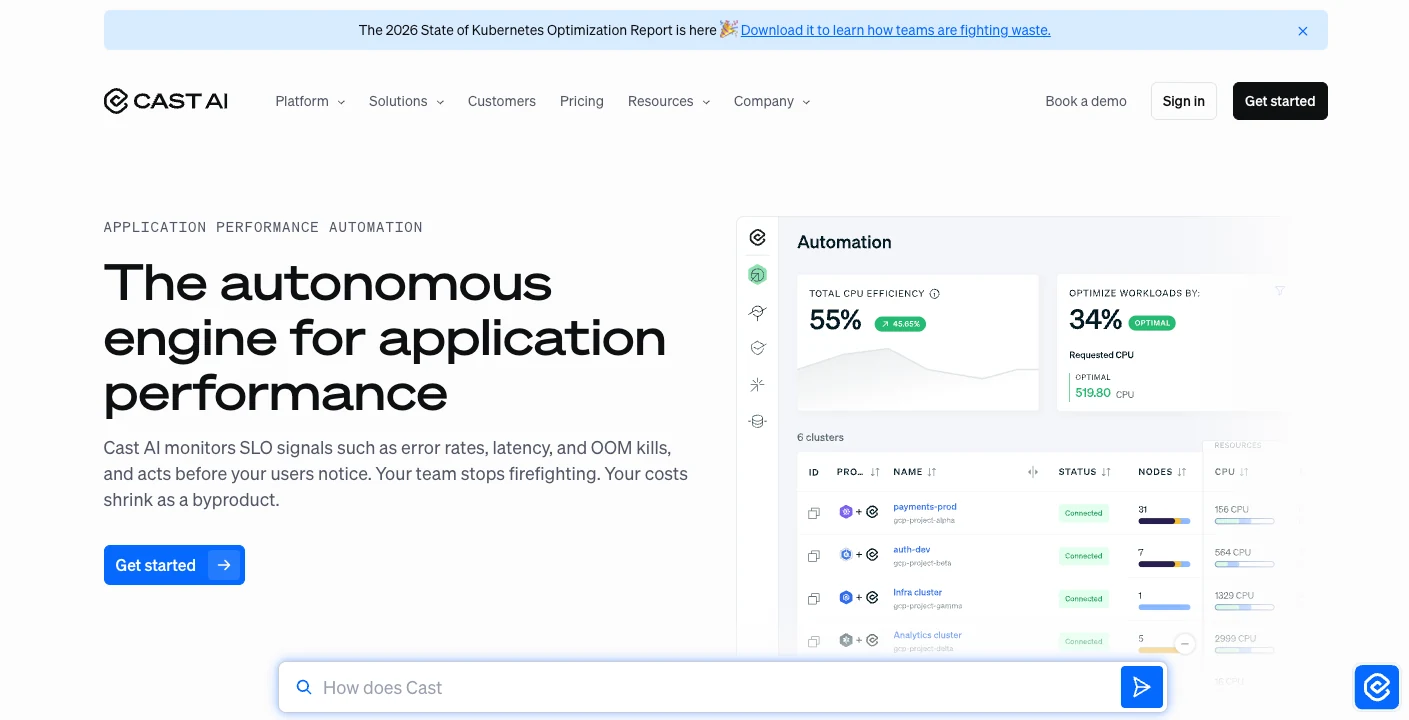
What it does: AI-driven Kubernetes optimization platform that automates node rightsizing, Spot VM selection, bin-packing, and workload placement across GKE, EKS, and AKS clusters.
Best for: Platform engineering and DevOps teams running production GKE clusters that want automated compute optimization without manual tuning.
CAST AI is the strongest option we evaluated for teams whose GCP bill is dominated by GKE. It's built for platform and DevOps teams who want Kubernetes optimization that runs on its own, rather than another queue of recommendations to action by hand.
The native Recommender flags an oversized node and stops there. CAST AI connects with read-only access, reads real usage, and applies the change to the running cluster once automation is enabled. That shift from advice to action is where the savings actually land.
Key features
- ML-driven workload analysis that continuously adjusts node types, counts, and sizes based on actual pod resource consumption.
- Spot VM automation with predictive interruption handling. Workloads migrate to on-demand nodes before Google reclaims Spot capacity.
- Cross-region GPU access for AI/ML workloads. If GPUs are unavailable in your primary GCP region, CAST AI provisions from regions with availability.
- Security scanning and governance policies (e.g., restrict certain instance types, disallow GPU usage in specific namespaces).
Pros
- ✅ Savings run 50–60% on GKE compute in CAST AI's own case studies, a return that clears the tool's cost quickly at the spend levels this list targets.
- ✅ Provisioning exact CPU-to-memory ratios recovers the over-allocation that Google's predefined machine sizes force on you, waste most competitors leave untouched.
- ✅ Marketplace means no separate procurement, and spend still counts toward your existing CUDs, so adoption doesn't disrupt your commitment strategy.
Cons
- ❌ Steep learning curve, especially around governance policies and understanding automated node replacement decisions.
- ❌ Documentation gaps for advanced GKE configurations like workload identity federation and custom networking.
- ❌ Primarily a Kubernetes tool. If your GCP costs are dominated by BigQuery, Cloud Storage, or Cloud SQL, CAST AI won't help.
What users say
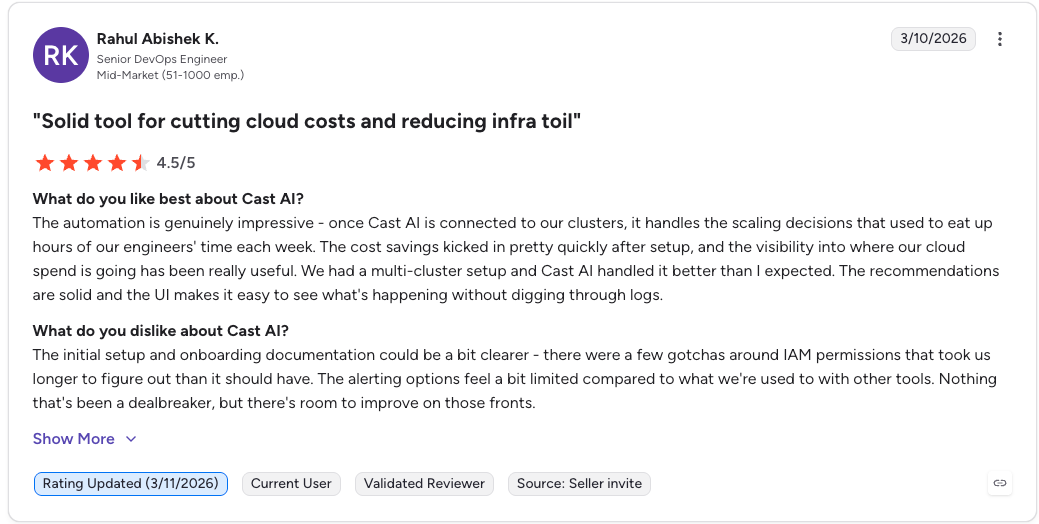
“Once Cast AI is connected to our clusters, it handles the scaling decisions that used to eat up hours of our engineers' time each week.” – Rahul Abishek K., senior DevOps engineer, G2
“The pricing can feel a bit steep for very small, static clusters where there isn't much to optimize.” – Ajay B., DevOps engineer, G2
Pricing
Free tier includes cluster monitoring and savings recommendations. Paid tiers are based on the number of nodes under management. Available through Google Cloud Marketplace with consumption-based billing.
Bottom line
If GKE is your top GCP cost driver and you want automated optimization that goes beyond recommendations, CAST AI is the clear leader. Skip it if your GCP spend is mostly non-Kubernetes.
3. CloudZero: Best for engineering-led cost allocation

What it does: Cloud cost intelligence platform that maps every dollar of GCP spend to products, features, customers, and teams using a code-driven allocation model that works even without perfect labeling.
Best for: SaaS engineering teams that need to understand cost per customer, cost per feature, or cost per deployment across GCP (and AWS/Azure).
CloudZero takes a different approach than most FinOps tools. Rather than starting from billing dashboards and working down to resources, it starts from your business, customers, products, features, teams, and maps cloud costs up to them. It's built for SaaS engineering teams that need spend expressed in terms a product or finance leader actually uses.
Its core question: what does it cost to serve one customer, or run one feature? Most cost tools stop at what a project or service spent. CloudZero ties that spend to the units your business runs on, so finance can see margin per customer.
Key features
- Code-driven allocation engine that ingests GCP billing data, resource metadata, Kubernetes telemetry, and business inputs, then distributes shared costs like GKE control planes and networking proportionally.
- Unit economics dashboards that show cost per customer, product, feature, or deployment. Updated daily.
- Anomaly detection with Slack integration that alerts by product or team, not just by GCP service.
- Multi-cloud support across GCP, AWS, and Azure with 50+ integrations including Snowflake, Datadog, and OpenAI. On the Azure side the shortlist comes out differently, which is why we compare the azure cost optimization tools on their own.
Pros
- ✅ Delivers usable allocation in GCP estates where labeling is inconsistent or incomplete, so you get accurate cost-per-customer numbers without first running a months-long tagging cleanup.
- ✅ Maps spend to revenue and unit economics, which turns cost data into pricing, packaging, and margin decisions rather than just a monthly variance report.
- ✅ Hands-on customer success onboarding shortens the initial business-dimension mapping, the steepest part of setup.
Cons
- ❌ No automation. CloudZero shows you where to save but doesn't execute changes.
- ❌ Pricing is opaque. No public pricing page. You need a sales conversation to get a quote.
- ❌ Initial setup requires engineering time to map business dimensions to cloud resources.
What users say
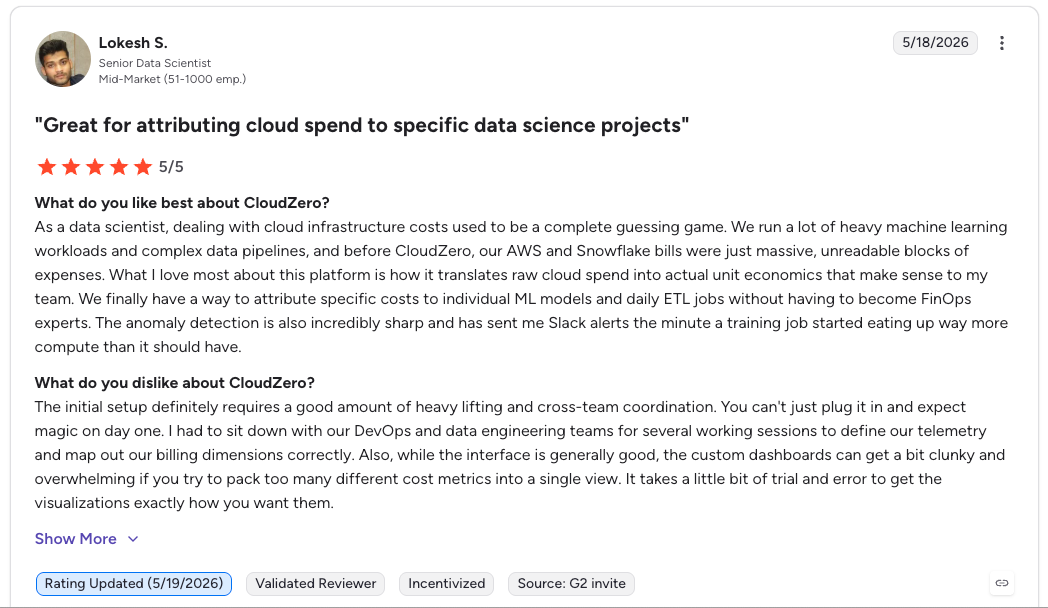
“What I love most about this platform is how it translates raw cloud spend into actual unit economics that make sense to my team.” – Lokesh S., senior data scientist, G2
“I would love more granular control over the role-based access control (RBAC).” – Gregory C, senior principal business services partner, G2
Pricing
No public pricing page. Custom pricing based on cloud spend analyzed.
Bottom line
CloudZero is the right pick for engineering-led organizations that care about unit economics and need to tie GCP spend to business outcomes. If you want automated optimization rather than visibility, look elsewhere.
4. Eon: Best for cross- and multi-region + cloud data protection and cost optimization

What it does: Cloud-native data protection and recovery platform that cuts storage costs through built-in deduplication, compression, and incremental snapshots, with granular recovery and backup posture management across GCP, AWS, and Azure.
Best for: Cloud-first teams whose GCP bill carries significant snapshot, backup, and data protection spend that's growing faster than expected; especially for workloads that are multi- or cross-cloud and at large scale.
Eon targets the data-protection and recovery spend that most GCP cost tools skip. It stores only incremental changes and applies block-level deduplication and compression, cutting total backup storage costs by 30–50% against native GCP snapshot workflows.
Its Cost Explorer breaks backup spend down by cloud, account, resource, and team, so GCP users can see which projects and buckets drive cost and produce chargeback reports without manual spreadsheet work.
It also recovers individual files, Cloud Storage objects, or Cloud SQL records directly, avoiding the full Compute Engine restore-and-teardown that native snapshots force and the compute and egress that come with it. NETGEAR cut backup storage costs by 35% after moving off a legacy provider, and Innago reached 40% savings without deploying agents.
Key features
- Incremental, deduplicated, compressed backup storage that cuts GCP backup costs by 30–50% vs. native snapshot accumulation.
- Cost Explorer with per-resource attribution across GCP, AWS, and Azure. See exactly which accounts, projects, and resources drive backup spend.
- Cloud Backup Posture Management (CBPM) that auto-discovers and classifies GCP resources (e.g., Compute Engine, Cloud SQL, Cloud Storage, Google Workspace, Big Query) and assigns backup policies without manual tagging.
- Granular recovery for individual files, objects, or database records. No full-instance restores required.
Pros
- ✅ Addresses a cost category (backup and snapshot spend) that every other tool on this list ignores.
- ✅ Cloud-native deployment with read-only access to GCP environments. No production disruption.
- ✅ Multi-cloud (GCP, AWS, Azure) backup management in a single platform with consistent policies.
Cons
- ❌ Focused on backup and data protection costs. Does not optimize compute, GKE, or general infrastructure spend.
- ❌ No public pricing. Pricing uses a cost-per-GB model, but you need a demo to get specifics.
What users say
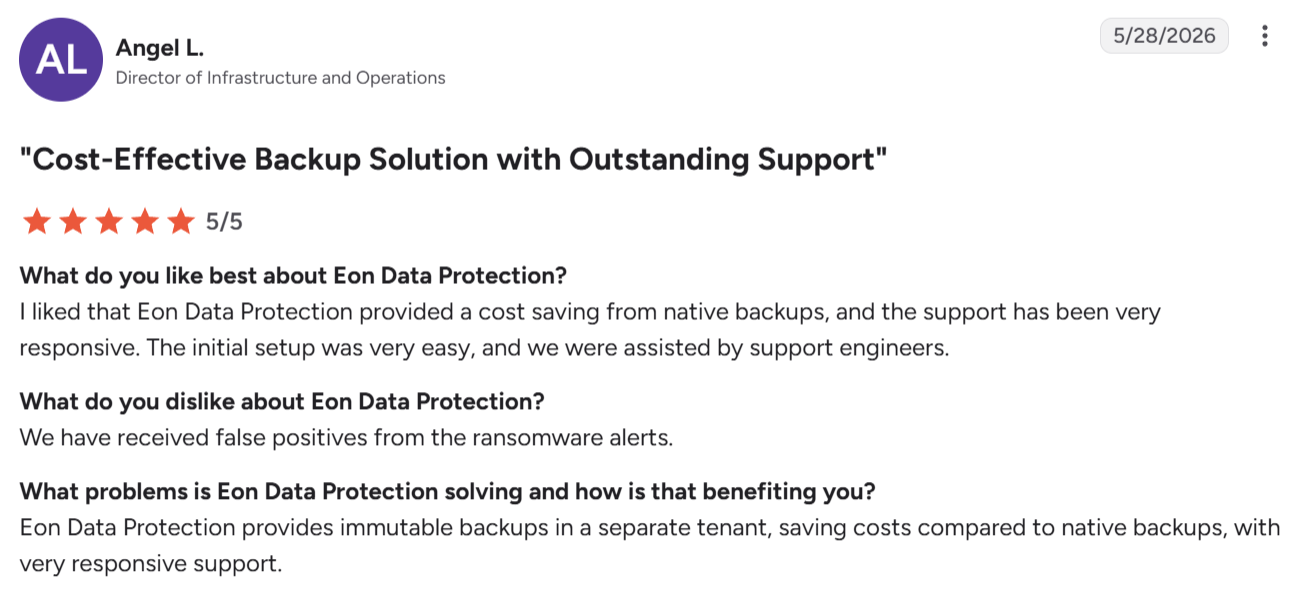
“Eon Data Protection provided a cost saving from native backups, and the support has been very responsive.” – Angel L., Director of Infrastructure and Operations, G2
“I wish the [restore] process wouldn't need a local network.” – Alejandro Z., CaaS infrastructure manager, G2
Pricing
No public pricing table. Eon uses a cost-per-GB model with 30–50% savings vs. native hyperscaler backup costs. Request a demo for specific pricing.
Bottom line
If backup and snapshot costs are a meaningful line item on your GCP bill (and for teams at this spend level, they almost always are), Eon addresses a cost category that every other tool on this list overlooks. Pair it with a compute-focused optimizer like CAST AI or a FinOps dashboard like Vantage for full-stack cost coverage.
5. Vantage: Best for multi-cloud cost dashboarding
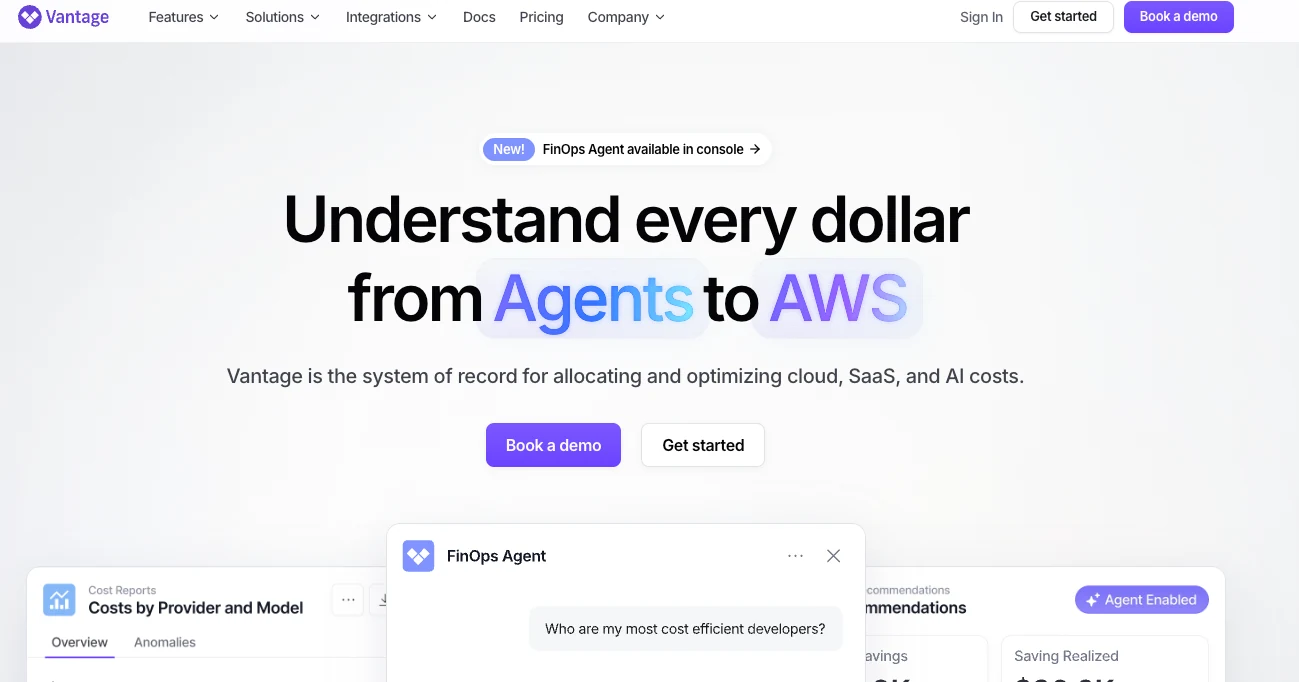
What it does: Multi-cloud FinOps platform with 20+ native integrations (GCP, AWS, Azure, Kubernetes, Snowflake, Datadog, OpenAI, and more) that unifies cost data into a single dashboard with automated waste detection.
Best for: FinOps and engineering teams running multi-cloud environments that need one place to see spend across GCP, AWS, and 20+ other providers.
Vantage's strength is the range of integrations it pulls from. Most GCP cost tools focus on compute and Kubernetes; Vantage also ingests costs from Snowflake, Datadog, MongoDB Atlas, New Relic, OpenAI, and other SaaS providers that show up alongside your GCP bill.
The platform's FinOps Agent automatically detects waste like unattached Persistent Disks, orphaned snapshots, and idle load balancers. Vantage Autopilot handles Savings Plan (AWS-side) management automatically. GCP-specific optimization is more limited, focused primarily on visibility and anomaly detection rather than automated action.
Key features
- 20+ native integrations that pull cost data from GCP, AWS, Azure, Kubernetes, SaaS tools, and AI providers into one normalized view.
- FinOps Agent that automatically detects idle GCP resources like unattached disks, old snapshots, and orphaned IP addresses.
- Cost reporting with segments, filters, and saved views that can be shared across engineering and finance teams.
Pros
- ✅ Fastest path to a working multi-cloud cost dashboard. Setup takes minutes, not days.
- ✅ Free tier is useful for small teams or for evaluating the platform before scaling.
- ✅ Integrations with non-cloud providers (Datadog, Snowflake, OpenAI) give visibility most competitors lack.
Cons
- ❌ GCP-specific optimization depth is shallow compared to GCP-native tools or CAST AI.
- ❌ Automated optimization features are stronger on AWS than on GCP.
- ❌ Higher-tier features (custom reports, team-based access controls) require paid plans that scale with spend.
What users say

“The reporting and cost breakdowns remain clear and actionable, and the overall user experience feels polished. ” – Manil G., software engineer, G2
“The interface, while simple, is overly simple compared to some competitor offerings.” - Jimmy W., Finance Director, G2
Pricing
Free tier covers up to $2,500/month in cloud spend. Paid plans scale based on total spend monitored. No public pricing breakdown available.
Bottom line
Vantage is the right choice if your GCP costs are part of a larger multi-cloud or multi-provider picture and you need unified visibility. For GCP-only or GKE-specific optimization, more focused tools will deliver better results.
6. Kubecost (IBM): Best for open-source Kubernetes cost monitoring
What it does: Kubernetes cost monitoring and optimization platform that allocates cluster costs to namespaces, deployments, pods, and labels. Open-source core (OpenCost) with commercial tiers.
Best for: Platform engineering teams that need chargeback or showback reporting for GKE clusters and want to start with an open-source foundation.
Kubecost has been the default Kubernetes cost monitoring tool since it launched in 2019. After IBM acquired it in 2024, the platform added unified cluster resource views, automated container right-sizing (in Kubecost 3.0, GA November 2025), and advanced GPU monitoring via NVIDIA DCGM exporter.
For GKE teams, Kubecost integrates with GCP billing APIs to overlay actual cloud costs onto Kubernetes allocation data. This means you can see what each namespace actually costs in dollar terms, not just resource consumption percentages.
The open-source version (OpenCost, a CNCF incubating project) provides basic cost allocation and monitoring. The commercial tiers add multi-cluster support, unified views, SSO, and priority support.
Key features
- Namespace, deployment, pod, and label-level cost allocation that maps GKE costs to teams or applications.
- Container rightsizing recommendations (Kubecost 3.0) that suggest optimal CPU and memory requests based on actual usage.
- GPU monitoring via NVIDIA DCGM for teams running AI/ML workloads on GKE.
- Multi-cluster support in commercial tiers with a unified view across all GKE (and EKS/AKS) clusters.
Pros
- ✅ Open-source core (OpenCost) is free and backed by CNCF, which means active community maintenance and no vendor lock-in risk.
- ✅ Best-in-class Kubernetes cost allocation for chargeback/showback use cases.
- ✅ IBM backing provides enterprise support and long-term product investment confidence.
Cons
- ❌ Accurate cost figures depend on correctly configuring the cloud billing integration; custom or negotiated rates need manual pricing setup. Budget for that setup before you trust any cloud cost analysis built on the numbers it returns.
- ❌ Setup complexity, particularly for teams without deep Kubernetes experience.
- ❌ The open-source tier lacks multi-cluster views and advanced features.
What users say

“In addition to being excellent at breaking down costs it also works across cloud providers to help us [right-size] our container usage.” – A data engineer user, Gartner Peer Insights
“The current implementation is targeted at clusters on the big three providers AWS, GCP and Azure.” – User in computer software business, G2
Pricing
OpenCost (open-source) is free. Kubecost Free tier monitors a single cluster. Kubecost Business and Enterprise tiers are priced per cluster per month.
Bottom line
Kubecost is the go-to for Kubernetes cost allocation and chargeback. If your GCP optimization needs extend beyond GKE, pair it with a broader tool like Vantage or Google's native billing.
7. Spot by Flexera: Best for Spot VM and purchasing automation
What it does: Cloud infrastructure automation platform focused on purchasing optimization, including Spot VM management, CUD analysis, and workload scheduling for GCP, AWS, and Azure.
Best for: Teams running fault-tolerant or batch workloads on GCP that want to maximize Spot VM usage without risking downtime.
Spot by Flexera's primary value on GCP is automating the Spot VM lifecycle. Google Cloud Spot VMs offer discounts up to 91% compared to on-demand pricing, but they come with 30-second preemption notices.
Spot by Flexera's Elastigroup product monitors Spot availability, predicts interruptions, and automatically migrates workloads to on-demand instances when preemption is imminent.
The platform also helps with CUD analysis, recommending optimal commitment levels based on historical usage patterns. For teams that run large batch processing, data pipeline, or CI/CD workloads on GCP, the Spot VM automation alone can deliver significant savings.
Key features
- Elastigroup automates Spot VM provisioning and fallback across GCP instance types and regions.
- Ocean manages GKE node pools with automatic Spot and on-demand balancing based on workload requirements.
- CUD Analyzer evaluates commitment purchase decisions against actual usage trends.
- Workload scheduling for dev/test environments that don't need to run 24/7.
Pros
- ✅ Best Spot VM management for GCP. Predictive preemption handling reduces the reliability risk that keeps teams from using Spot instances.
- ✅ Ocean integrates with GKE for automated node pool management, combining Spot VM savings with Kubernetes-aware scheduling.
- ✅ Broad cloud support (GCP, AWS, Azure) with consistent tooling across providers.
Cons
- ❌ Purchasing optimization focus means limited help with cost allocation, chargeback, or unit economics.
- ❌ Pricing is tied to a percentage of savings, which can become expensive at scale.
- ❌ Setup requires granting broad infrastructure permissions, which some security teams push back on.
What users say
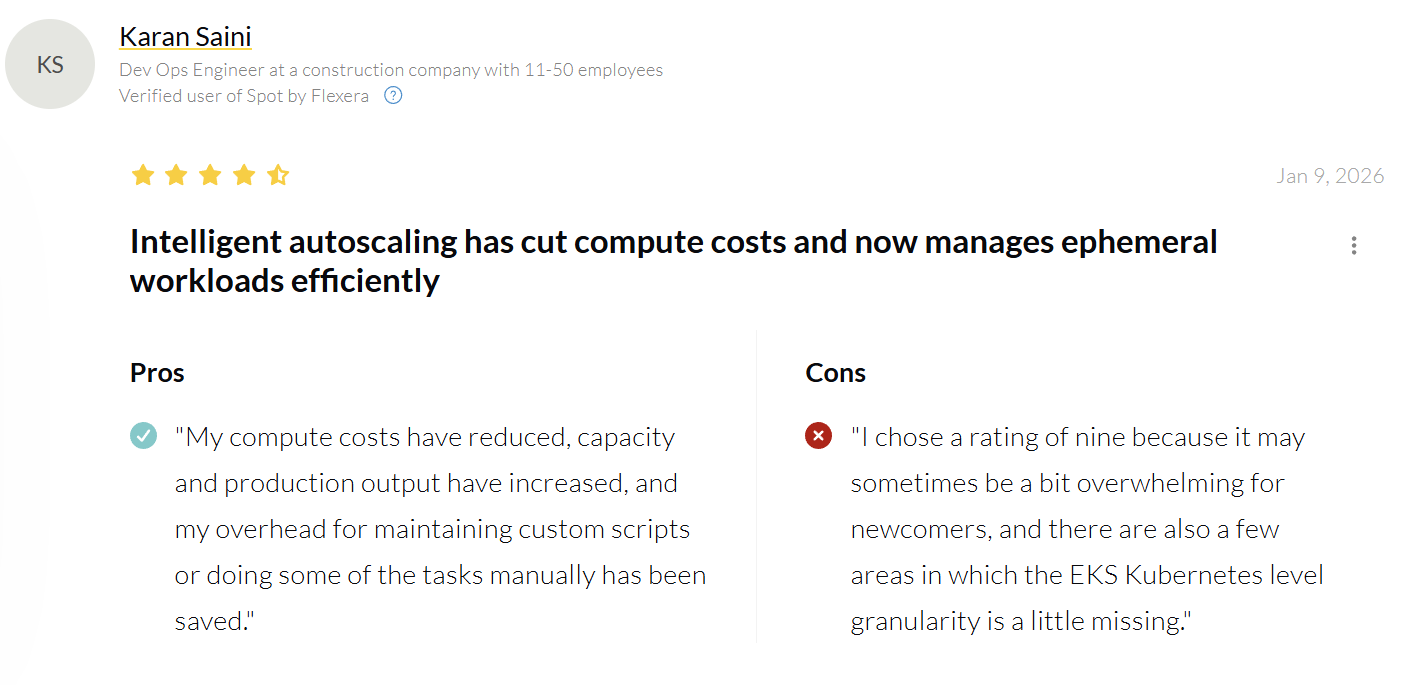
“My compute costs have reduced, capacity and production output have increased.” – Karan Saini, DevOps engineer, PeerSpot
“The availability of Spot instances may fluctuate and may affect the feasibility of cloud optimization strategies.” – Shreya B., cloud engineer, G2
Pricing
Pricing is based on a percentage of realized savings. Free tier available for monitoring.
Bottom line
Spot by Flexera is the right tool if your GCP savings strategy revolves around Spot VM adoption and commitment optimization. For broader cost visibility or Kubernetes-level allocation, you'll need a complementary platform.
8. Harness Cloud Cost Management: Best for teams already using Harness CI/CD

What it does: Cost management module within the Harness software delivery platform that provides cost visibility, anomaly detection, auto-stopping, and Kubernetes cost management for GCP, AWS, and Azure.
Best for: Engineering teams already using Harness for CI/CD that want cost visibility integrated into their existing delivery pipeline.
Harness Cloud Cost Management (CCM) makes the most sense as an add-on for existing Harness customers. The auto-stopping feature shuts down idle dev/test GCP environments after hours and spins them back up when someone accesses them.
For teams running dozens of non-production environments on Compute Engine or GKE, this alone can cut dev/test spend by 60-70%.
The platform also provides custom recommendations, anomaly alerts, and Kubernetes cost allocation. But as a standalone GCP cost tool (without the rest of the Harness platform), it doesn't differentiate meaningfully from CloudZero or Vantage.
Key features
- Auto-stopping for non-production GCP environments based on access patterns and schedules.
- Kubernetes cost management with namespace and label-level allocation for GKE clusters.
- Anomaly detection with configurable thresholds and Slack/email alerts.
- CUD and commitment analysis for GCP with purchase recommendations.
Pros
- ✅ Auto-stopping for dev/test environments is a genuine differentiator that delivers immediate savings.
- ✅ Tight integration with Harness CI/CD means cost awareness is embedded in the delivery pipeline.
- ✅ Supports GCP, AWS, and Azure with consistent cost views across providers.
Cons
- ❌ Strongest value proposition is for existing Harness customers. As a standalone cost tool, it's middle of the pack.
- ❌ Cost allocation depth is not as granular as CloudZero's unit economics approach.
- ❌ GCP-specific optimization features are limited compared to CAST AI or Google's native Recommender.
What users say

“The built-in connectors are especially useful, making integrations smooth and hassle-free. ” - Sunil A., SRE manager, G2
“It will not support multiple filters by account name or services type [which is] really a big lack.” – Satendra V., senior cloud engineer, G2
Pricing
Free tier available with limited features. Paid plans are part of the broader Harness platform pricing.
Bottom line
Harness CCM is a strong add-on if you're already in the Harness ecosystem. The auto-stopping feature pays for itself quickly. As a standalone GCP cost optimization tool, consider CloudZero or Vantage instead.
9. nOps: Best for automated commitment management
What it does: FinOps automation platform that handles commitment purchasing (CUDs, Savings Plans), idle resource scheduling, and cost governance for GCP and AWS environments.
Best for: Teams spending $500K+ annually on GCP compute that want automated CUD purchasing without manual analysis.
nOps focuses on the commitment optimization side of GCP cost management. The platform continuously analyzes your Compute Engine and GKE usage patterns, models different CUD scenarios (1-year vs. 3-year, resource-based vs. spend-based), and can execute purchases automatically based on rules you define.
As of January 2026, Google migrated legacy spend-based CUDs from a credit-based billing model to a direct discount model, making FinOps reporting cleaner. nOps accounts for this change in its recommendations, which is a detail some competitors haven't updated for.
Key features
- Automated CUD purchasing based on continuous usage analysis with configurable coverage targets.
- Idle resource scheduling that shuts down non-production Compute Engine instances on evenings and weekends.
- Cost governance with budget policies, approval workflows, and tag enforcement.
- Multi-cloud support with deeper functionality on AWS than GCP.
Pros
- ✅ Automated commitment purchasing removes the guesswork and risk from CUD decisions.
- ✅ Idle resource scheduling delivers fast, visible savings on dev/test environments.
- ✅ Governance features (tag enforcement, budget approvals) help prevent cost sprawl before it happens.
Cons
- ❌ GCP support is secondary to AWS. Feature depth and automation maturity lag behind the AWS side.
- ❌ No Kubernetes-specific optimization. GKE costs need to be handled by a separate tool.
- ❌ Pricing is based on a share of realized savings, which can make total cost hard to predict.
What users say

“We've had nOps for almost two years, and it instantly saved our organization several thousand dollars a month.” – TJ W., Director of Engineering, G2
“Only supports AWS. It would be great to analyze GCP the same way.” – Allen H., G2
Pricing
Share-of-savings model. nOps takes a percentage of the savings it generates. No upfront cost.
Bottom line
nOps is a solid choice for automated commitment management if you're spending enough on GCP compute to justify CUD purchases. For teams whose GCP costs are spread across storage, networking, backup, and Kubernetes, you'll need additional tools alongside nOps.
Which Google Cloud cost optimization tool should you choose?
Choose Google Cloud Cost Management if you:
- Spend under $5M annually on GCP
- Run a GCP-only environment with fewer than 10 projects
- Have strong SQL skills and can build custom dashboards on BigQuery exports
Choose CAST AI if you:
- Run production GKE clusters that dominate your GCP bill
- Want automated rightsizing and Spot VM management without manual intervention
- Need cross-region GPU access for AI/ML workloads
Choose CloudZero if you:
- Run a SaaS business and need to understand cost per customer or cost per feature
- Operate across GCP, AWS, and Azure and need unified cost allocation
- Want cost intelligence without requiring perfect GCP labeling
Choose Eon if you:
- Have significant and growing backup, snapshot, or data protection costs on GCP
- Need backup cost visibility with per-resource and per-team attribution
- Want granular recovery capabilities that eliminate full-instance restore costs
- If you have a need to manage multi- or cross-cloud workloads (especially at scale) in a single pane of glass
Choose Vantage if you:
- Operate across multiple clouds and 20+ SaaS/infrastructure providers
- Want the fastest path to a unified cost dashboard
- Need visibility into non-cloud spend (Datadog, Snowflake, OpenAI)
Choose Kubecost if you:
- Need Kubernetes-level chargeback or showback reporting for GKE
- Want an open-source foundation with the option to scale into commercial tiers
- Prefer a CNCF-backed project with broad community support
Choose Spot by Flexera if you:
- Run batch, data pipeline, or CI/CD workloads that can tolerate interruptions
- Want to maximize Spot VM usage on GCP without managing preemption manually
- Need CUD purchase analysis alongside Spot optimization
Choose Harness CCM if you:
- Already use Harness for CI/CD and want cost management integrated into your pipeline
- Run many non-production GCP environments that could benefit from auto-stopping
- Need a platform that ties deployment activity to cost impact
Choose nOps if you:
- Spend $500K+ annually on GCP compute and want automated CUD purchasing
- Need idle resource scheduling for dev/test environments
- Want governance features like tag enforcement and budget approvals
Skip this category entirely if:
- Your GCP bill is under $50K annually. The time investment in evaluation and setup rarely pays back at low spend levels. Start with Google Cloud Cost Management and revisit when spend grows.
Where does most GCP spend actually go?
Where Google Cloud dollars land in 2026, and why the surprises sit in storage and networking rather than compute.
Understanding where GCP dollars go is a prerequisite to choosing the right tool.
A typical project breaks down roughly as compute at 40-60%, networking and egress at 15-25%, storage at 10-20%, and managed services like Cloud SQL, BigQuery, and Cloud Run at 10-20%.
The surprises almost always live in networking and storage, not in compute where teams expect them.
Compute and GKE pricing
Compute is the largest line but the most predictable. Sustained-use discounts cut up to 30% automatically, and Spot VMs run up to 91% cheaper for fault-tolerant workloads, with committed-use discounts pulling steady-state rates down further.
GKE adds a wrinkle, with Standard mode billing the underlying nodes and Autopilot billing pod-level resources, so a migration between the two can move the bill in either direction.
Storage tier economics
Google Cloud Storage runs four tiers, from Standard at $0.020/GB/month down to Archive at roughly $0.0012/GB/month. Google also adjusted multi-region rates in 2026, with Nearline rising to $0.015/GB and Archive in US and EU dropping to $0.0024/GB.
The per-GB rate falls at each step, but early-deletion penalties and retrieval fees on Coldline and Archive erase those savings fast when teams lifecycle data without modeling how often they read it back.
Networking and egress
Egress costs are the second-most common source of GCP bill surprise after compute over-provisioning.
Internet egress from GCP starts at $0.12/GB for the first 1TB and drops with volume, but cross-region egress within GCP itself can cost $0.01-$0.08/GB depending on the regions.
Inter-zone traffic within the same region is $0.01/GB, which adds up fast in microservice architectures where pods communicate across zones.
Backup and snapshot costs (the category nobody budgets for)
Standard regional snapshots cost $0.05/GiB/month, and because snapshots are incremental they feel cheap until daily schedules on busy disks compound into terabytes of chained storage over a year.
Cloud SQL automated backups and Cloud Storage versioning pile on without showing as a distinct line item, and backup storage often rivals the cost of the databases themselves.
Purpose-built tools like Eon cut this through deduplication, compression, and incremental storage, with Cost Explorer breaking spend out by account and resource across GCP, AWS, and Azure. The five views worth starting with are covered in our walkthrough of how to drill into cloud backup costs.
Final verdict
The teams saving the most on GCP aren't using one tool. They're stacking them by cost category. Google Cloud Cost Management for billing truth, a Kubernetes optimizer for GKE, a FinOps dashboard for allocation, and Eon for the backup and snapshot costs that every other platform on this list leaves untouched.
Rightsizing compute saves 20–30%. Automating CUD purchases saves another 15–25%. Cleaning up snapshot sprawl and deduplicating backup storage saves 30–50% on a line item that grows quietly while everyone focuses on compute.
Not sure how much of your GCP bill is hidden in backup and snapshot sprawl? Book a demo and see how Eon breaks your backup spend down by account and resource.
Frequently asked questions
What is the best way to reduce Google Cloud costs?
The best way to reduce Google Cloud costs is to start with visibility into where spend concentrates, then match each category to the right strategy: rightsizing and CUDs for compute, bin-packing and autoscaling for Kubernetes, lifecycle policies and tier selection for storage, and deduplication, retention cleanup, and purpose-built tools like Eon for backup. (Check out our guide on cloud cost optimization strategies).
How much can GCP cost optimization tools save?
GCP cost optimization tools typically deliver 20–50% savings depending on the category: 50–60% on GKE compute from Kubernetes tools like CAST AI, 30–50% on storage from backup platforms like Eon, and 15–25% from CUD commitment management. The actual number depends on how over-provisioned the environment was to begin with.
Does Google Cloud offer free cost management tools?
Yes. Google Cloud Cost Management is free and includes Billing Reports, Budgets & Alerts, Recommender, Active Assist, Cost Anomaly Detection, and the FinOps Hub, and billing export to BigQuery is free to enable. These tools give solid baseline visibility but lack automation, Kubernetes-level allocation, and multi-cloud support. The paid Google Cloud cost management tools on this list exist to close exactly those gaps, which is where most GCP cost management work ends up once spend passes the native suite's ceiling.
What are committed use discounts on GCP?
Committed use discounts are Google Cloud's commitment-based pricing model. Resource-based CUDs offer up to 55% savings on a 3-year term for most machine series (up to 70% for memory-optimized) in specific regions, while spend-based CUDs discount a committed minimum hourly spend across supported services.
As of January 2026, Google migrated spend-based CUDs from a credit model to direct discounts on the bill.
How do I optimize GKE costs on Google Cloud?
GKE cost optimization starts with understanding pod-level usage versus node-level provisioning. Use Kubecost or CAST AI for namespace-level visibility, then rightsize container requests, enable Horizontal and Vertical Pod Autoscalers, and adopt Spot VMs for fault-tolerant workloads.
Custom machine types let you provision exact CPU/memory ratios instead of paying for predefined sizes. Most GKE cost optimization work lands in one of those two places: what the cluster asks for, and what it runs on.
Can one tool handle both compute and backup cost optimization on GCP?
No single tool covers both categories well. Compute and Kubernetes tools like CAST AI, Kubecost, and Spot by Flexera focus on rightsizing, autoscaling, and commitment management, while backup platforms like Eon focus on storage deduplication, retention management, and granular recovery.
For full-stack coverage, teams typically combine a compute optimizer, a backup platform, and a FinOps dashboard.