Resources

All the latest, all in one place. Discover Eon’s breakthroughs, updates, and ideas driving the future of cloud backup.

Thank you! Your submission has been received!
Oops! Something went wrong while submitting the form.
Featured Article
Article

Beyond Recovery: Cloud Backup as a Business Asset

Backups were built for recovery, but they’re also a goldmine of historical data no one’s using. Most teams haven’t modernized their backup strategy to meet the demands of AI, compliance, or multi-cloud scale. This post examines how visionary platform leaders are reevaluating backup as a strategic asset.

Why Cloud Backups Need to Support AI, Compliance, and Multi-Cloud Growth

Most teams still view backups as a safety net, focusing on restore points, snapshot schedules, and compliance checkboxes. But that way of thinking won’t cut it anymore (as new AI products and agents pop up every day).

Our 2025 State of Cloud Backup Report reveals a shift in awareness:

  • 81% of cloud professionals say they see clear or potential value in transforming backup data into a centralized, queryable data lake.
  • Only 16% say analytics or AI use cases are currently driving their investment in cloud backup.

Teams see the opportunity. They’re just not building for it…yet.

And it’s not just a missed opportunity. It’s slowing down how teams grow, ship, and solve problems.

What Happens When You Actually Use Your Backup Data

Backups often contain the only reliable record of long-term enterprise operations, including user behavior, cloud infrastructure state, transactional history, and other key data. That’s a ton of value—if your team can actually reach it.

Here’s how cloud teams are beginning to activate backup data:

  • AI/ML training: Use historical logs or transactions to enrich models without duplicating from production.
  • Security forensics: Investigate incidents with immutable snapshots and point-in-time views.
  • Audit readiness: Supply well-classified backups for frameworks like HIPAA, GDPR, or SEC 17a-4.
  • Long-term analytics: Surface churn signals, behavioral shifts, or usage anomalies across years.
  • Migrations and testing: Spot differences between environments or build sandboxes with no risky production copy-pastes required.

To enable any of this, backup data must be indexed, classified, and queryable—not siloed or buried in cold storage.

What’s Preventing Cloud Ops Teams from Using Their Backup Data?

Despite growing awareness, few organizations are putting backups to work. From the survey responses and conversations with our customers, three key issues surface:

1. Backups Are Still Siloed

Backup usually lives with infra or compliance, and rarely gets plugged into analytics or platform work.

2. Too Many Tools Create Blind Spots

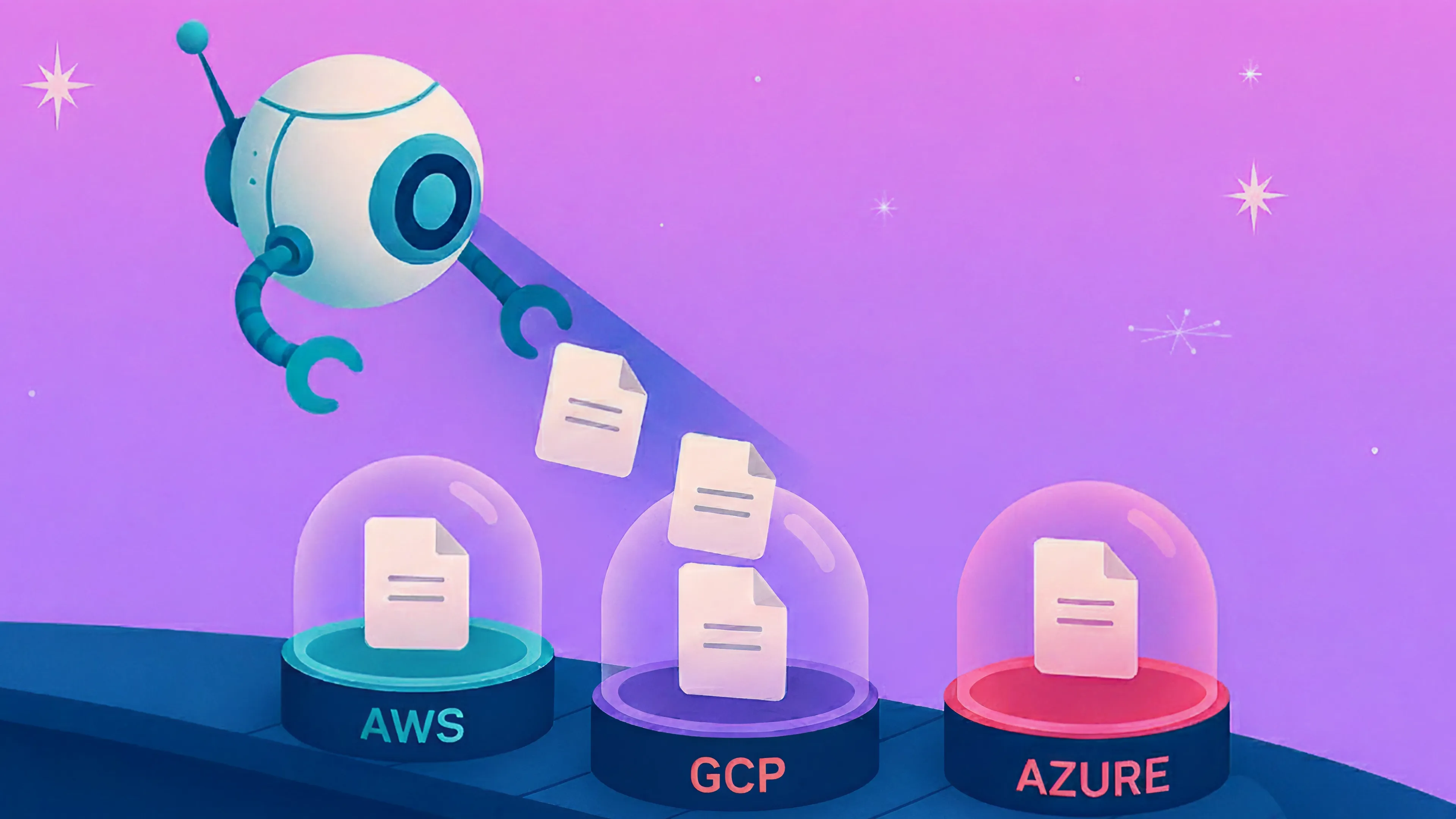
Most environments rely on a patchwork of services, such as AWS Backup, Azure Recovery Vaults, Google Cloud snapshots, plus homegrown scripts and manual tagging. The result? Backups that are poorly indexed, siloed across accounts, and stored in rigid formats incompatible with analytics.

These aren’t accidents. They’re built into how backup has always been done.

3. Backup Improvements Aren’t a Priority

Because backup isn’t tied to user-facing features or uptime metrics, investment tends to lag. But when teams later need to extract insights, validate data, or meet audit requirements, they find themselves bottlenecked by outdated systems.

What You Can Do with a Better Cloud Backup Posture

Improving Cloud Backup Posture Management (CBPM) isn’t just about restoring faster. It’s about enabling strategic scenarios that previously felt out of reach:

  • Run quick queries on massive backups without rebuilding or restoring anything.
  • Find and label sensitive data across clouds so audits don’t catch you off guard.
  • Grab just the data you need, without having to restore everything else.
  • Check that your data stayed intact during a migration without digging through snapshots.
  • Train AI on backup data without blowing up your costs or your SLAs.

This is what modern backup systems are beginning to enable. Through cloud-native architectures, global search, and automated policy enforcement, backups become accessible—not just stored.

Teams that shift from backup as insurance to backup as infrastructure are already seeing faster delivery, tighter compliance, and more agile operations.

Is Your Team Ready to Treat Backup as a Strategic Asset?

Here’s a quick diagnostic:

  • Can you query backup data across clouds and accounts without a full restore?
  • Are classification, retention, and policy enforcement consistent and automated?
  • Can your teams easily verify what’s backed up, where it lives, and what it contains?
  • How long would it take to produce a record from six months ago for a regulator or an AI model?

If you had to pause on any of those, it’s not just a tooling problem; it’s also a backup posture problem.

For more on this, read our 2025 State of Cloud Backup Report to learn more from our customer conversations and over 150 IT professionals who shared how they’re preparing their backup strategies in the age of AI, audit complexity, and multi-cloud growth.

Featured Article
Article

2025 State of Cloud Backup: Where Enterprises Fall Short and How to Catch Up

New data from over 150 IT and cloud leaders reveals why cloud backup strategies are falling behind—and what teams are doing to catch up.

Cloud adoption is accelerating, with the global cloud infrastructure market projected to reach $838 billion by 2034. Yet many backup strategies remain outdated, fragmented, and costly, leaving companies vulnerable to data loss, compliance risks, and missed business opportunities.

Based on insights from 150+ IT and cloud leaders at Google Cloud Next, the 2025 State of Cloud Data Backup report reveals where backup strategies are breaking down—and where forward-thinking teams are already adapting.

This overview shares key findings to help you identify Cloud Backup Posture Management (CBPM) gaps, benchmark your approach, and take steps toward a more resilient, intelligent backup strategy.

Whether you’re a CIO, CISO, platform engineer, cloud architect, or IT manager, this summary is designed to help you take action.

Four Backup Posture Gaps to Fix Now

1. Outdated Processes, Tool Fragmentation, and Incomplete Backup Strategies

Despite rapid advances in cloud infrastructure, 38% of organizations still rely on basic disaster recovery (DR) tools provided by their cloud provider, or have no formal backup strategy in place at all. While provider-native tools offer convenience, they come with trade-offs: limited platform coverage, high recovery costs, vendor lock-in, and rigid, snapshot-based recovery.

As environments become more dynamic and distributed, relying on a single provider’s tools leaves critical data exposed. The future is multi-cloud. Organizations need one unified backup approach—built for visibility, automation, and control across platforms.

Fragmentation makes things worse. One in five organizations juggle multiple backup tools, resulting in policy drift and operational inefficiency. Meanwhile, 51% still rely on manual or semi-automated processes, which slow down recovery and increase the risk of failure or human error.

2. Poor Visibility Leaves Data at Risk

39% of organizations have experienced cloud data loss or aren’t confident in the integrity of their backups. Without full visibility, teams can’t verify what’s covered, what’s exposed, or what’s missing. Shadow resources, misconfigured storage, and untagged volumes slip through the cracks—especially in fast-moving, multi-cloud environments. Gaps in discovery and classification create blind spots that compromise recovery when it counts most.

3. Recovery Remains Slow, Inflexible, and Costly

54% of organizations cite compliance and data mismanagement as their top concerns—yet many still rely on full snapshot restores and rarely test their recovery workflows.

Legacy methods slow everything down. Pulling entire volumes just to recover a single file incurs cloud storage charges and prolongs the recovery time. Without granular restore options and regular validation, teams risk compliance failures, extended downtime, and rising costs every time recovery is needed.

4. Ransomware Protection Is Still Too Thin

Cloud ransomware is growing fast, and backups are a prime target. Yet 69% of organizations still lack layered protection, with many relying on a single line of defense or none at all.

Nearly one in four of all data loss cases is attributed to ransomware or data breaches. Without immutable storage, air gaps, anomaly detection, and automated recovery playbooks, even a minor incident can trigger major disruption.

Three Strategic Shifts Already Underway

While our report primarily highlights the vast and growing gap between cloud acceleration and cloud backups, it also reveals the trends and strategies that professionals are already adopting to create a better future for cloud backups.

1. Automation Is Picking Up—But Most Teams Aren’t There Yet

Only 5% of organizations report having a fully automated cloud backup posture, despite 79% investing in overall backup improvements. That momentum is promising, but most teams are still stuck at the surface level.

Real automation isn’t about scripts and scheduled jobs. It’s about real-time discovery, automatic classification, and continuous policy enforcement across platforms. Without that, teams remain reactive, and risks go unchecked.

In today’s environments, automation is more than just a time-saver—it’s a strategic imperative.

2. Backup Is Emerging a Queryable, Intelligent Data Lake

Backups aren’t just for recovery anymore. As AI and analytics initiatives gain momentum, more organizations are realizing that backup data can be a powerful asset.

81% of IT leaders in our survey see potential in transforming backups into centralized, queryable data lakes.

And we’re hearing the same from our customers: forward-looking teams want to unlock backup data for analytics, compliance audits, AI/ML pipelines, and cloud migrations.

This isn’t yet a widespread practice, but it’s quickly becoming a business requirement. The need to access more of your enterprise data is growing fast, and backup is one of the largest—and most overlooked—sources. The opportunity is clear. The challenge lies in execution.

3. Multi-Cloud Demands Real-Time Visibility

Multi-cloud backup strategies boost flexibility and resilience—but they also increase complexity. As environments span providers, visibility breaks down. Teams can’t easily see what’s protected, where gaps exist, or if policies are being enforced consistently.

That’s why real-time, cross-cloud visibility isn’t a luxury—it’s a baseline requirement. Without it, blind spots persist, recovery slows, and compliance risk increases.

Solving for visibility means continuously discovering, classifying, and monitoring assets across every environment as well as having a centralized way to oversee the full environment. 

Take Action: Steps to Modernize Your Cloud Data Backup

Based on our report, here are the key steps organizations can take now to build smarter, more resilient cloud backups:

1. Audit and Test Your Backup Posture—Regularly

Begin with a comprehensive audit to identify blind spots, recovery gaps, and hidden risks. A strong posture audit also prepares you for whatever comes next—whether that’s a compliance check, a breach, or an outage.

Don’t stop there. Recovery testing should be routine.

2. Consolidate Tools for Better Visibility

More clouds shouldn’t mean more backup tools. A unified platform—built for hybrid and multi-cloud—simplifies management, improves visibility, and helps keep policies consistent.

3. Automate Discovery and Policy Enforcement

Automating discovery ensures that new resources are found and protected in real-time. Automating policy enforcement ensures consistent and compliant coverage.

4. Implement Cloud-First Ransomware Protections

Ransomware isn’t slowing down—and cloud backups are a prime target. Air-gapped, immutable storage, anomaly detection, and automated recovery workflows form a layered defense that helps teams stay ready.

5. Leverage Backup as an AI-Ready Data Asset

Backups shouldn’t be locked away for safekeeping—they should be put to work.

By organizing backup data into a structured, queryable lake, teams can enable analytics, accelerate compliance audits, support AI/ML, and streamline migrations. It’s not just a shift in storage—it’s a shift in mindset.

Backup Isn’t Just a Safety Net Anymore

Your backup posture reflects your cloud maturity. With the right strategy, it can become a driver of resilience, compliance, and innovation.

Yes, the gaps are real—and so is the momentum. Teams are already moving toward smarter, more dynamic backup architectures.

The full 2025 State of Cloud Data Backup report goes deeper, with data, frameworks, and next steps for cloud-forward IT teams.

Download the full report and take the next step toward smarter cloud resilience.

Featured Article
Article

AWS Backup vs. Eon: What to Consider When Selecting a Cloud Data Backup Solution in 2025

Compare AWS Backup and Eon to discover which cloud backup solution delivers better performance, lower costs, and stronger protection in 2025.

If you’re exploring backup alternatives or ways to optimize backup costs, you’re not alone. Many organizations find their existing backup strategies limited in flexibility, costly at scale, and lacking critical features like instant recovery and ransomware protection. In this guide, we compare AWS Backup vs. Eon, one of the top alternatives for multi-cloud, cost-efficient, and secure cloud backup in 2025. See how Eon delivers better performance, faster recovery, and stronger compliance for modern cloud infrastructure.

AWS Backup vs Eon: Feature Comparison Overview

Feature Eon AWS Backup
Cloud Backup Posture Management Autonomous, no manual tagging needed Manual tagging and policy management required
Data Access Instant file, folder, and database record search & recovery Limited item-level recovery with extra costs
Multi-Cloud Support AWS, Azure, and GCP AWS-only
Cost Efficiency 20–50% lower storage costs Higher due to inefficient storage and versioning
Ransomware Protection Built-in detection, air-gapped backups, rapid recovery Extra cost for an air-gapped, cross-region, or cross-account backup

1. Manual Tagging vs. Autonomous CBPM

Cloud Backup Posture Management (CBPM) ensures your cloud backups are set up correctly and running smoothly. It helps you keep your data safe, secure, and always ready for recovery, no matter what happens.

AWS Backup: Manual resource tagging and backup policy setup increase the risks of error and operational overhead. Missed resources can lead to a higher data loss risk and lower compliance.

Eon: Provides fully autonomous CBPM that continuously maps, classifies, and groups cloud resources. No manual tagging required! Eon adapts automatically to changes in your cloud environments, ensuring backups always align with compliance and business requirements.

Key Advantages

  • 80% reduction in IT time spent managing backup policies
  • 90% less time spent on compliance management
  • 100% of data loss incidents prevented
  • 100% compliance audit pass rate

2. Backup Data Access

With instant access to backups, you can quickly find the specific objects, files, or datasets you need, which saves you a ton of time and frustration. Whether for a compliance check or fixing an error, getting back to business quickly is key. It also gives you more control over how you recover your data, so you can do it the way that works best for you—no full system restore necessary. Simple, fast, and effective.

AWS Backup: AWS recently introduced item-level recovery for EBS snapshots and S3 backups, but there is no cross-region aggregated search and associated costs.

The search functionality requires a specific configuration, and pricing is based on the number of items indexed and searched. There's no option to restore more than five items in a single restore job, which must also be configured in advance. Additionally, the search process is asynchronous and incurs a cost per search. AWS does not maintain index differentials, meaning that searching across multiple backups results in a linear cost increase. Furthermore, it is impossible to query RDS or the Database on EC2.

Overall, the solution is costly, requires complex indexing, and is limited to S3 and EBS backups. Access to backed-up data is restricted, requiring users to know the exact location of the data, and retrieval times can be slow.

Eon: Eon offers instant access to individual files, folders, and database records without needing to restore the entire environment. It enables direct SQL queries on managed or self-managed EC2 instances, making the data immediately actionable for audits, forensics, or analytics. Eon supports full SQL search across RDS backups and self-managed databases on EC2. It also provides seamless file and object search across all snapshots at no additional cost. This allows instant access to backed-up files, tables, and records, saving time and resources.

Case Study: StructuredWeb achieved a 98% reduction in backup retrieval time with Eon​

3. Multi-Cloud Support

Many companies are going the multi-cloud route, spreading their data and services across different cloud platforms to get the best of what each has to offer. While it sounds great in theory, there are real challenges when it comes to backup, recovery, and security. The more clouds you use, the more complicated things can get. Keeping track of where your data is, ensuring it’s backed up correctly across all those clouds, and ensuring it’s secure is a lot to handle. 

Plus, if something goes wrong, recovery can become a real puzzle. It’s why companies need a solid strategy to manage all these moving parts, ensuring they have a clear, unified approach to protecting their data, no matter where it lives.

AWS Backup: Limited to AWS environments. It does not provide seamless multi-cloud backup management.

Eon: Eon supports AWS, Azure, and Google Cloud, offering a unified backup solution across multiple cloud providers, simplifying backup management in hybrid and multi-cloud environments. All searches are multi-region and multi-account, so there's no need to change regions in AWS to perform restores or similar operations. Eon also provides granular item-level restores, preventing full restoration and supporting cross-region backups with a single copy.

Key Advantage: Eon’s multi-cloud support provides comprehensive backup protection without the need for multiple tools. Unlike traditional methods, which require full instance restores and cross-region data duplication with manual tagging, Eon eliminates the risk of over-backing up by streamlining the process.

4. AWS Backup Storage Costs vs Eon Savings

Balancing cost and storage quantity is like trying to walk a tightrope: You want to ensure you have enough space to keep everything you need, but you don’t want to end up paying for more than you actually use. 

AWS Backup: Item-level search and recovery incur additional costs, and inefficient storage practices can drive up expenses. Versioning is required, which leads to higher storage costs.

Eon:

  • 50% less storage wasted with smarter snapshot retention​
  • Pay-as-you-go or commitment pricing models for flexibility.
  • Eon Snapshots offer affordable alternatives to traditional cloud snapshots, slashing overall costs by 20–50%.

5. Ransomware Protection: How AWS Backup and Eon Compare

Ransomware attacks are evolving fast, and the cloud isn’t immune. Enterprises that rely on cloud-based infrastructure are realizing that traditional security measures aren’t enough to protect their critical data from encryption-based threats. Attackers no longer just target production environments or even standard data storage locations. They’re going straight for backups.

AWS Backup: No native ransomware detection or automated anomaly monitoring.

Eon: The ransomware package includes anomaly detection, air-gapped backups, immutable storage, and instant rollback capabilities. Monitor for unusual file changes, deletions, and suspicious activity to quickly restore systems to the last known good state.

6. Backup Compliance for HIPAA, GDPR, SOC 2

AWS Backup: Relies on AWS’s overall platform compliance certifications (like HIPAA and GDPR), but does not automatically ensure that individual backups are configured to meet regulatory requirements. Manual tagging and policy setup are still required to remain compliant.

Eon: Automatically aligns backup policies to compliance needs, helping organizations meet standards like HIPAA, GDPR, and SOC 2. Achieve faster audit-readiness without manual intervention​

7. Deploying AWS Backup vs. Eon

Eon is designed to integrate with your cloud environment quickly and painlessly:

  • Automated scanning and onboarding,
  • Unified inventory view across clouds,
  • No complicated manual tagging or policy writing.

You’ll be up and running faster, saving your IT team from months of configuration work.

AWS Backup Limitations Compared to Eon

When considering AWS Backup, keep these limitations in mind:

  • Limited to AWS environments only
  • Complex and costly item-level search and recovery
  • No ransomware detection or automated recovery
  • Manual tagging required for full protection
  • Higher total cost of ownership due to storage inefficiencies

Choosing the Best AWS Backup Alternative: Why Eon Wins

Choose AWS Backup if you operate entirely within AWS, have minimal data recovery needs, and are willing to manage backup policies manually.

Choose Eon if you want:

  • Effortless, autonomous backup posture management
  • Instant, granular access to backed-up data
  • Multi-cloud and SaaS application support
  • Built-in ransomware protection
  • 20–50% lower storage costs
  • Faster compliance, faster recovery, lower risk

Eon transforms cloud backup from a necessary cost center into a strategic advantage.

Ready to see the difference? Schedule a live demo of Eon today and redefine your cloud backup experience

AWS Backup vs Eon: FAQs

Is AWS Backup enough for multi-cloud environments?

No. AWS Backup is designed solely for AWS services. AWS Backup won't meet your needs if your organization uses multiple cloud providers. Eon offers native multi-cloud support.

Does Eon support GDPR and HIPAA compliance for cloud backups?

Yes. Eon automates backup posture management to align with compliance policies like GDPR, HIPAA, and PCI-DSS. StructuredWeb achieved full compliance within just 30 days of switching to Eon​.

How quickly can you access backed-up data with Eon?

Eon provides instant file, folder, and record-level access across all backups without full restores, achieving up to 98% faster retrieval times.

How does Eon protect against ransomware attacks?

Eon offers built-in ransomware detection, air-gapped and immutable backups, automated anomaly monitoring, and instant recovery to the last safe state—protecting your backups proactively, not reactively.

Featured Article
Article

Deployed on AWS: Eon and AWS Expand What’s Possible for Cloud Backup

Eon is officially “Deployed on AWS” in the AWS Marketplace. Here’s what that means for your team and why it makes backing up on AWS faster, smarter, and easier than ever.

We’ve got good news: Eon has officially earned the “Deployed on AWS” badge and continues to be available in the AWS Marketplace.

If you’ve been waiting for a backup platform that understands AWS, works the way your cloud does, and plays nice with your procurement process, this is your moment.

Now you can buy Eon on AWS Marketplace, qualify for AWS Private Pricing Agreement (PPA) spend commitments, and launch in minutes. No new tools to set up. No new workflows to invent. Just better backup, where you need it.

What Changed—and Why It’s Good News

We’ve been live in AWS Marketplace for a while, making it easier for teams to get started with Eon. However, as of May 1, 2025, AWS updated its Marketplace rules: only SaaS platforms fully hosted on AWS qualify for PPA spend drawdown.

We meet that bar. We’re all in on AWS.
And now we’ve got the “Deployed on AWS” badge to prove it.

Buy through Marketplace and get:

✅ PPA-aligned spend
✅ Fewer procurement headaches
✅ Billing rolled into your AWS invoice
✅ Nothing to install, nothing to maintain

How Eon Uses AWS

Eon runs entirely on AWS to deliver fast, reliable, and scalable backup operations—without customers having to manage a thing.

Under the hood, we use:

  • EKS
  • RDS
  • DynamoDB
  • EC2
  • S3
  • SQS
  • SNS
  • Amazon Bedrock
  • Athena

This AWS-native foundation means we can deliver performance, security, and scale, without requiring you to build or manage anything extra.

Strengthening Our AWS Partnership

This badge isn’t the beginning of our AWS relationship—it’s the next chapter.

Eon has always been built to run natively on AWS. Our architecture, integrations, and roadmap reflect a shared goal with AWS: to help teams protect, recover, and gain value from their cloud data without adding complexity.

We’re excited to deepen this collaboration and continue solving real-world problems like:

  • Uncontrolled sprawl and unknown resource exposure
     → Eon autonomously scans your AWS environment to detect untagged or unprotected resources so nothing critical slips through the cracks.
  • Over-retention and out-of-policy backups
     → Our backup policies adapt automatically to your environment with Cloud Backup Posture Management (CBPM) to enforce retention that’s right-sized and compliant.
  • Vendor lock-in and opaque recovery workflows
     → With Eon, every backup is immediately visible, portable, and restorable—no black-box formats, no long waits, and no surprises at recovery time.
  • Time-consuming compliance audits
     → Eon’s audit-ready snapshots, classification, and policy tracking make proving compliance (PCI, HIPAA, GDPR, etc.) a matter of clicks.
  • Backups that exist—but aren’t actually usable
     → Eon turns your backups into a live, queryable data lake to enable instant search, forensics, and analytics across all your stored data.

What Eon Protects on AWS

If you’ve ever had that “wait, was that backed up?” moment, Eon is built to ensure the answer is always yes.

Eon is designed to prevent exactly that. We provide deep, posture-aware backup and recovery coverage across:

  • Amazon S3: Object-level backup with instant search and granular restoration
  • Amazon EC2: Instance, volume, and AMI coverage with rapid restore
  • Amazon RDS: Full database snapshots with the ability to run SQL queries on top of the backup for instant dataset retrieval
  • Amazon EBS: Volume-level snapshots with instant search and granular restoration
  • Amazon DynamoDB: With global-table support and restore with index support
  • Amazon EKS: Cluster-aware protection for containerized workloads

Every service is monitored, mapped, and made visible—so you’re never caught off guard again.

Say Goodbye to Backup Guesswork

Eon is for cloud teams who want to stop digging through logs and start seeing exactly what’s backed up, where, and how fast they can restore it.

With Eon, you can:

  • Discover unprotected resources automatically
  • Fix misconfigured retention policies before they become problems
  • Restore anything from an app to a single volume in minutes
  • Prove compliance with audit-ready reporting
  • Transform your backups into a data lake

It’s backup posture without the anxiety.

Explore Eon on AWS Marketplace

We’ve made it easy to get started—and even easier to align with your AWS budget strategy.

  • Deploy in minutes
  • Align with AWS PPA requirements
  • Operate natively within your AWS environment
  • Get instant value from your backups

Visit Eon on AWS Marketplace or request a demo below.

We’re proud to deepen our partnership with AWS, and even more excited to help you turn backup from an afterthought into a strategic advantage.

Featured Article
Article

Eon Backs Up Your Google Cloud Environment

Say goodbye to backup headaches and hello to effortless data protection and analysis with Eon’s autonomous Cloud Backup Posture Management (CBPM) for Google Cloud environments. It’s fast, smart, and, dare we say, kinda magical.

Managing Cloud Backups in a Multi-Cloud World

Managing backups across multiple cloud platforms can get complex. Google Cloud offers a variety of powerful native backup tools designed for different parts of the platform—from GKE backups to Cloud SQL backups to Persistent Disk snapshots. Their Backup and DR Service also offers centralized protection for legacy workloads.

Eon builds on that foundation by consolidating backup management in one easy-to-use platform. With Eon, you can streamline your backup strategy, improve visibility, and reduce manual effort, all while ensuring your data is fully protected.

What Does Eon’s Google Cloud Backup Support Include?

Eon’s CBPM solution takes the stress out of backup management. Here’s what you get:

  • Automatic Discovery & Classification: Eon scans your whole Google Cloud setup, spots everything you’ve got, and makes sure it’s protected without having to dig through settings.
  • Smart Backup Policies: Forget manual tagging or custom scripts. Eon sets smart policies based on what you’re protecting and what your compliance rules demand.
  • Granular Restore for Faster Recovery: Need one table? One file? Grab it fast without waiting on full restores.
  • Cost Optimization & Storage Efficiency: Eon stores incremental snapshots and compresses data to save storage so you only pay for what you really need.
  • Security & Compliance: Eon locks down your data with encryption, immutable backups, and policies that align with regulatory standards—ransomware doesn’t stand a chance.

Transform Cloud Backups into a Data Lake

Eon is the first cloud-native CBPM platform that automates cloud backups and transforms them into a unified data lake with zero-ETL operations or cost.

  • Unified Data Access: Eon breaks down data silos, unifying customer data across various domains, technologies, clouds, and accounts into a centralized Google Storage.
  • Seamless Integration with BigQuery & Dataproc: Enables Google Cloud customers to use BigQuery and Dataproc to connect to Eon's Iceberg tables, folders, files, and objects.
  • Enhanced AI and Analytics: Allows Google Cloud customers to link backup data to services like Vertex AI and Looker.
  • Zero-ETL Efficiency & Cost Benefits: Transforms cloud backups into a live data lake without disruptive ETL pipelines, which reduces storage spend by up to 50% and accelerates access to insights.

How to Get Started with Eon for Google Cloud

  1. Eon is available on Google Cloud Marketplace
  2. Connect Your Google Cloud Environment: Link your Google Cloud environment to Eon’s CBPM platform. It’s quick, secure, and you’re in control.
  3. Define Backup Policies: Set your backup rules once, and let Eon handle the rest. No scripts, no manual work.
  4. Monitor & Optimize: Eon keeps an eye on your resources, spots issues, and makes sure you’re only paying for what you need.
  5. Recover in Seconds: With Eon’s global search and granular restore, you can grab what you need fast without digging through endless data.

Future-Proofing Your Cloud Backup Strategy

As businesses grow and scale across cloud platforms, a unified, intelligent backup strategy is more important than ever. Eon’s Google Cloud backup support helps you stay secure, efficient, and one step ahead.

Ready to make Google Cloud backup a breeze? Schedule a demo today!

Featured Article
Article

Eon Backs Up Your EKS Environment

Eon now supports automated, hassle-free backups for EKS so you can protect Persistent Volumes (PVs), Persistent Volume Claims (PVCs), and Secrets without all the manual effort.

Why Back Up Your EKS Environment?

Amazon Elastic Kubernetes Service simplifies Kubernetes by managing the control plane for you, but your applications, workloads, and data remain your responsibility. While AWS handles the availability and scalability of the Kubernetes API servers and etcd database, you still manage the worker nodes, where critical resources like containers, persistent storage, and secrets live.

That’s where things get tricky.

Backups aren't optional for teams running stateful applications, like databases or services with Persistent Volumes backed by Amazon EBS. Each pod in your EKS cluster operates within its own namespace and leverages specific PVCs. If any of those resources are accidentally deleted or corrupted, recovery without a backup strategy can be time-consuming, manual, and error-prone.

What Does Eon’s EKS Backup Include?

With Eon’s support for Amazon EKS, we provide a simplified, automated backup solution that removes the usual Kubernetes complexity. Whether you're running a mission-critical app with persistent storage or managing secrets across clusters, Eon gives you full backup and restore coverage where it counts.

Eon customers can enjoy:

  • Stateful Workload Protection: Backups for Persistent Volumes, Persistent Volume Claims, and Kubernetes Secrets at the namespace level—targeting the most critical, high-value resources in your EKS environment.
  • Automated Backup & Granular Restore: Eon’s Cloud Backup Posture Management (CBPM) seamlessly integrates with your Kubernetes setup, delivering fully automated backup as well as granular restore for individual Kubernetes resources like pods, PVCs, and Secrets—no full restore required.
  • Smart Discovery & Policy Management: Eon automatically discovers all Kubernetes objects in your EKS environment, from namespaces to PVCs and Secrets, and applies intelligent backup policies that prioritize your most important resources without manual tagging.
  • Storage-Efficient, Cost-Effective Protection: Eon ensures you only store what’s necessary, keeping your storage footprint and costs light without sacrificing protection.
  • Unified Backup Management: With EKS now part of the Eon platform, you can view and manage backups across VMs, databases, and Kubernetes clusters from a single dashboard.

How can you get started with Eon?

As more businesses rely on Kubernetes for mission-critical workloads, protecting EKS environments becomes essential. Eon’s backup solution gives you peace of mind that your data is secure, your recovery is fast, and your setup is streamlined.

No Kubernetes expertise required. No manual steps. No surprises.

Ready to simplify your Kubernetes backup strategy? Reach out to us to discover how Eon can protect your EKS data without the complexity.

No results found

Try a different category and check back soon for more content.

Watch a demo
Eon puts cloud backup policy management on auto-pilot, keeping resources and policies in perfect sync. See it for yourself.
SEND ME THE VIDEO