Nobody picks a cloud for its backup service, but the Azure Backup vs AWS Backup question still lands on someone's desk the week an auditor asks where the recovery points live. Here are the seven differences that decide what each costs you and what it gets back.
Azure Backup vs AWS Backup: What's the difference?
Azure Backup is Microsoft's managed backup service for Azure VMs, Azure Files, SQL and SAP HANA running on Azure VMs, Azure Blob, managed disks, PostgreSQL, AKS, and on-premises servers, orchestrated through two different vault types depending on the workload.
AWS Backup is Amazon's policy-driven service that centralizes backup across EBS, EC2, RDS, Aurora, DynamoDB, EFS, FSx, S3, Neptune, DocumentDB, Storage Gateway, and VMware workloads from a single vault model.
Choose Azure Backup if your footprint is Microsoft-centric, you still have on-premises servers in scope, and your recovery pattern is frequent restores of a small number of large machines.
Choose AWS Backup if you run many resources across many accounts and Regions, you need write-once storage a root user cannot override, and you need scheduled proof that restores work.
Meet Azure Backup: Features and highlights
Azure Backup captures VM data through a VM extension, taking a snapshot and transferring changed blocks into a vault. On-premises servers come in through the MARS agent, Azure Backup Server, or System Center DPM.
That hybrid reach is why Azure stays the stronger option for anyone with a data center still in the picture.
Soft delete holds deleted backup data for an extra 14 days at no cost, and immutable vaults block operations that would destroy recovery points. Multi-user authorization gates destructive actions behind a separate Resource Guard resource owned by a different admin.
Meet AWS Backup: Features and highlights
AWS Backup works through service APIs instead of installed software, so adding a resource type is a policy change rather than a deployment. Backup plans define schedule, lifecycle, and retention, then apply across accounts through AWS Organizations.
The security story leans on Vault Lock and on logically air-gapped vaults, which lock themselves in compliance mode by default. They can be shared through AWS Resource Access Manager with other accounts, including accounts in other organizations.
Restore testing and Backup Audit Manager sit alongside them to check that what is stored can be recovered.
Azure Backup vs AWS Backup at a glance
Azure Backup vs AWS Backup: Feature-by-feature comparison
Azure bills per protected instance, AWS bills per restore
Azure Backup charges a protected instance fee before you store a single byte. Azure Backup pricing sizes that fee in 500 GB increments of the source data, measured before compression and encryption. Storage is billed on top. A 1.2 TB instance draws three increments.
The fee is per instance, so 200 small VMs each carry their own charge no matter how little changed data they produce.
What Azure gives back is a free recovery path. There is no limit on the number of recoveries and no charge for egress traffic during a restore.
AWS Backup inverts this. There is no per-resource fee at all. AWS Backup charges for backup storage, cross-Region transfer, data restored, and backup evaluations, with no minimum fee and no setup charge.
The bill arrives when you use the backup. DynamoDB restores run $0.15 per GB from warm storage. Where item-level restore is supported (EBS, EFS, S3, VMware), each request adds a $0.50 fee on top of per-GB restore charges.
Azure taxes you for having the resource, while AWS taxes you for using the backup. If you want the full arithmetic on either side, we run the numbers by service in our breakdowns of AWS Backup pricing and Azure Backup pricing.
Winner: AWS Backup. Cloud footprints grow by adding resources, so Azure's per-instance fee compounds in exactly the direction your environment is heading. Free restores are a real Azure advantage for recovery-heavy work, but they don't offset that trajectory for most teams.
Azure splits vaults by workload, AWS keeps one vault model
Azure Backup runs two vault types that are separate resources with separate management surfaces.
The Azure Backup support matrix puts Azure VMs, SQL in Azure VMs, SAP HANA in Azure VMs, Azure File shares, and on-premises workloads in Recovery Services vaults. Backup vaults cover the newer set, including Azure Disk, Blob, PostgreSQL Flexible Server, and AKS.
The design is defensible, and Backup Center can show both types together. The cost is conceptual. You pick a vault type per workload, and each type carries its own defaults and capability list.
The teams we talk to describe the split as hard to reason about, which is a fair reading of a design where two similarly named resources do overlapping jobs.
AWS Backup has one backup vault. Logically air-gapped vaults exist as a second tier, but they are a security posture rather than a parallel taxonomy, and they follow the same plan syntax.
Winner: AWS Backup. One model scales better across a large surface. Azure's split is a historical artifact that engineers pay for in onboarding time.
How each service captures a backup
Azure Backup installs a VM extension to snapshot Azure VMs and uses the MARS agent, Azure Backup Server, or DPM for on-premises machines. Extensions can fail, and they add a component inside the guest that needs updating.
AWS Backup calls service APIs. There is no software inside the instance for most resource types, so coverage is a matter of whether the service is integrated rather than whether an agent installed cleanly.
Azure's in-guest presence is what delivers application-consistent backups through VSS on Windows and pre/post scripts on Linux, and it is what lets Azure reach off-cloud at all.
Winner: Tie. AWS is cleaner for pure cloud resources. Azure's model is what buys hybrid reach and application consistency, and if you still run servers you own, that is not a rounding error.
How far each one reaches across Regions and accounts
Azure Backup ties regional redundancy to Azure region pairing. GRS for Azure Backup only works within paired Azure regions, data sources must live in the primary region, and you cannot configure backups to a vault in another region.
The timing is the part that stings: for Recovery Services vaults, geo-redundant storage has to be set before the first backup runs, and once a workload is protected the setting is locked.
Turning on cross-region restore is a one-way door too. Backup items can take up to 48 hours to appear in the secondary region afterward, and for Azure VM backups the secondary region recovery point objective can reach 36 hours.
So the destination is chosen for you on day zero, and reversing it means rebuilding the vault.
AWS Backup treats this as a copy job. Backups copy to any Region or account the resource type supports, on demand, and you pay transfer fees for the privilege.
A logically air-gapped vault can be shared through AWS RAM to an account outside your own organization entirely, which gives you a recovery path that survives the loss of the owning account.
Cross-Region and cross-account management could be more intuitive at enterprise scale, and the teams we've worked with echo that. It is configuration work you can redo next quarter when the architecture changes.
Winner: AWS, decisively. Reversible beats optimal. Azure's paired-region model is predictable, and it is cheap to reason about, but a resilience decision you cannot revisit without rebuilding the vault is a poor trade at any price.
Immutability runs on opposite ergonomics
AWS Backup offers Vault Lock in two modes. Governance mode restricts changes to users with the right IAM permissions and can be removed. Compliance mode is permanent, with a documented grace period of at least 3 days, after which the vault and its lock cannot be changed or deleted by any user or by AWS itself.
The cost of that permanence is retention math you cannot undo. Backups in a locked vault cannot be deleted until their lifecycle completes, so a carelessly set retention period becomes permanent cost, and a recovery point set to retain forever will do exactly that.
Azure Backup gets to the same place with less risk. Immutable vaults can be enabled first and locked later, so you get a reversible trial run before the commitment.
Soft delete adds 14 days of free recovery on deleted backup data, and multi-user authorization puts a second human between an attacker and a destructive operation. Locking is still permanent once applied. Our guide to Azure immutable backups covers where the WORM guarantees hold by region and workload.
Winner: Azure. Enable-then-lock is the better ergonomics for the ordinary mistake that most incidents turn out to be, and soft delete plus multi-user authorization catches it. AWS is the right pick only when strict-compliance WORM is the requirement, since compliance mode holds against AWS itself and logically air-gapped vaults apply it by default.
Restore precision and what it costs to get it
Azure Backup provides item-level recovery for VM backups.You generate a script from the portal, run it on a machine meeting the OS requirements, mount the recovery point over iSCSI, and copy back what you need.
Access is read-only and the mount expires after 12 hours. It costs nothing and it works, though it remains a manual errand performed under incident pressure.
AWS Backup charges for the equivalent, and only where item-level restore is supported at all. Item-level restores for EBS, EFS, S3, and VMware run $0.50 per request on top of per-GB restore charges.
For everything else, the unit of recovery is the whole resource: an EBS restore brings back a volume, a DynamoDB restore brings back a table, and getting one record out means restoring the table and querying for it.
Winner: Azure. Free and manual beats metered and manual. Both are working around the same limit.
Automated restore testing vs manual drills
AWS Backup tests the hypothesis for you. Restore testing runs scheduled restores into a network you designate, then hands the restored resource to your own validation checks, including a malware scan, to confirm what came back is clean.
Backup Audit Manager sits beside it and tracks whether resources are backed up, how often, whether vaults are logically air-gapped, and whether restore times meet the targets you set. Both are metered: restore testing runs $1.50 per recovery point tested, and Backup Audit Manager bills per evaluation, roughly $1.25 per 1,000.
Azure Backup has no scheduled equivalent. Cross-region restore supports drills for audit and compliance, which is genuinely useful, and it is something a person has to remember to run.
That gap has a cost. Eon’s 2026 Cloud Data Infrastructure Report found that 61% of respondents discover protection gaps only after an incident, an audit, or a failed restore. Automated evidence is what turns that number down.
Winner: AWS. This is the single largest capability gap between the two services in 2026.
What real users say
Reviews for both services run high, though AWS Backup's smaller sample makes its average less stable than Azure's. The patterns underneath are more useful than the averages, so here is what recurs on each.
Azure Backup
Pros
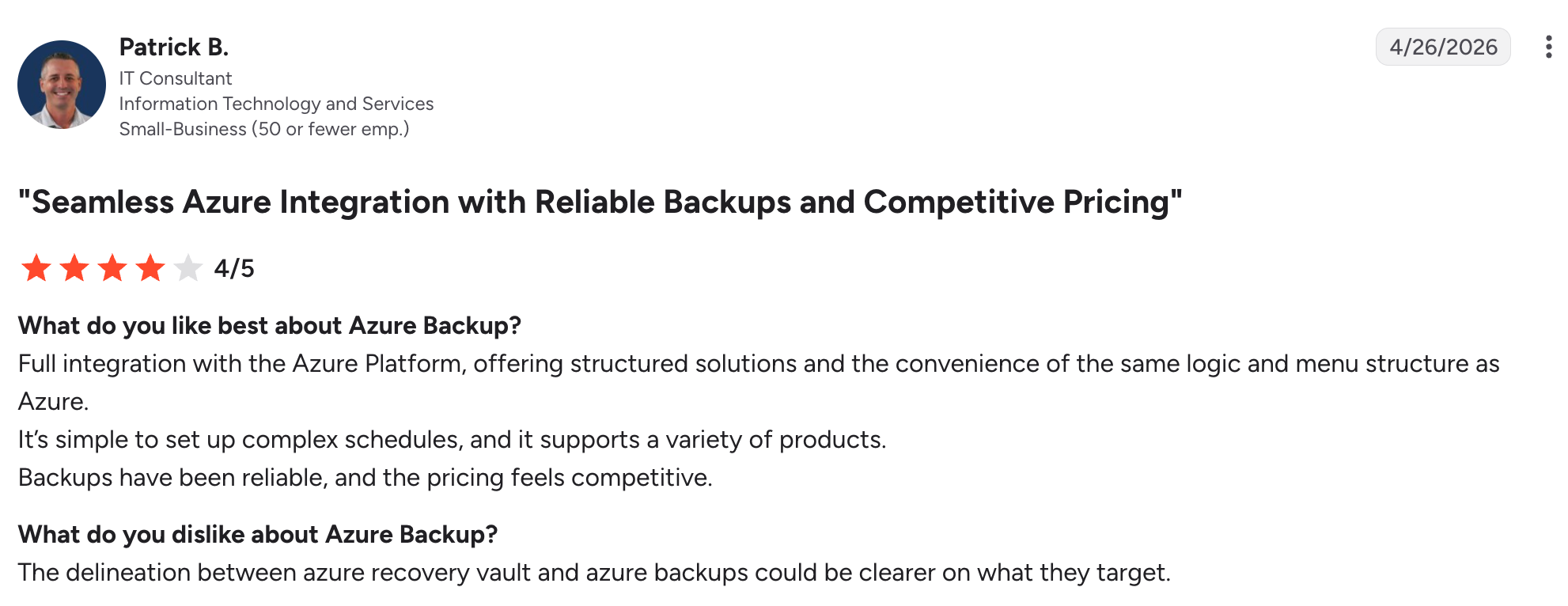
✅ Reliability at competitive pricing. Multi-year admins describe the service as dependable, and pricing lands well against what teams expect from a native tool. "Backups have been reliable, and the pricing feels competitive." – Patrick B., G2
✅ One console for management across workloads. Backup Center pulls Recovery Services and Backup vaults into a single view for monitoring and scale operations. "It provides a Single Window to manage, [analyze], monitor and scale all the backups" – Rachit P., G2
Cons
❌ Region-locking constrains architecture decisions early. The vault has to sit in the same region as the workloads it protects, which locks region choice at day zero. "The Recovery Services vault must reside in the exact same region as the resources you want to back up" – Arvind J., G2
❌ Console navigation stays clunky at scale. Managing policies, restores, and vault settings across multiple workload types means jumping between blades that don't share a consistent flow. "I sometimes find the interface a bit complex" – Gerald O., G2
AWS Backup
Pros
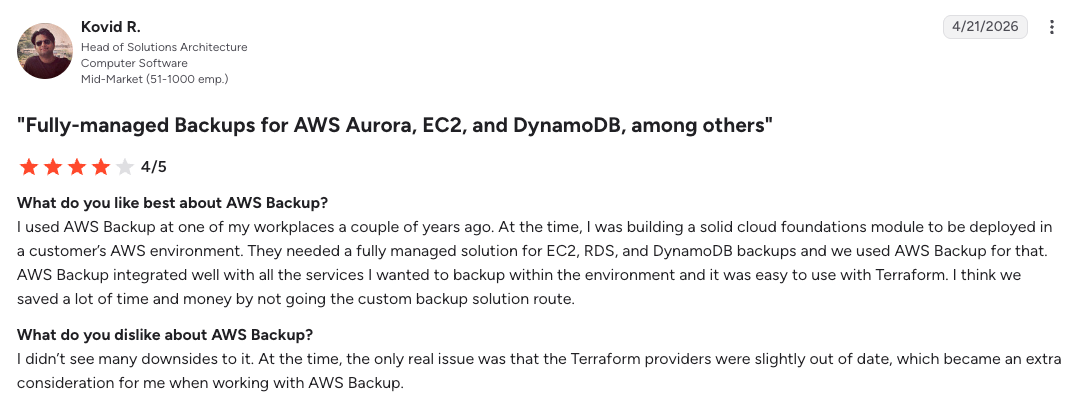
✅ One managed service across compute, block, and database. Teams standardize on AWS Backup instead of running a separate protection loop per resource type. "Needed a fully managed solution for EC2, RDS, and DynamoDB backups and we used AWS Backup for that." – Kovid R., G2
✅ Replaces custom scripts with one dashboard. Teams migrating off per-service Lambda + snapshot automation describe the consolidation as a real operational win. "All backups live under one dashboard and no more scripting everything." – Vaishali S., G2
Cons
❌ Failure diagnosis is hard when jobs go sideways. Error messages surface late and often lack the detail teams need to trace a failed backup back to its cause. "Error messages and job failures aren't always easy to diagnose" – Irina B., G2
❌ Reporting and dashboards trail the rest of the service. Tracking backup health across accounts and workloads means stitching together views instead of reading one dashboard. "More advanced analytics and dashboards would help track backup health at a glance." – User in software engineering, Gartner Peer Insights
How to choose between Azure Backup and AWS Backup
The choice comes down to which set of constraints you can live with for the next three years, because both make decisions that are expensive to unwind.
Azure Backup is better for
- Microsoft-centric footprints where SQL Server and SAP HANA on Azure VMs are the core workloads
- Hybrid environments with on-premises servers still in scope, reached through MARS, Azure Backup Server, or DPM
- Recovery-heavy operations where free restores and free egress outweigh the per-instance fee
- Smaller, denser footprints where fewer, larger instances keep the increment count low
- Admins who want a reversible immutability trial before committing to a permanent lock
AWS Backup is better for
- Wide service sprawl across EBS, RDS, DynamoDB, EFS, FSx, and S3 under one policy syntax
- Many small resources, where a per-instance fee would stack against you
- Multi-account organizations needing copy reach across Regions and accounts on demand
- Regulated workloads needing WORM storage that holds against a root user and against AWS
- Anyone who has to show an auditor evidence that restores were tested rather than assumed
The verdict
AWS Backup is the stronger service in 2026, and the margin comes from three of the seven differences: it refuses to charge for the existence of a resource, it lets you change your mind about where backups live, and it is the only one of the two that will prove a restore works without a human remembering to check.
Azure counters with enable-then-lock immutability and hybrid reach AWS does not match.
None of that is a reason to move workloads for the sake of a better backup service. What it is is a map of which constraints to plan around, and Azure's redundancy decision is the one to get right on day zero, since it is the only item on this list you cannot revisit later.
The gap neither service closes
54% of cloud IT leaders now operate across three or more cloud platforms. AWS Backup does not protect Azure. Azure Backup does not protect AWS.
Run both, and you run two of everything, including two vault vocabularies and two consoles that cannot answer a single question about coverage across your environment.
Among organizations on three or more clouds, 97% are confident their data can be restored predictably across clouds, while 84% of that same group had at least one recovery failure in the past 12 months.
Confidence is not evidence, and neither native tool is positioned to provide it.
This is the gap Eon was built for. Cloud Backup Posture Management classifies every resource across AWS, Azure, and Google Cloud as it is created, then applies the right retention policy without manual tagging.
Cloud-native collection carries that coverage into a new account as a permissions grant, with no agents, appliances, or clusters to install. Deduplication across the whole environment turns the same coverage into 30-50% lower backup storage costs.
Granular Restoration sizes the eventual restore to the unit of damage. 60% of cloud IT leaders need six hours or more for a full restore and only 5% finish in under an hour. When the unit of damage is one file and the unit of recovery is the whole environment, that gap is what you pay for in downtime.
NETGEAR replaced a legacy backup model this way and cut backup storage costs 35% while accelerating recovery of a 10 TB SQL Server database by 88%.
Which constraint are you planning around, the one you chose or the one you inherited? Book a demo and see how Eon reports backup coverage across every account and cloud in one view, the answer neither native console can give you.
Frequently asked questions
What is the main difference between Azure Backup and AWS Backup?
The main difference between Azure Backup and AWS Backup is where each one charges you. Azure adds a protected instance fee sized in 500 GB increments on top of storage and then restores for free, while AWS charges no per-resource fee and meters restores, cross-Region transfers, and evaluations instead.
Is AWS Backup cheaper than Azure Backup?
Neither AWS Backup nor Azure Backup is uniformly cheaper. AWS is usually cheaper when you protect many small resources, since Azure's per-instance fee applies to each one regardless of change rate. Azure can win when you restore often, because recovery and egress are free.
Can AWS Backup back up Azure resources?
No, AWS Backup protects AWS services and VMware workloads only. Azure Backup is equally limited to Azure and on-premises workloads. Covering both clouds with native tooling means running two separate services with no shared view of coverage.
Does Azure Backup support immutable backups?
Yes, Azure Backup supports immutable vaults that block operations capable of destroying recovery points, and the setting can be locked to make it irreversible. Azure also holds deleted backup data for 14 additional days through soft delete at no cost.
Can you restore Azure backups to any region?
No, Azure Backup restores only to your primary region's Azure paired region, and geo-redundant storage has to be configured on the vault before the first backup takes place. AWS Backup copies recovery points to any Region or account the resource type supports, on demand.