


What happened to the Gunra victim's backups?
In at least one documented case, Gunra actors wiped backup and archived data at both of the victim's sites, and they did it twice: before the ransomware deployment and again after it. They then encrypted the same victim's key assets, including database servers and NAS systems. For more on the case, see the Impact section of the advisory.
For the victim who lost both sites, the path was a chain of credential thefts, with no step needing a zero-day:
- Initial access came through two known FortiOS/FortiProxy authentication-bypass flaws (CVE-2024-55591 and CVE-2025-24472) and, at one victim, default credentials on an SSL-VPN appliance with no account lockout.
- Inside, the crew captured virtual-desktop logins and rigged the authentication portal so one attacker-chosen one-time password always passed. MFA no longer stopped them.
- From a hijacked desktop, they reached a central access-control server over SSH and stole the key it used to encrypt stored passwords. One key unlocked the passwords for every enterprise server.
- Those server credentials let them delete recovery data at both sites and deploy the encryptor.
Gunra ran the standard playbook: deleting volume shadow copies before encryption and targeting the recovery layer.
Umut Bayram, a research engineer at Picus Security, summed up the pattern in his analysis: the group "goes after reusable authentication material at every turn."
Patching the CVEs closes the door this crew used. It doesn't shrink what stolen credentials can reach once someone is inside, and here that was everything: two sites, one credential store.
Why didn't the second site help?
Geographic redundancy is not security isolation. A second site protects you when the failure is physical, like a fire or a full region outage. It does nothing when both sites accept the same credentials, and once the crew stole them, the two locations behaved as one system.
An architecture like this can satisfy the 3-2-1 rule on paper: three copies of the data, two media types, one of them offsite. The rule counts copies and locations. The Gunra case focused on reach: how many separate sets of credentials can get to every copy. For this victim, one stolen set reached everything.
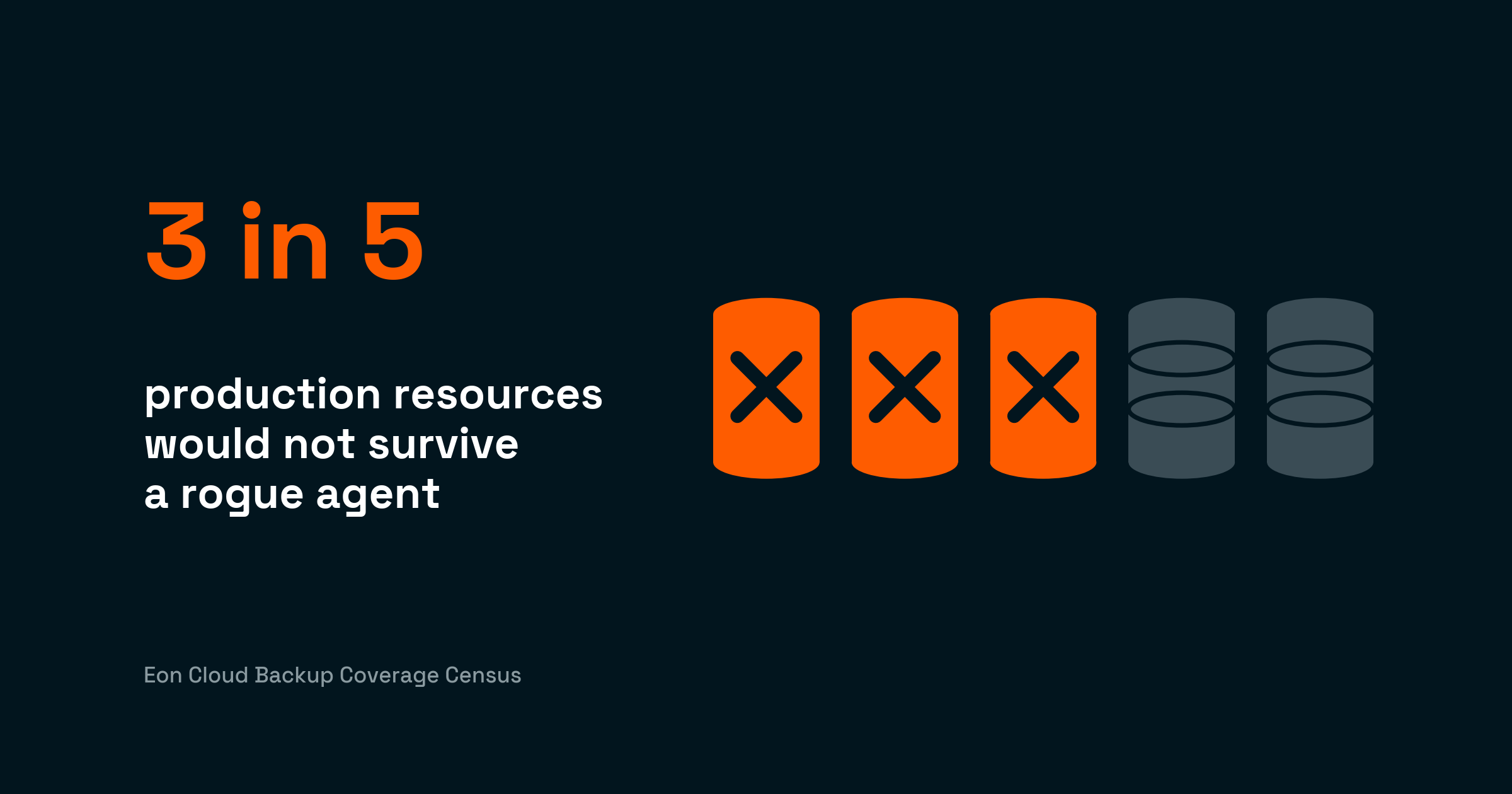
Most teams believe their setup would hold. In Eon's 2026 Cloud Data Infrastructure Report (583 cloud IT leaders, March 2026):
90% said they were confident they could recover from a cyberattack. In the same survey, 77% said they worry their recovery environment could itself be targeted.
The Gunra case is what it looks like when the second number wins.
What does good look like?
Good looks like a recovery copy that a fully compromised production environment still cannot touch. To be fair, the industry has moved: immutability is common now, and it genuinely raises the cost of an attack. The Gunra case shows where it stops being enough.
Immutability protects the bytes inside a copy. It says nothing about who can reach the system holding the copy, or how much of your data the lock actually covers.
When backup systems accept the same credentials as production, the attacker doesn't need to break the immutability. They log in.
The advisory's own key action draws the same line. It calls for "offline, immutable backups stored in a physically separate, segmented location." It also calls for testing those backups so recovery works without paying.
In the cloud, that means a separate org or account, ideally in a different region, holding an immutable copy under different credentials than production.
Where Eon fits
Eon Data Protection keeps recovery copies outside the production trust domain by default. Eon connects through a single read-only IAM role, with no agents or appliances, and stores recovery copies in an immutable, logically air-gapped vault, away from production credentials.
If ransomware or a rogue agent corrupts data anyway, Eon scans recovery copies for ransomware (file entropy, ransom notes, known variants) and catches tampering inside databases as well as files. Recovery then starts from a verified-clean point, down to individual records, in minutes.
NETGEAR cut a 10TB SQL Server recovery from 24 hours to 3 on Eon, an 88% reduction. And SoFi automated multi-region resilience across five AWS regions and cut recovery time from a day to minutes.
After reading this advisory, it’s clear that a second site isn’t enough for separation. So ask yourself this question: if an attacker held your admin credentials right now, how many of your recovery copies would survive? If the honest answer is "not sure," talk it through with an Eon architect. A coverage review takes less time than a restore.
For the full mechanics of cloud ransomware and recovery planning, see Eon's cloud ransomware guide and the ransomware recovery overview.
FAQ
What is Gunra ransomware?
Gunra is a double-extortion ransomware operation the FBI first observed in April 2025, derived from leaked Conti source code. In January 2026, it expanded into a ransomware-as-a-service program (also operating as Golden Community), selling affiliates a builder, Windows and Linux payloads, and a Tor-based negotiation portal. Gunra lists victims who don't pay within five to seven days on its leak site.
Which vulnerabilities does Gunra exploit for initial access?
The advisory names two FortiOS/FortiProxy authentication-bypass flaws, CVE-2024-55591 and CVE-2025-24472, plus default credentials on internet-facing SSL-VPN appliances without account lockout. Patching known exploited vulnerabilities on internet-facing systems is CISA's first recommended action, and defenders should hunt for the malicious forticloud-sync account the Fortinet exploits create.
Do immutable backups stop attacks like Gunra?
Immutability helps and belongs in every recovery design, but on its own it doesn't decide the outcome. The advisory pairs it with two other properties: storage in a physically separate, segmented location, and testing. If the systems that hold or manage your recovery copies accept production credentials, an attacker with those credentials can work around immutability by shortening retention or wiping the backup infrastructure itself.
Can Gunra victims recover files without paying?
Sometimes, on Linux. Breakglass Intelligence found in March 2026 that Gunra's Linux variant generates its encryption keys with a weak PRNG seeded with srand(time(NULL)), so defenders can reconstruct the keys from file timestamps and decrypt without paying. Preserve encrypted files, timestamps, ransom notes, and system logs before any cleanup. The authoring agencies discourage paying regardless, since payment guarantees nothing and funds further attacks.
What should cloud teams do first after reading AA26-222A?
- Patch the named CVEs on internet-facing devices and audit for unrecognized accounts.
- Map which credentials can reach your backup infrastructure, then move recovery copies into a separate account and trust domain.
- Run a timed restore test before you need one.