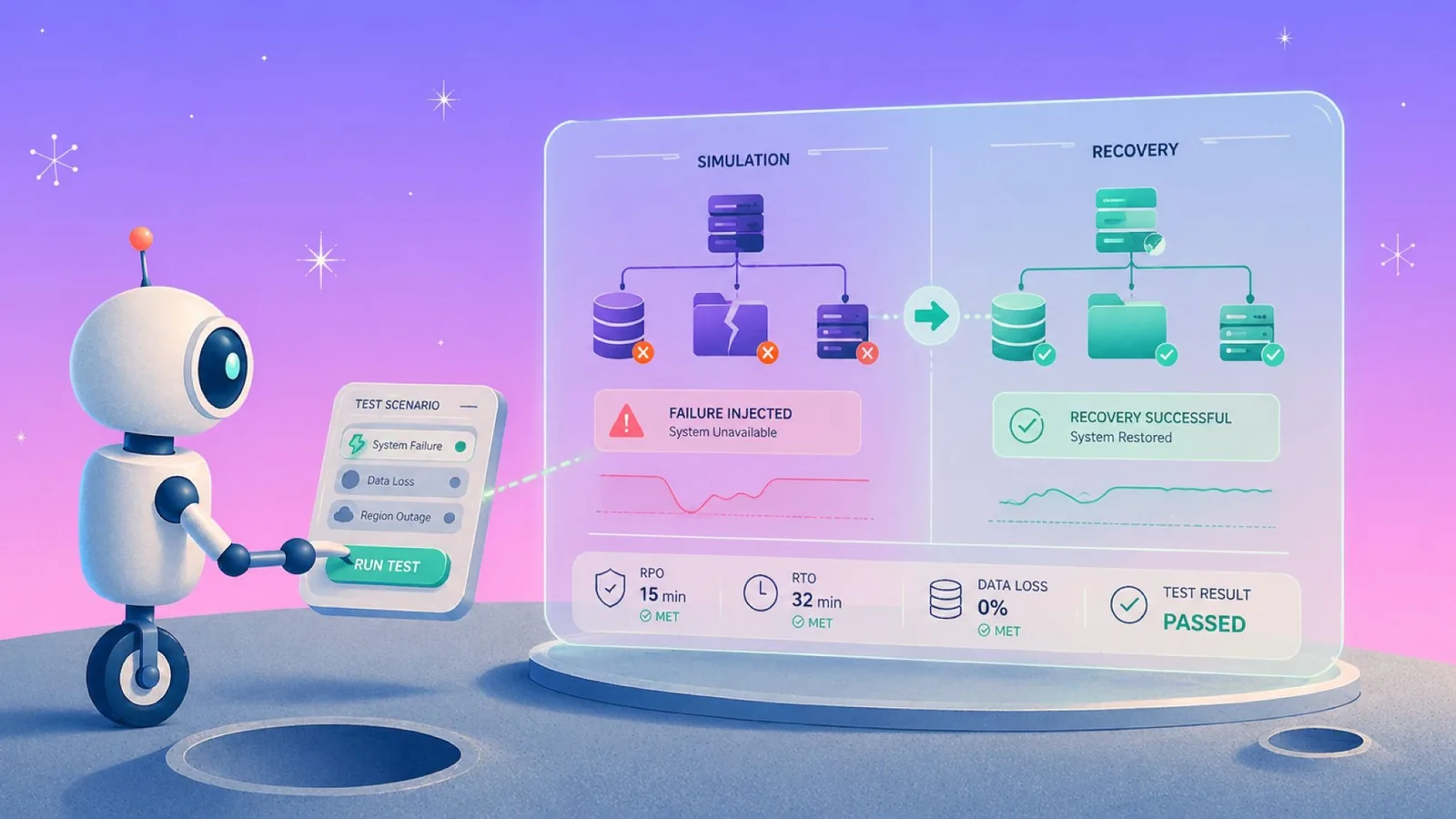
The hardest part of Azure disaster recovery is finding out what you missed. We've watched teams fail over successfully and still lose hours to recoveries ASR was never designed to handle. Below is what actually breaks under load, and what to put in place before it does.
What Azure disaster recovery means
Azure DR replicates workloads, data, and networking to a secondary region so services resume when the primary fails, with backup as the recoverable foundation underneath.
Every decision in that chain ties back to RTO (how long you can be down) and RPO (how much data you can lose).
The practical move is setting RTO and RPO per workload tier rather than as blanket targets. A customer-facing API needs a 15-minute RTO; an internal reporting dashboard can tolerate a full day. Tiering workloads by business impact is what keeps the architecture focused and the cost contained.
Azure disaster recovery architecture
Azure provides resilience in layers. Some protection is built into the platform by default, and additional DR capability gets configured on top through replication, failover orchestration, and redundant storage. The backup layer under those tiers has its own configuration checklist, set out in Azure Backup best practices.
Regions and paired regions
Azure operates in more than 70 regions globally, grouped into geographies. Most regions have a designated paired region within the same geography.
Microsoft sequences platform updates so that paired regions are not updated simultaneously, and prioritizes recovery of one region from each pair during widespread outages. That gives you a natural DR target within your data residency boundary.
For a US workload in East US, the paired region is West US (a bidirectional pair). For UK South, it's UK West. Some Azure services (such as Geo-Redundant Storage) automatically use region pairs.
Availability zones
Within a region, Availability Zones are physically separate data centers with independent power, cooling, and networking. Not every region has zones, but the ones that do let you build high availability without crossing region boundaries.
Zones protect against datacenter-level failure but not against region-wide outages. For that, you need cross-region replication.
Availability zones address high availability within a region, while cross-region setups address disaster recovery. Conflating the two is how production workloads end up unprotected against region-wide outages. We unpack that confusion in high availability vs disaster recovery.
Storage redundancy options
Azure Storage has four redundancy tiers, each behaving differently when something breaks:
- Locally Redundant Storage (LRS) keeps three copies of your data in a single datacenter. Cheapest, least resilient. If the data center goes down, so does your data.
- Zone-Redundant Storage (ZRS) distributes three copies across zones within a region. Protects against datacenter failures but not regional failures.
- Geo-Redundant Storage (GRS) replicates your data to the paired region. Six copies total, three in primary and three in secondary. Minimum for most DR strategies.
- Geo-Zone-Redundant Storage (GZRS) combines zone redundancy in the primary with geo-replication to the paired region. Use it for workloads where data loss and regional failure are both unacceptable.
Many storage accounts default to LRS unless an alternative is specified, and LRS exposes production data to datacenter-level failures even though it's cheaper.
Azure disaster recovery tools
Three core services handle the bulk of Azure DR work, and a few supporting ones round it out.
Azure Site Recovery (ASR)
ASR handles failover orchestration. It continuously replicates Azure VMs, on-premises machines, or physical servers to a secondary Azure region, then manages the failover when you need to switch.
When you enable ASR on a VM, the Site Recovery Mobility service extension installs automatically. Disk writes are transferred to a cache storage account in the source region, and the data replicates to the target region, where recovery points are generated.
ASR handles:
- Region-to-region VM replication for Azure-hosted workloads.
- Orchestrating multi-tier application failover in a defined order.
- Test failovers that don’t touch production.
- Application-consistent recovery points for supported workloads.
Outside of that scope, ASR does not back up object storage, protect PaaS services like Azure SQL Database in the traditional sense (those have their own replication), or handle ransomware recovery.
Azure Backup
Azure Backup handles point-in-time recovery for Azure VMs, Azure Disks, SQL on Azure VMs, Azure Files, Azure Blob storage, SAP HANA, PostgreSQL, MySQL, and AKS. It’s the service you use when someone deletes the wrong table, or you need to restore to a known-good state. Where that service fits and when to extend it is covered in Azure backup.
Backup and DR work together. ASR gets you running in another region quickly during an outage, while Azure Backup lets you restore to a clean version of the data when something has been corrupted, deleted, or encrypted. That split is the whole of replication vs backup: one keeps you running, the other gives you something clean to go back to.
Supporting services
A few other services fill in the gaps:
- Azure Traffic Manager handles DNS-level traffic routing, sending users to the healthy endpoint during failover.
- Azure Backup Center gives you a unified view of backup and DR posture across subscriptions and workloads.
- Azure Monitor and Azure Resource Health surface alerts when replication lags, backups fail, or something’s degraded.
These services work together when configured as a single stack. Many of the DR gaps we see in practice come from ASR being deployed in isolation, with Azure Backup, monitoring, and DNS routing all treated as separate projects.
How to set up Azure Site Recovery
The setup below covers Azure-to-Azure replication, the most common ASR configuration for cloud-native workloads. On-premises-to-Azure follows similar mechanics, with additional prerequisites for the configuration server.
Step 1: Verify prerequisites
Before enabling replication, confirm the source VMs meet Azure compute, storage, and networking requirements.
Check that VMs have outbound connectivity (ASR doesn’t require inbound access), are supported Windows or Linux versions, and have sufficient quota in the target region for VMs matching the source sizes.
Encrypted VMs require additional configuration steps beyond the default setup.
Your Azure account needs Site Recovery Contributor role on the vault, Virtual Machine Contributor role to create VMs in the target region, and admin or owner permissions on the subscription.
Step 2: Create a Recovery Services vault
From the Azure portal, search for “Recovery Services vaults” and select “Create.” Choose the subscription, a resource group, a name, and a region.
The vault region should be different from your source region. If your source is East US, create the vault in West US or another region you want as your recovery target.
Step 3: Enable replication
Inside the vault, go to Site Recovery and select “Enable replication.” ASR walks you through a series of panels:
- Source: Pick the source region, subscription, and resource group for the VMs you want to protect. Leave the virtual machine deployment model on “Resource Manager.”
- Virtual machines: Select the VMs you want to replicate. You can select up to 10 per replication configuration run.
- Replication settings: ASR auto-populates target resource defaults. For production setups, create dedicated target resource groups and virtual networks rather than accepting auto-generated names.
- Enable replication. Initial replication takes time proportional to the size of the source disks and available bandwidth. Track progress in the Site Recovery Jobs view.
- Replication policy: The default policy retains recovery points for 24 hours, generates a crash-consistent recovery point every 5 minutes (5-minute granularity for the most recent 2 hours, then thinned to hourly), and leaves app-consistent snapshots disabled.
If your workload depends on app-consistent recovery (typically databases and transactional applications), enable it explicitly. The minimum frequency is 1 hour; the default when enabled is 4 hours. Adjust retention based on your RPO requirements, knowing that higher retention increases storage cost.
Step 4: Configure a recovery plan
Recovery plans let you fail over groups of VMs in a specific sequence. A three-tier application needs the database up before the app tier, and the app tier up before the web tier.
Without a recovery plan, ASR fails over VMs in arbitrary order, which rarely matches the dependency chain an application requires to come back online cleanly.
In the vault, go to Recovery Plans, create a new plan, and add VMs in groups. Between groups, you can insert pre- and post-actions, scripts, or manual checkpoints. Azure Automation runbooks can be integrated here for scripts such as DNS updates or application health checks.
Step 5: Run a test failover
Test failovers often get deprioritized during rollout, which is one of the most common reasons DR plans fail on incident day.
A test failover creates isolated copies of your VMs in the target region without affecting production replication. You can validate that VMs boot, networking works, and applications come up correctly, all without anyone in production noticing.
From the vault, select your recovery plan, choose “Test failover,” pick a recovery point, and select an isolated test virtual network (not your production target network). Clean up the test failover afterward to release the resources.
Run test failovers at least quarterly. Infrastructure and application dependencies shift frequently enough that a recovery plan validated two quarters ago may not reflect the current environment. Our disaster recovery audit checklist covers how often to re-check the rest of the plan alongside those failovers.
Azure disaster recovery costs
ASR bills per protected instance, but the license fee is usually the smallest line item. The breakdown below covers all charge categories for a typical Azure-to-Azure deployment.
ASR license
ASR bills per protected instance, averaged daily across the month. Pricing sits at $16 per month per protected instance when recovering to a customer-owned site, and $25 per month per protected instance when recovering to Azure, including Azure-to-Azure replication between regions.
Every instance gets the first 31 days free, regardless of how long you’ve been an ASR customer.
A 50-VM environment runs $1,250/month in license fees alone at the $25 rate. The license is usually the smallest line item on an ASR deployment, with storage, egress, and transactions making up the rest.
Replica storage
ASR maintains replica storage in the target region that mirrors your source storage. Premium SSD source disks get Premium SSD replica disks. Standard HDD source disks get Standard HDD replica disks.
You pay for the full size of the replica disks continuously, not just during failover.
For a VM with a 1 TB Premium SSD source disk, you’re paying for 1 TB of Premium SSD in the target region every month. Multiply by your fleet, and this becomes the dominant cost. Standby capacity is one of seven factors in the overall cost of a disaster recovery plan.
Storage transactions
Storage transactions get charged during steady-state replication and for VM operations after failover or test failover. These are small individually but accumulate fast on high-churn workloads.
A write-heavy database in a replication setup incurs significantly higher transaction costs than a read-heavy web tier.
Outbound data transfer (egress)
Network egress charges apply whenever replication traffic leaves an Azure region, which means whenever you replicate cross-region. This is the line item most teams underestimate in their ASR cost modeling.
ASR compresses data before transfer, so you’re billed on compressed volume, but egress is continuous during replication. In a multi-terabyte environment replicating across regions, this line item is often larger than the ASR license itself.
Compute during failover
Compute costs only apply during test failover or actual failover, when the recovered VMs are running in the target region. During steady-state replication, you pay for replica storage but not for target-side compute.
The cost model here is genuinely favorable, since it means a standby DR environment consumes compute only when needed, rather than running an idle active site around the clock.
Azure Hybrid Benefit (AHB)
If you have Windows Server or SQL Server licenses with active Software Assurance, Azure Hybrid Benefit lets you apply those licenses to Azure VMs at the base compute rate, typically resulting in around 36% savings on Windows Server VMs and up to 76% on Linux subscriptions versus pay-as-you-go.
For DR specifically, the Software Assurance Disaster Recovery benefit covers non-production failover scenarios without requiring additional target-side licenses, within specific usage limits.
What a 50-VM environment actually costs
For a 50-VM production environment with an RTO target of one hour and an RPO of 15 minutes, a typical monthly ASR cost breakdown looks roughly like this:
- ASR license (50 instances x $25): $1,250.
- Replica storage (50 VMs x 500 GB Premium SSD average): $6,500.
- Recovery point storage (retained snapshots): $400.
- Cross-region egress (compressed replication traffic): $1,800.
- Storage transactions: $300.
Total: $10,250/month for the DR configuration, with compute costs layering on during any actual failover or test. That’s before Azure Backup for point-in-time recovery, which runs on a separate cost model. We break down the cost of Azure Backup separately, including how the instance fee and storage interact.
Azure disaster recovery best practices
Here are four practices that have held up in production across large cloud environments.
1. Tier your workloads before you build anything
Untested DR plans fail in production even when the configuration looks right. Quarterly test failovers catch drift before an incident does. Infrastructure changes, dependencies shift, and a recovery plan validated two quarters ago may not reflect the current environment.
Build test failovers into your operational rhythm so they become routine work instead of an annual fire drill.
2. Automate recovery plans with runbooks
Anything that requires a human to remember a step will fail during an actual incident. Azure Automation runbooks let you script pre- and post-failover actions (DNS updates, application health checks, traffic shifting) directly into the recovery plan.
The handoffs between failover groups are usually where rehearsed plans break down for operators who haven't run a recovery in months.
3. Document what DR does and doesn't cover
DR plans should explicitly state what's protected, what isn't, who owns each piece, and the known gaps. We've seen teams assume Azure Backup was protecting their Azure SQL Database when it wasn't, because SQL has its own backup mechanism. Writing down the gaps prevents that kind of surprise.
4. Plan for ransomware separately
Region failover protects against infrastructure failure, but it offers no protection from ransomware. Replication copies encrypted files to the target region right alongside healthy files.
Ransomware recovery needs immutable backups and a clean-recovery-point story, which is a different workflow from what ASR provides. How those vaults are locked, and where enforcement stops, is covered in azure immutable backups.
Where Azure DR ends: the gaps ASR doesn’t fill
Azure Site Recovery and Azure Backup cover the core DR use cases well, but there are categories of problems that native Azure tooling does not handle. These gaps usually become visible during an incident, when the workflows teams assumed were in place turn out to be partial or missing.
Ransomware clean-point recovery
ASR replicates everything in the source without evaluating it. If ransomware encrypts the primary region, the target region will contain the same encrypted data a few minutes later.
The recovery point history buys some margin (you can roll back to a point before the attack), but only if you know when the attack started and your retention window goes back that far.
The median ransomware dwell time is now around 4 days (Sophos Active Adversary 2025), which can push outside short default retention windows.
Real ransomware recovery requires identifying the last known clean recovery point. A blind rollback to "yesterday" fails when ransomware dwell time exceeds your retention window. Without anomaly detection in the backup layer, every recovery becomes a guess.
Eon addresses this with automatic anomaly, ransomware, and malware detection that flags suspicious changes in backup data and surfaces a verified clean recovery point before you restore.
Granular restore
ASR recovers whole virtual machines. Individual files, database records, or tables aren't in scope.
For a genuine regional disaster, that's fine. For most recovery situations, which are usually "we need this one table back from three days ago," ASR is massively more than you need.
On Azure, the same pattern applies that we see across clouds: restoring a record shouldn't require rehydrating a full virtual machine.
Eon was built around granular recovery from the start, because this workflow came up across customer after customer. Global Search finds the right file, database record, or table across cloud providers, and restoring it happens directly without spinning up the source VM.
In practice, NETGEAR cut recovery time for a mission-critical 10TB SQL Server database from 24 hours to under three after switching to Eon.
Backup posture across accounts and regions
Azure Backup Center (now part of Azure Business Continuity Center) gives you a cross-subscription view of backup status, but it functions primarily as a viewer rather than an enforcement layer. A new resource that isn't properly tagged won't be backed up, and you only find out during a recovery.
Eon addresses this with Cloud Backup Posture Management (CBPM). It automatically discovers resources, classifies them by data type, and enforces backup policy without manual tagging, so new resources are picked up automatically and coverage gaps surface before an incident exposes them.
SoFi operates across five AWS regions and ran into this at scale: native snapshots created coverage gaps, retention changes took hours or days to apply, and a prior firewall outage exposed snapshot limitations that resulted in a full-day recovery delay.
After switching to Eon, recovery time dropped from a full day to under 5 minutes, multi-region deployment completed in under four weeks, and the company achieved over 100% ROI in the first year.
Innago saw similar results across Kubernetes and EC2: 40% lower backup costs and 10–15-minute restore times.
Cross-cloud recovery
Cross-cloud recovery is also off the table with native Azure tooling. If a regional Azure failure hits during a multi-cloud strategy where some workloads need to fail over to AWS or GCP for resilience, ASR can't span that boundary.
Eon supports AWS, Azure, and GCP from a single platform, giving multi-cloud teams a recovery path that native Azure DR doesn't provide.
Backup data sitting unused as insurance
Once a recovery point lives in storage, ASR's job is done. The backup sits there until you need to fail over, and most teams never touch it otherwise.
That's a missed opportunity. The same data has compliance, analytics, and AI use cases that don't require restoring anything.
Eon stores backup data in open formats that you can query directlySee Eon in action
Native Azure DR handles region failover. The rest, automated posture, verified clean recovery points, granular restores, is where Eon fills the gap.
Eon connects to Azure through Azure Marketplace with usage-based billing. No appliances, no agents, and no network reconfiguration, which makes it straightforward to evaluate alongside ASR rather than as a replacement for it.
Book a demo to see how Eon extends what native cloud tooling gives you.
Frequently asked questions
What is Azure disaster recovery?
Azure disaster recovery is the set of services and strategies that replicate workloads to a secondary location so services resume after an outage. It typically combines Azure Site Recovery for failover, Azure Backup for point-in-time recovery, and geo-redundant storage.
How much does Azure Site Recovery cost?
Azure Site Recovery costs $16 per month per protected instance when recovering to a customer-owned site, and $25 per month when recovering to Azure or between Azure regions. Additional charges apply for replica storage, transactions, egress, and compute during failover.
What is the difference between Azure Backup and Azure Site Recovery?
The difference is that Azure Backup creates point-in-time copies for restoring data after corruption or deletion, while Azure Site Recovery replicates full VMs to a secondary region for failover during outages. A full DR strategy uses both services together.
What is the RTO for Azure Site Recovery?
The RTO for Azure Site Recovery is 2 hours for on-premises-to-Azure and Azure-to-Azure failover under Microsoft’s service-level agreement. Actual RTO depends on the environment size, the recovery plan's complexity, and how well the plan has been tested.
Does Azure Site Recovery protect against ransomware?
No, Azure Site Recovery does not protect against ransomware because ASR replicates source changes to the target region, including encrypted files from an attack. Identifying a clean recovery point typically requires separate tooling with anomaly detection and immutable backups.
What are Azure paired regions?
Azure paired regions are two regions within the same geography that Microsoft manages together, sequencing platform updates so both regions are never updated simultaneously and prioritizing recovery of one region from each pair during widespread outages. Examples include East US and West US, and UK South and UK West.
How often should you test Azure disaster recovery?
You should test Azure disaster recovery at least quarterly for critical workloads and whenever significant infrastructure changes occur. Site Recovery supports non-disruptive test failovers that create isolated copies of VMs in the target region without impacting production. Whether that test is cheap enough to run quarterly depends largely on the disaster recovery tools underneath it.