

Compliance-ready cloud backup solutions: Quick comparison
| Tool | Strengths | Best for | Starting price |
|---|---|---|---|
| 1. Eon | Policy‑driven compliance, CBPM | Multi‑cloud, audit‑heavy enterprises | Usage-based, per GB/month of backed-up storage, with flexible spending commitments |
| 2. Cohesity | Unified data protection, analytics | Hybrid shops with legacy plus cloud | Quote-based, consumption per terabyte |
| 3. AWS Backup | Native AWS integration | AWS‑first environments | Around $0.05 per GB per month for storage |
| 4. Commvault | Broad backup, retention, and compliance | Large enterprises with complex estates | Quote-based, custom enterprise pricing |
| 5. Rubrik | Ransomware recovery and policy control | Security-focused enterprises | Quote-based, capacity-based pricing |
Why do compliance and security teams need the right cloud backup tool?
Compliance and security teams need more than backup storage. They need proof, control, and fast access to the right data when audits, threats, or legal requests hit. Getting there usually means working out how to automate cloud compliance rather than adding another storage target.
Compliance gaps create the first problem
Many backup tools store data without enforcing the right retention rules. Teams take on risk when they cannot show what they kept, when they kept it, and how they protected it. Writing those rules down is the first step, covered in what a backup retention policy should specify.
Access tracking creates the next problem
Security teams need a clear record of every action on backup data. Missing logs and weak visibility make audits harder and investigations slower.
Backup evidence creates another issue
Some tools can restore data, but cannot prove what existed at a specific point in time. Audits, legal reviews, and incident response all get harder when backup records do not hold up.
Operational overhead adds one more pain point
Complex backup tools create more work for already stretched teams. Security and compliance leaders need strong controls without adding more systems, more manual work, or more ways to screw it up.
Which cloud backup tool should you choose?
Choose Eon if:
- You run workloads across AWS, Azure, or Google Cloud, or need SaaS data like Microsoft 365 and Google Workspace under the same retention rules.
- You need retention enforcement, granular recovery, and clear backup evidence for audits and compliance reviews.
- You want autonomous discovery and policy enforcement across cloud accounts without agents, appliances, or manual tagging.
- You care more about compliance posture and proof than legacy backup workflows.
Choose Cohesity if:
- You manage a mix of on-prem and cloud environments.
- You want one platform for centralized backup and cloud data protection.
- You need broad coverage across legacy systems and newer cloud workloads.
- You can handle a heavier platform with more operational lift.
Choose AWS Backup if:
- You run mostly in AWS.
- You want native backup coverage without adding another vendor.
- You need basic protection for AWS services within a single cloud environment.
- You do not need deep cross-cloud compliance controls.
Choose Commvault if:
- You run a large enterprise environment with complex backup needs.
- You need broad coverage of retention, governance, and backups across many systems.
- You want a mature platform that fits strict enterprise requirements.
- You accept more setup and management in exchange for flexibility.
Choose Rubrik if:
- You care most about ransomware recovery and centralized control.
- You want strong enterprise backup with clear policy management.
- You run a large environment and need fast recovery across many workloads.
- You value security operations as much as backup coverage.
1. Eon: Best for multi‑cloud compliance and evidentiary recovery
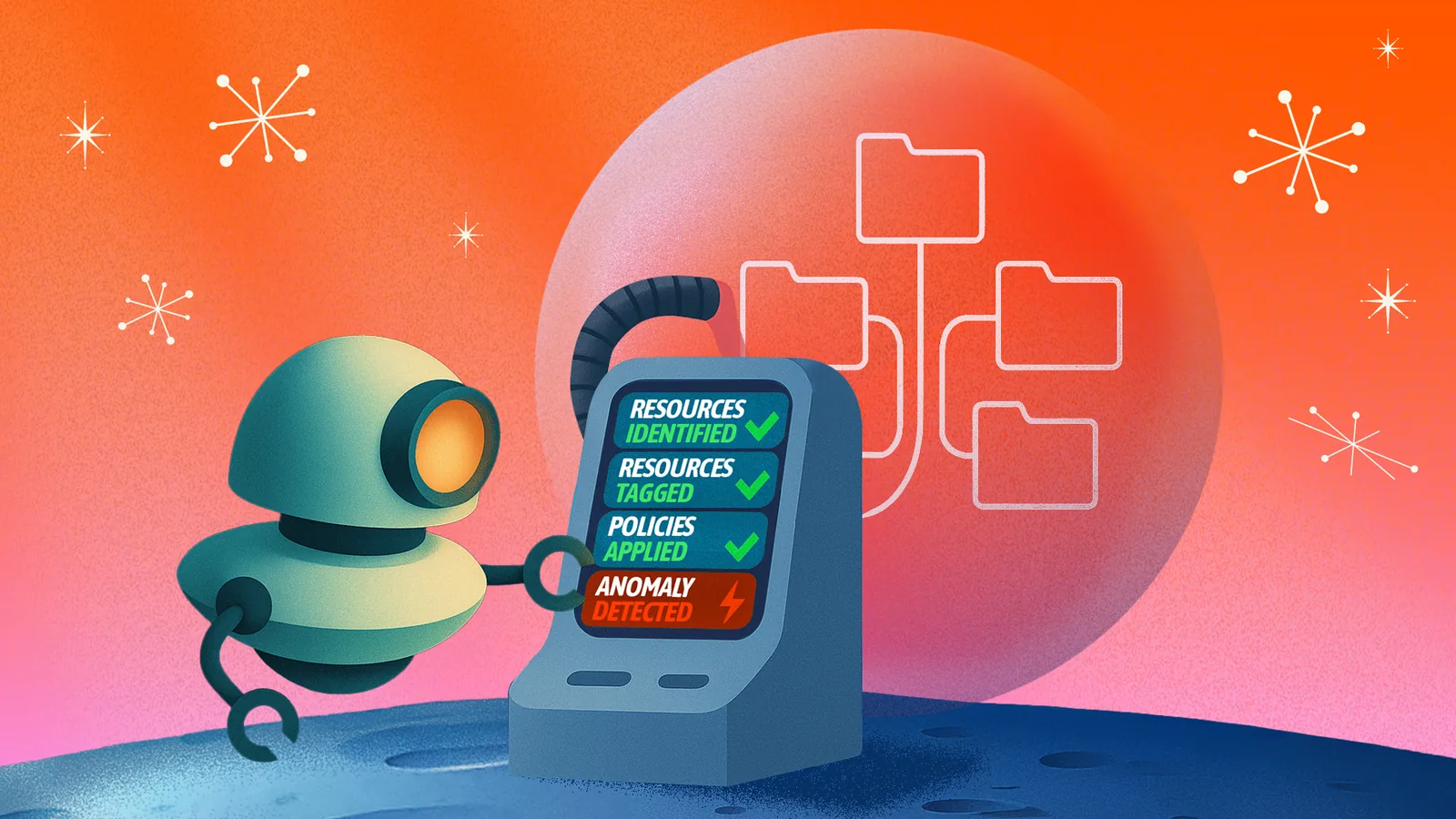
What it does: Eon uses Cloud Backup Posture Management (CBPM) to autonomously discover, classify, and protect data across AWS, Azure, and Google Cloud, then enforce backup and recovery policies across accounts and regions without agents or manual configuration.
Best for: Enterprises that need audit-ready, ransomware-resilient backups across multiple clouds with strict recovery, retention, and reporting requirements.
Eon auto-discovers unprotected data across AWS, Azure, and Google Cloud, classifies it by resource type and compliance relevance, and enforces backup policies that traditional tools miss or leave to manual tagging. Customers also reduce cloud backup costs by more than 40% and improve recovery times by up to 90%.
Key features
- Autonomously discovers data and backups across accounts, regions, and clouds, then flags unprotected or misclassified assets without relying on tagging.
- Enforces retention policies across connected cloud environments and accounts from a centralized console.
- Preserves logically air-gapped, immutable backups while supporting compliance with privacy and data deletion rules.
- Stores backups in a logically air-gapped, immutable format and keeps them searchable and queryable for audits, investigations, and ransomware recovery drills.
- Let's teams answer who held specific data on specific dates under real‑time pressure.
- Makes it easier to prove which backups existed, who accessed them, and how recovery occurred.
- Restores at the file, table, or record level from the air-gapped vault, enabling teams to recover specific data without a full-system rollback during audits, DSARs, or incident response.
- Detects ransomware across VMs, managed databases, and object storage using multi-signal analysis, then identifies the last clean recovery point for precision restore.
- Holds SOC 2 Type 2, SOC 3, and ISO 27001 (among many more) certifications for its platform and controls.
- Supports HIPAA BAAs, GDPR SCCs, CCPA DPAs, and DORA documentation for regulated customers.
| Pros | Cons |
|---|---|
| ✅ Strong compliance automation across AWS, Azure, and GCP, with real policy enforcement and autonomous discovery instead of manual tagging and configuration. | ❌ Cloud only, so it will not protect your on‑prem SAN farm. |
| ✅ Logically air-gapped, immutable backups that stay searchable and queryable for audits, GDPR DSARs, and investigations. | ❌ Query and analytics capabilities continue to expand, so confirm current coverage for your specific workloads during evaluation. |
| ✅ Unified logs and exportable evidence tailored for regulators and cyber insurance reviews. | |
What users say
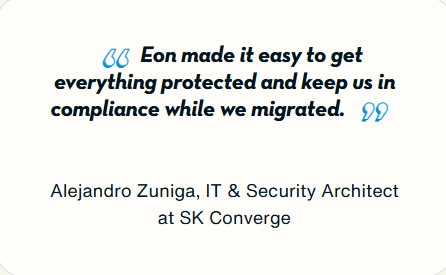
“Eon made it easy to get everything protected.” Alejandro Zuniga, Eon customer
Pricing
| 💻Plan | Usage-based, per GB/month, with flexible spending commitments |
|---|---|
| 💰Starting Price | Custom quote based on the storage you back up. No tier ladder, feature gates, or restore and egress fees. |
| 🎯Best For | Enterprises that want backup costs to follow actual protected data, not per-seat or infrastructure-based pricing |
Eon's pricing is usage-based with flexible spending commitments. You pay per GB/month for the storage you back up, with no tier ladder, no feature gates, and no restore or egress fees, so costs follow actual protected data. Ransomware protection is available as its own package on top of storage.
Bottom line
Eon belongs on the shortlist for teams that need to pass audits and recover fast. Multi-cloud organizations with strict regulatory or cyber insurance requirements get clear backup evidence rather than guesswork.
2. Cohesity
What it does: Cohesity delivers data security and management across on-prem and cloud environments, with robust ransomware protection and analytics.
Best for: Enterprises that still run major on-prem workloads and need modern protection with unified visibility across environments.
Cohesity covers VMware, databases, and cloud backups on a single platform. It also detects unusual backup activity that may point to ransomware. Compliance-focused buyers may want stronger reporting and less setup work. Our roundup of Cohesity ratings and reviews covers how consistently that comes up.
Key features
- Cohesity offers immutable backup storage, but isolated recovery options and deeper detection workflows may require additional licensing and operational setup, depending on the environment.
- AI-driven analytics scan backup data for anomalies and indicators of compromise to flag ransomware and insider abuse early.
- Cohesity IT Analytics gives real-time visibility into coverage, retention, and SLA adherence, with ready-made dashboards for audits.
- The platform protects on-prem, SaaS, and cloud-native sources and offers FedRAMP Moderate authorization for many government workloads.
- Cloud protection runs either on customer-managed clusters or as DataProtect delivered as a Service, and the self-managed route adds operational overhead as coverage grows.
| Pros | Cons |
|---|---|
| ✅ Strong ransomware protection with immutable backups and isolated backup copies. | ❌ Initial setup and planning can be complex, especially in large heterogeneous estates. |
| ✅ Unified backup and restore across on-prem and cloud workloads, though multi-cloud coverage can feel less consistent than on-prem protection. | ❌ Focus on hybrid and appliance‑centric designs, which can feel heavy if you are already cloud‑only. |
| ✅ Solid compliance features, including FedRAMP Moderate and SOC‑aligned reporting. | ❌ Getting answers from backup data often starts with restore workflows or additional setup. Teams that need to search or query backup data for audits and investigations may find the process heavier than expected. |
What users say
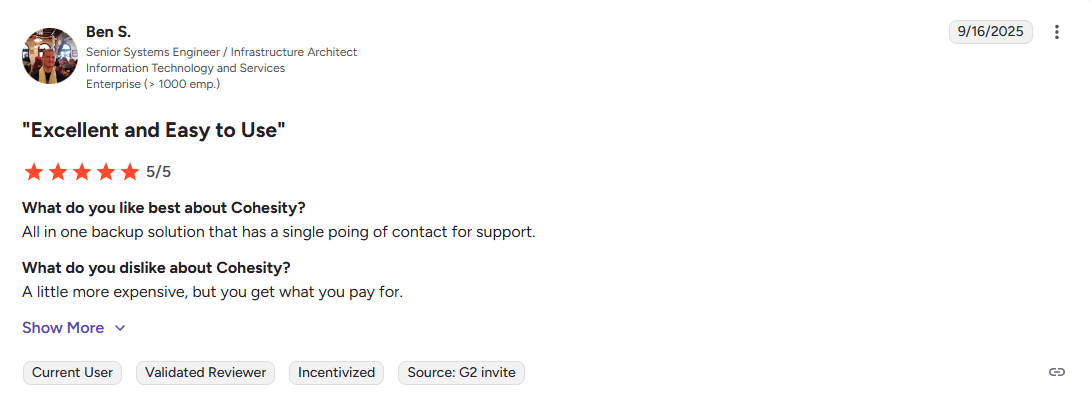
Pro: “All in one backup solution.” — Ben S., G2 Review
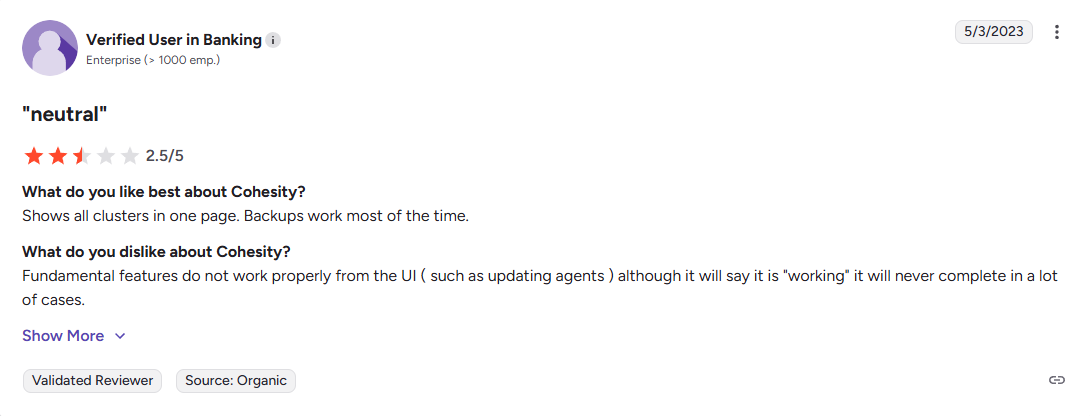
Con: “Fundamentals don’t work properly from the UI.” Verified User in Banking, G2 Review
Pricing
| 💻Plan | Consumption-based subscription |
|---|---|
| 💰Starting Price | Quote-based. Costs can increase with cluster footprint, storage duplication, and licensed features, making cost attribution harder to track. |
| 🎯Best For | Hybrid and service provider environments that want unified data management at scale |
Bottom line
Choose Cohesity when legacy infrastructure still drives most of your backup risk. Choose Eon when cloud compliance, retention enforcement, and audit readiness matter more. What audit readiness has to cover in practice is set out in our breakdown of cloud security compliance requirements.
3. AWS Backup
What it does: AWS Backup centralizes backups for AWS services with policy‑driven plans, retention, and cross‑region copies.
Best for: Large AWS environments that want native integration and are ready to invest internal time in correct design and monitoring.
AWS Backup is well-suited to teams that run entirely in AWS and invest in strong tagging discipline, recovery testing, and per-service configuration. Miss those basics, and coverage gaps, audit evidence, and restore confidence can break down fast. At enterprise scale, service-by-service limitations make it harder to maintain consistent coverage across accounts and regions.
Key features
- AWS Backup lets teams define backup policies and apply them across accounts and regions with automated retention and scheduling.
- Ransomware protection depends on separately licensed features like GuardDuty Malware Protection, with coverage limits that vary by workload and configuration. Budget for those add-ons when you compare ransomware protection for cloud backups across providers.
- The service protects RDS, DynamoDB, EBS, EFS, EC2, and other AWS resources, supporting a unified AWS-only strategy.
- AWS Backup supports alignment with HIPAA, FINRA, SOC 2, GDPR, FedRAMP, and ISO 27001 when teams configure policies correctly.
| Pros | Cons |
|---|---|
| ✅ Deep integration with AWS services and identity, without extra agents. | ❌ AWS-only, so multi-cloud compliance still requires manual integration. |
| ✅ Granular control over retention, cross‑region copies, and lifecycle policies. | ❌ Costs can climb quickly for services like Aurora and DynamoDB because backups do not always work incrementally. |
| ✅ Pay‑per‑use model that scales cleanly with AWS workloads. | ❌ Granular recovery depends on the service, which can mean more restore work and less flexibility during incidents. |
| | ❌ AWS Backup relies on manual resource tagging and per-service configuration. Miss a tag or misconfigure a policy, and resources go unprotected without alerting anyone. |
| | ❌ Capabilities can vary by resource type. At higher assurance levels like logically air-gapped vaults, cross-account and cross-region restores can introduce extra configuration and copy requirements. |
What users say
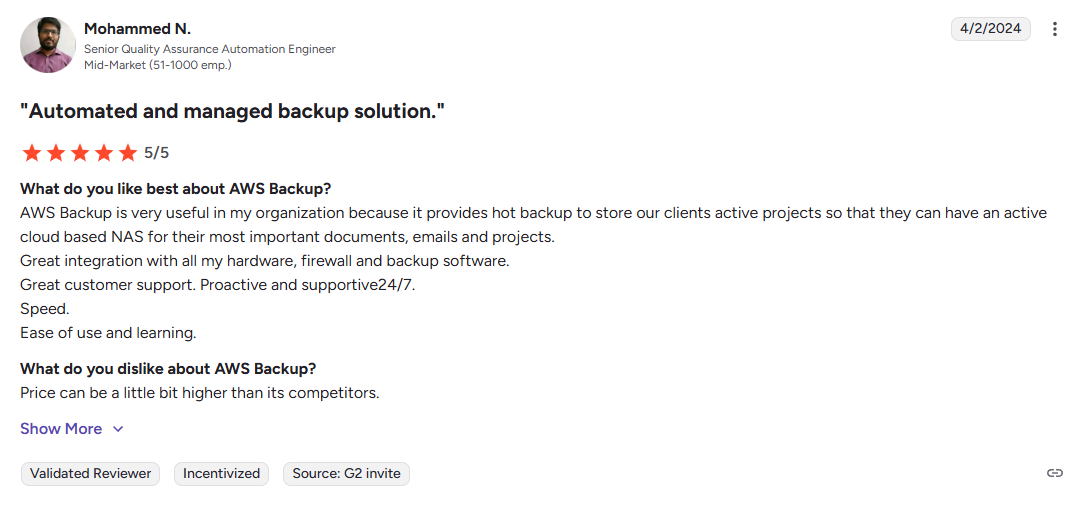
Pro: “Great integration with all my hardware, firewall, and backup software.” Mohammed N., G2
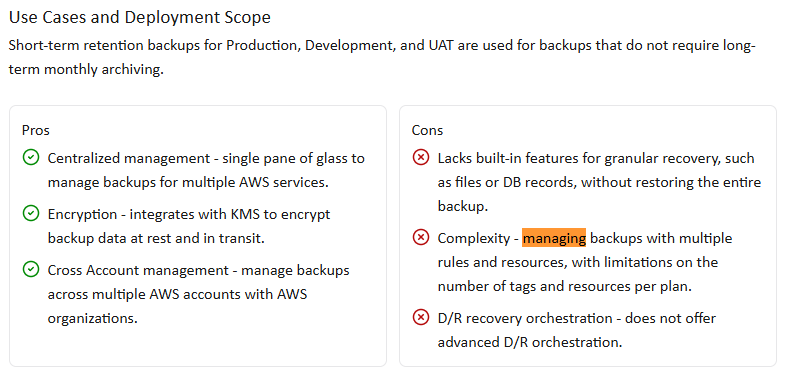
Con: “Managing backups with multiple rules and resources is complex.” Verified User, TrustRadius
Pricing
| 💻Plan | Metered backup storage, requests, restores, and data transfer |
|---|---|
| 💰Starting Price | Varies by workload, storage used, and backup requests |
| 🎯Best For | AWS estates that want native backup tied directly to resource usage |
Bottom line
Choose AWS Backup when AWS is your whole environment, and your DevOps group keeps backup operations tight. Choose Eon when you need better proof, better automation, and better control across multiple clouds.
4. Commvault
What it does: Commvault protects data across cloud, on-prem, and hybrid environments. It also supports backup, recovery, cyber recovery, and ransomware defense in one broad platform.
Best for: Large enterprises that need wide coverage across many systems and want strong governance, retention, and recovery options in one platform.
Commvault is a good fit for buyers who want broad coverage across large estates. It covers a lot, but that breadth can also make the platform feel heavier to run than cloud-first tools. Teams that want simple cloud compliance workflows may find them more complex than they need to be. Operational weight has a price, and it shows up in backup compliance costs as much as in licence fees.
Key features
- Protects workloads across public cloud, on-prem, and hybrid environments.
- Includes cyber recovery features such as isolated recovery, immutable storage, and cleanroom recovery.
- Offers flexible storage choices and SaaS delivery options for some use cases.
- Many cloud deployments rely on customer-managed software packages and compute resources that teams deploy, patch, and manage, adding operational overhead as cloud estates grow.
- Depending on the workload, recovery can follow an all-or-nothing approach or require customer-managed compute for granular restore.
| Pros | Cons |
|---|---|
| ✅ Broad coverage across cloud, on-prem, and hybrid environments. | ❌ The platform can feel heavy when you only need cloud backup and compliance controls. |
| ✅ Strong recovery and cyber resilience features for large enterprise estates. | ❌ Setup, policy design, and day-to-day management can take real effort. |
| | ❌ Pricing spans licenses, infrastructure, storage, and add-ons, which can make cost attribution harder to track and harder to justify internally. |
| | ❌ Smaller IT groups may pay for far more platform than they will actually use. |
| | ❌ The broad feature set can slow buyers down when they want simple answers and a fast rollout. |
What users say
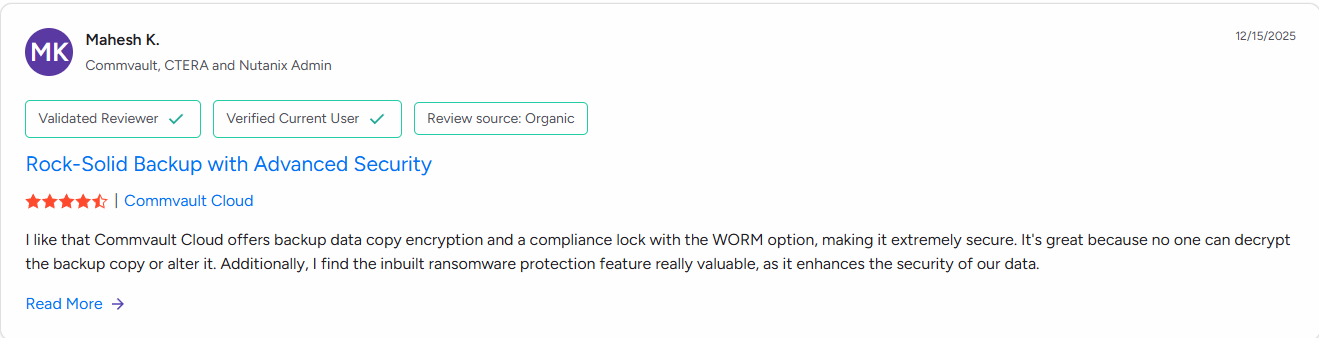
Pro: “I like that Commvault Cloud offers encrypted backup copies and WORM-based compliance lock, which makes the backups extremely secure.” Mahesh K., G2
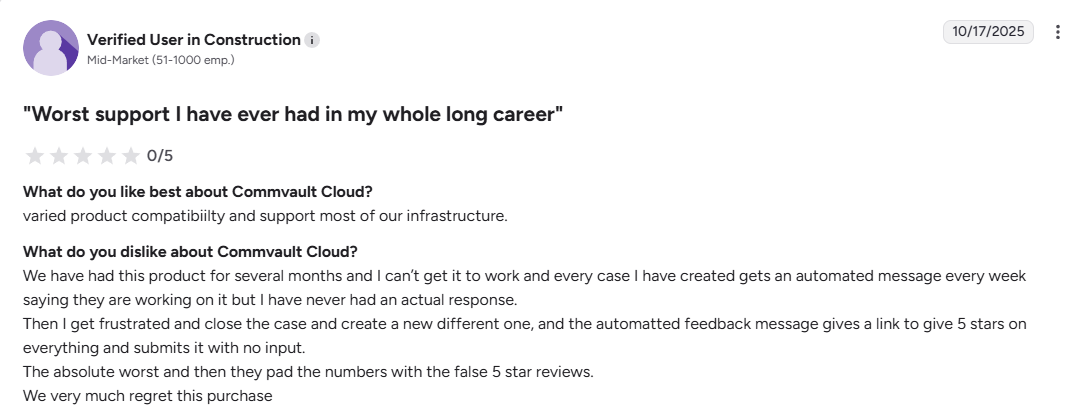
Con: “We very much regret this purchase.” Verified User, G2
Pricing
| 💻Plan | Quote-based enterprise pricing |
|---|---|
| 💰Starting Price | Custom quote based on package, workloads, and deployment choices |
| 🎯Best For | Large enterprises that want broad backup coverage and mature recovery controls |
Bottom line
Commvault works best in large, mixed environments with complex backup needs. Cloud-first buyers may find it heavier and more involved than they want. Those buyers can compare the lighter alternatives to Commvault side by side.
5. Rubrik
What it does: Rubrik protects cloud, virtual, and physical data with automated backup and recovery. It focuses heavily on cyber resilience, ransomware recovery, and fast restores.
Best for: Security-focused enterprises that want strong ransomware defense, centralized policy control, and fast recovery across large environments.
Rubrik is well-known for cyber recovery and centralized control. Rubrik now runs its cloud protection serverless, with Rubrik hosting the compute, but advanced scanning features can require additional licensed components. Its threat scanning is built around files and VMs, and a managed database never exposes its contents as files to scan, so the regulated data compliance teams care most about gets less detection coverage.
Teams that care most about audit evidence and retention enforcement across clouds may want more than just recovery strength.
Key features
- Uses immutable backups to support ransomware recovery.
- Protects data across cloud, virtual, and physical environments, with a serverless, Rubrik-hosted option for cloud workloads.
- Offers isolated, off-site backup options, such as Cloud Vault, for cyber recovery.
- Recovery workflows tend toward full-resource restores.
| Pros | Cons |
|---|---|
| ✅ Strong ransomware recovery posture for files and VMs, though advanced scanning and response features may require additional licensed components, and managed databases get less detection coverage. | ❌ The product leans hard toward recovery and resilience so that compliance buyers may want more depth in retention and audit workflows. |
| ✅ Clear fit for enterprises that want centralized backup and recovery control. | ❌ Pricing and packaging can become harder to compare once editions and add-ons enter the picture. |
| | ❌ The platform can feel enterprise-heavy for buyers with smaller or simpler environments. |
| | ❌ Teams focused on cloud governance may find the security story stronger than the compliance story. |
| | ❌ Buyers may need additional evaluation to determine how well the product fits their specific cloud and policy requirements. |
| ❌ Backup data access typically requires restore workflows. Teams that need to search or query backup data for audits, investigations, or compliance may find that this adds time and complexity. |
What users say
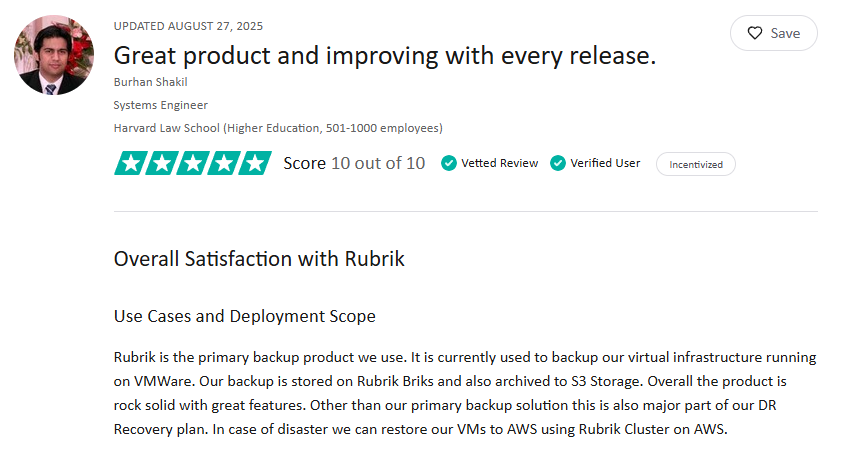
Pro: “Rubrik is the primary backup product we use.” Burhan Shakil, TrustRadius
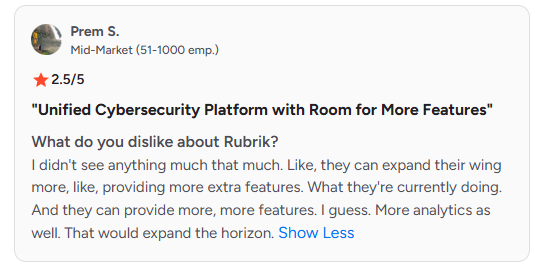
Con: “I’d like to see the product go further than its current feature set. More capabilities, especially stronger analytics, would make it more useful and expand its overall value.” Prem S., G2
Pricing
| 💻Plan | Subscription-based enterprise pricing |
|---|---|
| 💰Starting Price | Custom quote based on edition, subscription, and workload coverage |
| 🎯Best For | Security-focused enterprises that want strong ransomware recovery and centralized control |
Bottom line
Rubrik fits enterprises where ransomware recovery and centralized control lead the buying decision. Cloud-first teams focused on compliance workflows, granular recovery, and backup data access may find the restore-first workflows and lighter detection on managed databases fall short of what they need.
Final verdict
The right tool depends on your environment and what's driving the decision. Here's how we'd break it down:
- Eon is the pick for multi-cloud teams that need audit-ready backups with teeth: autonomous CBPM, retention enforcement, granular recovery, and searchable evidence across AWS, Azure, and Google Cloud
- Cohesity fits when on-prem and hybrid estates drive the conversation, and teams are comfortable running self-managed clusters or adopting DataProtect as a Service
- AWS Backup works if your environment is entirely AWS and your team is disciplined about tagging and testing
- Commvault suits large enterprises with broad coverage needs across complex, mixed estates
- Rubrik fits when ransomware recovery and centralized control lead the decision, and teams can accept lighter detection coverage on managed cloud databases
If compliance has to be built into how backup works, not bolted on after the fact, Eon is where we'd start.
See Eon on your own cloud
The best cloud backup for compliance and security should help you find real risks fast. Reading about the category is useful, but watching Eon find gaps across your AWS, Azure, and GCP accounts is better.
Book an Eon demo to see our platform find coverage gaps, policy drift, and recovery risks in your real cloud estate.
Frequently asked questions
What is the best cloud backup for compliance and security?
Eon is the best cloud backup for compliance and security in multi‑cloud environments. It enforces clear rules, locks backups, and keeps audit‑ready logs across AWS, Azure, and GCP.
How does Eon differ from traditional backup platforms?
Eon differs from traditional backup platforms because it starts from compliance and evidence, not hardware or appliances. It focuses on discovery, policy enforcement, and audit-ready logs, while legacy tools focus mainly on storing and restoring data.
When should teams rely on AWS Backup instead of Eon?
Teams should rely on AWS Backup instead of Eon when workloads live mostly in AWS and native integration is the main goal. Eon becomes more useful when you span multiple clouds or need a stronger compliance layer on top of AWS, Azure, and GCP.
How do cloud backup tools help with GDPR and other privacy requests?
Cloud backup tools help with GDPR and other privacy requests by keeping historical copies and enforcing retention rules. Eon adds searchable evidence and policy checks that make DSAR responses faster and reduce the risk of over-restoring deleted personal data.
What backup evidence do auditors ask for first?
Auditors usually ask first for proof that backups ran, proof that you tested a restore, and proof that someone reviewed the results. It’s best to focus on tools that export clear backup logs, restore test records, and sign‑offs you can pull in seconds instead of hunting for screenshots.