Cloud data protection solutions split into two categories that vendors rarely cover together. DSPM platforms map sensitive data and flag exposure. Backup platforms preserve copies and recover what is lost. Buyers typically shortlist one category and discover only later that they needed the other. The categories are easy to conflate on a vendor site, so it is worth being clear on the difference between CSPM and DSPM before drawing up a shortlist.
This comparison evaluates nine platforms across both halves. Each entry names which half a platform serves and where its coverage ends.
9 best cloud data protection solutions: TL;DR
- Wiz: Best for tying sensitive data to exploitable attack paths across clouds.
- Cyera: Best for classification depth across unmanaged and shadow data.
- Eon: Best for automated backup posture and record-level recovery across AWS, Azure, and Google Cloud.
- Microsoft Purview: Best for classification and DLP where data lives inside the Microsoft stack.
- Forcepoint Data Security Cloud: Best for enforcing one DLP policy across web, endpoint, cloud, and AI channels.
- Rubrik Security Cloud: Best for security-led backup spanning cloud and legacy infrastructure.
- Commvault Cloud: Best for large mixed environments that need cleanroom recovery.
- Veeam Data Platform: Best for environments still anchored on-premises.
- AWS Backup: Best for a single-cloud AWS baseline with Vault Lock immutability.
How these cloud data protection solutions were evaluated
Each platform was evaluated across five criteria drawn from what actually breaks in cloud data protection at scale. Sources include vendor documentation, published pricing, and verified user reviews. Those failure modes, and the habits that prevent them, are covered in our cloud data protection best practices.
- Discovery and classification: Whether the platform finds and labels sensitive data on its own, without tags that decay as new resources are created.
- Coverage evidence: Whether it shows, in one place, what is protected across accounts, regions, and clouds.
- Recovery precision: Whether the unit of recovery matches the unit of damage, so a corrupted table doesn't force a full-instance restore.
- Recovery-path isolation: Whether production credentials can reach the last clean copy. If they can, whatever compromised production can compromise the copy.
- Cost structure: What the pricing model rewards, what it hides, and what year two looks like as retention grows.
The criteria lean toward the recovery half of the problem, since that is where most cloud data protection buyers have the widest gaps. Per Eon's 2026 Cloud Data Infrastructure Report, 60% of surveyed cloud IT leaders need six or more hours to complete a full restore.
Prevention-focused platforms are evaluated on the criteria that apply to their category and paired with recovery platforms where the two halves connect.
9 best cloud data protection solutions: Quick comparison
| Solution | Strongest capability | Main limitation |
|---|---|---|
| Wiz | Attack-path context on data risk | No backup or restore |
| Cyera | Classification depth and speed | No recovery layer |
| Eon | Posture automation and granular restore | Cloud, Microsoft 365, and Google Workspace only |
| Microsoft Purview | M365-native classification and DLP | Coverage thins outside Microsoft |
| Forcepoint | One DLP policy, every channel | No backup or restore |
| Rubrik | Threat monitoring on backups | Premium licensing, per-workload |
| Commvault | Workload range, cleanroom recovery | Steep learning curve |
| Veeam | Hybrid and VM recovery | Cloud restores need worker infrastructure |
| AWS Backup | Native AWS integration | Single cloud, coarse restores |
The 9 best cloud data protection solutions in 2026
1. Wiz: Best for tying sensitive data to exploitable attack paths
What it does: Wiz is an agentless cloud-native application protection platform (CNAPP) that scans cloud environments and connects sensitive data findings to the attack paths that could reach them.
Best for: Security groups that want data exposure ranked by real exploitability rather than raw finding counts.
Wiz built its DSPM inside a broader CNAPP, alongside cloud posture management and workload protection. That platform position is what separates it from standalone DSPM tools, which surface findings without the surrounding cloud context needed to prioritize them. That platform-versus-point-tool distinction is the whole of the difference between CNAPP and CSPM, and it decides how much of a shortlist one vendor can cover.
Key features
- Security graph: Correlates data, identities, vulnerabilities, and network exposure into ranked attack paths, so remediation starts with the riskiest combination.
- Agentless DSPM: Discovers and classifies sensitive data across AWS, Azure, and Google Cloud without deploying agents.
- CIEM and posture management: Flags excessive entitlements and misconfigurations alongside the data they endanger.
Pros and cons
Pros:
- ✅ Attack-path ranking cuts alert noise, which small security groups feel immediately
- ✅ Agentless connection reaches full-environment visibility in days
- ✅ One platform replaces several point tools on the prevention side
Cons:
- ❌ No backup, restore, or recovery capability of any kind
- ❌ Licensing tiers are opaque, and scoping what you need takes real effort
What users say
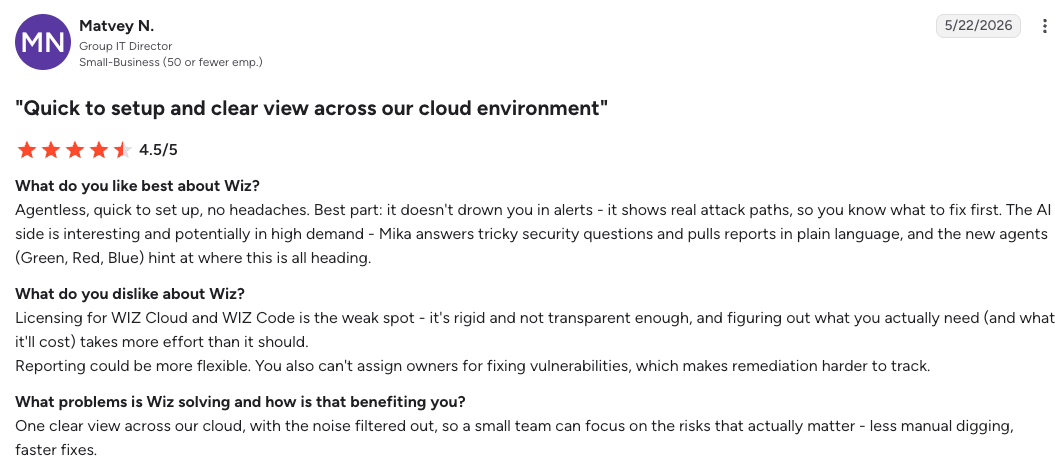
"One clear view across our cloud, with the noise filtered out." – Matvey N., G2
"Wiz provides so much information that it can feel overwhelming at first" – Jason I., G2
Pricing
Wiz doesn't publish pricing. Quotes are scoped to workloads and modules, with a free trial available. Expect annual contracts to reach six figures at large-infrastructure scale.
Bottom line
Wiz is the strongest prevention-half platform here for multi-cloud environments. Buy it to find and rank exposure, and pair it with a resilience platform, because the day data is deleted, Wiz has already done its job.
2. Cyera: Best for classification depth across unmanaged and shadow data
What it does: Cyera is an AI-native DSPM platform that discovers, classifies, and monitors sensitive data across cloud, SaaS, and on-premises stores without agents.
Best for: Data-heavy organizations that suspect sensitive data lives in places nobody is tracking.
Cyera began as cloud-native DSPM and has since expanded into DLP, identity governance, and AI security posture, though classification remains the core of the platform. It covers structured and unstructured stores across cloud, SaaS, and on-premises environments from a single control plane.
Key features
- Agentless discovery: Connects to cloud accounts and returns a classified data inventory within days, including shadow stores.
- AI-based classification: Identifies data types and context beyond regex pattern matching, which reduces false positives at scale.
- Omni DLP and AI Guardian: Extends findings into cross-channel leak prevention and AI usage governance.
Pros and cons
Pros:
- ✅ Classification depth that finds data outside the sanctioned inventory
- ✅ Fast agentless deployment, with full visibility possible inside 72 hours
- ✅ Hands-on vendor support through deployment and tuning
Cons:
- ❌ No backup or recovery layer, so findings need a separate platform to act on after loss
- ❌ Self-serve reporting lags, and custom exports often need vendor help
What users say
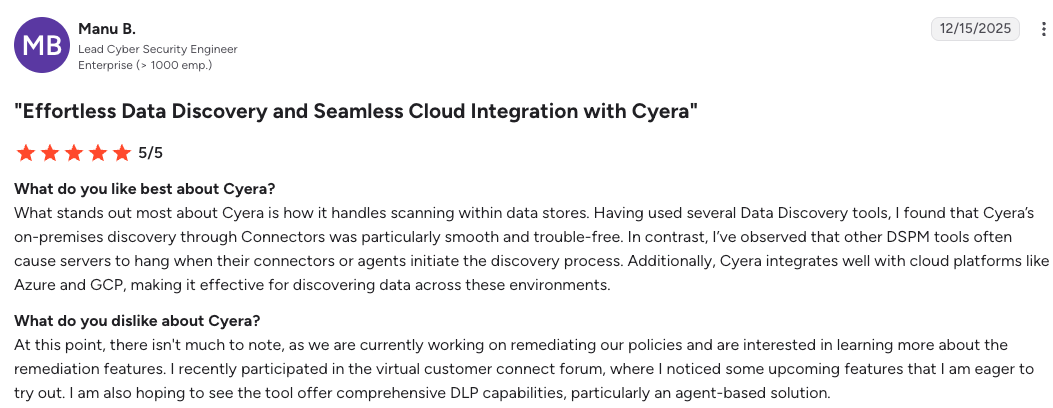
"Cyera integrates well with cloud platforms like Azure and GCP." – Manu B., G2
"The filtering is not intuitive and sometimes hard to filter" – Sidney S., G2
Pricing
Cyera doesn’t publish pricing. Contracts are scoped by data volume and quoted per environment, so year-one cost tracks the size of the estate you point it at rather than a public rate.
Bottom line
Choose Cyera when the first problem is not knowing where sensitive data lives. It answers that faster and deeper than anything else here, and it will not bring a byte back after an incident, so budget for the resilience half separately.
3. Eon: Best for backup posture and record-level recovery across AWS, Azure, and Google Cloud

What it does: Eon is a cloud-native data protection platform that automates backup coverage through Cloud Backup Posture Management (CBPM) and restores at the file, table, or record level without rehydrating full environments.
Best for: Cloud-first enterprises running hundreds of terabytes to petabytes across AWS, Azure, and Google Cloud that need coverage they can evidence, and restores scoped to the damage.
Eon approaches the resilience half from the coverage problem first. What most cloud buyers assume is protected typically isn't, and the gap only surfaces when an audit or incident forces the question. Eon's model is built to close that gap continuously as environments change.
Backup data also stays usable outside the recovery path. Eon stores it in open Parquet, Iceberg, and Delta Lake formats with zero-ETL ingestion into Snowflake, Databricks, BigQuery, and Athena, so audit and analytics teams can query backups directly.
Key features
- CBPM: Continuous discovery, content-based classification, and automatic policy assignment across accounts, regions, and all three major clouds.
- Granular Restoration: File, table, and record-level recovery straight from backup, without a full-instance restore.
- Immutable, logically air-gapped vault: Backups sit in a separate account with no production access path from compromised production credentials.
- Ransomware detection inside backups: Analyzes database backup contents for anomalies, then identifies the last clean restore point per resource.
Pros and cons
Pros:
- ✅ Coverage evidence is automatic, which turns audit preparation from days of screenshots into a report
- ✅ Cloud-native read-only connection, with no agents, appliances, or worker infrastructure to run
- ✅ Cloud-native deduplication and incremental design cut backup storage spend 30 to 50% against native tools
Cons:
- ❌ On-premises coverage is partial, so estates with a heavy on-prem footprint may need a second tool alongside it
- ❌ Microsoft 365 (including Teams and Entra ID) and Google Workspace are covered, but broader SaaS-application backup (Salesforce, Jira, HubSpot, and similar) is outside current scope and needs a dedicated tool
What users say
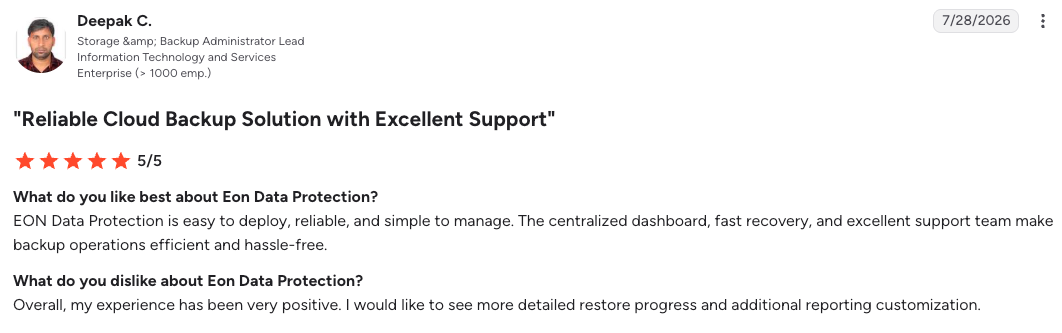
"Eon Data Protection is easy to deploy, reliable, and simple to manage." – Deepak C., G2
"I wish the [restore] process wouldn't need a local network. A shared VPC network should be enough." – Alejandro Z., G2
Pricing
Eon publishes its model on eon.io/pricing. Pricing is usage-based per GB per month on backed-up storage, with flexible spending commitments and no per-instance, per-API, or appliance fees.
Bottom line
For cloud-first environments, Eon is the resilience-half pick because posture, recovery precision, and isolation come as one system. SoFi runs CBPM policy across five AWS regions and moved recovery from a day to under five minutes. If your footprint is on-prem heavy or hybrid, look at Rubrik, Commvault, or Veeam instead.
4. Microsoft Purview: Best for classification and DLP inside the Microsoft stack
What it does: Microsoft Purview is Microsoft's integrated data security, governance, and compliance suite, covering classification, sensitivity labeling, DLP, insider risk, and records management.
Best for: Organizations whose sensitive data lives mostly in Microsoft 365 and Azure, and who already hold or plan E5 licensing.
Purview runs natively inside Microsoft 365 and Azure without third-party connectors, which is the origin of both its depth inside the Microsoft stack and its thinness outside it.
Since January 2025, several governance capabilities also bill pay-as-you-go through Azure meters, lowering the entry bar for organizations without E5.
Key features
- Native M365 classification and labeling: Sensitivity labels and trainable classifiers apply across Microsoft 365 and Azure data services without deployment work.
- DLP and insider risk: Policy enforcement on data movement, with monitoring extended to generative AI app usage in 2026.
- Compliance Manager: Maps controls to regulatory frameworks and scores posture, with regional standard templates.
Pros and cons
Pros:
- ✅ Deepest coverage anywhere for Microsoft-resident data, at marginal cost for E5 holders
- ✅ Pay-as-you-go meters let you adopt single capabilities without a suite purchase
Cons:
- ❌ Capability thins quickly outside the Microsoft stack, and multi-cloud setup demands specialist expertise
- ❌ Licensing complexity across E5, add-ons, and consumption meters is real work to model
What users say
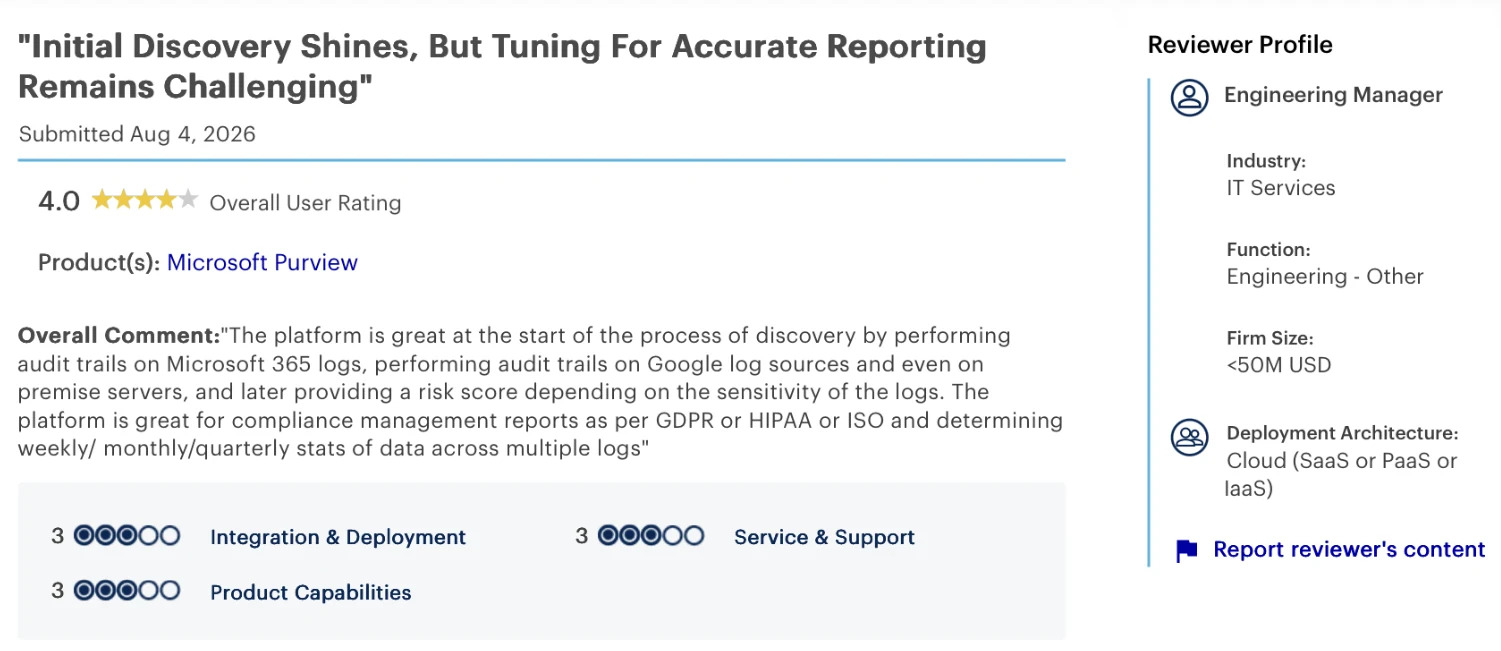
"The platform is great for compliance management reports as per GDPR or HIPAA or ISO." – Engineering manager in IT services, Gartner Peer Insights
"You either need a team to manage this or a managed service." – Senior cybersecurity analyst, Gartner Peer Insights
Pricing
Purview Suite features are included with Microsoft 365 E5. Capabilities outside user-based protection bill pay-as-you-go through Azure meters, by assets protected, requests, and processing units.
Bottom line
Microsoft-centric shops should default to Purview, since it is probably already partly paid for. It restores nothing and its reach fades outside the Microsoft stack, so multi-cloud buyers should weigh Wiz or Cyera first.
5. Forcepoint Data Security Cloud: Best for one DLP policy across every channel

What it does: Forcepoint Data Security Cloud unifies DLP, DSPM, data detection and response, and CASB under a single policy framework spanning web, cloud, endpoint, and private applications.
Best for: Enterprises that want one data-loss policy enforced everywhere data moves, including into AI tools.
Most enterprise security stacks run separate DLP products for endpoint, email, and cloud, each with its own policy definitions that drift apart over time. Forcepoint consolidates those definitions under one framework, extended in 2026 to sanctioned and shadow AI channels.
Key features
- Single policy framework: One DLP policy definition enforced across web, cloud, endpoint, and private apps, without duplication.
- DSPM plus DDR: Discovery and classification feed real-time detection and response on data movement.
- AI security extension: Existing DLP policies extend to AI interactions without reclassification, added in 2026. We rank the platforms built for that AI lane in our list of the best ai data security platforms.
Pros and cons
Pros:
- ✅ One policy definition covers channels that normally need three separate products
- ✅ Named a Leader in the IDC MarketScape for DLP in 2025
Cons:
- ❌ Prevention only, with no recovery path when data is destroyed rather than leaked
- ❌ User-count subscription pricing scales with headcount, not data risk
What users say
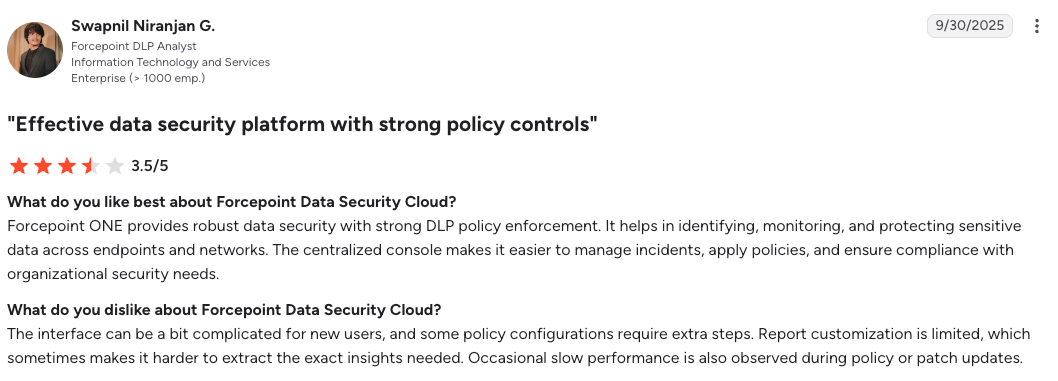
"It helps in identifying, monitoring, and protecting sensitive data across endpoints and networks." – Swapnil Niranjan G., G2
"It can be complex to set up at first, especially for smaller teams." – Prathamesh K., G2
Pricing
Forcepoint uses subscription pricing that varies by user count and selected features. No public rate card is available.
Bottom line
Forcepoint wins when the mandate is stopping data from leaving, across every channel, under one policy. It is the narrowest fit here for anyone whose fear is loss rather than leakage, because it holds no copies to restore.
6. Rubrik Security Cloud: Best for security-led backup across cloud and legacy infrastructure
What it does: Rubrik Security Cloud is a zero-trust data protection platform combining immutable backup, threat monitoring, and orchestrated recovery across enterprise, cloud, and SaaS workloads.
Best for: Enterprises spanning data centers and cloud that want ransomware defense built into the backup layer.
Rubrik built its position on treating backup as a security control, arriving at that framing several years ahead of most incumbents. Security capabilities are embedded inside the backup layer itself, which shapes both what the product competes on and its premium pricing posture.
Key features
- Immutable, zero-trust backups: Copies cannot be altered or deleted, including by administrators.
- Threat monitoring and hunting: Anomaly detection on change rates, with the ability to scan backups for indicators of compromise.
- Instant recovery: VM-level restores mount in minutes rather than hours.
Pros and cons
Pros:
- ✅ Recovery is fast, and the interface stays simple even at enterprise scale
- ✅ Covers on-premises, cloud, and SaaS from one platform, which suits hybrid reality
Cons:
- ❌ Licensing sits at the premium end of the category, and renewal costs climb
- ❌ Cloud-native database restore granularity trails purpose-built cloud platforms
What users say
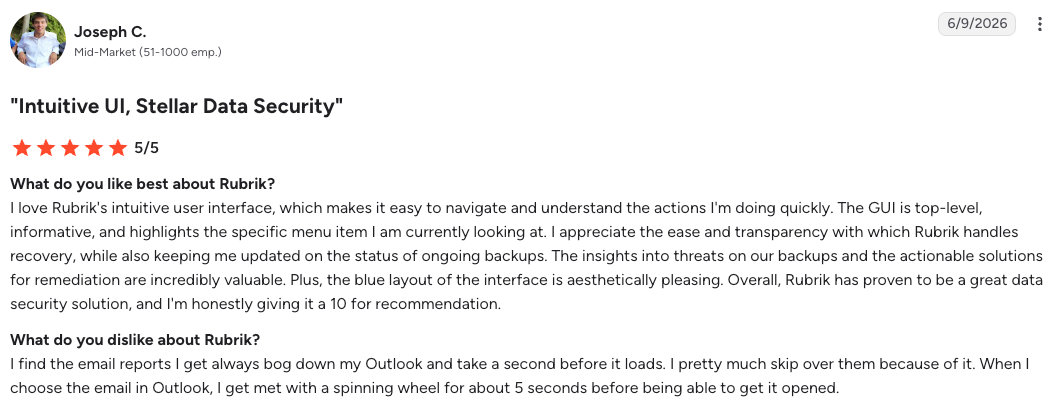
"The insights into threats on our backups and the actionable solutions for remediation are incredibly valuable." – Joseph C., G2
"Rubrik lacks automatic client agent installation as a native feature." – Prem K., G2
Pricing
Rubrik doesn't publish pricing. Contracts are quoted per workload and capacity and sit at the premium end of the category.
Bottom line
When the environment spans racks and clouds and the board is asking about ransomware, Rubrik is the pick. Budget honestly, and test cloud database restore granularity against your own workloads before signing.
7. Commvault Cloud: Best for large mixed environments that need cleanroom recovery
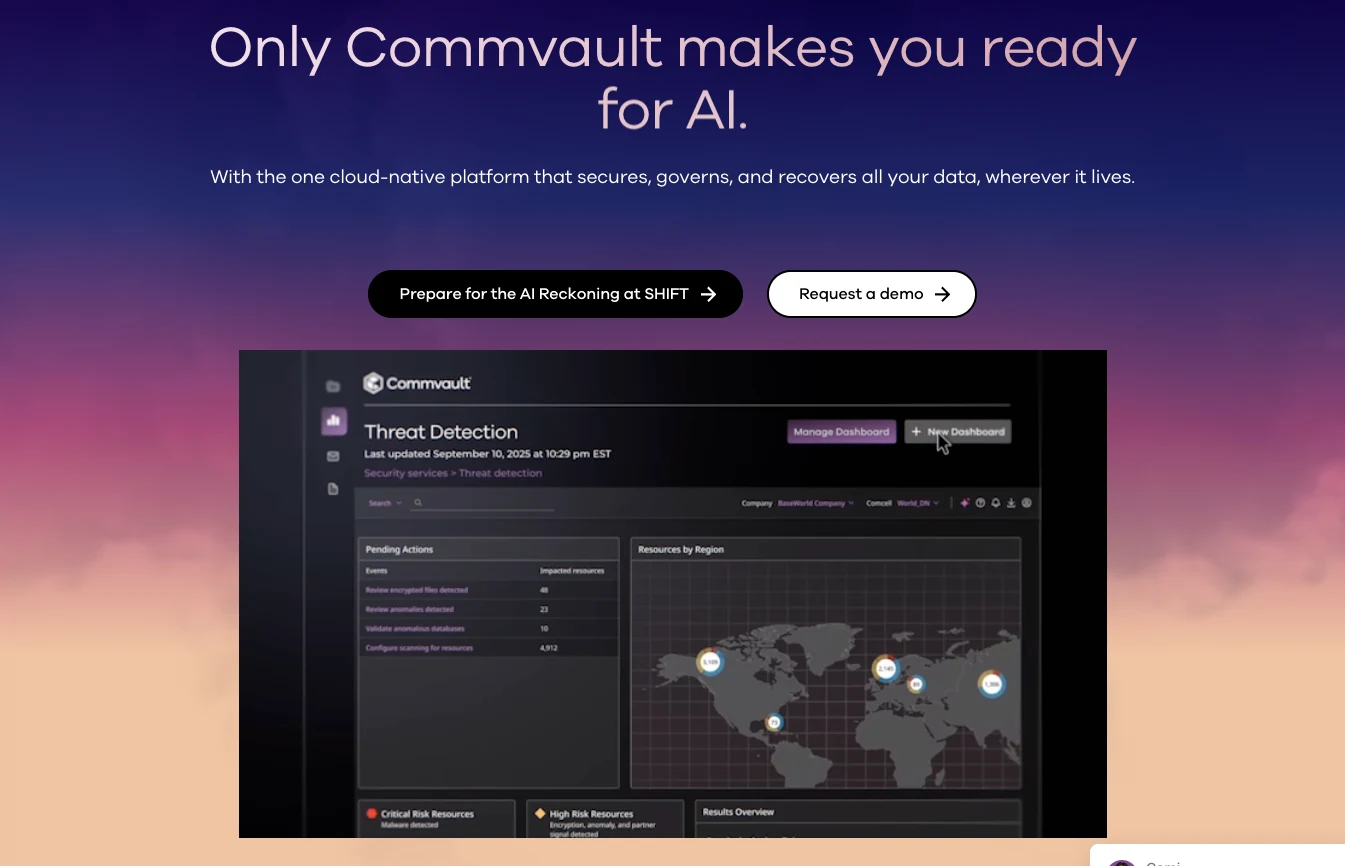
What it does: Commvault Cloud is an enterprise data protection platform covering the widest workload range in the category, from legacy databases and VMs through cloud, SaaS, and Kubernetes, with cleanroom recovery for verified-clean restores.
Best for: Large enterprises with mixed infrastructure who need one platform to cover nearly everything.
Commvault covers more workload types under one platform than any other vendor in this comparison. It has been in enterprise backup long enough to build that coverage across multiple product generations, which is why regulated industries with mixed estates consistently shortlist it. What that breadth costs, per terabyte and per VM, is itemised in our Commvault pricing guide.
Key features
- Workload range: VMs, databases, files, M365, Salesforce, Active Directory, Kubernetes, and the major clouds under one platform.
- Cleanroom recovery: Restores land in an isolated environment for malware verification before returning to production.
- Air-gapped immutable storage: Isolated copies protect the recovery path from compromised production credentials.
Pros and cons
Pros:
- ✅ Reliable once configured, and manageable day-to-day after setup
- ✅ Cyber-resilience depth suits regulated industries with strict recovery verification needs
Cons:
- ❌ The learning curve is steep, and full capability takes real training to reach
- ❌ Cloud deployments still lean on customer-managed components like media agents and access nodes that teams deploy, patch, and scale
What users say
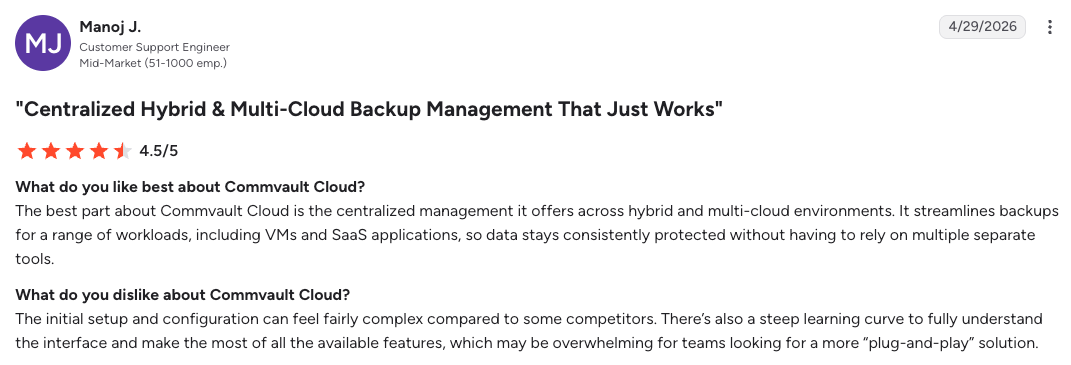
"It streamlines backups for a range of workloads, including VMs and SaaS applications." – Manoj J., G2
"The pricing model needs to be better." – Sadeeshkumar G., G2
Pricing
Commvault doesn't publish list pricing for the core platform. Quotes are scoped by workload and capacity, with subscription and consumption options.
Bottom line
Commvault is the pick when the infrastructure list is long and genuinely mixed, and one platform covering most of it is worth more than best-in-class coverage of any single workload. Budget training time upfront, since the depth that justifies the platform is also what new administrators have to climb. Before committing to that trade, a Commvault review roundup is the cheapest due diligence available.
8. Veeam Data Platform: Best for environments still anchored on-premises
What it does: Veeam Data Platform delivers backup and recovery across virtual, physical, cloud, and SaaS workloads, with immutability, malware-scanned restores, and orchestrated disaster recovery.
Best for: Organizations whose center of gravity is still VMware or physical servers, extending protection into the cloud at their own pace.
Veeam originated in VMware backup and still holds its strongest position in virtualized on-premises environments. Its cloud modules extend the same operating model to AWS, Azure, and Google Cloud, though they still require customer-managed worker instances to run.
Key features
- Instant Recovery: Workloads mount and run directly from backup while full restoration completes in the background.
- Secure Restore: Malware scanning on backup images before restoration prevents reinfection loops.
- Veeam Data Cloud Vault: Managed, immutable, air-gapped cloud storage as an off-site target.
Pros and cons
Pros:
- ✅ Immutable storage and near-instant recovery hold up under ransomware conditions
- ✅ Software-defined flexibility fits almost any storage and infrastructure combination
Cons:
- ❌ Self-managed cloud modules spin up temporary worker instances for backups and restores, which adds infrastructure to plan for (Veeam Data Cloud for AWS offers a SaaS alternative)
- ❌ File-level recovery from large backups takes more effort than it should
What users say
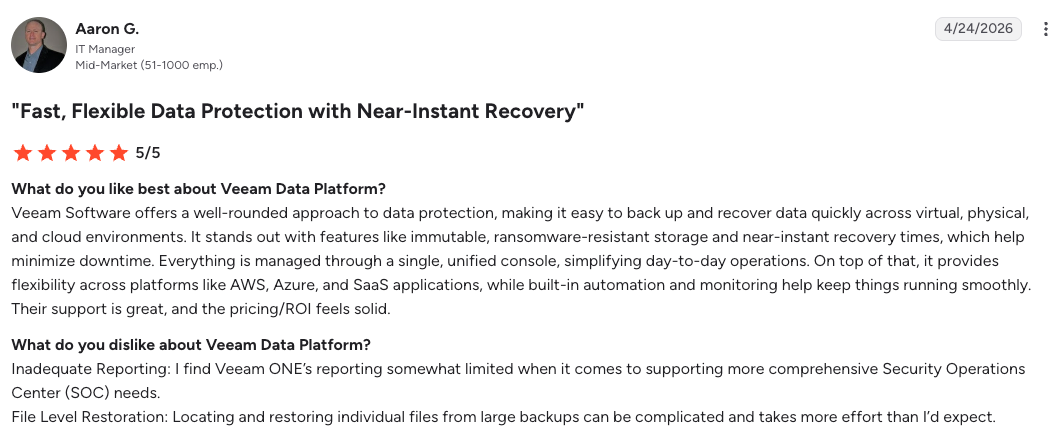
"Immutable, ransomware-resistant storage and near-instant recovery times…help minimize downtime." – Aaron G., G2
"Pricing can get steep quickly especially when you add features like immutable backups." – Guru Prasanth S., G2
Pricing
Veeam doesn't publish platform pricing. Quotes run by workload count and edition, with a free trial available.
Bottom line
If the map of your infrastructure still centers on the data center, Veeam is the safest resilience choice here. Cloud-first buyers should note the worker-instance model and file-restore friction, which cloud-native platforms avoid.
9. AWS Backup: Best for a single-cloud AWS baseline
What it does: AWS Backup is Amazon's native service for centralizing backup policies, retention, and cross-region copies across AWS services.
Best for: AWS-only environments that want a native baseline with no third-party contract.
AWS Backup consolidates what used to be per-service scripts (EBS snapshots, RDS automated backups, and similar) into a single policy layer inside AWS. As a native baseline built for a single cloud, it prices lower than third-party platforms and stops at the AWS boundary.
Key features
- Policy-based plans: Tag-driven backup plans with retention, lifecycle to cold storage, and cross-region copy.
- Vault Lock: Write-once immutability enforced at the vault level.
- Native service coverage: EBS, RDS, Aurora, DynamoDB, EFS, S3, and more, including EKS support added in late 2025.
Pros and cons
Pros:
- ✅ No procurement, no contract, and native integration with AWS services and IAM
- ✅ Vault Lock immutability, though air-gapped vaults add configuration and a storage premium
Cons:
- ❌ Coverage stops at the AWS boundary, and per-account visibility fragments at scale
- ❌ Item-level restore from EBS and S3 backups needs a backup index first and caps at about five items per restore job, and database backups still restore as whole resources
What users say
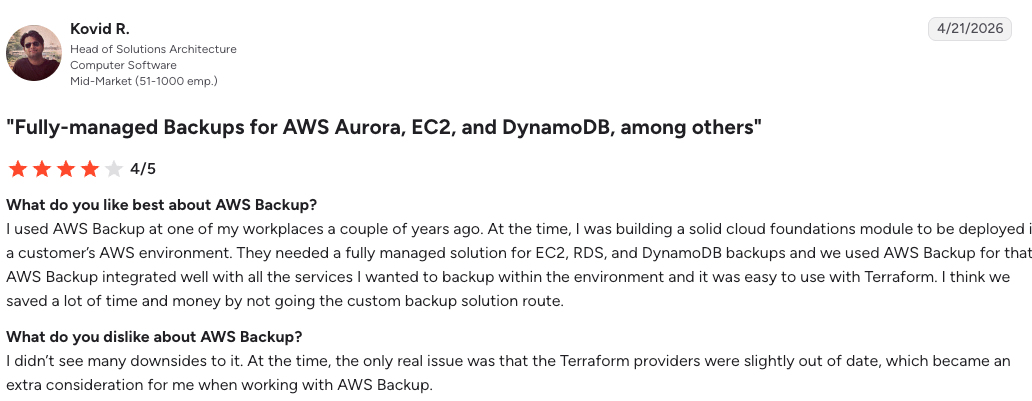
"AWS Backup integrated well with all the services I wanted to backup within the environment." – Kovid R., G2
"Some of the more advanced backup workflows still feel a bit restricted." – Vaishali S., G2
Pricing
Warm storage runs $0.05 per GB-month for EBS and S3, $0.095 for RDS, and $0.10 for DynamoDB, with cold storage near $0.0125 per GB-month for EBS under a 90-day minimum. Restores add roughly $0.02 per GB warm.
Bottom line
Start here if the environment is all AWS and small enough to run from one console. Cross-cloud coverage, evidence at scale, and restores smaller than a full resource all live in the third-party platforms above.
Which cloud data protection solution should you choose?
Match the platform to the incident that worries you most, then check what sits on the other side of it.
Choose Wiz if you:
- Cannot rank which data exposures are actually reachable across your cloud
- Want prevention findings prioritized by walkable attack path, not raw counts
Choose Cyera if you:
- Suspect sensitive data lives in stores nobody has inventoried
- Need classification depth beyond regex, across cloud, SaaS, and on-premises
Choose Eon if you:
- Run cloud-first across AWS, Azure, or Google Cloud at hundreds of terabytes or more
- Need coverage you can evidence to an auditor, and restores scoped to a record
- Want backups usable for audits and analytics without a full restore
Choose Microsoft Purview if you:
- Keep most sensitive data inside Microsoft 365 and Azure
- Already hold E5 licensing or plan to
Choose Forcepoint if you:
- Need one DLP policy enforced across web, endpoint, cloud, and AI channels
- Measure risk in leakage more than loss
Choose Rubrik if you:
- Span data center and cloud and want ransomware defense built into backup
- Can absorb premium pricing for security-led recovery
Choose Commvault if you:
- Run mixed infrastructure and need one platform to cover most of it
- Face regulated recovery-verification requirements like cleanroom restore
Choose Veeam if you:
- Still anchor on VMware or physical servers
- Want to extend the same operating model into cloud at your own pace
Choose AWS Backup if you:
- Run everything inside AWS and want a native baseline with no third-party contract
- Value Vault Lock immutability and IAM-native access controls
Look outside this list entirely if:
- Your footprint is on-premises dominant with minimal cloud
- Your main exposure is endpoint devices and laptops rather than cloud infrastructure
Final verdict
No platform on this list covers both halves at depth, so the real decision is which failure you can least afford, then which platform you pair on the other side of it. The seam is where most incidents get worse, since traditional prevention tools stop at the alert and traditional backup tools start after the loss, and neither owns the handoff by default.
For prevention across multiple clouds, Wiz is the strongest pick here; for classification depth, Cyera. On the resilience half, cloud-first estates should default to Eon, and on-prem-heavy or hybrid ones to Rubrik, Commvault, or Veeam.
If you can only lead with one half, lead with resilience. The platforms closing that gap fastest are the resilience-side ones building prevention-adjacent capabilities into the backup layer itself (classification, ransomware detection, and posture enforcement), so the recovery decision carries security context from the same system.
For a cloud-first footprint, that is exactly where Eon lands, which is why it is our resilience-half pick above.
Not sure whether your restores would match the damage across accounts, regions, and clouds? Book a demo and see how Eon evidences your backup posture and scopes recovery to the record.
Frequently asked questions
What is the best cloud data protection solution for cloud-first enterprises?
The best cloud data protection solution depends on which half of the problem you are solving. Wiz leads the prevention half with attack-path context on exposure, and Eon leads on the resilience side with automated backup posture, record-level recovery, and prevention-adjacent capabilities like ransomware detection built into the backup layer. Both halves are framed in what cloud data protection means in 2026.
What is the difference between cloud data protection and cloud data security?
Cloud data protection covers the full lifecycle of securing, backing up, and recovering data in cloud environments. Cloud data security is the subset focused on preventing unauthorized access through encryption, access controls, and threat detection. Security answers who can reach the data, and says nothing about getting it back after deletion or ransomware. Knowing how cloud encryption works is where that subset starts, since it is the control teams most often assume rather than verify.
Can one platform handle both data security and cloud backup?
No single platform handles both halves at full depth in 2026. Rubrik and Commvault add security features to backup, and Wiz and Cyera add limited response to discovery, but each stops short of the other category's core job. Buyers typically pair one cloud data protection platform per half and verify the handoff.
Do cloud providers back up your data automatically?
Cloud providers do not back up your data automatically in most cases. Under the shared responsibility model, AWS, Azure, and Google Cloud secure their infrastructure, while your data, configurations, and recovery outcomes remain your job. Native services like AWS Backup exist, but you must configure, fund, and monitor them yourself.
How much do cloud data protection solutions cost?
Cloud data protection pricing splits by model. AWS Backup charges per GB-month, starting near $0.05 warm, and Eon prices per GB per month on usage. Wiz, Cyera, Rubrik, Commvault, and Veeam quote custom contracts, and Forcepoint subscribes per user. Model year two, since retention growth moves the bill more than the rate card. Our AWS Backup price breakdown covers how storage, restores, and cross-region transfers move that number.
Is DSPM a replacement for cloud backup?
DSPM is not a replacement for cloud backup. DSPM discovers, classifies, and monitors sensitive data to reduce exposure before an incident, while backup keeps recoverable copies for after one. A DSPM platform holds no copy of your data, so when something is deleted, only the backup half of your stack can respond.