Kubernetes backup on Amazon EKS is on you: a deleted namespace or corrupted volume is gone unless you captured it yourself, and AWS protects less of your cluster than most teams assume. Our practical tips for EKS backup cover how to keep that scope from drifting as clusters change.
What Kubernetes backup covers on Amazon EKS
Kubernetes backup captures your cluster's applications, persistent data, and configuration so you can restore them after a deletion, corruption, or attack. On Amazon EKS, the AWS shared responsibility model sets the scope. AWS protects the control plane and etcd, while you own everything on your worker nodes.
The worker-node layer holds what is expensive to rebuild by hand. Your StatefulSets, Secrets, ConfigMaps, and the persistent volumes behind your databases all live there. Delete a namespace or corrupt a volume, and recovery without a backup means rebuilding each resource and its data from memory.
Why can't you just snapshot etcd on EKS?
You cannot snapshot etcd on EKS because AWS manages it for you. On a self-managed cluster, you could run etcdctl snapshot save to capture cluster state directly, but EKS abstracts that away, so the control plane and etcd are not reachable for direct backup.
That changes the approach. Backups run through the Kubernetes API for resource definitions and snapshot the storage layer for persistent volume data. An EBS snapshot alone saves the disk but loses the Kubernetes objects that point to it, so a working backup needs both halves.
What an EKS backup should include
A complete EKS backup captures four resource classes. Miss any one and the restore either fails or comes back incomplete.
| Resource class | Why it matters | What breaks if you skip it |
|---|---|---|
| Namespaced objects (Deployments, StatefulSets, Secrets, ConfigMaps) | Define how apps run and authenticate | Pods restart with no config or credentials |
| Persistent volumes and PVCs (EBS-backed) | Hold the actual stateful data | Apps come up with empty storage |
| StorageClasses | Define how volumes get provisioned | New PVCs cannot bind or provision correctly |
| Binding metadata (claimRef, volumeID) | Reconnects a PVC to its volume | Restored volumes stay unbound and unused |
Namespaced Kubernetes objects
These are the resources scoped inside a namespace, including Deployments, StatefulSets, Services, Secrets, and ConfigMaps. Secrets are the priority here, because they store the credentials and tokens your workloads need to start. Back them up with their namespace context so they restore to the right place.
Persistent volumes and persistent volume claims
Persistent volumes hold your stateful data, and on EKS they are usually backed by Amazon EBS. A PersistentVolumeClaim is the request a pod makes for that storage, and the PersistentVolume is the actual disk. Database files, uploads, and queues all live on these volumes, which makes them the highest-value target in any EKS backup. Where volumes sit in the wider picture is covered in our guide to Kubernetes data protection.
StorageClasses
A StorageClass defines how EKS provisions storage, including the volume type, the EBS driver, and the reclaim policy a PVC inherits when it requests a disk.
Teams forget it because it works invisibly until a restore, when its absence stops new volumes from being created the way the originals were. Skip it and your PVCs cannot bind or provision correctly, so the application comes back pointed at storage EKS never built.
Binding metadata that breaks restores
Binding fields like claimRef and volumeID are the metadata that reconnects a PVC to its specific EBS disk after a restore. They are easy to miss because they live inside the volume and claim objects rather than in your manifests, and they fail a restore with no obvious cause. Skip them, and the PVC comes back unbound, with your application on empty storage.
How to back up an EKS cluster, step by step
The mechanics come down to six steps. They apply whether you use a native tool, an open-source tool, or a managed platform.
Step 1: Set RTO and RPO per workload
Start by setting a recovery time objective and recovery point objective for each workload. RTO is how fast you need it back, and RPO is how much recent data you can afford to lose. A payments database might need an RPO of minutes, while an internal dashboard can tolerate a daily backup.
60% of cloud teams said a full restore takes them six hours or more, and only 5% can finish in under an hour, according to Eon's 2026 Cloud Data Infrastructure Report. Setting RTO and RPO per workload, before an incident, is what keeps those numbers from surprising you.
Step 2: Inventory what's running and what's stateful
List every namespace and mark which ones hold stateful data. Stateless workloads, like a web frontend behind a Deployment, can be redeployed from source control, so they rarely need a backup. Backup effort belongs with stateful workloads, like databases on PVCs, where the data cannot be regenerated.
Step 3: Capture objects and volume data together
Back up the Kubernetes objects and their volume data in the same operation. Export the namespaced manifests through the Kubernetes API, and snapshot the EBS-backed volumes that the PVCs point to. Capturing them separately, on different schedules, risks a restore where the manifests and the data no longer match.
Step 4: Store a copy outside the cluster's blast radius
Keep at least one backup copy in a location your cluster credentials cannot reach. If the same IAM role or account that runs production can also delete the backups, one compromised credential takes out both. A separate account or vault keeps the recovery copy intact when the source environment is attacked or misconfigured.
Step 5: Restore into the right namespace and rebind volumes
Restore resources back into their original namespace, then reconnect each volume to its claim. On EKS, this means restoring the EBS volume, updating the volumeID in the PersistentVolume, and applying the PVC so it rebinds. Native AWS Backup restores a namespace only to an existing cluster, so the target cluster has to be in place first.
Step 6: Test the restore on a schedule
Run a real restore on a fixed schedule, rather than only when something breaks. Create a test namespace, deploy a stateful app, back it up, delete the namespace, and restore it. Confirm the data is intact and the app starts. A backup you have never restored is only an assumption.
Kubernetes backup tools for AWS
Three categories of tooling cover EKS today. Each fits a different mix of control, effort, and recovery depth.
AWS Backup for EKS
AWS Backup added native support for Amazon EKS in late 2025. It captures both cluster state and PVC-attached volumes in one composite recovery point, with policy scheduling, immutable vaults, and cross-region copy. It excludes container images, VPCs, and auto-generated objects, and cluster state backs up as a full snapshot.
Velero
Velero is the open-source standard, a CNCF project that works through the Kubernetes API, so it fits managed clusters where etcd is off-limits. It handles namespace and label-scoped backups, scheduling, and volume snapshots to Amazon S3.
Velero is a CLI tool with no console, classification, or posture view, so coverage rides on the schedules your team maintains by hand.
Purpose-built platforms
Purpose-built platforms add a managed layer that handles discovery, policy enforcement, classification, and granular restore. This is where Eon fits.
Our Cloud Backup Posture Management (CBPM) finds stateful EKS namespaces automatically, so the right resources get a policy without manual tagging.
We back up persistent volumes, PVCs, and Secrets at the namespace level, run through the Kubernetes API with no agents, restore at the namespace level or down to individual files and folders without rehydrating a full cluster, and flag the last clean recovery point for ransomware response.
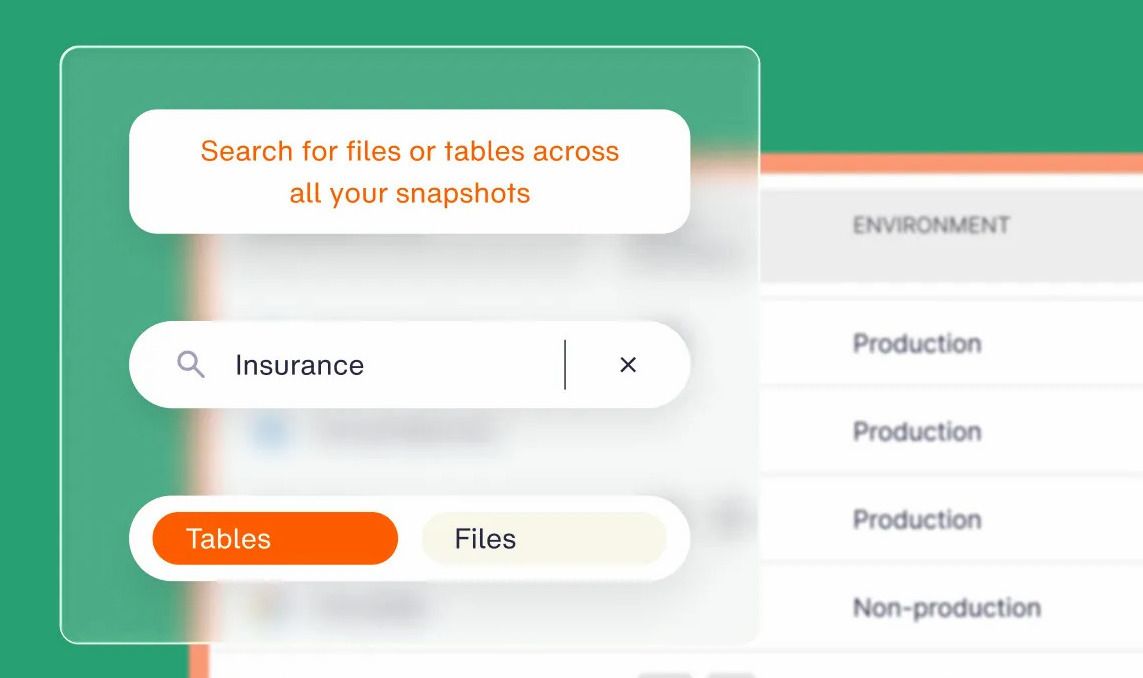
Because backups land in open formats, Global Search can locate a specific record across namespaces before you restore it.
Kubernetes backup best practices
Six steps get a backup running. These practices keep it reliable as the cluster grows.
Make stateful backups application-consistent
Quiesce a database before you snapshot its volume, or you risk a crash-consistent copy that restores into a corrupt state.
Application-consistent backups flush writes to disk first, often through a pre-backup hook that pauses or checkpoints the database.
For PostgreSQL or MySQL on a PVC, that hook is the difference between a clean restore and a recovery that needs manual repair.
Keep one copy immutable and logically air-gapped
Store at least one recovery copy as immutable, locked against overwrite or deletion through its retention window.
Ransomware crews target backups first, since deleting the recovery path forces the payout, so keep that copy in a logically air-gapped vault separated from production credentials.
Control backup sprawl and cost
63% of cloud teams say high storage costs push them to protect less data than they should, according to Eon's 2026 report. Prune stale snapshots and deduplicate across the environment, or backup storage costs climb faster than the data itself. Policy-based retention and deduplication keep the footprint tied to what you actually need to recover.
What good Kubernetes recovery looks like
Good recovery is granular, fast, and scoped to the damage. When one PVC gets corrupted, you should be able to restore just that namespace or the files on that volume, without standing up the whole cluster to reach it.
Restoring a single namespace, PVC, or even a database record in minutes keeps an incident small, while a full-cluster rebuild turns a contained problem into hours of downtime.
Innago saw this firsthand on AWS. Running PostgreSQL and MariaDB on EKS, the team moved to PVC-level backup with Eon, with no agents to run, and now restores common scenarios in 10 to 15 minutes, while cutting backup costs 40% through deduplication.
Know your EKS backups will actually restore
A reliable EKS backup comes down to a few things: capture your namespaced objects and their volumes in one operation, keep an immutable, logically air-gapped copy outside the cluster's blast radius, and restore a namespace or individual files and folders in minutes instead of rebuilding a cluster.
Eon does all of it through the Kubernetes API with no agents, finds your stateful namespaces automatically, flags the last clean recovery point for ransomware response, and trims backup storage cost through cloud-native deduplication, which cut Innago's backup costs by 40%.
How long would it take your team to restore a single corrupted PVC on EKS right now, and do you know for certain? Book a demo and see how Eon protects your clusters and gets that data back in minutes.
Frequently asked questions
Does AWS back up EKS automatically?
No, AWS does not back up EKS automatically. Under the shared responsibility model, AWS protects the control plane and etcd, while you are responsible for backing up your worker-node resources, including persistent volumes, Secrets, and namespace configuration.
Can you back up etcd on EKS?
No, you cannot back up etcd directly on EKS, because AWS manages the control plane for you. Instead, you back up cluster resources through the Kubernetes API and capture persistent volume data from the storage layer, usually as EBS snapshots.
What is the difference between Velero and AWS Backup for EKS?
Velero is an open-source, API-driven tool you run and maintain yourself, with namespace and label-scoped backups stored in Amazon S3. AWS Backup for EKS is a managed, policy-based service that captures cluster state and persistent volumes into immutable vaults, with cross-region copy built in.
Do stateless Kubernetes workloads need backup?
No, stateless workloads usually don’t need backup, since you can redeploy them from source control or a container image. Protect stateful workloads instead, like databases and services on persistent volumes, whose data cannot be rebuilt from code.
How do you back up EKS persistent volumes?
You back up EKS persistent volumes by snapshotting the EBS volumes behind your PVCs and capturing the matching Kubernetes objects in the same operation. A platform that discovers PVCs at the namespace level and restores them with their binding metadata keeps the volume and its claim aligned after recovery.