Microsoft Entra ID backup and recovery
Bring back Entra ID users and groups with their access intact. Eon backs up your directory to an immutable vault outside your tenant. A deleted user returns with its groups, roles and licenses, and inside the 30-day window it keeps the object ID your SharePoint permissions depend on.

















What Eon protects
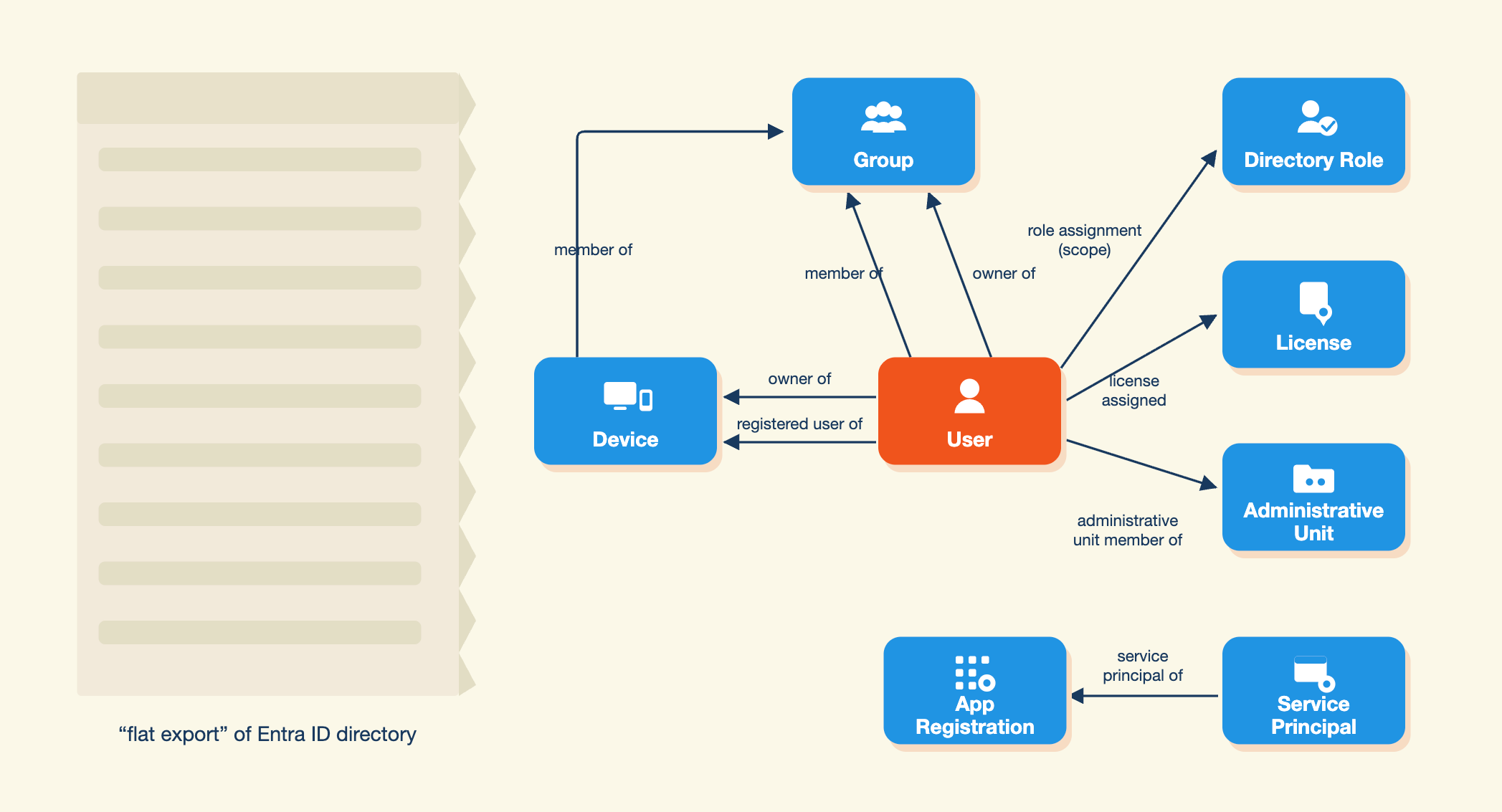
Eon backs up the objects in your directory and the links between them, so a restored user comes back with groups, roles and licenses attached.

Users and groups
Every user and group, with membership, ownership and manager.

Roles and admin units
Directory roles and administrative units, with role assignments and their scope.

Applications
App registrations and service principals, with app role assignments and delegated permission grants.

Licenses
License assignments, so a restored user gets the same apps back.
The native recycle bin gives you 30 days
Microsoft keeps deleted users, groups and apps for 30 days, and other object types not at all. A restore from the recycle bin also depends on nobody purging it first.
Entra ID on its own
Eon
Deleted user or group
30 days in the recycle bin, then Microsoft can't restore it.
Restored from any backup, with memberships, roles and licenses.
Early purge
An admin, or an attacker holding the role, can empty the recycle bin early.
Backups sit in a vault outside your tenant that admin roles can't reach.
Rebuilding by hand
A recreated user gets a new object ID and loses access to their files.
Still in the recycle bin? Eon restores the original object and its ID.
Other object types
Microsoft deletes them permanently, right away.
Service principals and administrative units are in every backup too.
What changed
No snapshot of who held which group or role before an incident.
Browse any snapshot to see memberships and roles as they were.
Recovery that puts people back to work
The account, not an empty shell

The directory as it was before the incident

A clear list of what's left
How Eon connects to your tenant
- Connect. Grant read-only consent for backup, and separate write consent for restore, from the console with a generated CLI script or Terraform.
- Protect. Set a backup policy and schedule. Each snapshot captures the full directory and the relationships inside it.
- Recover. Find the user or group in any snapshot and restore it into the same tenant.
FAQs
See Eon bring back a deleted user, access and all
Entra ID runs next to Microsoft 365 in Eon, each with its own backup policy, so an incident that hits identity and data is handled in one tool.