


Backup for Google BigQuery is now generally available in Eon. While BigQuery is a powerful data analytics platform, its native recovery features are limited to short-term and in-region snapshots. Eon extends these capabilities, providing the long-term durability and incremental, cross-region resilience required for true enterprise data protection.
Tl;dr: With Eon, BigQuery users now get:
- Cost-efficient data protection that extends retention from days to years (e.g. beyond BigQuery’s native 7-day Time Travel limit) with forever-incremental backups.
- Cross-region resilience for protection against regional outages.
- Granular restore at the dataset, table, or record level.
- Metadata support for backups, capturing views, routines, and materialized views.
- Immutable, air-gapped backups and proactive ransomware detection.
- Autonomous discovery, classification, and policy enforcement for new datasets.

Moving beyond static snapshots
As organizations increasingly rely on BigQuery for mission-critical operations, the need for comprehensive data protection has grown. Native features like Time Travel are great for immediate rollbacks and addressing recent manual errors, but are limited to short-term, in-region protection.
Furthermore, relying solely on native snapshots can leave gaps in a disaster recovery strategy. Because these snapshots typically reside within the same environment as production data, they remain vulnerable to regional outages or security breaches. Establishing an independent, air-gapped layer of protection is critical for organizations that cannot afford a total loss of their historical records.
Bridging the gap with more comprehensive data protection
Eon bridges this gap by providing long-term, cross-region resilience missing from Big Query’s native tools. By capturing point-in-time snapshots of BigQuery tables and associated metadata, including views, materialized views, and routines, your entire data architecture is preserved. Leveraging BigQuery’s Time Travel and Change History, Eon maintains data consistency, automatically capturing incremental changes and exporting them to secure, Eon-managed vaults on GCS with encryption and granular controls (e.g. RBAC/ABAC) at every level.
Key benefits:
- Granular access from table to row: Seamlessly restore an entire dataset back into BigQuery or use SQL queries to granularly recover specific rows to GCS.
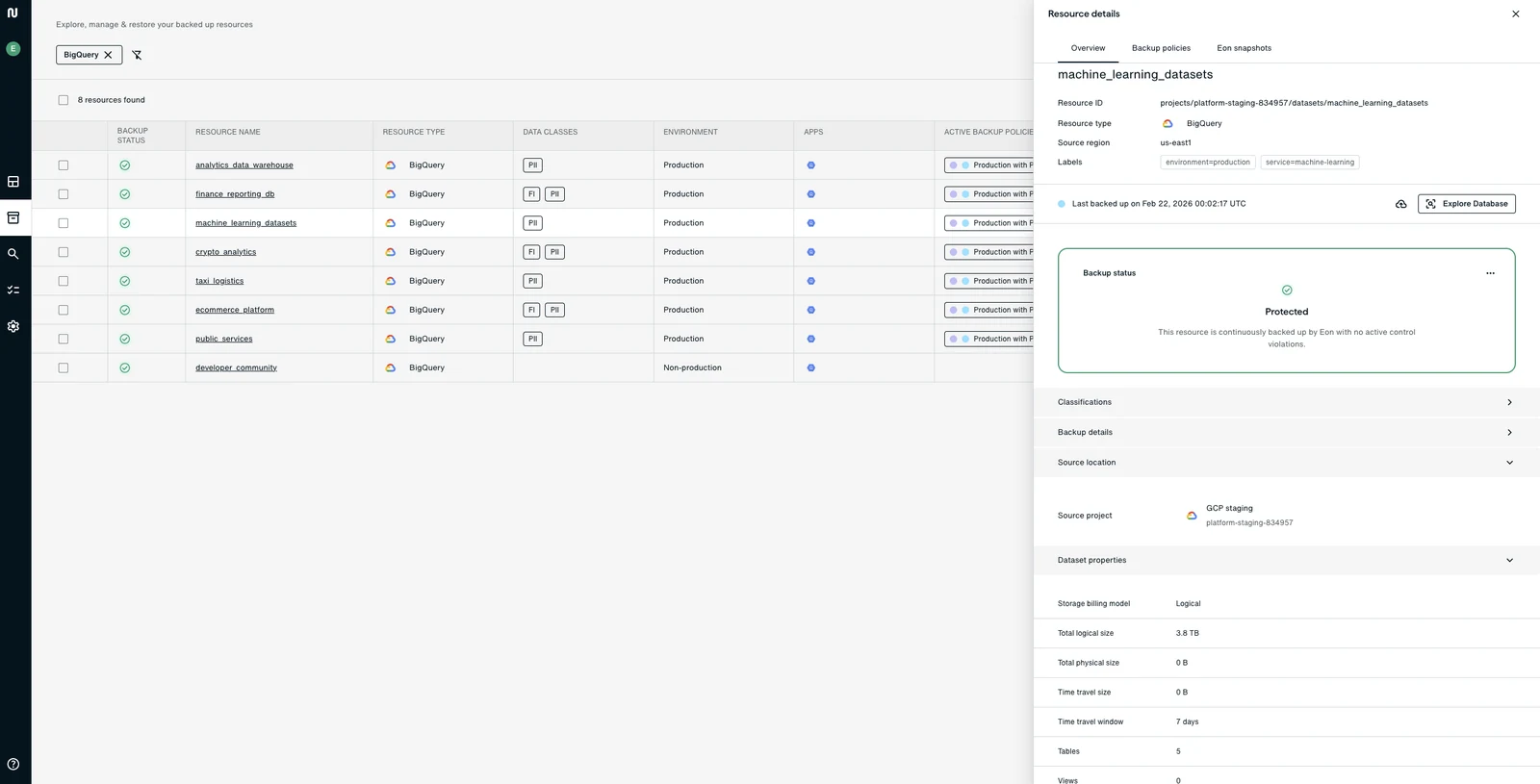
- Unified visibility: View and search your BigQuery footprint across regions from a single interface.
- Extended retention: Retain backups for months or years to meet legal, financial, and regulatory requirements without operational overhead.
- Reduced backup footprint: Incremental backups capture only what’s changed, dramatically reducing storage costs compared to full snapshots.
As with all Eon backups, data is stored in immutable vaults, isolated from your production environment to protect against accidental deletion, malicious actions, ransomware, and regional failures. Plus, through built-in Cloud Backup Posture Management (CBPM), new datasets are automatically discovered, classified, and protected the moment they are created, ensuring no data is left vulnerable. For setup guidance, see our best practices for BigQuery backups.
How it works
Eon begins with a full export of all table data and metadata to the vault, followed by incremental backups that leverage Time Travel to identify and capture only the specific modifications made since the last update. Backup data is instantly accessible, allowing you to bypass the traditional restoration wait times.
Get started today
Backup and recovery for BigQuery is now available to all users. For more information on Eon, request a demo or find us on the Google Cloud Marketplace.
Frequently Asked Questions
Do I need to enable anything in BigQuery first?
Yes. To ensure Eon can capture incremental changes, Change History must be enabled for all tables within a dataset before protection begins.
Are external tables supported?
Yes, external tables are supported via our backup for GCS resources.
Can I explore backup data without a full restore?
Absolutely. Eon backups are "hot" and queryable. You can use the Eon Database Explorer to browse and audit your backup data without the time or cost of a full restoration.
How long does it take to get started?
Onboarding takes minutes. Because Eon is agentless, there are no custom pipelines to build or scripts to maintain. Eon automatically discovers your datasets, allowing you to apply protection policies immediately.
Is there a limit to how much BigQuery data Eon can back up?
Eon supports petabyte-scale BigQuery backups with no imposed volume caps, operating within BigQuery’s native API and export limits.