The strongest Clumio competitors in 2026 are Druva, Eon, and HYCU for cloud-native teams, plus N2WS and AWS Backup for AWS-only stacks. Each protects cloud data differently, so the right fit comes down to your workloads and budget. For AWS-only stacks the tool usually follows the strategy, so it is worth settling the AWS disaster recovery plan first.
This comparison draws on each vendor's product documentation, current pricing pages, and AWS Marketplace listings. It also accounts for the shift that reshaped this market, since Commvault acquired Clumio in 2024 and the product now ships as Clumio by Commvault.
7 best Clumio alternatives: TL;DR
- Druva: Best for teams that want the most established fully-managed SaaS backup across cloud, SaaS apps, and endpoints.
- Eon: Best for cloud-first teams that want automated backup posture, granular recovery, and queryable backups across AWS, Azure, Microsoft 365, Google Cloud, and Google Workspace.
- HYCU: Best for multi-cloud environments that also need broad SaaS application coverage.
- N2WS: Best for AWS-focused teams that want tight control over EC2 and RDS backup and snapshot costs.
- AWS Backup: Best for single-cloud AWS teams that want to stay fully native.
- Rubrik: Best for large hybrid environments with established enterprise backup workflows.
- Cohesity: Best for on-premises-heavy enterprises consolidating backup and data management.
Why teams look for Clumio alternatives in 2026
Clumio earned a real reputation as a cloud-native, serverless backup service for AWS. It deploys without agents on your workloads and keeps immutable, air-gapped copies outside your account. What that costs in practice, including the limits that shape the bill, is broken down in Clumio pricing.
Backtrack rolls S3 buckets and DynamoDB tables back to a point in time, in place, so recovery leaves the original bucket or table intact. For AWS-heavy teams, that model still holds up.
Five reasons push teams to shop around:
- The Commvault acquisition changed the roadmap. Commvault acquired Clumio in 2024 for $47 million and now sells it as Clumio by Commvault, part of the broader Commvault Cloud platform. Teams that chose Clumio for its independent, AWS-native focus are reassessing where the product heads next.
- Coverage centers on AWS. Google Cloud Storage support became generally available in July 2026, but there is still no Azure support, and Google Cloud coverage stops at object storage. Since 54% of cloud IT leaders now run across three or more cloud platforms, multi-cloud teams still need a second tool.
- Database recovery granularity varies by service. Backtrack gives S3 and DynamoDB in-place rollback, but RDS and Aurora restores always create a new instance or cluster with no in-place option and nothing between a full restore and a single-record export.
- Costs add up beyond the storage rate. Clumio bills restores, object processing, API requests, and egress separately, and minimum retention periods keep short-lived backups billable. A snapshot of each protected RDS resource also stays in your own account, replaced on every backup.
- Backup data is hard to reach without a restore. Clumio can query RDS SecureVault Archive backups with SQL-style filters, though that tier carries a thaw period of up to 48 hours, and DynamoDB previews cap at 10 records. Audits, analytics, and AI work on anything else start with a full restore.
Which Clumio alternative fits your stack
- Choose Druva if you back up a mix of cloud, SaaS, and endpoints from one managed console.
- Choose Eon if your risk spans AWS, Azure, and Google Cloud and you want automated posture, granular recovery, and queryable backups.
- Choose HYCU if you run several clouds plus on-prem systems like Nutanix or VMware and need cross-cloud DR.
- Choose N2WS if you are AWS-centric and want predictable per-instance pricing with tight snapshot cost control.
- Choose AWS Backup if you stay entirely inside AWS and want native, policy-based backup.
- Choose Rubrik if you run a large hybrid estate and want mature, appliance-based ransomware recovery.
- Choose Cohesity if you are on-premises-heavy and want to consolidate backup and data management at scale.
- Stick with Clumio if you run almost entirely in AWS and want managed serverless S3 and DynamoDB backup inside Commvault.
7 best Clumio competitors: At a glance
| Platform | Best for | Cloud coverage | Recovery model | Pricing model |
|---|---|---|---|---|
| Druva | Mixed cloud, SaaS, and endpoint backup | AWS-hosted; cloud, SaaS, endpoints, data center | Granular file and workload restore | Consumption credits (per deduped TB) |
| Eon | Cloud-first multi-cloud posture and recovery | AWS, Azure, Google Cloud, MongoDB Atlas, Microsoft 365, Google Workspace | Granular file, object, table, record | Usage-based via cloud marketplaces |
| HYCU | Multi-cloud plus SaaS breadth | AWS, Azure, Google Cloud, on-prem, SaaS | Granular point-in-time restore | Pay-as-you-go via marketplaces |
| N2WS | AWS cost control and DR | AWS, some Azure | File-level and full restore, cross-region DR | Per-instance subscription |
| AWS Backup | Staying native in AWS | AWS only | Whole-resource; opt-in item-level; PITR for some DBs | Pay-as-you-go per GB |
| Rubrik | Large hybrid enterprise | On-prem, cloud, SaaS (hybrid) | SLA-based granular and full restore | Per-TB subscription (appliance included) |
| Cohesity | On-premises-heavy consolidation | On-prem, hybrid, AWS | Instant mass restore and granular | Per-TB capacity (software, appliance, SaaS) |
Pricing models verified as of August 2026. Verify current rates with each vendor.
The 7 best Clumio competitors and alternatives
1. Druva
Druva is the most established fully-managed SaaS backup platform and the closest like-for-like alternative to Clumio's cloud-native model. Built entirely on AWS, it covers everything from endpoints to cloud workloads from one console.
Key features
- Fully-managed SaaS on AWS, with no backup servers or appliances to run.
- Air-gapped, immutable backups with global deduplication to shrink stored data.
- Coverage for Microsoft 365, Salesforce, and Google Workspace alongside cloud and data center workloads.
- Consumption-based credit pricing that scales with deduplicated data.
Pros
- ✅ Broadest workload mix among the SaaS-native options, from endpoints to cloud.
- ✅ Simple deployment with no infrastructure to size or patch.
- ✅ Air-gapped, immutable storage backed by a published data-resiliency guarantee.
Cons
- ❌ Large-dataset restores can run slow.
- ❌ Credit-based pricing is harder to model, since cost tracks change rate and retention rather than raw source size.
- ❌ Leans toward endpoint and SaaS protection, with less depth in cloud-infrastructure posture management.
Best for
- Enterprises protecting a mix of cloud, SaaS, and endpoint data.
- Teams that want one managed console and minimal operational overhead.
Pricing
Consumption-based credit model, where one credit protects roughly 1 TB of compressed, deduplicated data per month. Microsoft 365 is priced per user rather than by capacity, with list figures quoted by sales.
2. Eon
Eon is a cloud data protection and recovery platform built for teams that want automated coverage and recovery across multiple clouds, plus Microsoft 365 and Google Workspace. Founded by the team behind AWS's disaster recovery and migration services, it connects to AWS, Azure, and Google Cloud through read-only access and protects workloads without agents or appliances.
Backups land in open formats like Parquet, Iceberg, and Delta Lake, so the same copy that serves recovery also serves audits, analytics, and AI work. Teams query it in place with no restore and no ETL pipeline.
Key features
- The same copy that protects your data serves audits, analytics, and AI. Backups land in Parquet, Iceberg, and Delta Lake, queryable from Snowflake, Databricks, BigQuery, and Athena with no second copy and no pipeline to build.
- Cloud Backup Posture Management (CBPM) that discovers and classifies resources, then applies policies without manual tagging.
- Granular recovery of a single file, object, table, or record without rehydrating the full environment.
- Immutable, logically air-gapped vaults with anomaly detection for ransomware.
- Backups stored in open formats like Parquet, Iceberg, and Delta Lake, so teams can query them for audits and analytics.
Pros
- ✅ Backup data answers audit, analytics, and AI questions directly, so a compliance request costs a single query against the copy already in the vault.
- ✅ One posture-and-recovery workflow spans AWS, Azure, and Google Cloud, so teams avoid running a separate backup tool per cloud.
- ✅ Granular recovery and queryable backups cut down restore-first workflows.
- ✅ Nothing to install or maintain on protected workloads, and snapshots live only for the length of the backup job, so no standing copy sits in your account carrying cost or exposure.
Cons
- ❌ Built for cloud infrastructure, so it is not the tool for endpoint or on-premises backup.
- ❌ Kubernetes coverage is EKS only, so GKE and AKS clusters need separate protection.
- ❌ Aimed at enterprise cloud teams, so smaller or single-cloud setups may not need its full scope.
Best for
- Cloud-first teams operating across multiple clouds, accounts, and regions.
- Teams that want backup posture visibility and recovery they can act on quickly.
Pricing
Usage-based, priced per GB/month of protected storage with flexible spending commitments, and available through AWS Marketplace. There is no tier ladder or feature gate and no retrieval, restore, or egress fees, and ransomware protection is sold as its own package on top of storage. Published NETGEAR and Innago case studies put backup storage savings in the 35% to 40% range.
3. HYCU
HYCU’s R-Cloud is a SaaS data protection platform built for teams that span multiple clouds and on-premises systems. It covers more than 100 workload types across the major public clouds, on-prem systems, and SaaS apps, and it is among the few platforms that run disaster recovery across all of them.
Key features
- Agentless protection across AWS, Azure, and Google Cloud.
- Cross-cloud disaster recovery that moves workloads to a recovery site and back, across clouds and regions.
- Broad SaaS coverage, including Microsoft 365, Jira, GitHub, and Okta.
- Pay-as-you-go pricing through cloud marketplaces.
Pros
- ✅ True multi-cloud plus on-premises coverage from one platform.
- ✅ SaaS apps and infrastructure sit under the same policies, so there's no dedicated SaaS-backup tool to run alongside.
- ✅ Onboarding cloud workloads is a marketplace subscription and a permissions grant, with no agents or appliances to deploy.
Cons
- ❌ Consumption pricing can be hard to estimate without upfront planning.
- ❌ Physical-server backup gets weaker marks than its cloud and SaaS coverage.
- ❌ Less focused than Clumio on deep, AWS-native S3 and DynamoDB point-in-time recovery.
Best for
- Teams protecting workloads across several clouds and on-premises systems.
- Environments where SaaS-app backup is part of the same decision.
Pricing
Pay-as-you-go through AWS, Azure, and Google Cloud marketplaces, billed through existing cloud accounts. HYCU says customers see roughly 50% savings versus legacy tools, though actual cost depends on workload mix. Our Google Cloud price breakdown shows what the underlying marketplace rates look like.
4. N2WS
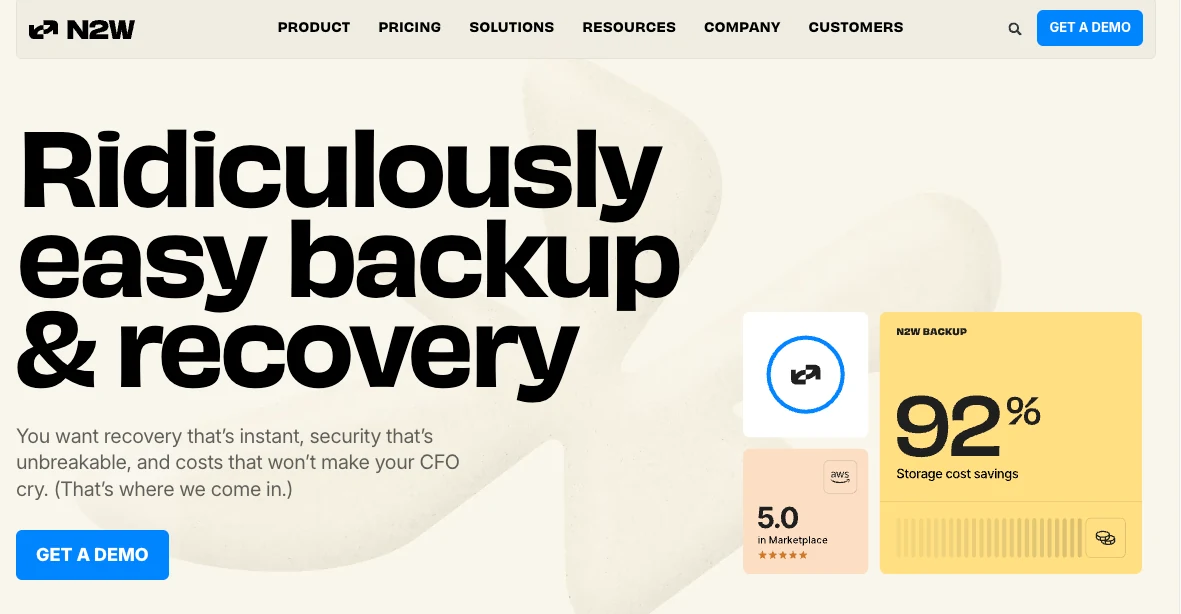
N2WS is a backup and disaster recovery tool for AWS-centric teams that want control over cost and snapshots. It runs in your own cloud account rather than a shared vault, covers AWS services plus some Azure workloads, and recovers down to individual files.
Key features
- Backup and DR for EC2, EBS, RDS, S3, Redshift, and EKS, plus Azure VMs and Azure SQL.
- Cross-region, cross-account, and cross-cloud recovery from one interface.
- Automated snapshot lifecycle and tiering to lower-cost storage to reduce spend.
- Backup intervals down to 60 seconds for tight recovery points.
Pros
- ✅ Runs inside your own cloud environment, so data stays under your control.
- ✅ Instance-based pricing that is easy to predict as you scale.
- ✅ Snapshot lifecycle automation that reduces EBS storage cost.
Cons
- ❌ Centered on AWS, with narrower Azure coverage and no Google Cloud.
- ❌ The interface feels dated next to newer cloud consoles.
- ❌ Licensing is per protected instance regardless of size, so many small instances each still consume a full license.
Best for
- AWS-first teams focused on EC2, EBS, and RDS protection.
- Teams that want snapshot cost control and DR drills without surprise restore charges.
Pricing
Subscription pricing based on the number of protected instances, sold through AWS Marketplace with a 30-day trial. Storage is billed separately by AWS.
5. AWS Backup
AWS Backup is the native option for teams that want to stay inside AWS and manage backups with AWS's own service. It centralizes policy-based backup across EBS, RDS, Aurora, DynamoDB, EFS, S3, and EC2, with continuous backup and point-in-time recovery for several database services.
Key features
- Centralized, policy-based backup across core AWS services and accounts.
- Continuous backup and point-in-time recovery for RDS, Aurora, S3, and DynamoDB.
- Cold storage tiers for lower long-term cost on supported services.
- Native integration with AWS IAM, Organizations, and billing.
Pros
- ✅ Deep native integration with AWS services and accounts.
- ✅ Pay-as-you-go with no third-party software to buy.
- ✅ Databases recover to any second before an incident, not just the last scheduled snapshot.
Cons
- ❌ AWS only, so multi-cloud teams need separate tools and separate cost tracking.
- ❌ Single-file restore from EBS, EC2, and S3 backups works only after you opt into backup indexing, which adds indexing and per-request search charges.
- ❌ Malware scanning of EC2, EBS, and S3 backups runs through GuardDuty at extra cost, with no data-level detection for managed databases, and costs vary sharply by service.
Best for
- Single-cloud AWS teams standardized on native tooling.
- Teams with straightforward backup needs inside one AWS organization.
Pricing
Pay-as-you-go. Warm storage runs about $0.05 per GB-month for most services, cold storage is cheaper with a 90-day minimum, restores are about $0.02 per GB, and item-level restores are $0.50 per request.
6. Rubrik
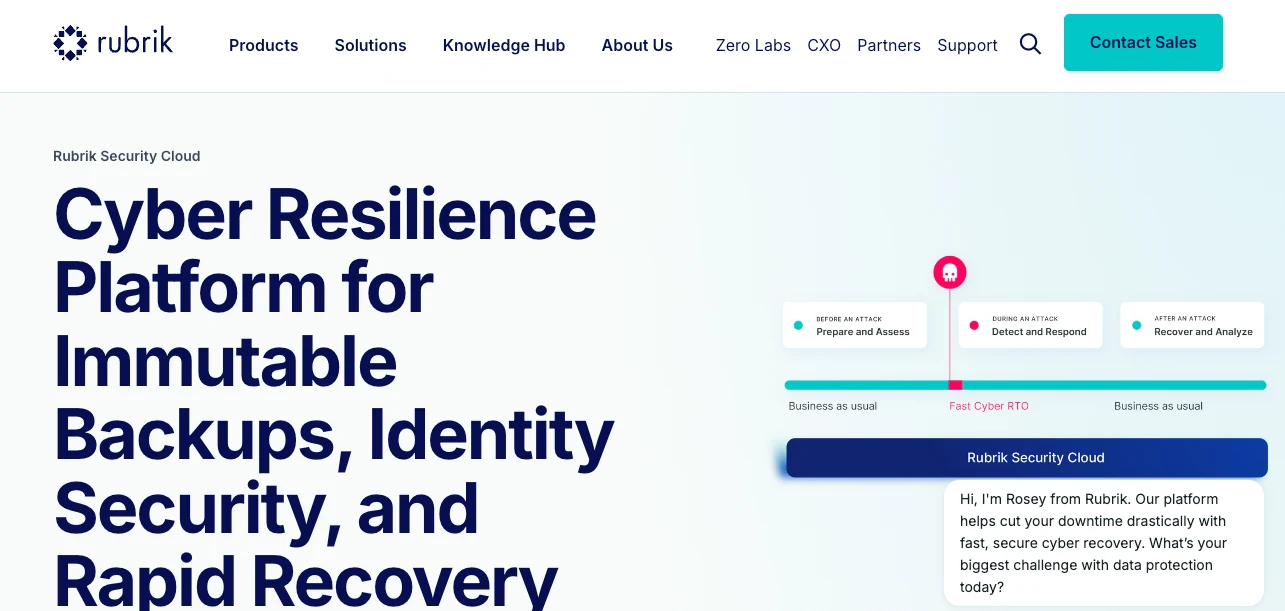
Rubrik Security Cloud is an enterprise data protection platform aimed at large hybrid environments. It pairs a SaaS control plane with a data plane that can live on-premises on appliances, in cloud storage, or in Rubrik Cloud Vault, with a strong focus on ransomware resilience.
Key features
- Air-gapped, immutable backups with SLA-based policy management.
- Ransomware detection and recovery orchestration built into the platform.
- Coverage across enterprise and cloud workloads, plus SaaS apps including Microsoft 365 and Salesforce.
- Centralized policy engine that limits policy drift across sites.
Pros
- ✅ Proven ransomware recovery at enterprise scale means clean copies to fall back on after an attack, not just detection alerts.
- ✅ SaaS control plane that keeps management consistent as workloads grow.
- ✅ One platform spans hybrid, cloud, and SaaS, so a single team runs protection instead of one tool per silo.
Cons
- ❌ Built hybrid-first: on-premises protection runs on Rubrik appliances, and pricing folds that hardware into the per-TB rate. Cloud protection now runs serverless on Rubrik-hosted compute.
- ❌ Threat scanning is built around files and VMs, and a managed database never exposes its contents as files to scan, so managed cloud databases get less detection coverage.
- ❌ Built for hybrid enterprises, so it is heavier than a cloud-first team needs.
Best for
- Large hybrid environments with established enterprise backup workflows.
- Teams where ransomware resilience across on-premises and cloud is the priority.
Pricing
Rubrik prices by protected capacity, usually a per-terabyte subscription that folds the appliance and storage into one figure. It does not publish list pricing.
7. Cohesity
Cohesity is an enterprise backup and data management platform for on-premises-heavy organizations. After merging with Veritas NetBackup, it runs on a scale-out file system delivered as software, an appliance, or a managed service, and now protects AWS workloads like EC2, RDS, and S3.
Key features
- SpanFS, a scale-out file system, runs backup jobs, file shares, and analytics on the same system instead of separate silos.
- AWS coverage for EC2, RDS, and S3, with S3 Object Lock immutability.
- Threat scanning and anomaly detection across supported workloads.
- Flexible deployment as self-managed software, a vendor appliance, or Cohesity's hosted DataProtect service.
Pros
- ✅ Strong for on-premises and hybrid consolidation at enterprise scale.
- ✅ Instant mass restore brings large VM fleets back at once, cutting downtime during a major outage.
- ✅ Immutability through S3 Object Lock and WORM retention.
Cons
- ❌ Appliance and cluster operations add overhead in cloud-first setups.
- ❌ Add-ons such as FortKnox and DataHawk carry their own licenses, which pushes total cost above the base platform.
- ❌ Multi-site management needs policy federation and ongoing engineering.
Best for
- On-premises-heavy enterprises consolidating backup and data management.
- Teams that need instant mass restore across large VM fleets.
Pricing
Cohesity licenses per terabyte and sells it three ways: software-only, as an appliance, or as a managed service. Independent estimates put the software tier in the $150 to $400 per TB per year range, with the managed-service option higher and several modules charged as separate line items.
How to evaluate Clumio alternatives
Use these criteria to narrow the field to the two or three tools worth a trial.
- Cloud coverage: Map where your data actually lives. AWS-only tools work for AWS-only teams, but Azure or Google Cloud workloads need a platform that covers them natively.
- Posture and discovery automation: New resources appear constantly, and manual tagging leaves gaps. Look for automatic discovery and policy enforcement so coverage keeps up with your environment.
- API and infrastructure-as-code support: Cloud teams manage backup policies in pipelines, so check for a documented API and a Terraform provider or equivalent IaC support.
- Recovery granularity: Check whether you can restore an individual item, such as a file, a database record, or an object, without rebuilding the whole environment. A small incident should not force a full restore.
- Ransomware immutability: Verify recovery copies are write-protected and sit outside your production login scope, so stolen admin access still cannot tamper with them.
- Backup-data usability: Decide whether you need to run queries against backup data for compliance, reporting, or model training, or whether fast recovery alone is enough.
- Cost model: Read past the headline storage rate. Restores, cross-region transfer, object processing, and minimum retention shape the real bill.
Cloud backup now has to serve more than recovery
Clumio does managed, AWS-native backup at scale, and it does it well. Environments now spread across clouds, and the data sitting in backup is data teams want for audits, analytics, and model training.
The cloud-native alternatives cover both. Eon, HYCU, and Druva all read across AWS, Azure, and Google Cloud, and Eon goes furthest on making the backup copy queryable where it sits.
Need to confirm backup coverage across AWS, Azure, and Google Cloud and get answers out of your backups without restoring them first? Book a demo and see how Eon discovers unprotected resources, restores a single record, and queries backup data in place, on your own accounts and clouds.
Frequently asked questions
Is Clumio still available after the Commvault acquisition?
Yes, Clumio is still available and now ships as Clumio by Commvault. Commvault acquired it in 2024 and is integrating it into the Commvault Cloud platform, though it still runs as a distinct AWS-native SaaS product with its own architecture. Teams reassessing that roadmap often widen the search to Commvault alternatives outside the platform.
Does Clumio support Azure and Google Cloud?
No. Clumio does not support Azure. Google Cloud Storage support became generally available in July 2026, but Clumio remains AWS-first.
How much does Clumio cost?
Clumio uses consumption-based pricing, with S3 storage starting around $0.01 per GiB-month and higher rates for services like DynamoDB. Restores, object processing, API requests, and data egress are billed separately.
What is the best AWS-native alternative to Clumio?
The best AWS-native alternatives to Clumio are AWS Backup for teams staying fully native and N2WS for instance-based backup with strong snapshot cost control. Both focus on AWS rather than multi-cloud coverage.
Which Clumio alternative is best for multi-cloud teams?
Eon is the strongest Clumio alternative for multi-cloud teams. It protects AWS, Azure, and Google Cloud from one platform with the same posture, recovery, and cost model across all three, while Clumio centers on AWS. For the native baseline on one of those three, our guide to Google Cloud backup prices covers what GCP's own snapshot and Backup and DR options cost.