Cloud data protection used to mean encryption, access control, and a nightly backup job that someone occasionally checked. In 2026, that setup is what attackers plan around.
This year's biggest losses came from backups wiped with valid credentials and coverage gaps nobody noticed until an audit. Restores took longer than the business could absorb. The nine cloud data protection best practices below address what actually failed.
What cloud data protection means in 2026
Cloud data protection keeps data classified, protected, recoverable, and usable across every account, region, and provider you run. What that takes looks different in 2026. Attackers now arrive with valid credentials, and machine identities act on production systems across environments that change daily.
Encryption at rest and in transit and key management sit underneath every practice below and are assumed. The nine practices here address what encryption alone doesn’t cover.
The 9 cloud data protection best practices
1. Classify cloud data continuously, and let policy follow the classification
Classification done at project kickoff decays the day the project ships. New databases, buckets, and volumes appear daily, each carrying whatever protection someone remembered to assign.
Eon's 2026 Cloud Data Infrastructure Report revealed 61% of respondents discover protection gaps only after an incident, audit, or failed restore.
The fix is classification that runs on creation. Every new resource gets identified by data type, whether PII, financial records, or production data, and the matching retention and protection policy attaches automatically.
This is the mechanism behind Cloud Backup Posture Management (CBPM), which we built so coverage tracks the environment as it changes.
2. Tier protection by what losing the data would cost
When cloud bills come under scrutiny, retention is an easy line to cut, and the cut usually lands on the wrong data. Organizations under cost pressure had three or more recovery failures at over four times the rate of everyone else in Eon's survey, 54% against 12%.
Blanket cuts remove history you needed while junk data keeps accruing charges.
Set retention per data class. Regulated and revenue-critical data gets long, enforced retention. Rebuildable data gets short windows. True junk gets deleted on schedule.
Then chase the remaining spend through deduplication across the environment, which shrinks the stored footprint without touching a single retention decision.
3. Control who can reach the backup copies themselves
Encryption stops an attacker from reading a backup. It doesn’t stop one from deleting it. The July 2026 attack on Romania's national land registry made the distinction concrete: valid credentials wiped the production database along with every backup those credentials could reach.
The ANCPI attack froze the country's property market for a week, and the rebuild ran from copies stored beyond the attacker's reach. The recovery layer was the deliberate target.
Credentials now include machine identities. An AI agent deleted production data and its attached backups at PocketOS in nine seconds this spring, using access it had been granted.
Audit which identities, human and machine, hold any path to backup storage, then remove every standing path from production roles to the copies.
4. Keep one copy logically air-gapped and immutable, outside production's trust boundary
Immutability and isolation solve two different problems, and you need both. Immutable storage stops a backup from being altered or overwritten during its retention window.
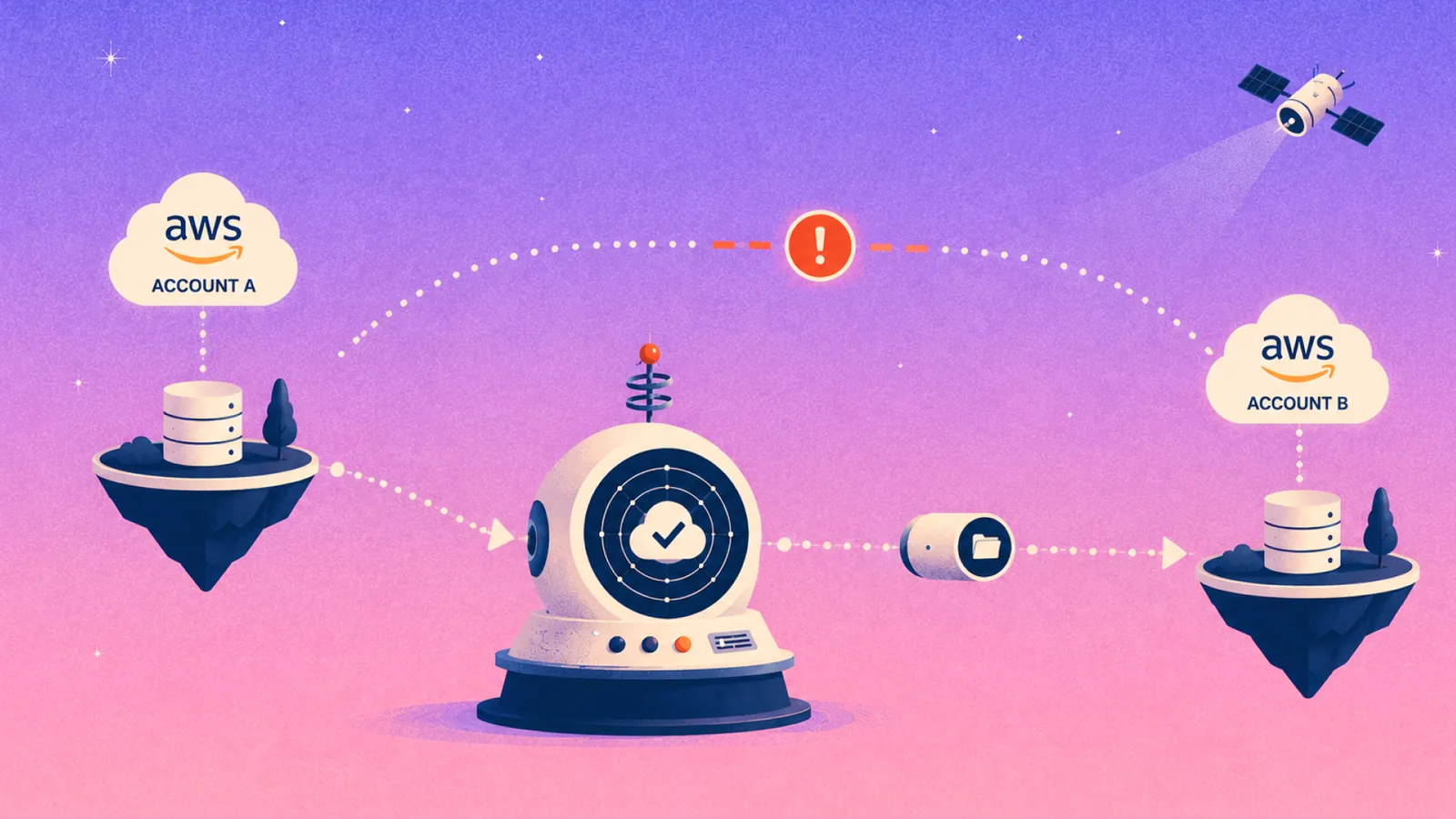
A logically air-gapped copy lives in a separate account and trust boundary, so compromised production credentials have no route to it.
Eon's vault holds backups immutable and logically air-gapped in an account production credentials cannot touch, which keeps the recovery path standing against credential-based wipers. That is the model SoFi runs across five AWS regions, and it cut recovery time from a day to minutes.
5. Verify recovery with tested evidence
The gap between believed and real recovery readiness is the widest in Eon's survey. 98% of executives are confident in their organization's recovery, yet 56% experienced three or more recovery failures in the past year.
Gartner added recovery posture assessment as a new entrant in its Hype Cycle for Backup and Data Protection Technologies, 2026, a category of tooling that measures recovery readiness with evidence.
Whatever tooling you use, verification needs to answer three questions per workload. Does a restore complete, is the restored data intact, and how long does it take against the objective you promised?
Continuous restore verification closes that gap per workload, because an annual drill leaves eleven months of drift between tests.
6. Match the unit of recovery to the unit of damage
Most real incidents damage a table, an object prefix, or a set of records. Native snapshots answer with a whole instance, so you end up rehydrating a full environment just to extract the rows you needed.
A recovery path built for granular restoration returns the specific file, record, or table without rehydrating the environment around it. That is how NETGEAR recovered a 10TB SQL Server database in under three hours, down from 24 hours with its previous tooling.
7. Scan the backups themselves for ransomware and corruption
A backup that completed on schedule can still carry the attack inside it, and restoring an infected copy restarts the incident.
Gartner tracks cyberattack detection in backup as a distinct category on its 2026 Hype Cycle, a sign that detection now belongs inside the protection layer itself.
Managed databases are the hard case, because file-level scanners have no files to inspect on RDS, Aurora, or Cloud SQL.
Detection there has to read the data itself, watching row counts, schema structure, and cardinality patterns for anomalies. Eon's Ransomware Protection runs this analysis and flags the last clean snapshot, so recovery starts from a copy you can trust.
8. Run one protection posture across every cloud and account
Backup fragments along organizational lines. Each cloud gets its own console, each account inherits its own policies, and coverage questions then require checking every console separately. In practice, nobody checks.
A single posture layer replaces that sprawl: one set of policies expressed by data class, applied across AWS, Azure, and Google Cloud, with coverage and drift reported from one place. The test is whether you can produce audit-ready evidence of what was protected on a given date across every account you own, in minutes.
9. Put protected data to work
Backup spend has historically bought insurance and nothing else. That is no longer the ceiling.
Gartner placed backup data intelligence at the Peak of its 2026 Hype Cycle, with adoption already at 20 to 50% of the target audience, and names Eon as a Sample Vendor for the category.
Making protected data usable starts with format. Backups stored in open formats, Parquet and Iceberg, feed analytics engines directly through zero-ETL ingestion into Snowflake, Databricks, BigQuery, and Athena.
Historical data becomes queryable for audits, analytics, and AI work without a restore or a pipeline.
How Eon runs these practices as one system
These best practices only pay off when they run together. Classification without posture management leaves new resources unprotected, and an immutable copy without granular restore means rehydrating a full environment to recover a deleted table.
Eon runs the nine as one platform. CBPM discovers and classifies resources across AWS, Azure, and Google Cloud on creation, then attaches policies by data class. Backups land in a logically air-gapped vault outside production's trust boundary, held immutable through their retention window.
On the recovery side, granular restore returns a single file, record, or table without rehydrating the environment around it, and continuous restore verification produces per-workload evidence with timing against the objective you promised. Ransomware detection reads the data itself for anomalies on managed databases and flags the last clean snapshot.
Beyond recovery, backups stored in open formats feed Snowflake, Databricks, BigQuery, and Athena through zero-ETL access, turning the protection layer into a working data source.
One posture and one vault, with one restore path across every cloud and account.
Final thoughts on cloud data protection best practices
Prevention still belongs in the program. Recovery is where the year's hardest lessons landed, and where these nine practices earn their keep.
Not sure whether your recovery path would hold on the day something goes wrong? Book a demo and see how Eon classifies your cloud resources live, then restore a single record from a logically air-gapped backup so you can time it yourself.
Frequently asked questions
What are the most important cloud data protection best practices?
The most important cloud data protection best practices are continuous classification, an isolated and immutable backup copy, evidence-based recovery verification, and granular restore paths. Encryption and access control belong on the list too, and they only pay off when the recovery side holds.
How often should you test cloud data recovery?
Test cloud data recovery continuously for critical workloads and at least quarterly for everything else. An annual drill leaves months of configuration drift between your last known-good restore and the day you need one.
What does logically air-gapped mean in cloud backup?
Logically air-gapped means the backup copy lives in a separate account and trust boundary that production credentials cannot reach, enforced through account and identity isolation controls. An attacker who compromises production identities has no path to delete or alter the copy.
Are native cloud provider tools enough for data protection?
Native cloud provider tools handle snapshot scheduling within a single provider, and they leave gaps in cross-account visibility and granular restore. They also keep backups inside the same trust boundary as production, which is the path attackers now target first.
How is cloud data protection different from cloud backup?
Cloud backup is one component of cloud data protection. Protection also covers classification, retention policy, control over who reaches the copies, recovery verification, and the ability to use protected data, while backup refers to creating the copies themselves.