
.jpg)


Free Protection Program
To help companies protect critical data as AI accelerates cyber threats, we’re introducing the Eon Free Protection Program: our full data protection platform at no cost for the first three months, for up to 50 TB of data.
The program includes automatic data discovery and classification, air-gapped backups, ransomware and threat detection, and rapid recovery across AWS, Azure, Google Cloud, Microsoft 365, and Google Workspace. Companies can get protected in as little as a day, with support from the Eon team.
Learn more and apply for free protection. Requests are subject to approval.
Related resource: PHP2Shell: Check for compromise.
Product Updates
Eon AI Assistant
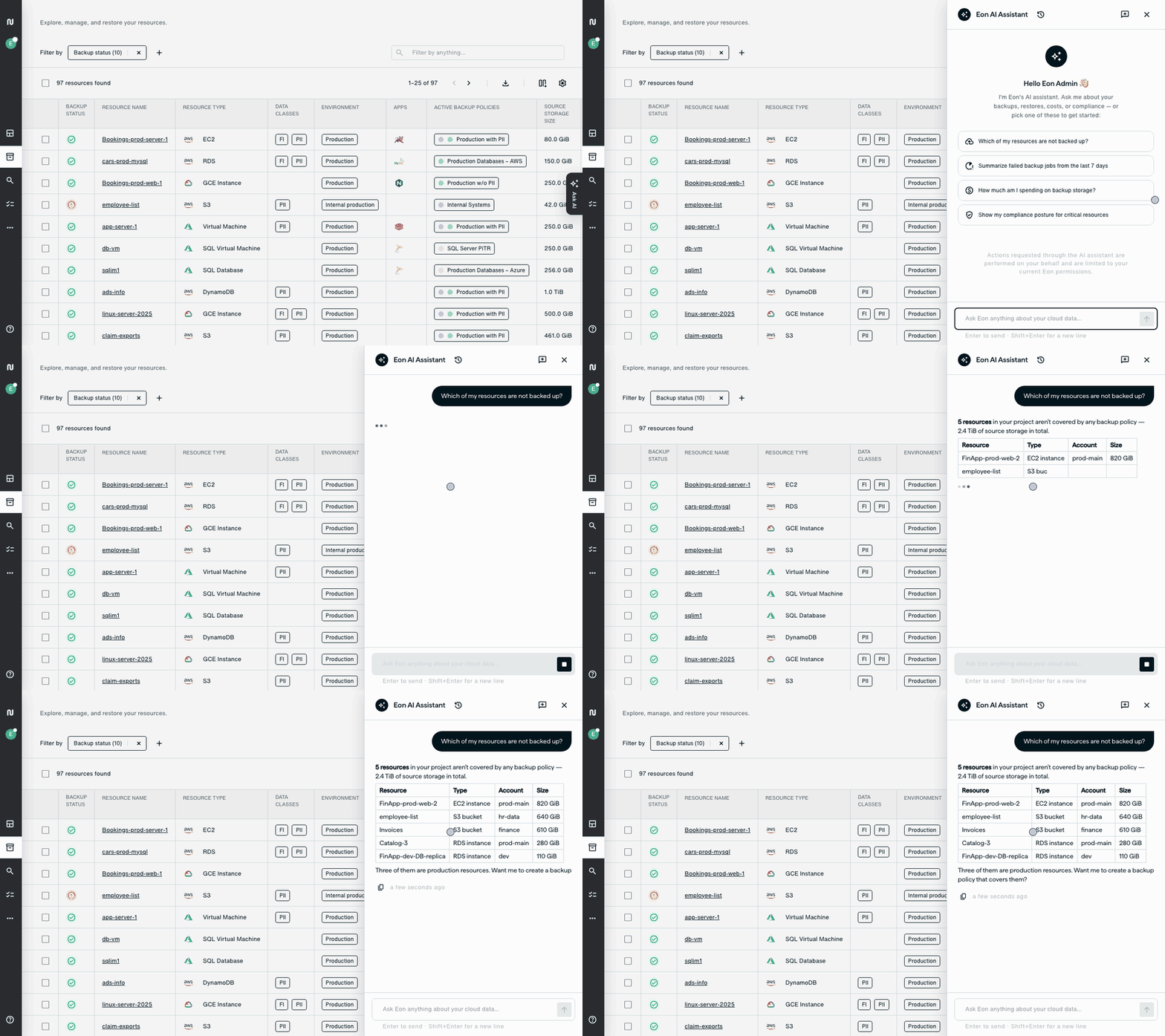
The new Eon AI Assistant lets you ask questions about your environment and take action in plain language. Answers draw on your live inventory, policies, jobs, cost, and compliance data.
Click Ask AI on any console page to get started. With the assistant, you can:
- Take action: Run restores, create snapshots, manage backup policies, and connect source accounts.
- Get product guidance: Ask questions about Eon and receive answers with links to the documentation used as sources.
- Build dashboards: Describe what you want to monitor and create a dashboard from your prompt.
- Investigate and remediate threats: From Threat Center, investigate a finding, review a proposed remediation plan, and restore clean EC2 instances and S3 buckets after approval.
- Add context: Use
@mentions to reference a specific resource, policy, vault, or account.
Answers stream live using familiar console components. Actions stay within your role’s permissions and follow existing approval requirements, including multi-party approval (MPA). Every action is recorded in the audit log under your name and identified as originating from the AI Assistant.
Learn more: https://www.eon.io/blog/eon-ai-assistant-and-dashboards
AI Dashboards
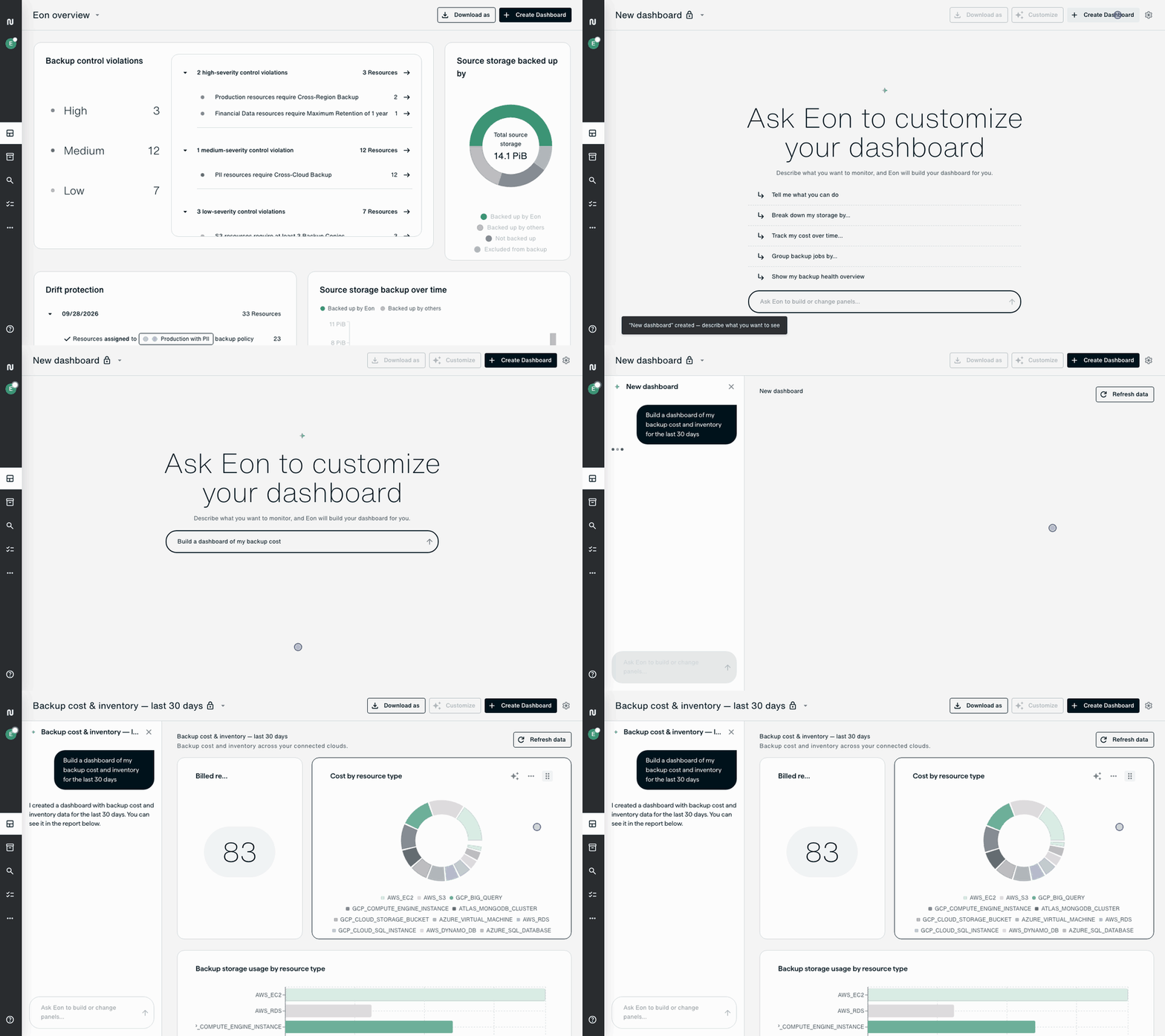
Build custom dashboards in the Eon console by describing what you want to see. A prompt like “Show backup job success rate per account this month” becomes a dashboard powered by live Eon data, without writing queries, exporting data, or maintaining spreadsheets.
Open Dashboards and chat with the assistant to create a dashboard or add panels to an existing one. Visualize your data as charts, stat tiles, or sortable tables, and select Edit with AI to refine a panel. You can resize and rearrange panels, share dashboards with other users, and set your preferred dashboard as your default.
What you can monitor:
- Backup and restore jobs: Failures, durations, and success rates.
- Storage: Snapshot and source storage by resource, resource type, or cloud.
- Costs and usage: Spend over time and by account or resource.
- Inventory: Resource counts by cloud, type, backup status, or policy.
- Backup posture and compliance: Compliance summaries, control violations, and infected resources.
Learn more: https://www.eon.io/blog/eon-ai-assistant-and-dashboards
Microsoft Teams 1:1 Chat Support
Eon now backs up 1:1 chats in Microsoft Teams, extending protection beyond Teams channels and conversations.
For protected users, Eon automatically backs up 1:1 chat messages. You can search and browse those chats in the Eon console and restore chat content when needed.
Microsoft 365 Restore to Another User
When an employee leaves, their data may still be needed. You can now restore a terminated user’s OneDrive and Exchange data to an active user in the same tenant.
Restored content goes into a new <Name> - Eon Restore <time> folder, without overwriting existing content. Restore individual files, folders, or messages, or recover an entire OneDrive, mailbox, or user’s data.
This option is available only when the source user is terminated. Active users continue to use in-place restore.
Google Forms Backup for Google Workspace
Eon now backs up Google Forms in users’ My Drives and shared drives, helping you recover deleted or changed forms and the responses they collected.
Each backup captures the complete form, including questions, sections, quiz and email settings, images, sharing settings, and responses. When you restore, Eon creates a new copy of the form in a folder you choose or alongside the original. The backed-up responses are restored to a Google Sheet beside it.
What’s Next
We’re continuing to expand what Eon can protect, recover, and make usable across cloud environments. Request a demo to see the latest capabilities in action, or follow Eon on LinkedIn to keep up with what’s next.