Cloud financial management decides who owns every dollar on your cloud bill and what each one returns, and here’s how to run it in 2026, down to the backup spend split across your bill lines.
What is cloud financial management?
Cloud financial management (CFM) is the practice of managing cloud spend for cost transparency, control, forecasting, and optimization so costs map to business outcomes. The FinOps Framework supplies the operating model that runs it.
CFM exists because the people who create cloud costs rarely see the invoice, and an engineer can launch a GPU cluster or extend a retention rule in minutes while finance sees the effect weeks later. Managing cloud spend is still a top challenge for 85% of organizations surveyed in 2026.
Cloud financial management vs. cloud cost management vs. FinOps
Cloud financial management, cloud cost management, and FinOps differ by how far they reach. Cloud cost management tracks and reports what you spent. CFM adds budgets, forecasts, governance, and business value to that record.
FinOps is the operating model and cultural practice that runs CFM. Its 2026 definition covers the business value of technology as a whole, which pulls SaaS, AI, and data center spend into the same practice.
In daily use, the terms overlap and describe the same work. We treat CFM as the discipline and FinOps as the method that delivers it.
4 core areas of cloud financial management
Each core area of CFM depends on data from the other three. A forecast built on spend nobody owns is a guess, and an optimization with no guardrail gets undone by the next deployment.
Cost visibility and reporting
Visibility means every dollar on your bill has a service, an account, an owner, and a purpose. On AWS, the detailed feed is Cost and Usage Report 2.0, and AWS Data Exports also delivers FOCUS 1.2 exports.
FOCUS is an open specification that normalizes billing data across cloud, SaaS, AI, and data center vendors. AWS, Microsoft, Google, and data platforms like Snowflake now publish FOCUS datasets, so a multi-cloud report no longer needs a custom mapping for each provider.
Reports also need alerts. AWS Cost Anomaly Detection runs machine learning models against your spend about three times a day and sends alerts by email or Amazon SNS. Microsoft Cost Management sends anomaly alerts when daily usage jumps without warning.
Cost optimization
Optimization is the action side of CFM. You have two levers:
- Rate optimization cuts the price per unit with Savings Plans, Reserved Instances, and committed use discounts.
- Usage optimization cuts the number of units by rightsizing, scheduling, deleting idle resources, and tiering storage.
Those two levers carry more weight now that waste is climbing again: self-estimated wasted cloud spend rose to 29% in 2026, its first increase in five years, as AI workloads surged.
CFM’s job is to pick what to do and check it got done. A commitment purchase needs finance approval, a rightsizing change needs an engineering owner and a date, and both need a check a month later. The specific cloud cost optimization strategies sit under those two levers.
Budgeting and forecasting
Cloud budgets drift because usage drifts. Build forecasts two ways: trend-based forecasts use historical spend, and driver-based forecasts adjust for events like a product launch, a new region, or a new environment.
Budgets are usually set once a year. Forecasts shouldn’t be. Update yours whenever a driver changes, and a new AI feature or a second production region counts as one.
Track forecast variance as a KPI. Write your acceptable threshold down before the quarter starts, so a miss triggers a review.
Governance and oversight
Governance turns your cost decisions into rules that people and systems follow: tagging policies, budget alerts with a named responder, approval thresholds for large commitments, and limits on regions and retention.
Give retention rules their own review. A policy written once for an audit keeps charging you every month until someone rewrites it. And the bill grows with the data.
One Director of Data Infrastructure put the problem this way in a conversation with Eon: “We technically have a retention policy, but we don’t have enforcement for it. So I just have daily backups for the past three or four years sitting in a data lake.”
AWS Well-Architected cloud financial management best practices
The AWS Well-Architected Framework opens its Cost Optimization Pillar with cloud financial management and lists nine best practices under COST01. They’re provider-neutral in substance, so they work as a checklist on Azure and Google Cloud too.
- BP01 Establish ownership: name an accountable person or group
- BP02 Finance and technology partnership: share data and reviews across both functions
- BP03 Budgets and forecasts: use trend and driver forecasts
- BP04 Cost awareness in processes: add cost checks to change and release steps
- BP05 Report and notify: publish regular reports and alerts
- BP06 Monitor proactively: watch spend continuously
- BP07 Track new service releases: review new pricing models and services
- BP08 Cost-aware culture: make costs visible to engineers
- BP09 Quantify business value: report value beyond savings
Use COST01 as an audit. Score each practice as absent, partial, or in place, and the low scores become next quarter’s CFM roadmap.
Start with BP01. Without a named cost optimization owner, advice gets ignored and savings never make the plan.
FinOps phases and framework domains for cloud financial management
The FinOps Framework gives cloud financial management its lifecycle, its capability map, and a maturity model.
Inform, optimize, and operate phases
The FinOps phases run in a loop.
- Inform: Build visibility and allocation, so every cost has an owner and context.
- Optimize: Find rate and usage improvements and decide which ones are worth the effort.
- Operate: Put changes into production, automate them, and measure the effect.
Parts of the business move through the phases at different speeds, so you can be in Operate for compute commitments and still in Inform for AI spend. That’s normal.
Maturity is scored per capability on a Crawl, Walk, Run scale, so a young practice doesn’t automate what it can’t see yet.
2026 FinOps Framework domains and technology scopes
The framework groups its capabilities into four domains:
- Understand Usage & Cost
- Quantify Business Value
- Optimize Usage & Cost
- Manage the FinOps Practice
The March 2026 update added an Executive Strategy Alignment capability and renamed Workload Optimization to Usage Optimization. It also added guidance for five technology categories, which are Public Cloud, SaaS, Data Center, Data Cloud Platforms, and AI.
That scope change follows practice. 98% of FinOps practitioners now manage AI spend, so AI belongs in your CFM forecast and allocation model from the start.
Cloud financial management ownership and accountability
CFM needs one owner for the number and clear owners for the usage behind it. Without both, reports get read and nothing changes.
Centralized, decentralized, and hybrid ownership models
CFM ownership takes one of three shapes:
- Centralized: A FinOps practice, CFM group, Cloud Business Office, or Cloud Center of Excellence sets the rules for the whole company.
- Decentralized: Engineering groups run their own optimizations, guided by shared data.
- Hybrid: A central group owns data, commitments, and policy, and product engineers own the usage calls inside those rules.
Hybrid works in multi-account environments only when engineers can see what their usage costs. Protection spend is where it breaks first, because it spreads across bill lines and nobody owns the line item until someone pulls it together.
Reporting lines are shifting toward technology leadership. 78% of FinOps practices now report to a CTO or CIO, and 8% report to the CFO, per the State of FinOps 2026 Report.
Showback and chargeback
Showback reports costs to each group for awareness. Chargeback posts those costs to official cost centers in finance systems. One informs; the other bills.
Start with showback until owners trust the numbers. Then move to chargeback. Both depend on cloud cost allocation rules that split shared costs in a way each owner accepts.
Unit economics and business value
Unit economics connects spend to output. There are two kinds of metric:
- Resource efficiency metrics track cost per GB or per token
- Business metrics track cost per transaction or the cost to serve one customer.
Say cloud spend rises 20% while transactions double. Cost per transaction falls by 40%, and a finance review that only sees the 20% jump reaches the wrong conclusion.
Report value beyond savings too. Faster delivery and higher customer satisfaction explain spend increases that unit costs alone can’t.
Backup and data protection costs in cloud financial management
FinOps platforms cover the whole cloud bill, and data protection is one slice of it. AWS Backup splits that slice across several lines. For resource types with full AWS Backup management, storage, data transfer, and restore charges appear in the Backup section of your bill. For the rest, storage charges appear under the underlying service.
Data transfer for cross-account and cross-Region copies bills to the source account for fully managed resources and to the destination account for the others.
One protection policy can bill in three places, and you won’t see the total unless you look for it.
Eon’s 2026 Cloud Data Infrastructure Report found that 63% of respondents say storage costs force them to protect less data than they should, and 87% of that group also keep data they don’t need.
Cost cuts can show up later as recovery failures: respondents under cost pressure were more than four times as likely to report three or more unsuccessful recoveries in the past year (54% vs. 12%). We count restore time as a cost next to the price of storing recovery copies.
Pull those lines together during each cloud cost analysis, then handle protection spend in three steps:
- Group protection charges from every bill line into one cost category per account and product.
- Assign retention classes by data type and environment, and review them with the forecast.
- Track cost per protected TB alongside restore time from your recovery tests.
Retention drives this spend. Eon’s Cloud Backup Posture Management classifies resources by data class and environment, then assigns each one a policy that sets how long Eon keeps its recovery copies.
At NETGEAR, Eon’s storage model and autonomous policy management cut backup storage costs by 35% against the legacy provider it replaced. Eon’s Cost Explorer also let the team charge back by instance, application, and team without manual reporting.
Beyond retention, Eon takes one full copy, stores only the changes after that, and applies global deduplication, at up to 50% lower cost.
Cloud financial management metrics and KPIs
CFM needs a short list of KPIs that finance and engineering read the same way. These seven cover the four core areas.
Start with allocation coverage, forecast variance, and one unit cost per product, then add the rest once owners trust those first three numbers and stop arguing about the data.
Cloud financial management tools in 2026
CFM tools fall into four groups, and a multi-cloud program usually needs more than one. Native tools cover one provider in depth. Third-party platforms add cross-cloud context and automation.
Native cloud provider tools
- AWS: Cost Explorer, AWS Budgets, and Cost Anomaly Detection (all in the Billing and Cost Management console) cover reporting and alerts. The AWS FinOps Agent, in preview since June 2026, answers cost questions, investigates anomalies, and runs scheduled FinOps workflows.
- Microsoft Azure: Microsoft Cost Management handles cost analysis, budgets, anomaly and reservation alerts, and exports to external systems.
- Google Cloud: The FinOps hub shows realized savings, active recommendations, potential monthly savings, and a committed use discount optimization rate.
Native tools match the provider’s bill line for line, and each one stops at its own cloud. Third-party AWS cost optimization tools and multi-cloud platforms cover what native consoles leave out.
Multi-cloud cost management platforms
- IBM Cloudability: A CFM platform for unified visibility, cost ownership, forecasting, and commitment planning across cloud and AI spend.
- Flexera One: Cloud cost optimization that tracks usage, allocation, and discounts across public and private cloud, with anomaly detection and budget controls.
- CloudZero: A cost platform built around unit cost metrics, such as cost per customer, per feature, or per transaction, with a strong AI spend focus.
- Vantage: A self-service platform for AWS, Azure, and GCP costs, with anomaly detection, budget alerts, and unit costs.
Commitment and Kubernetes cost tools
- ProsperOps: Manages commitment portfolios across AWS, Azure, and Google Cloud. The vendor says it raises savings and limits lock-in risk.
- IBM Kubecost: Shows Kubernetes costs across clusters, namespaces, and workloads, and reconciles them with the cloud bill.
Backup spend visibility tools
On AWS, AWS Backup copies tags from protected resources to recovery points, so you can filter AWS Backup costs by tag in Cost Explorer once you activate those tags in Billing. DynamoDB backups also need you to turn on advanced backup, and the view stops at AWS.
If you want to estimate the bill before it lands, Eon’s AWS Backup Cost Calculator models annual spend across warm and cold storage, lifecycle transitions, cross-region copies, and restores.
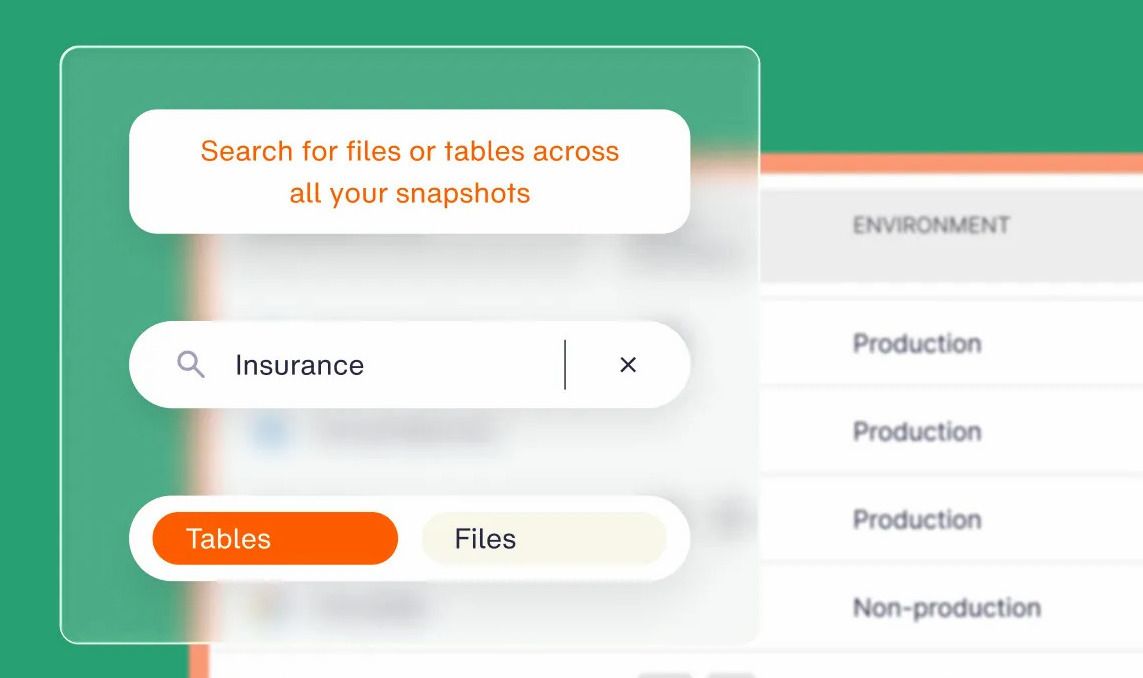
Eon’s Cost Explorer groups spend for the resources Eon protects by source account, resource type, and resource, across AWS, Azure, and Google Cloud. Teams can send an account-level report to each owner and schedule exports through the API, with no manual spreadsheets.
How to build a cloud financial management practice
A CFM practice needs an owner, clean data, and a meeting that produces decisions.
1. Name a CFM owner and an executive sponsor
Write a one-page charter that names the owner, the sponsor, the scope, and the decisions the owner can make alone. Include commitment purchases and budget changes above a set threshold, so nobody debates authority during a spike.
2. Standardize billing data on FOCUS
Turn on FOCUS exports from each provider and land them in one place, so finance can compare AWS, Azure, and Google Cloud charges in one schema and retire the spreadsheet of manual mappings that only one person understands.
3. Set an allocation coverage target
Measure the share of spend with an owner today. Then set next quarter’s target, list the untagged accounts and shared services standing between the two numbers, and give each one an owner and a due date.
4. Replace static budgets with driver-based forecasts
Keep the annual budget for finance and add a monthly forecast on top. Record every driver you adjust for, so a variance review can trace a miss back to its cause.
5. Hold a monthly finance and engineering cost review
Review the top variances, open anomalies, commitment coverage, unit costs, and backup spend in one session. Log at least one decision with an owner and a date, and open the next review with its status. No decision, no meeting.
Where to start with cloud financial management
Cloud financial management starts with ownership and a clean billing feed. It holds up when finance and engineering read the same KPIs. Once allocation and forecasting work, the costs nobody owned start to appear, and backup storage and retention belong on that list from day one.
Can you say today what your backups cost per account, and which retention rules drive that number? Book a demo and see how Eon groups backup spend by account, resource, and cloud, and applies retention by data class across AWS, Azure, and Google Cloud.
Frequently asked questions
What is cloud financial management?
Cloud financial management is the practice of planning, measuring, optimizing, and governing cloud spend so it maps to business outcomes. It brings finance, engineering, and business leaders into one process for budgets, forecasts, and cost accountability.
What are the four pillars of cloud financial management?
The four pillars of cloud financial management are cost visibility and reporting, cost optimization, budgeting and forecasting, and governance and oversight. Each pillar relies on the others, so missing allocation drags down forecasts and governance too.
Is cloud financial management the same as FinOps?
No, cloud financial management and FinOps aren’t identical, though they overlap heavily. CFM is the discipline of managing cloud spend and value. FinOps is the operating model and cultural practice that runs CFM through the Inform, Optimize, and Operate phases.
What is the difference between showback and chargeback?
The main difference between showback and chargeback is formality. Showback reports costs to each group for awareness. Chargeback posts those costs to official cost centers in finance systems.
What are the biggest challenges in cloud financial management?
The biggest challenges in cloud financial management are inconsistent billing formats across providers, shared costs with no clear owner, fast-changing AI spend, and charges split across several bill lines. FOCUS exports, allocation targets, and driver-based forecasts address the first three.
How do backup costs affect cloud financial management?
Backup costs affect cloud financial management because they spread across service, account, and backup lines on the bill. Group them into one category, set retention classes by data type, and track backup cost per protected TB next to restore time.