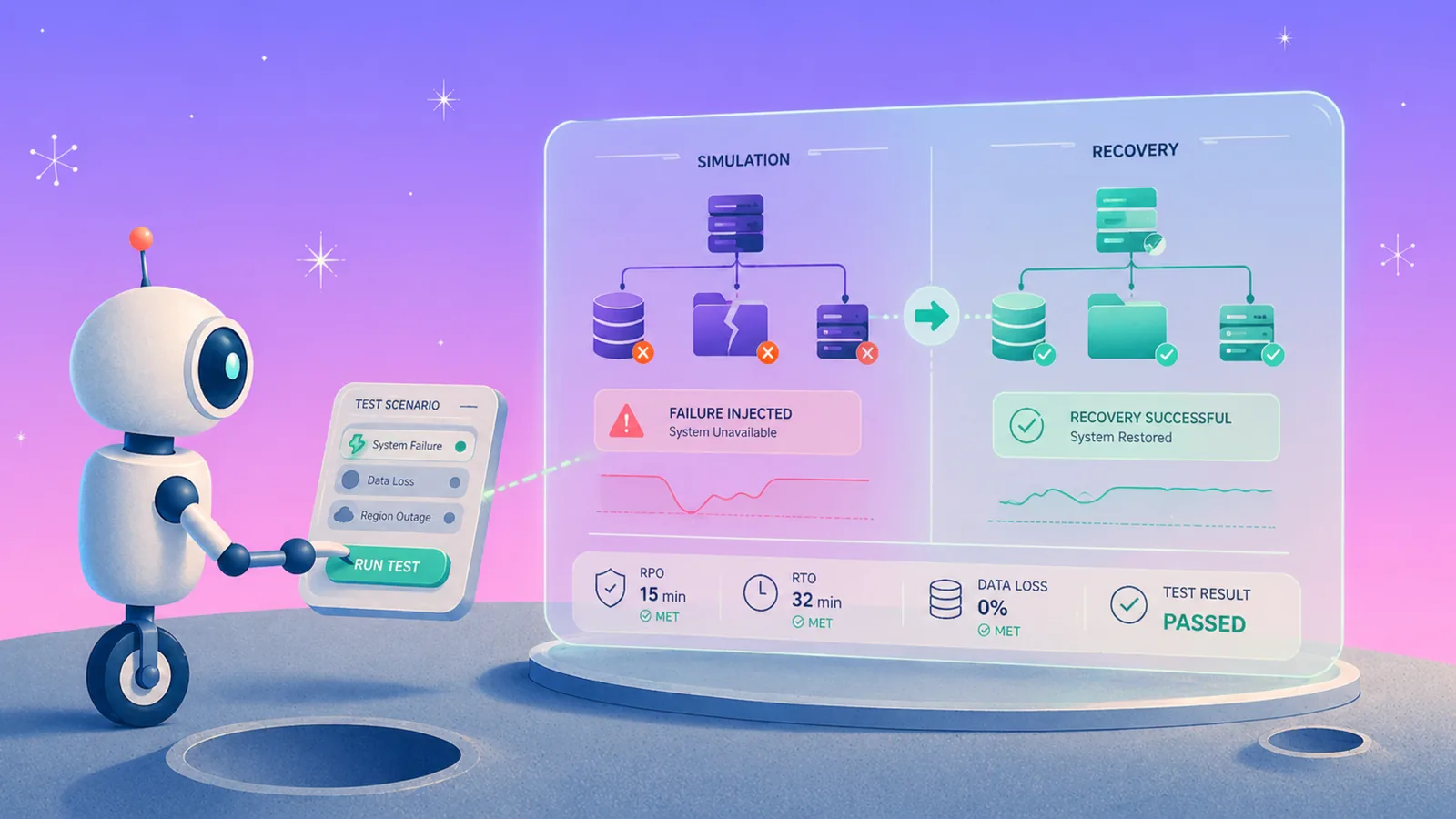
The cost of disaster recovery rarely lands where cloud teams expect. We've seen budgets funded without anyone tracking the factors that actually drive it, from backup storage to the overhead that goes untracked.
What does disaster recovery actually cost?
The cost of disaster recovery is the total financial impact of preparing for, responding to, and recovering from data loss, outages, or security incidents. For cloud-first enterprises, that cost breaks into two categories:
- What you spend before an incident (proactive)
- What you lose during and after one (reactive).
The reactive costs get the most attention because they show up in headlines. IBM's 2025 Cost of a Data Breach report put the average breach involving data spread across multiple environments at $5.05 million.
Downtime adds to that. ITIC's 2024 Hourly Cost of Downtime survey found that more than 90% of mid-size and large enterprises lose over $300,000 for every hour they are down. But funding DR is not the same as controlling it. These numbers explain the budget, but not where the money goes or gets wasted.
That's where the seven factors come in. Each one contributes to the total cost of disaster recovery in cloud environments, and most teams are only tracking two or three of them.
The 7 key factors that drive the cost of disaster recovery
The seven factors are backup storage, recovery speed, coverage gaps, ransomware, operational overhead, multi-cloud complexity, and backup data accessibility. Multi-cloud complexity is unpacked in our guide to multi-cloud DR strategy.
1. Backup storage and replication costs
Storage is the most visible line item in any DR budget. It's also the one that compounds fastest when left unmanaged.
AWS Backup warm storage starts at $0.05/GB-month for most services, but the real cost depends on the workload. DynamoDB backups run $0.10/GB-month. RDS sits at $0.095/GB-month. EBS snapshots alone cost $0.05/GB for warm and $0.0125/GB for cold.
Those per-GB numbers look small until you factor in how backup data multiplies:
- Cross-region replication creates a full copy of every snapshot in the destination region. Three recovery regions means 3x the storage bill. Cross-region transfer fees add another $0.02–$0.04/GB depending on the resource type.
- Aurora manual snapshots are full copies every time (unlike RDS instance backups, which are incremental). A 100GB Aurora database with weekly backups and 60-day retention can generate 160GB of stored snapshots through AWS Backup versus roughly 20GB with incremental-only storage.
- Logically air-gapped (LAG) vaults in AWS add a ~15% storage premium ($0.0575 vs. $0.05/GB-month) and only support same-region storage. Cross-region LAG protection requires another full copy. (See our AWS Backup pricing guide).
At hundreds of TB to multi-PB scale, these multipliers turn backup storage into one of the largest cloud cost drivers. Eon stores actual data in Parquet format rather than block-level snapshots that include OS and instance overhead.
Database maintenance operations like vacuum don't inflate backup size because Eon stores only the data that changed. Eon keeps one deduplicated copy in an isolated vault and can restore into other regions from it, so a 10TB source doesn't turn into a full snapshot copy in every recovery region.
NETGEAR cut backup storage costs by 35% after moving from a legacy backup provider to Eon's cloud-native platform.
2. Recovery speed and downtime
Recovery speed determines how much revenue and productivity you lose per incident. Every hour between failure and full restoration has a direct dollar cost.
At $300,000 per hour of enterprise downtime (ITIC 2024), a 24-hour recovery window costs $7.2 million in lost revenue alone, before accounting for incident response, customer churn, or regulatory exposure. For organizations in the 41% bracket reporting $1M–$5M per hour, that same 24 hours could exceed $120 million in losses.
Recovery speed is a function of how granular your restore can be and how much data you need to move.
Full-environment restores force teams to rebuild entire servers or databases to recover a single file, table, or record. That adds hours of provisioning, data transfer, and validation.
Eon's Granular Restoration lets teams restore individual files, database records, or table-level data without spinning up full environments. SoFi reduced recovery time from a full day to minutes across five AWS regions and reported over 100% ROI in year one. StructuredWeb achieved a 98% restore time reduction.
The cost difference between a 15-minute granular restore and a 24-hour full-environment rebuild is measured in hundreds of thousands of dollars per incident.
3. Backup coverage gaps
Coverage gaps happen when new cloud accounts, regions, or services don't get added to backup policies. These gaps are the most expensive recovery scenarios because they surface only when it's too late to fix them.
In environments with hundreds of accounts and dozens of regions, manual tagging is the standard mechanism for assigning backup policies through tools like AWS Backup. When tags drift, get missed, or don't apply to newly provisioned resources, those assets run unprotected.
The cost surfaces in two ways. First, unprotected data that gets lost or corrupted may be unrecoverable, turning a manageable incident into a permanent data loss event. Second, coverage gaps create compliance exposure.
During a SOC 2, HIPAA, or GDPR audit, the hard part is often proving which resources were covered, what retention applied, who changed policy, and whether recovery was tested. Incomplete evidence extends audit timelines and increases the risk of findings.
We see this pattern across large cloud environments where backup gaps rarely appear as one obvious failure. They show up as a new account without coverage, a database with the wrong retention rule, or a restore path that only works at full-resource level.
Eon's Cloud Backup Posture Management (CBPM) continuously scans, maps, and classifies cloud resources across accounts and regions. It auto-assigns backup policies based on data type (PII, financial data, production data) without manual tagging, and surfaces drift and coverage gaps before they become expensive recovery problems.
4. Ransomware and cyber recovery costs
Sophos’s 2026 State of Ransomware survey put the median ransom payment at $769,000, while the mean cost to recover, excluding the ransom, reached $1.7 million.
Modern ransomware works in stages. Attackers stay dormant for days or weeks, so multiple backup generations hold compromised data before encryption triggers. Recovery then means finding the last clean backup across every affected resource and restoring only the data that was hit.
Tested, offline backups are the difference between recovering and paying. Sophos found organizations used backups to recover in 66% of attacks that encrypted data in its 2026 survey, up from 54% the year before.
Eon ties ransomware recovery readiness to three capabilities:
- Immutable, logically air-gapped backups that can't be encrypted or deleted by attackers.
- Anomaly detection that identifies the last clean snapshot.
- Granular recovery that restores only affected data without broad rollback.
That combination reduces both the cost and the duration of ransomware recovery.
5. Operational and engineering overhead
Engineering time is the most underbudgeted cost in disaster recovery. Most DR budgets account for tooling and storage but ignore the hours spent keeping backup infrastructure running.
The operational costs include:
- Manual policy management. Assigning backup policies through tagging, updating retention rules when compliance requirements change, and auditing coverage across accounts and regions.
- Restore testing. Testing restore paths to confirm backups actually work. Many teams skip this because testing requires provisioning full environments, which costs compute, time, and coordination.
- Compliance evidence gathering. Producing audit-ready reports for SOC 2, HIPAA, or GDPR reviews. This work often falls on engineering teams who have other priorities.
- Troubleshooting failed jobs. Investigating backup failures, missed schedules, and storage quota issues across multiple cloud accounts. Consolidating that work across providers is covered in multi cloud recovery.
Eon automates these tasks with a cloud-native deployment with no agents, automated policy enforcement, and built-in compliance reporting.
6. Multi-cloud complexity
Every additional cloud provider multiplies the operational cost of disaster recovery. That multiplication happens across tooling, policies, recovery procedures, and audit evidence. That multiplication is the reason an enterprise disaster recovery plan is costed per environment rather than per workload.
Native backup tools from AWS, Azure, and Google Cloud each work differently. Policy syntax, supported resources, storage tiers, and restore mechanics vary by provider.
A team that backs up RDS on AWS and Cloud SQL on GCP needs two different policy configurations, two different recovery playbooks, and two different dashboards to monitor coverage.
The cost compounds in three areas:
- Licensing and tooling. Separate backup tools per provider means separate licensing costs, vendor relationships, and support contracts. Vendors usually quote backup and disaster recovery pricing as a single line, which hides which half is driving the number. Buying it as a managed service does not remove that either: disaster recovery as a service cost moves the same compute, storage and testing into a subscription rather than a capital line.
- Operational time. Engineers need to maintain expertise across multiple platforms. Policy changes require updates in each provider's tools. Restore testing needs separate procedures per cloud.
- Audit complexity. Producing a unified view of backup coverage across AWS, Azure, and GCP requires manual aggregation from provider-specific consoles. During compliance reviews, this slows evidence production and increases the risk of gaps.
Multi-cloud does spread risk across providers, so a single vendor's outage is less likely to take everything down. Those resilience gains can be offset by the overhead of managing backup across each provider separately.
Eon runs across AWS, Azure, and Google Cloud from a single platform with one policy engine and one dashboard. All searches are multi-region and multi-account. Granular restores work cross-region from a single copy. That eliminates the tooling multiplication that drives multi-cloud DR costs.
7. Backup data accessibility
Backup data usually gets treated as a cost center: storage that sits unused until a disaster forces a restore. The hidden cost is access.
Backup data locked in proprietary snapshot formats can't be read without a full restore, so pulling a single record for a compliance review means rebuilding the entire database. Each restore costs compute, egress, and engineering time.
AWS Backup stores data in proprietary snapshot formats. Item-level recovery is available for some services but with significant constraints: a maximum of 5 items per restore job, async search with per-search charges, and no support for querying RDS or databases on EC2.
Eon supports zero-ETL ingestion of backup data into Snowflake, Databricks, BigQuery, or Athena via open Parquet, Iceberg, and Delta Lake, with no restore and no egress fees.
Teams can also search across backed-up databases and file systems through Global Search and explore data directly through Database Explorer. Backup storage becomes a usable asset for compliance reviews and analytics, not just a sunk cost.
What does disaster recovery as a service (DRaaS) cost?
DRaaS pricing is usually per protected server or per terabyte, billed monthly, with the recovery environment only charged when you fail over or run a test. The two native options give a floor. Azure Site Recovery is $25 per protected instance per month for recovery into Azure (around $16 for recovery to your own site), after a free first 31 days. AWS Elastic Disaster Recovery bills $0.028 per source server per hour, roughly $20 per server per month, and that includes replication, drills and point-in-time recovery. Neither figure includes the storage for replicated data, the compute during a failover or drill, or egress if you recover into another region.
Managed DRaaS providers price higher because the service includes runbooks, testing and support, and the quote scales with the recovery time you commit to. The cheapest plan rarely wins: the number that matters is what a 4-hour outage costs you against what a 15-minute recovery costs per month.
How costs compare across DR approaches
Native cloud backup tools and Eon diverge most sharply on storage efficiency, recovery granularity, and operational overhead.
| Cost factor | Native cloud tools (AWS Backup, GCP, Azure) | Eon |
|---|---|---|
| Storage efficiency | Full snapshots; cross-region duplication; per-service pricing | Incremental Parquet storage; one deduplicated copy per vault with cross-region restore; 30–50% lower cost |
| Recovery speed | Full instance/volume restore; no record-level recovery | File, table, or record-level restore; no full-environment rehydration |
| Coverage management | Manual tagging; no drift detection at scale | CBPM auto-discovers and classifies; flags drift and gaps; no tagging |
| Ransomware resilience | Logically air-gapped vaults at premium; malware detection as add-on | Built-in immutable, logically air-gapped backups; anomaly detection; granular recovery |
| Operational overhead | Separate tools per provider; manual compliance evidence; full-environment restore testing | One platform for AWS/Azure/GCP; automated compliance reporting; no agents, appliances, or clusters |
| Data accessibility | Proprietary snapshot format; full restore to access data | Zero-ETL access via open Parquet, Iceberg, Delta Lake; no restore or egress fees |
Bringing down the cost of disaster recovery
The seven factors compound, but the cost is controllable.
Eon brings it down on every front: one deduplicated copy with cross-region restore replaces multiplied snapshots, granular restore replaces full-environment rebuilds, and automated posture management closes the coverage gaps that turn incidents into permanent loss, all from a single platform across AWS, Azure, and Google Cloud.
Want to see how these factors map to your own cloud environment? Book a demo and see how Eon cuts your backup and recovery costs across your actual workloads.
Frequently asked questions
How much does disaster recovery cost per year?
Disaster recovery costs per year depend on the volume of data protected, the number of cloud environments covered, and the recovery speed required.
For enterprise cloud environments at hundreds of TB to multi-PB scale, annual DR costs typically include backup storage ($0.05–$0.10/GB-month depending on workload and provider), cross-region replication fees, operational time for policy management and restore testing, and the potential cost of downtime events ($300,000+ per hour for most enterprises).
What is the biggest cost factor in cloud disaster recovery?
The biggest cost factor in cloud disaster recovery is usually downtime during a recovery event. While storage and tooling are the most visible ongoing costs, a single incident with extended recovery time can cost more than years of storage spending. ITIC's 2024 survey found that 41% of enterprises lose between $1 million and $5 million per hour of downtime. Designing the plan so that incident is short is the subject of our guide to cloud disaster recovery.
How does backup storage pricing affect total DR costs?
Backup storage pricing affects total DR costs through compounding effects. Cross-region replication, full-snapshot backups (especially for services like Aurora), and logically air-gapped vault premiums multiply the base per-GB rate.
At enterprise scale (hundreds of TB+), the difference between full-snapshot and incremental-only storage can mean hundreds of thousands of dollars per year.
Can you reduce disaster recovery costs without increasing risk?
Yes. Organizations reduce disaster recovery costs without increasing risk by improving storage efficiency (incremental-only backups, deduplication, compression), enabling granular recovery (which shortens outage windows and reduces compute costs), and automating backup posture management (which closes coverage gaps before they become expensive recovery events).
How much does cloud downtime cost per hour?
Cloud downtime costs per hour range from $300,000 for mid-size enterprises to $1 million–$5 million for large enterprises, according to ITIC's 2024 research. Splunk and Oxford Economics put the average cost of downtime at $15,000 per minute ($900,000 per hour) in 2026, with aggregate losses across the Global 2000 reaching $600 billion a year.
What is the average cost of recovering from a ransomware attack?
The average cost of recovering from a ransomware attack was $1.7 million (excluding any ransom payment), according to Sophos's 2026 State of Ransomware report. The median ransom payment itself was $769,000. Tested, offline backups remain the most reliable path to recovery without paying.