The best S3 backup tools in 2026 are Eon, AWS Backup for Amazon S3, Clumio by Commvault, Druva, Rubrik, HYCU, N2W, Veeam, Bacula Enterprise, and MSP360.
Eon is the strongest choice for enterprises protecting S3 across many AWS accounts and Regions that need object-level restores from any point in time without turning on S3 Versioning, while AWS Backup for S3 is the native baseline every other tool gets measured against.
S3 is designed for eleven nines of durability, and AWS's own FAQ is blunt about what that buys you: "Amazon S3's durability system does not protect against accidental or malicious deletes."
A lifecycle rule with the wrong prefix, an AI coding agent running a cleanup script with valid credentials, or a ransomware job that overwrites objects in place all count as legitimate requests, and S3 carries them out faithfully.
This list covers S3 backup software that protects the data already sitting in your buckets. If you’re looking for apps that back up servers or laptops to S3, or for cheaper storage to replace S3, the next section shows where those searches lead.
We read each vendor's own S3 documentation and pricing page in October 2026, and AWS's documentation for every native limit, so you can see where each tool keeps your copy and how much of a bucket it can bring back before the day you need it.
10 best S3 backup tools: TL;DR
- Eon: Best for object-level S3 restores across many AWS accounts, with no versioning dependency.
- AWS Backup for Amazon S3: Best native baseline for every bucket you'd miss.
- Clumio by Commvault: Best for 15-minute S3 recovery points inside an AWS-only stack.
- Druva: Best for keeping S3 backups outside your AWS organization in a managed SaaS.
- Rubrik: Best for Rubrik customers adding S3 to an existing security platform.
- HYCU R-Cloud: Best for teams protecting S3 next to a long list of SaaS apps.
- N2W: Best for scheduling AWS Backup S3 snapshots from a flat-priced console.
- Veeam: Best for Veeam shops that want S3 buckets in the same backup server as the data center.
- Bacula Enterprise: Best for writing S3 objects to tape or on-prem storage.
- MSP360: Best for copying a few buckets to another cloud from a Windows machine.
Backing up S3 data vs backing up to S3 vs replacing S3
S3 backup tools can mean three different things, and only one of them protects the data already in your buckets.
- Backing up S3 data: The bucket is the source. A tool reads your objects, keeps restore points somewhere the source account can't destroy, and brings back a bucket, a prefix, or one object. That's this list.
- Backing up to S3: The bucket is the destination. Desktop and server backup apps such as Duplicati or Arq use S3 as cheap storage for laptops and file servers, which is a different job.
- Replacing S3 as backup storage: Backblaze B2, Wasabi, and Cloudflare R2 offer S3-compatible object storage at different prices. They're storage targets, so they don't protect what's already in S3.
The rest of this roundup sticks to the first group. If you want the step-by-step version of protecting a bucket with native tools, our guide to S3 backup in 8 steps walks through it.
What native S3 protection covers
AWS gives you four native layers for protecting S3, and each one guards against a different failure. Of the four, only AWS Backup adds restore points you can rewind to, and it works one account and one plan at a time.
S3 Versioning
Versioning keeps every version of an object, so an overwrite or a delete leaves the previous version recoverable. Every version is billed as a full object, and versions live in the same bucket and account as the originals. We cover where versioning falls short and why S3 Versioning isn't a backup solution.
S3 Replication
Replication copies new and updated objects to another bucket, in the same or a different Region or account. A malicious overwrite lands in the destination as the newest version, and there's no restore point to roll the bucket back to.
S3 Object Lock
Object Lock stores object versions as write-once-read-many. In compliance mode, a locked version can't be overwritten or deleted by any user, including the root user.
Object Lock needs versioning, and it doesn't stop new versions or delete markers from landing on top. Our guide to AWS immutable backups covers how to combine it with vault-level locks.
AWS Backup for Amazon S3
AWS Backup for S3 adds the restore points. Continuous backups give point-in-time restore over the last 35 days, periodic snapshots can be kept for up to 99 years, and backups can be copied to other accounts and Regions or stored in a logically air-gapped vault.
Where native S3 protection stops
- Versioning is mandatory: AWS Backup for S3 only works on buckets with S3 Versioning turned on, which means paying for noncurrent versions in the source bucket too.
- A silent dependency on EventBridge: Continuous backups rely on S3 events through EventBridge. If those notifications are turned off, AWS says the failure is silent, with "no notification, alert, or backup job failure."
- Small item-level restores: You can restore specific objects, up to five items (objects or folders) per restore job. Anything wider means more jobs or a full-bucket restore.
- Copies lose point-in-time history: Cross-account and cross-Region copies of continuous backups don't keep point-in-time restore.
- What AWS Backup leaves out: S3 Glacier Flexible Retrieval and Deep Archive objects, SSE-C encrypted objects, and bucket policies and settings aren't backed up, and restores don't bring back original creation dates or version IDs.
- Coverage depends on backup plans keeping up with new buckets: In Eon's Cloud Backup Coverage Census of 53,709 production resources across 78 companies, 61.2% had no backup policy, recovery point, or native snapshot the assessment could see.
AWS Backup is still the right starting point for most teams, and it keeps improving. Since August 2026, you can read S3 backup data through standard S3 APIs without starting a restore, which takes a lot of friction out of checking what a backup holds.
How we evaluated these AWS S3 backup tools
Every verdict below comes from the vendor's own S3 documentation, product page, and pricing page, read in October 2026, with AWS's documentation as the source for native limits. We ranked the tools on six criteria:
- S3 as the source: The tool has to back up objects that live in S3, with restore points. Tools that only use S3 as a destination didn't qualify.
- Point-in-time restore: How close to the incident you can rewind, and whether that depends on S3 Versioning.
- Restore scope: A whole bucket only, or prefixes, single objects, and specific versions.
- Where the copy lives: In the source account, in a vendor-run vault, or in a separate account you control, and what protects it from deletion.
- Cross-account and cross-Region recovery: Whether a copy survives the loss of the source account and whether you can restore into another one.
- Pricing model: Per GB, per object, per instance, or quote only, plus any restore and retrieval fees.
A few tools didn't make the cut. Cohesity's S3 protection documentation sits behind a customer login, so we couldn't verify its restore options, and plain sync tools copy objects between buckets without keeping restore points.
Veeam made the list through Veeam Backup & Replication, since Veeam Backup for AWS protects S3 only as a backup target.
If you're comparing tools for your whole AWS estate, our roundup of the best AWS backup solutions covers EC2, RDS, DynamoDB, and more.
S3 backup tools: Quick comparison
Here's how the ten tools compare on the six criteria above.
The 10 best S3 backup tools
1. Eon: Best for object-level S3 restores across many AWS accounts
What it does: Eon is a cloud data protection and recovery platform that finds your S3 buckets on its own, backs them up incrementally into an immutable, logically air-gapped vault, and restores a whole bucket, a prefix, or a single object.
Best for: Enterprises running S3 across many AWS accounts and Regions who need object-level restores from any point in time, including on buckets that never had versioning turned on.
Eon connects through a read-only role, with no agents, appliances, or clusters to run. Cloud Backup Posture Management (CBPM), the category Eon created, continuously discovers new resources as environments change and auto-applies policy, so a new team's bucket gets covered without anyone tagging it.
The first backup captures the bucket, and after that Eon stores only new and changed objects, so backup windows don't stretch as the object count climbs into billions. Its object storage backup never depends on source-bucket versioning, so it protects buckets where versioning was never turned on.
Global Search runs across every snapshot with no index to configure and no per-item search charge, so you find the object first, and the restore comes straight from backup storage with no rehydration step.
Backups land in a vault kept apart from the source account, and production credentials don't open it. Ransomware detection (add-on) scans each backup as it lands for mass overwrites, version flooding, and staged encryption, then flags the last clean recovery point.
The model holds at enterprise scale. PDI Technologies, which builds software for convenience retailers and fuel wholesalers, protects nearly 600 AWS accounts on Eon, with more than 350 single-tenant vaults governed to one standard and 99.95% backup success.
Key features
- Object-level restore: Bring back a bucket, a prefix, or one object from any point in time, without S3 Versioning.
- Global Search: Search every snapshot by object, with nothing to index first.
- Queryable backups: Backups land in Apache Iceberg and Parquet, readable from Athena, BigQuery, or Microsoft Fabric without a restore.
- Isolated vault: Immutable, logically air-gapped storage outside the source account, with ransomware detection (add-on).
Pros and cons
Pros:
- ✅ One backup copy restores into any Region, so cross-Region protection doesn't mean storing a full replica bucket.
- ✅ No retrieval, restore, or egress fees, so a large restore doesn't come with a surprise line on the bill.
- ✅ The same policies cover Azure Blob Storage and Google Cloud Storage alongside S3.
Cons:
- ❌ Eon's on-prem support is limited, so an estate that's still mostly on-prem needs a separate tool for the data center.
- ❌ It's built for enterprise cloud estates, so a handful of buckets in one account is usually well served by AWS Backup alone.
Pricing
Usage-based, billed per GB per month on the storage you protect, with no tier ladder and flexible spending commitments. Global deduplication and incremental backups bring S3 backup to up to 50% lower storage costs than AWS Backup or manual scripts, and ransomware detection is priced as an add-on.
Bottom line
Eon fits the estate where nobody can say for certain which buckets are protected, and the next restore request is a handful of objects under one prefix. Coverage, isolation, and object-level recovery all come from one platform, with one policy model across every account.
2. AWS Backup for Amazon S3: Best native baseline for every bucket you'd miss
What it does: AWS Backup backs up S3 buckets with continuous backups for point-in-time restore over the last 35 days and periodic snapshots kept for up to 99 years, managed with the same plans as the rest of your AWS estate.
Best for: Every AWS team as the first layer of S3 protection, and on its own for a modest number of versioned buckets in one AWS organization.
Continuous backups let you restore to within the most recent 15 minutes of activity, and the first backup is full, with incremental backups after that. Periodic snapshots can run hourly, every 12 hours, daily, weekly, or monthly.
Restores can bring back all objects or specific ones, into an existing or a new bucket, and AWS Backup doesn't perform destructive restores.
Since December 2024, a backup index lets you search S3 backups and recover individual items, at extra indexing and search charges. Recovery points in a logically air-gapped vault don't support indexes yet.
Isolation is strong when you set it up. Backup Vault Lock in compliance mode makes recovery points undeletable once its grace time ends, and logically air-gapped vaults ship with it on. Since May 2026, Amazon GuardDuty can scan S3 continuous backups for malware.
The first backup scales with size: a 6 PB bucket with 5 billion objects takes about 100 hours.
Key features
- Continuous and periodic backups: 35-day point-in-time restore plus snapshots kept up to 99 years.
- Cross-account and cross-Region copies: Copies to other accounts and Regions in your organization.
- Logically air-gapped vaults: Vault Lock compliance mode built in, with direct backup into the vault.
- Direct access: Read S3 backup data through standard S3 APIs without a restore.
Pros and cons
Pros:
- ✅ Nothing extra to buy or deploy, and it shares backup plans with EC2, RDS, and DynamoDB.
- ✅ An opt-in low-cost warm tier cuts long-term S3 backup storage by up to 30% after 60 days, with a one-time per-object transition fee.
- ✅ Restores are non-destructive, so a recovery never overwrites objects you meant to keep (restore to a new bucket to replace overwritten ones).
Cons:
- ❌ Every protected bucket needs S3 Versioning, and a disabled EventBridge notification breaks point-in-time tracking with no alert.
- ❌ Item-level restores stop at five items per job, and copies of continuous backups lose point-in-time restore.
Pricing
As of October 2026 in US East (N. Virginia), AWS Backup charges $0.05 per GB-month for warm S3 backup storage, $0.035 in the low-cost warm tier, and $0.0575 in a logically air-gapped vault, with restores at $0.02 per GB.
You also pay for S3 GET and LIST requests and EventBridge events, and objects under 128 KB are billed as 128 KB.
Bottom line
Turn on AWS Backup for every bucket you’d miss before you shop for anything else. Our Eon vs AWS Backup comparison covers where teams add to it, which usually starts at the account count, the versioning bill, or a restore request bigger than five items.
3. Clumio by Commvault: Best for 15-minute S3 recovery points inside an AWS-only stack
What it does: Clumio, part of Commvault, protects S3 with two backup types: SecureVault, a logically air-gapped copy stored outside your production account, and Backtrack, an in-account rollback built on S3 Versioning.
Best for: AWS-only teams that want a managed service with tight recovery points on very large buckets and are comfortable with per-object and restore pricing.
SecureVault starts with a seed backup and runs incrementally after that. With continuous backup on, Clumio checks for changes every 15 minutes and syncs once 32 objects change or an hour passes, and it lists a 15-minute RPO. Commvault reports testing up to 80 billion objects and 40 PB per bucket.
Restores work at bucket, prefix, or object level, with the latest version or all versions, into the same bucket, another bucket, or a bucket in a different account and Region. Instant Access lets you read any point-in-time backup through S3 APIs without a full restore.
Backtrack is the faster path for rolling a bucket back, and it keeps your data inside your AWS account. That also means it shares the source account's blast radius, so Clumio's logically air-gapped protection comes from SecureVault.
Key features
- SecureVault: Logically air-gapped, incremental backups stored outside the production account, with Standard and Archive tiers.
- Continuous backup: 15-minute RPO and point-in-time restore.
- Backtrack: In-account version rollback and delete-marker undo.
- Instant Access: Read backup data through S3 APIs without restoring.
Pros and cons
Pros:
- ✅ Published per-GiB and per-object rates make an S3 budget easy to model before a trial.
- ✅ Restores can set the destination storage class, prefix, and tags.
- ✅ Cross-account backups and restores are part of the standard SecureVault tier.
Cons:
- ❌ S3 Glacier and Glacier Deep Archive objects aren't supported, and Intelligent-Tiering objects in archive tiers fail to back up.
- ❌ Restores bill per GiB restored, per GiB retrieved, and per 1,000 API requests, plus data transfer out, so a restore-heavy month moves the bill.
Pricing
As of October 2026, Clumio charges $0.025 per GiB-month plus $1.50 per million managed objects for SecureVault Standard, and $0.010 per GiB-month plus the same object fee for SecureVault Archive.
Standard restores cost $0.04 per GiB, retrievals $0.09 per GiB, and Archive restores start after 24 to 48 hours.
Bottom line
Clumio fits when the requirement is a tight RPO on very large buckets inside AWS. Eon pulls ahead on fee structure and on estates that reach past AWS, which our Eon vs Clumio comparison breaks down line by line.
4. Druva: Best for keeping S3 backups outside your AWS organization in a managed SaaS
What it does: Druva backs up S3 buckets from a fully managed SaaS, storing the copies in Druva Cloud outside your AWS organization and restoring objects, buckets, or metadata.
Best for: Teams that want S3 backups held by a third party with no infrastructure to run, and that keep most data in S3 Standard or Intelligent-Tiering.
Setup is a CloudFormation template for access roles, and Druva needs no proxies, agents, or infrastructure on your side.
You discover buckets, group them into backup sets, and apply a policy that sets the schedule and retention. Backups take snapshots of the buckets and store them in the Region your policy names.
Restores go to the original bucket or a different one, from the latest recovery point or a specific one for a single file or folder. Filters for size, type, or time pull back specific objects, and restores can target a different AWS account or Region.
The design choice to weigh is location. Druva keeps backups in its own cloud, outside your AWS identity boundary, which is the isolation it sells. The trade-off is that you work with the copy through Druva's console and restore workflow, outside your AWS accounts and native tooling.
Key features
- Managed SaaS: No proxies, agents, or infrastructure to deploy.
- Policy-based backup sets: Schedule and retention per group of buckets, plus on-demand backups.
- Filtered restores: Objects, buckets, or metadata, filtered by size, type, or time.
- Isolated copies: Immutable backups stored outside your AWS organization.
Pros and cons
Pros:
- ✅ No egress fees on the S3 backup product, per Druva.
- ✅ Cross-account and cross-Region object restores make account-loss recovery straightforward.
- ✅ Druva's enterprise plans count storage after deduplication, so the bill tracks unique data.
Cons:
- ❌ Only S3 Standard and S3 Intelligent-Tiering are supported, so Standard-IA and Glacier data needs another path.
- ❌ Objects encrypted with customer-provided keys (SSE-C) aren't backed up.
Pricing
Druva's enterprise data plans price per TB per month after deduplication, across Business, Enterprise, and Elite tiers. Its pricing page doesn't name S3 specifically or publish dollar figures. Expect a quote.
Bottom line
Druva makes sense when the priority is handing S3 backup to a vendor and keeping the copy outside AWS entirely. Check your storage class mix first, since anything outside Standard and Intelligent-Tiering falls out of scope.
5. Rubrik: Best for Rubrik customers adding S3 to an existing security platform
What it does: Rubrik Security Cloud protects S3 buckets with incremental-forever backups stored in an S3 location you choose, and restores whole buckets or individual objects into any account or Region.
Best for: Organizations already running Rubrik for an on-prem-heavy estate that want S3 under the same SLA policies and console.
Rubrik made S3 protection generally available in November 2023. Onboarding deploys a CloudFormation stack and a cross-account role, and protection is assigned through SLA Domains at the account, bucket, or tag level. The first backup is full, and every backup after that is incremental.
Backup, restore, and indexing run on Exocompute, short-lived compute instances that power down when idle. Exocompute runs in your own AWS account, with Rubrik operating it.
Object-level restores start with a search by name at the snapshot level, then restore in place or export to a different bucket. Both entire buckets and individual objects restore to any Region within any account, wherever the backups live.
Key features
- SLA Domains: Protection assigned by account, bucket, or tag.
- Object search and restore: Find objects by name per snapshot, then restore in place or to another bucket.
- Flexible backup location: Backups in S3 Standard, Standard-IA, or Glacier, in the account and Region you pick.
- Object Lock support: Rubrik can store backups with S3 Object Lock.
Pros and cons
Pros:
- ✅ Exocompute powers down when idle, so backup compute doesn't run around the clock.
- ✅ Bucket and object restores reach any account and Region.
- ✅ Teams already on Rubrik keep one policy model for data center and S3.
Cons:
- ❌ Rubrik's launch announcement lists S3 Standard and S3 Standard-IA buckets as protectable, so archived classes need checking.
- ❌ S3 pricing isn't public, so sizing waits on a sales conversation.
Pricing
Rubrik doesn't publish S3 protection pricing. You'll also pay AWS for the storage holding the backups and for the Exocompute instances running in your account.
Bottom line
Rubrik is the right fit when an on-prem Rubrik deployment anchors the estate and S3 is one more workload to bring under it. A cloud-first team starting fresh rarely picks a legacy platform retrofitted to the cloud for S3 alone.
6. HYCU R-Cloud: Best for teams protecting S3 next to a long list of SaaS apps
What it does: HYCU R-Cloud protects Amazon S3 with bucket-level and object-level backups, keeping the backup copies under your own AWS account.
Best for: Teams that want S3 backup in the same platform as dozens of SaaS and cloud services, with copies stored in their own account.
R-Cloud backs up S3 at the bucket and object level, with cross-region replication and versioning management, plus round-the-clock logging and notifications on every backup and recovery.
Restores bring files back to the original bucket or a new one, and copies can be logically separated in S3 or another public cloud, paired with Object Lock for immutability. Point-in-time backup sets span buckets, with prefix-matched restores to any bucket, account, or Region you control.
Much of the published S3 detail covers the HYCU and Dell offering, so confirm the same options on plain R-Cloud in a trial.
Key features
- Bucket and object backups: Two backup strategies per bucket.
- Versioning support: Works with versioned buckets and cross-region replication setups.
- Object Lock pairing: Immutable backup copies when combined with S3 Object Lock.
- Activity logging: Notifications on every backup and recovery event.
Pros and cons
Pros:
- ✅ One platform for S3 alongside a long list of SaaS and cloud workloads.
- ✅ Backup copies stay in storage you own, in S3 or another public cloud.
- ✅ You can buy directly or through AWS Marketplace.
Cons:
- ❌ Most of the S3 detail lives in a datasheet for the HYCU and Dell offering, so check what applies to plain R-Cloud.
- ❌ No public price for object storage protection.
Pricing
HYCU prices object storage protection (S3, Azure Blob, GCS, and others) by quote.
Bottom line
HYCU is a reasonable fit when S3 is one line in a long list of services you want under one roof. Ask for a restore demo against your own bucket before you commit, since most of the published S3 detail describes the HYCU and Dell offering.
7. N2W: Best for scheduling AWS Backup S3 snapshots from a flat-priced console
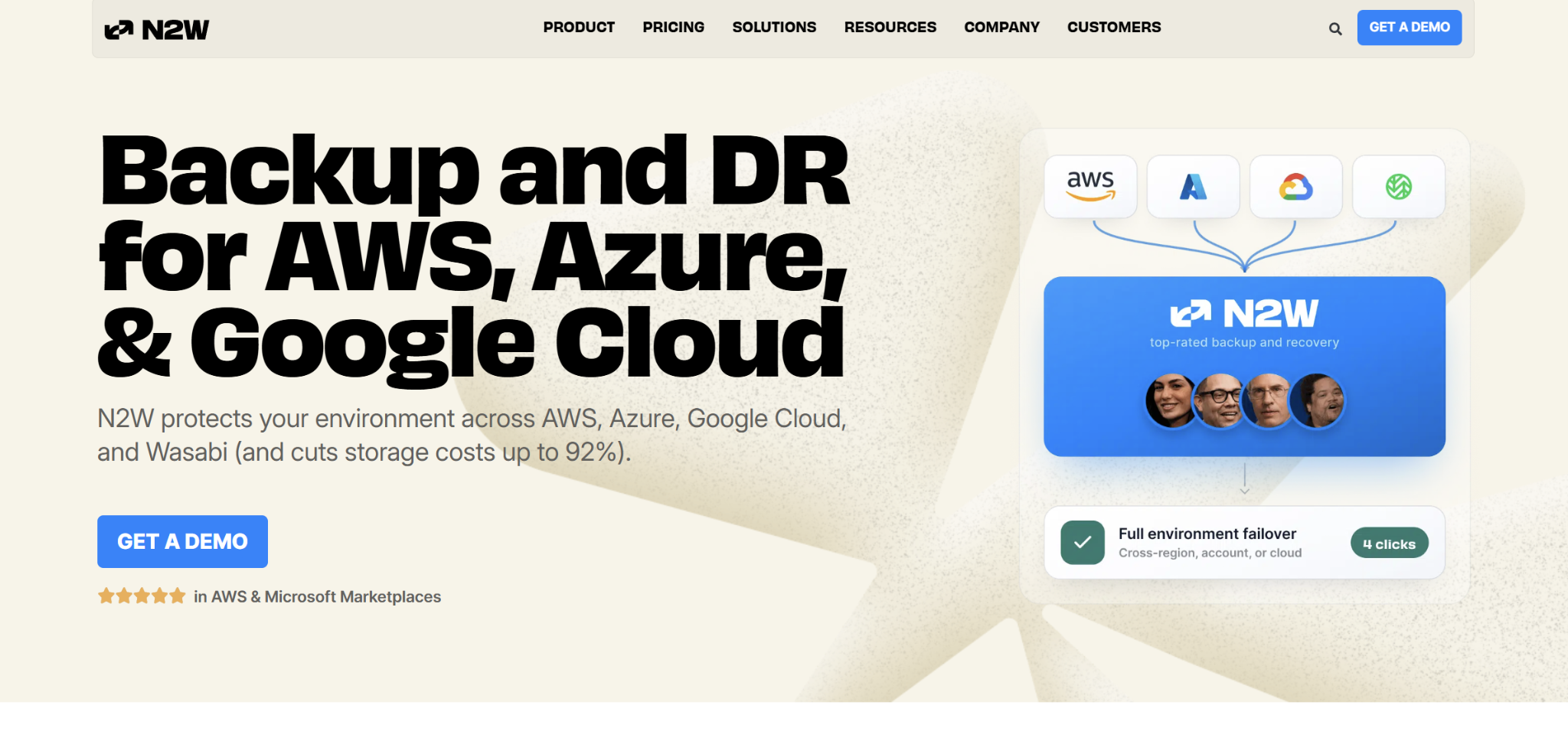
What it does: N2W Backup & Recovery schedules S3 bucket backups through AWS Backup and adds a separate Bucket Sync feature that copies a bucket to another account.
Best for: AWS teams already using N2W for EC2 and EBS that want S3 snapshots in the same policies, priced per instance.
N2W runs as an EC2 instance in your account. Its S3 bucket backup uses AWS Backup as the engine, so S3 Versioning has to be on, AWS Backup has to be opted in for S3 in each Region, and snapshots land in an AWS Backup vault you configure.
Recovery goes to a new bucket or the original one, and cross-account or DR restores must target a new bucket. Item-level recovery restores up to five items at a time, matching the AWS Backup ceiling underneath it.
Bucket Sync is a different feature. It copies the source bucket to the destination “without creating a backup,” always taking the latest version, with nothing to recover from.
Key features
- AWS Backup orchestration: Schedules S3 snapshots through AWS Backup, into a vault you configure.
- Cross-account and DR recovery: Restores into a new bucket in another account or Region.
- Bucket Sync: Copies a bucket to another account, with prefix mapping.
- File-level recovery: Pick versions and restore individual items.
Pros and cons
Pros:
- ✅ Flat pricing per protected instance, with no per-object fees listed.
- ✅ Cross-account destinations can sit outside your AWS organization for Bucket Sync.
- ✅ One console for S3 and the EC2-heavy workloads N2W was built for.
Cons:
- ❌ Point-in-time S3 restore inherits AWS Backup's versioning requirement and five-item ceiling.
- ❌ N2W documents Object Lock for its S3 archive repositories but not for AWS Backup-based bucket backups, and Bucket Sync keeps no history.
Pricing
As of October 2026, N2W’s Standard tier runs $249 per month for 20 protected instances and 3 accounts, with S3 Bucket Sync in the Advanced tier and higher tiers quoted.
Bottom line
N2W is a scheduling and recovery layer on top of AWS Backup for S3, priced for EC2-heavy shops. Our AWS Backup vs N2WS comparison covers the trade-offs for the rest of the stack.
8. Veeam: Best for Veeam shops that want S3 buckets in the same backup server as the data center
What it does: Veeam Backup & Replication backs up S3 buckets through object storage backup jobs, reading the bucket with a backup proxy and writing to a Veeam repository you choose.
Best for: Organizations with an on-prem Veeam deployment that want S3 buckets in the same backup server, policies, and repositories as their data center.
Veeam’s S3 support lives in Veeam Backup & Replication, which protects Amazon S3 object storage as a source of unstructured data. Veeam Backup for AWS protects EC2, RDS, DynamoDB, Redshift, EFS, and FSx, and uses S3 only as a backup target.
Restores bring back whole buckets, objects from a restore point, or multiple object versions, to the original or a new location. Rollback to a point in time restores only the objects that changed, which Veeam positions for ransomware recovery.
You run the backup server and proxies yourself, and most repositories too. Immutability comes from the repository, and the capacity tier of a scale-out repository can't be a target for object storage backups.
Key features
- Object storage backup jobs: Amazon S3 and S3-compatible storage as sources.
- Backup proxies: A proxy reads each bucket and writes to the Veeam repository you choose.
- Object and version restore: Individual objects or versions to the original or a new location.
- Immutable repositories: Backups locked until the immutability period ends.
Pros and cons
Pros:
- ✅ One backup server for S3, VMs, file shares, and the rest of a Veeam estate.
- ✅ Backups can land in any Veeam-supported repository, including on-prem.
- ✅ Rollback restores only changed objects, which keeps large recoveries smaller.
Cons:
- ❌ S3 Glacier Flexible Retrieval, Deep Archive, and SSE-C encrypted objects can't be backed up.
- ❌ The backup server and proxies run on infrastructure you manage, and restoring prefixes from a long-term repository isn't supported.
Pricing
Veeam Data Platform licenses are metered per workload, and for object storage one license instance covers 500 GB of protected data. Veeam doesn't publish dollar prices for Backup & Replication licenses.
Bottom line
Veeam fits when the data center is the center of gravity and S3 is a workload to bring into an existing Veeam server. For a cloud-first team, our AWS Backup vs Veeam breakdown compares the native path with Veeam's cloud product.
9. Bacula Enterprise: Best for writing S3 objects to tape or on-prem storage
What it does: Bacula Enterprise backs up S3 buckets with its S3 Plugin, downloading, cataloging, and storing objects in any Bacula-supported storage, from disk and tape to another cloud.
Best for: Regulated or on-prem-anchored organizations that need S3 objects on tape or in a data center they control, with a self-managed backup server.
The S3 Plugin is Enterprise-only and applies to version 16.0 and later. It discovers buckets automatically, backs up and restores specific versions of stored objects, filters by storage class, and works with AWS S3 and other S3-compatible endpoints.
Restores can target a different bucket, a different endpoint, or a local path on the Bacula File Daemon, which runs on Linux with Java. Immutability depends on the storage you write to, so a fully isolated copy means tape, immutable disk, or a locked cloud bucket.
Key features
- Automatic bucket discovery: Back up every bucket an account can see.
- Version-aware backups: Back up and restore specific object versions.
- Any target storage: Disk, tape, block storage, or other cloud endpoints.
- Cross-endpoint restores: Restore to another bucket, endpoint, or local path.
Pros and cons
Pros:
- ✅ Tape and on-prem targets give a copy that sits fully outside the cloud.
- ✅ Works across AWS and any S3-compatible endpoint.
- ✅ Storage class filters keep archived data out of routine jobs.
Cons:
- ❌ You run the Director, storage daemons, and a Linux File Daemon with Java yourself.
- ❌ Accurate mode and Virtual Full backups aren't supported for S3.
Pricing
Bacula Enterprise is sold by subscription quote, and its comparison page points buyers to contact Bacula.
Bottom line
Bacula is the right call when a regulation or a data center strategy requires S3 objects on media you physically control. Everyone else trades a lot of operational work for that copy.
10. MSP360: Best for copying a few buckets to another cloud from a Windows machine
What it does: MSP360 Backup is a server and desktop backup agent, and its Cloud to Cloud plan type backs up files and folders from one cloud account, such as an S3 bucket, to another.
Best for: Small teams and MSPs that want an S3 bucket copied to another cloud on a schedule from a Windows machine they already run.
MSP360’s main S3 product uses S3 as a destination, backing up servers and desktops to S3 with flat storage pricing.
The source-side feature is Cloud to Cloud backup in MSP360 Backup for Windows. You pick a source cloud account, choose the buckets, folders, and files, and schedule a plan, such as backing up an S3 bucket to Microsoft Azure every week.
Key features
- Cloud to Cloud plans: Back up S3 buckets, folders, or files to another cloud account.
- Scheduling: Plans run on a schedule from the Windows agent.
- Version retention: Keep a set number of versions per file and purge older ones on a schedule.
- Encryption: Plans can encrypt backup contents with AES before upload.
Pros and cons
Pros:
- ✅ Low per-computer pricing for small footprints.
- ✅ A second copy in another cloud provider protects against losing the AWS account.
- ✅ Familiar to MSPs already using MSP360 for endpoint and server backup.
Cons:
- ❌ Retention is set per file version, and the docs don't describe whole-bucket point-in-time restores for Cloud to Cloud plans.
- ❌ Runs from a Windows agent, which limits it at the scale of many accounts and millions of objects.
Pricing
As of October 2026, MSP360 Backup costs $29.99 per year for Windows, $109.99 for Windows Server, and $179.99 for Ultimate, per computer, with storage billed separately. MSP360's docs don't say which editions include Cloud to Cloud plans, so confirm before buying.
Bottom line
MSP360 is a budget way to get a copy of a few buckets into another cloud. Treat it as a second copy for small estates, since it isn't built for enterprise S3 recovery.
Which S3 backup tool should you choose?
Pick based on the restore you'll need on your worst day and where you want the copy to live.
Choose Eon if you:
- Run S3 across many AWS accounts and Regions and need object-level restores from any point in time.
- Want new buckets covered automatically, without turning on versioning everywhere.
- Need the backup copy in a vault your production credentials can’t reach.
Choose AWS Backup for S3 if you:
- Have a modest number of versioned buckets inside one AWS organization.
- Mostly restore whole buckets or a handful of objects at a time.
Choose Clumio by Commvault if you:
- Run an AWS-only estate and need a 15-minute RPO on buckets with billions of objects.
- Want published per-GiB and per-object rates you can model before a trial.
Choose Druva if you:
- Want S3 backups held outside your AWS organization by a SaaS vendor.
- Keep your data in S3 Standard or Intelligent-Tiering.
- Want no infrastructure to run and no egress fees on a restore.
Choose Rubrik if you:
- Already run Rubrik for an on-prem-heavy estate and want S3 under the same SLA policies.
- Want to tier backups to S3 Glacier to hold down long-term cost.
Choose HYCU if you:
- Want S3 protected in the same platform as dozens of SaaS and cloud apps.
- Need the backup copies kept in storage you own.
Choose N2W if you:
- Already use N2W for EC2 and EBS and want S3 snapshots in the same policies.
- Want flat per-instance pricing with no per-object fees.
- Need a plain bucket-to-bucket mirror in another account, separate from point-in-time backup.
Choose Veeam if you:
- Run an on-prem Veeam deployment and want S3 in the same backup server and repositories.
- Want backups to land on-prem or in a repository you control.
Choose Bacula Enterprise if you:
- Must keep S3 objects on tape or on-prem media you physically control.
- Have the staff to run a self-managed backup server.
Choose MSP360 if you:
- Want a low-cost second copy of a few buckets in another cloud.
- Already run MSP360 for endpoint or server backup on a Windows machine.
Skip third-party tools entirely if:
- You run a few small buckets in one account, AWS Backup with versioning covers your recovery window, and restores rarely need more than five items at a time.
Cover every bucket, then restore only the objects you lost
S3 makes losing data hard and deleting it easy, and every S3 backup solution on this list exists to close that exposure. The native tools close most of it one feature at a time: versioning for overwrites, Object Lock for tampering, replication for Regions, and AWS Backup for restore points.
The gap that stays open sits at the estate level. It shows up when hundreds of buckets spread across dozens of accounts, versioning is on in some and off in others, and someone needs a few specific objects back.
That's where Eon fits, next to the AWS protection you already run. It discovers your buckets automatically, keeps the copy in a vault production credentials don't open, and brings back exactly what was lost.
With Eon, teams can:
- Discover new S3 buckets automatically and apply backup policy without tags.
- Restore a whole bucket, a prefix, or a single object from any point in time, without S3 Versioning.
- Search every snapshot with Global Search before restoring anything.
- Keep backups in an immutable, logically air-gapped vault outside the source account, with ransomware detection available as an add-on.
- Restore one backup copy into any Region, with no replica bucket to pay for.
- Cut backup cost by up to 50% through global deduplication, with no retrieval, restore, or egress fees.
When you can prove every bucket is covered, the recovery request that lands next quarter becomes a search and a short restore.
Book a demo to put Eon next to the other S3 backup tools on your shortlist and watch an object-level restore run against your own buckets.
Frequently asked questions
What is the best S3 backup tool?
The best S3 backup tool for enterprises is Eon, a cloud data protection and recovery platform that discovers buckets automatically, backs them up without S3 Versioning, and restores a bucket, prefix, or single object from any point in time. AWS Backup for S3 is the native baseline, and Clumio by Commvault is the closest AWS-only alternative.
Can I use S3 for backups?
Yes. S3 is a common backup destination, and AWS lists S3 One Zone-IA as a fit for backup copies, with the caveat that it doesn't survive the loss of an Availability Zone. Data that already lives in S3 still needs its own backup, though, since AWS's S3 FAQ says S3's durability doesn't protect against accidental or malicious deletes.
How much does S3 backup cost?
AWS Backup charges $0.05 per GB-month for S3 backups in US East as of October 2026, so a 100 TB bucket costs about $5,000 a month in warm storage, plus S3 request and EventBridge charges. Our guide to S3 cost optimization covers how to bring both the bucket and backup bills down.
Does AWS Backup for S3 require versioning?
Yes. AWS Backup for S3 only works on buckets with S3 Versioning enabled, and restoring into a bucket also requires versioning on the destination. Noncurrent versions are billed as full objects in the source bucket.
Is S3 Versioning a backup?
No. Versioning keeps prior versions of objects in the same bucket and account, so deleting the bucket or compromising the account can take the versions with it. A backup keeps restore points in a separate, protected location.
What is the 3-2-1 backup rule for S3?
The 3-2-1 rule means three copies of your data, on two different types of storage, with one copy kept off-site. For S3, that usually means the source bucket, a backup in a separate account or logically air-gapped vault, and a copy in another Region or cloud.