Okta backup and recovery
Bring back Okta users, groups, apps and policies with their memberships and app assignments. Eon keeps backups of your Okta org in an immutable vault, out of reach of anyone with Okta admin rights, and restores what someone deleted or changed.










What Eon protects
Every backup holds the objects in your Okta org and the links between them, so a restored group comes back with its members and a restored app with its assignments.

Users and groups
Active and deactivated users with their profiles and user types, plus groups, members and the group rules that fill them.

Applications
Every app with its sign-on settings, its assigned users, and its assigned groups in priority order.

Policies and network zones
Sign-on, MFA enrollment, password and every other policy type, with their rules in order, plus network zones.

Identity providers and admin roles
Authorization servers, identity providers and admin role assignments. You can search them in every backup, though Eon doesn't restore them.
Okta can't roll an org back to an earlier point
Okta's support site says Okta has no tool to back up and restore an org. The System Log records what happened, and admins can reactivate recently deactivated users, but nothing rolls the org back to an earlier point.
Okta on its own
Eon
Deleted group or app
Nothing to bring it back from, and its memberships and assignments go with it.
Restored from any backup, with its members and app assignments.
Changed policy
No saved version to roll back to.
Policies return with their rules in the original order.
Compromised admin
An admin account with enough rights can change users, groups, apps and policies.
Backups sit in a vault outside the Okta org, out of that account's reach.
Rebuilding by hand
Admins piece the org back together from tickets, exports and the System Log.
Pick objects from a backup, preview the restore, and get a report for each object.
What changed
The System Log lists events, with no picture of the org at a point in time.
Browse any backup to see members, rules and assigned apps as they were.
Restores that put access back the way it was
The group, with its members and apps
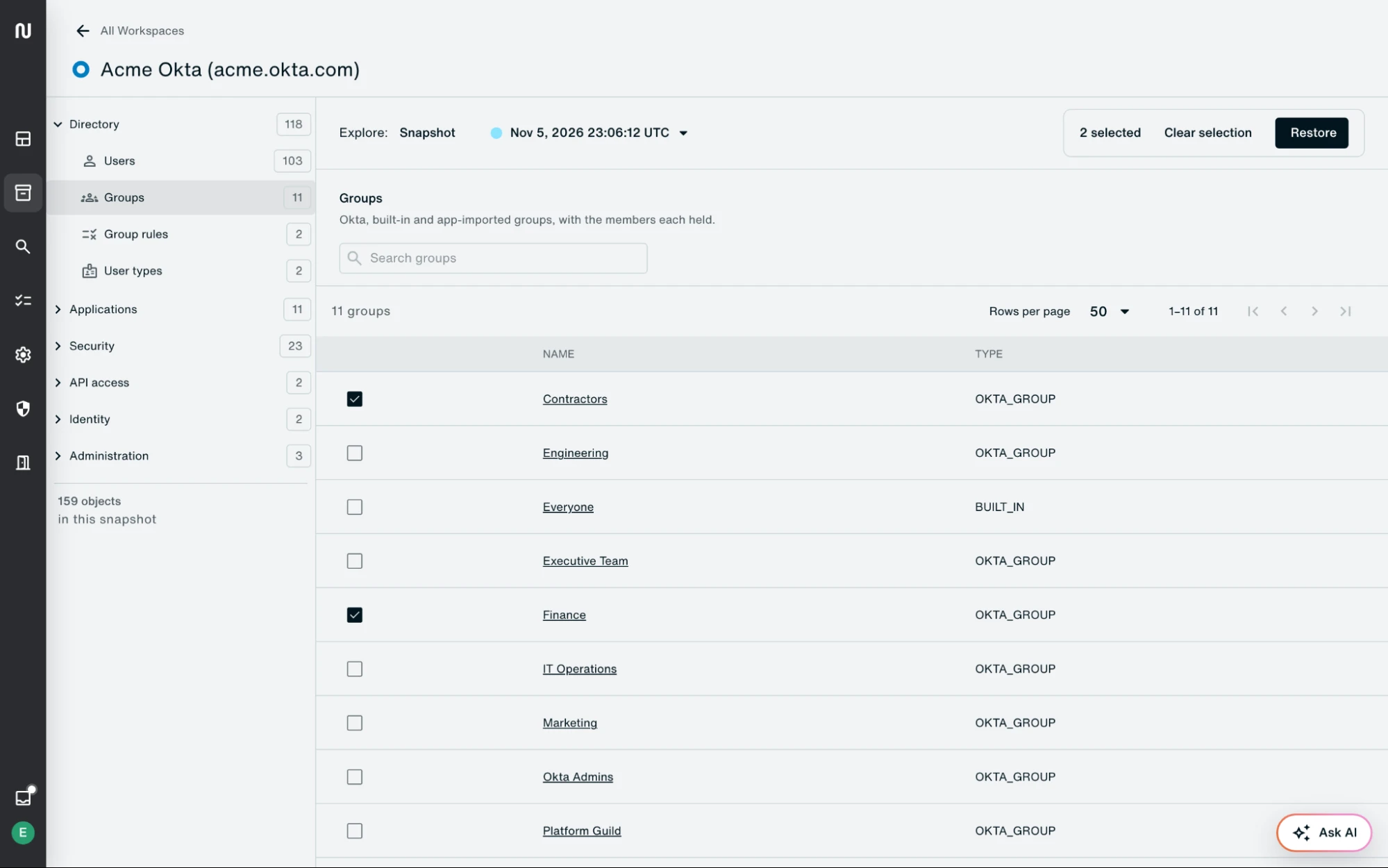
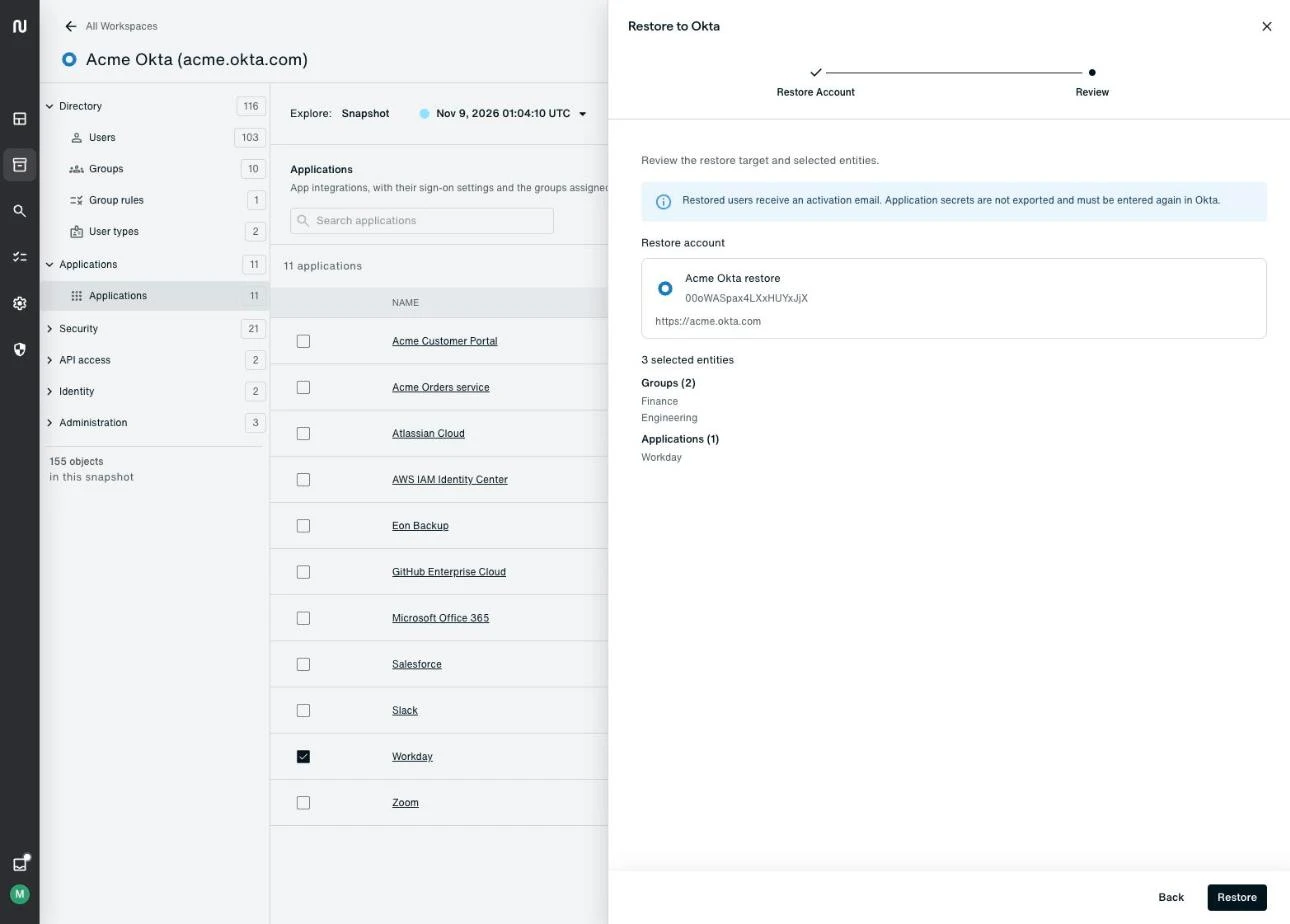
Pick the objects to bring back from a backup. Eon recreates what someone deleted, reverts what they changed, reactivates deactivated users, and re-links memberships and app assignments, keeping each group's priority on an app.
The org as it was before the change
Search any backup by name or login, then open a user, group, app or policy to see its members, rules and assigned apps at that point.
A restore you can check first
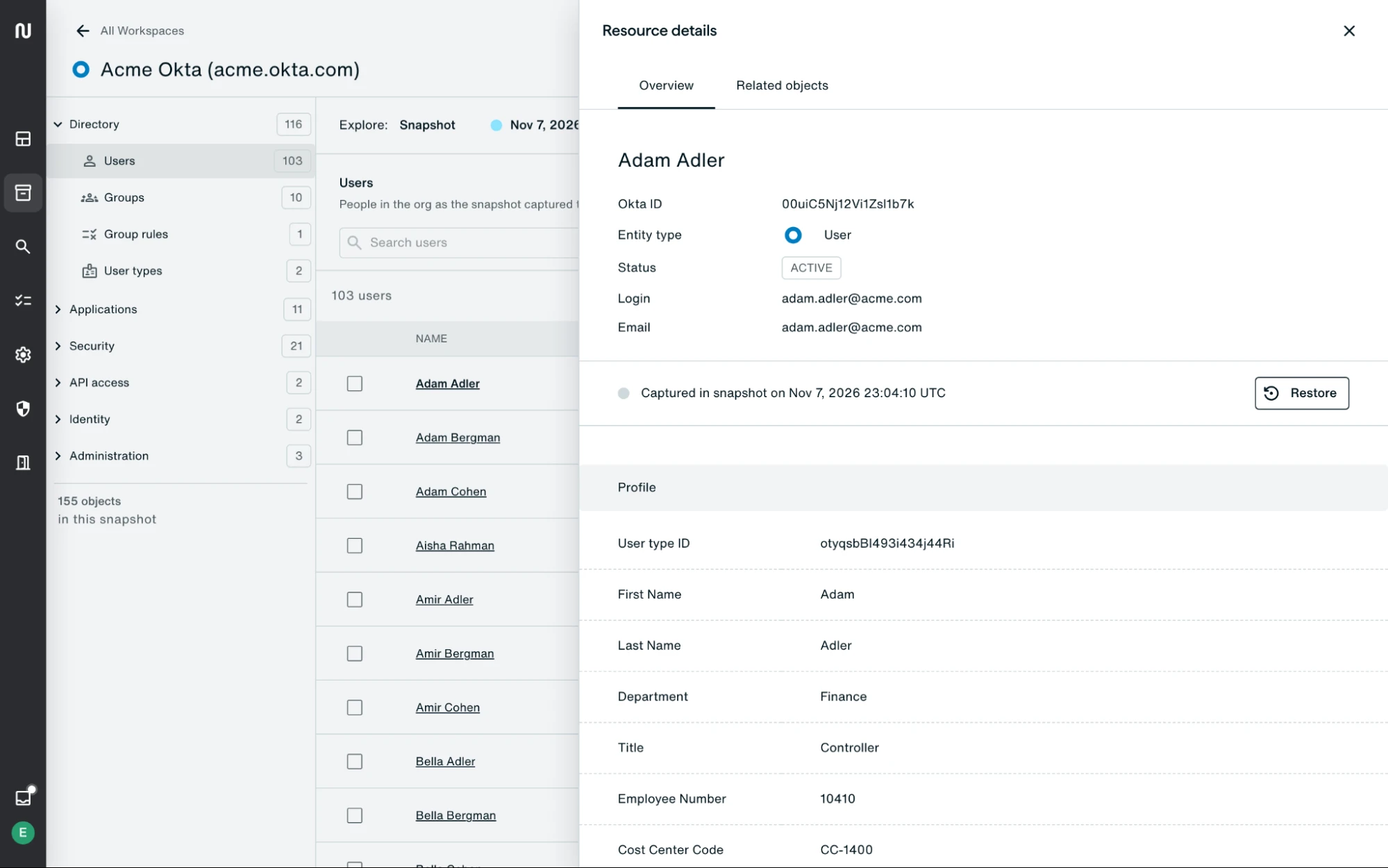
Preview a restore to see which related objects it would leave out, and add them. Eon removes access added after the backup, switches off rules added to a policy since then, and never overwrites a different object that took a deleted one's name. Each restore ends with a report for each object.
How Eon connects to your Okta org
- Connect. Create an Okta API Services app with the console wizard, a setup script or Terraform, and paste in the public key Eon generates. Backup runs through a read-only app and restore through a separate one, with no agents or appliances to deploy.
- Protect. Set a backup policy and schedule, or take a backup on demand. Each backup captures the org's objects and the relationships between them.
- Recover. Find the object in any backup, preview the restore, and run it into the same org.
FAQs
No. On its own support site, Okta says it has no tool to back up and restore an org, and the System Log only records what happened.
Users (active and deactivated), user types, groups, group rules, apps with their assignments, and every policy type with its rules. Backups also hold network zones, authorization servers, identity providers and admin role assignments, plus the memberships and app assignments that connect them. Restores cover users, groups, apps, group rules, user types, policies and network zones, and the rest stay searchable.
No. Eon never backs up passwords, MFA secrets or app client secrets, and it removes identity provider client secrets before it stores anything. A recreated user gets an Okta activation email to set a new password.
In an immutable, air-gapped Eon vault outside your Okta org, so a compromised admin account can't reach, change or delete them.
See Eon bring back a deleted group with its members and apps
Okta and Microsoft Entra ID both run in Eon, next to Microsoft 365, Google Workspace and your cloud resources, so you can recover identity and the data behind it from one console.