Threat Center
Monitor your backups for ransomware, malware, anomalous changes, AI data risks, and data exposure. Investigate threats and recover clean data from one place.










A successful backup job says nothing about what the backup contains
The job went green. A copy was made. But is the data intact or would restoring it bring back encrypted, corrupted, or unusable data?
Nearly 40%

Databases

30 days
Know what happened. Know what to restore.
Detect threats, investigate changes, and coordinate response and recovery directly from your backups.
Detect threats across your resources
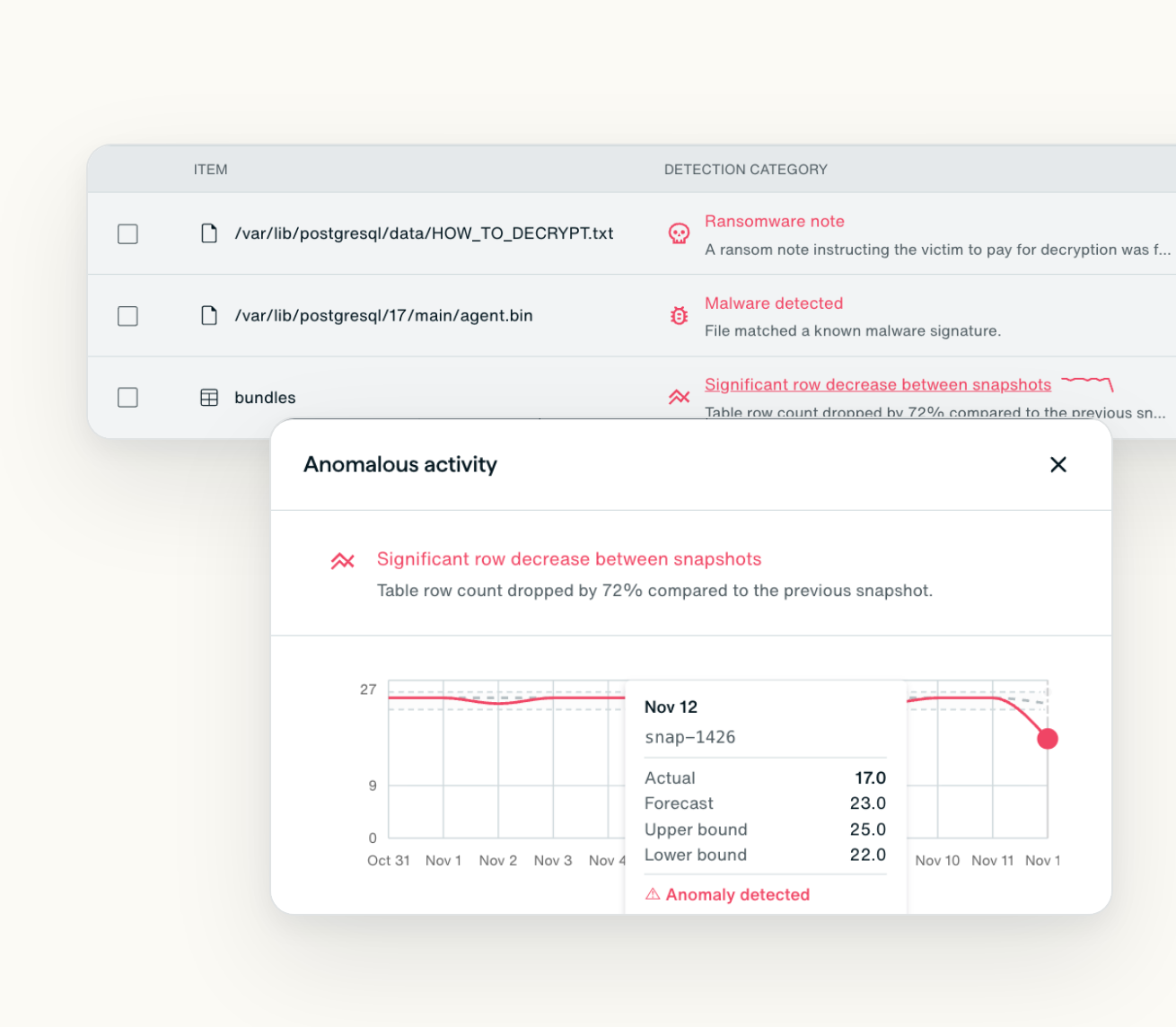
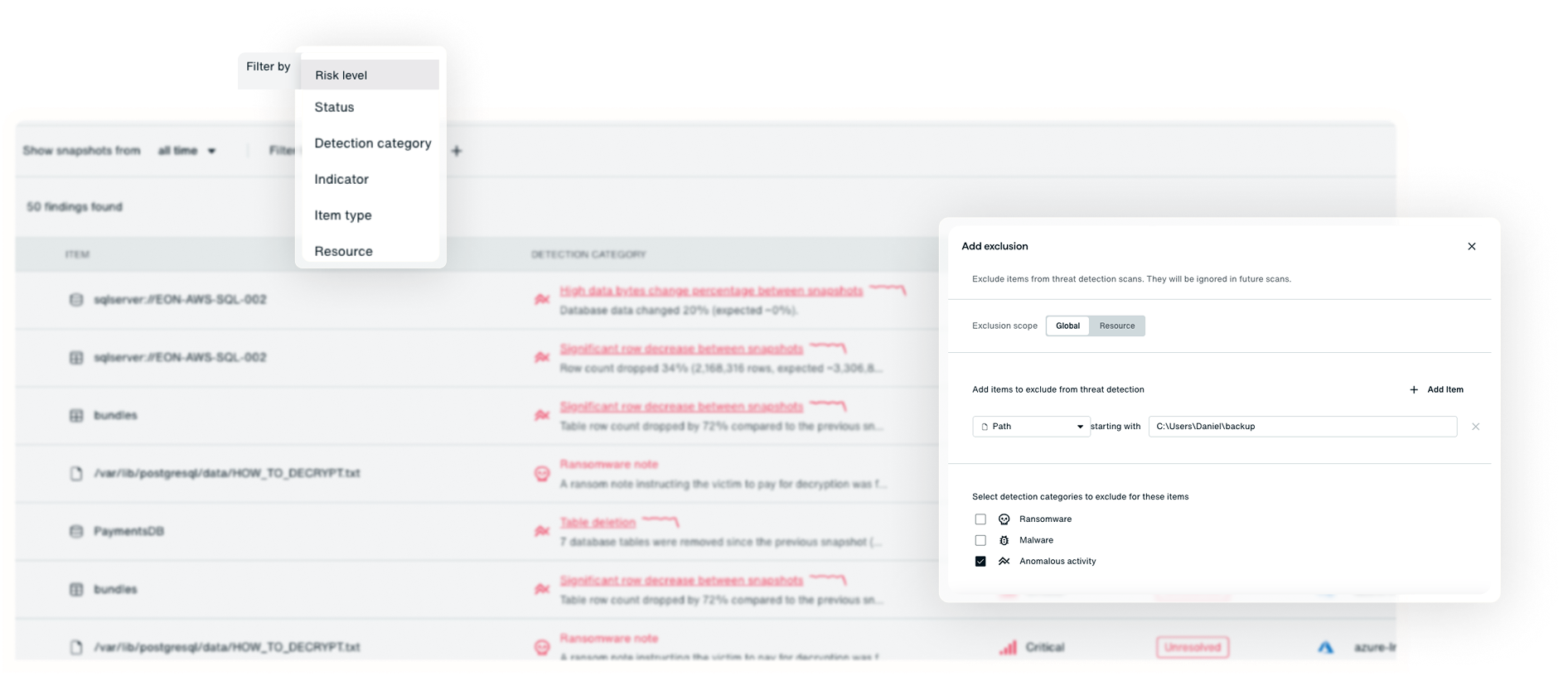
Scan backups for ransomware, malware, anomalies, and accidental changes across files, volumes, object storage, databases, and SaaS drives. Spot encrypted files, mass deletions, dropped tables, missing rows, and ransom notes, even those hidden in your data.
Investigate with evidence at your fingertips
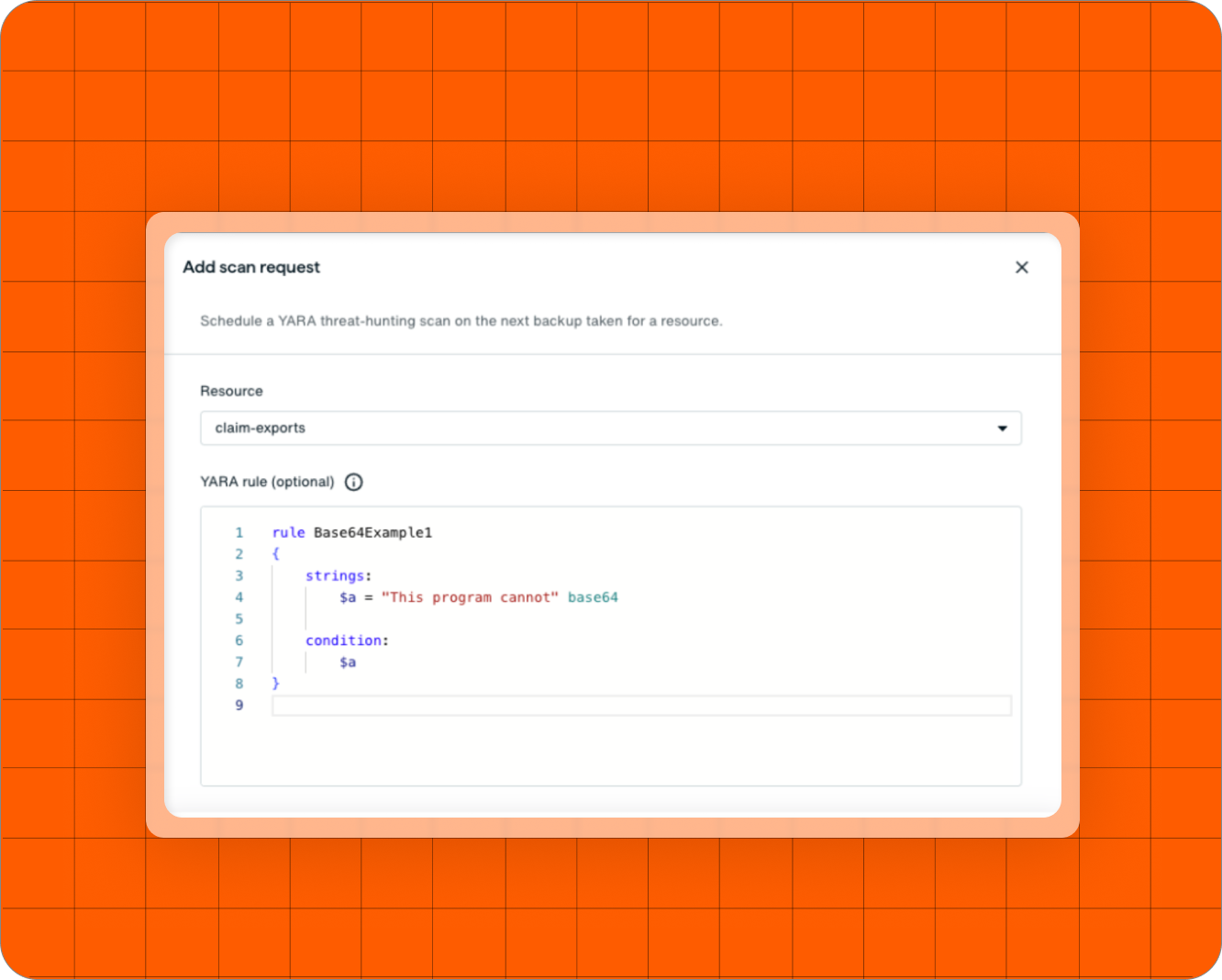
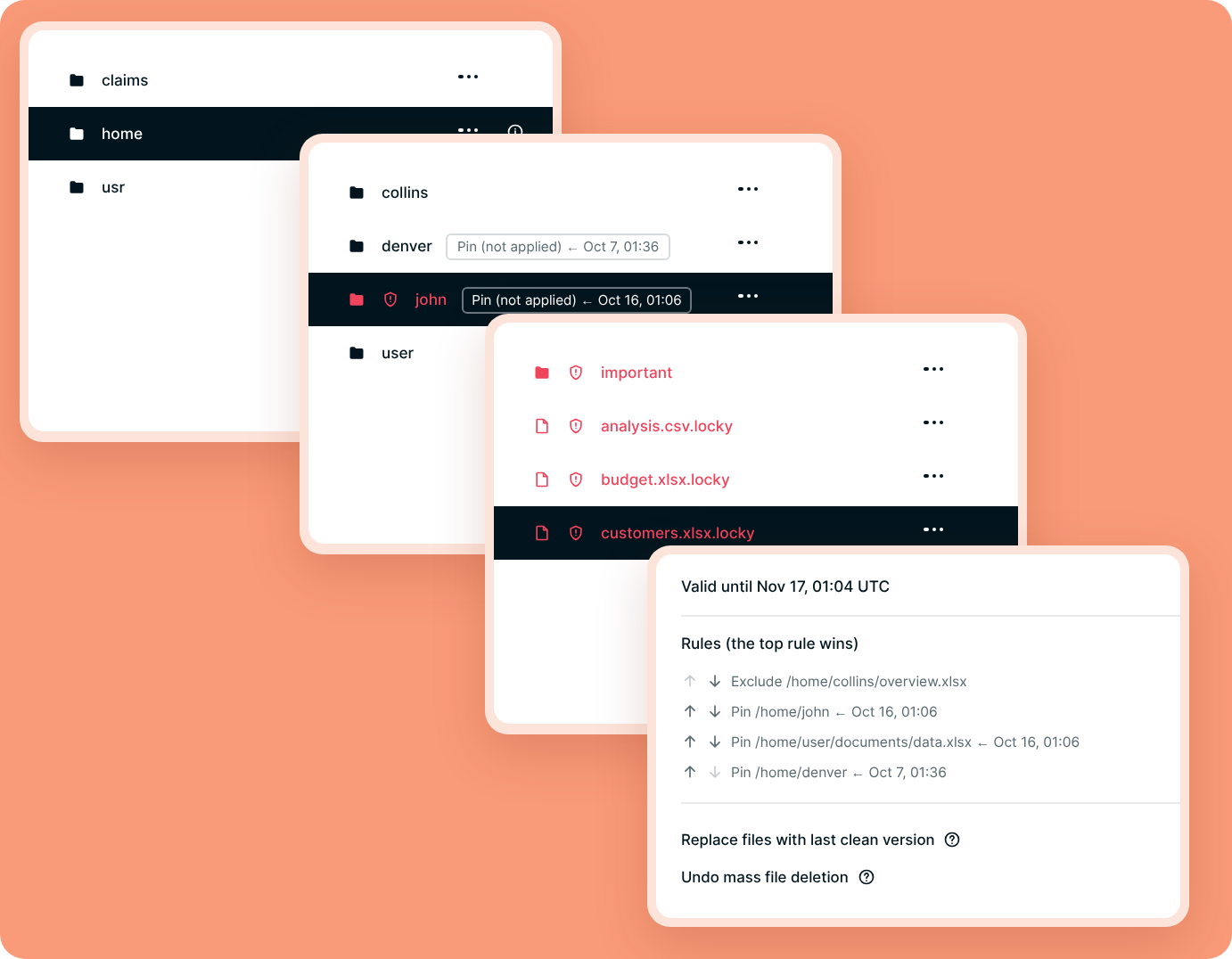
See every finding in one place and explore affected files with a guided file explorer. Hunt for threats using your own YARA rules or search across snapshots for a specific SHA-256 file hash.

Build a recovery plan with an agent
Use an agent to scope the incident, identify the cleanest available copy of each resource, and build a recovery plan. Decide what to restore, from which recovery point, and in what order.
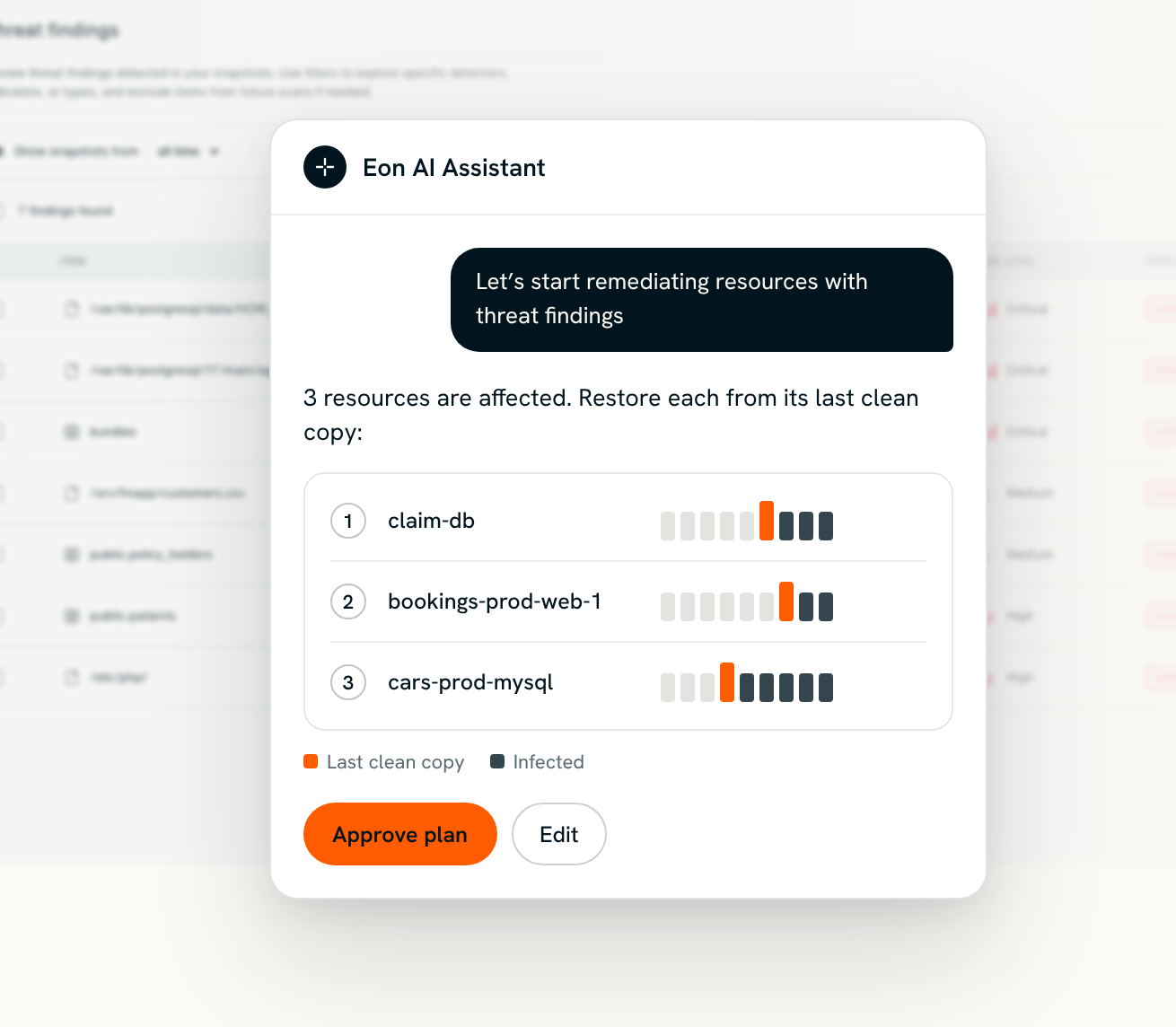
Restore clean data at any scale
Recover one resource or hundreds from their last clean copies. Validate restored data to confirm it is free of the detected threats before putting it back to work.
Connect your SOC’s tools and agents
Bring Threat Center capabilities into your security workflows through MCP and agent-to-agent communication (A2A). Let your SOC’s agent work with Eon’s to investigate findings and identify clean recovery points.
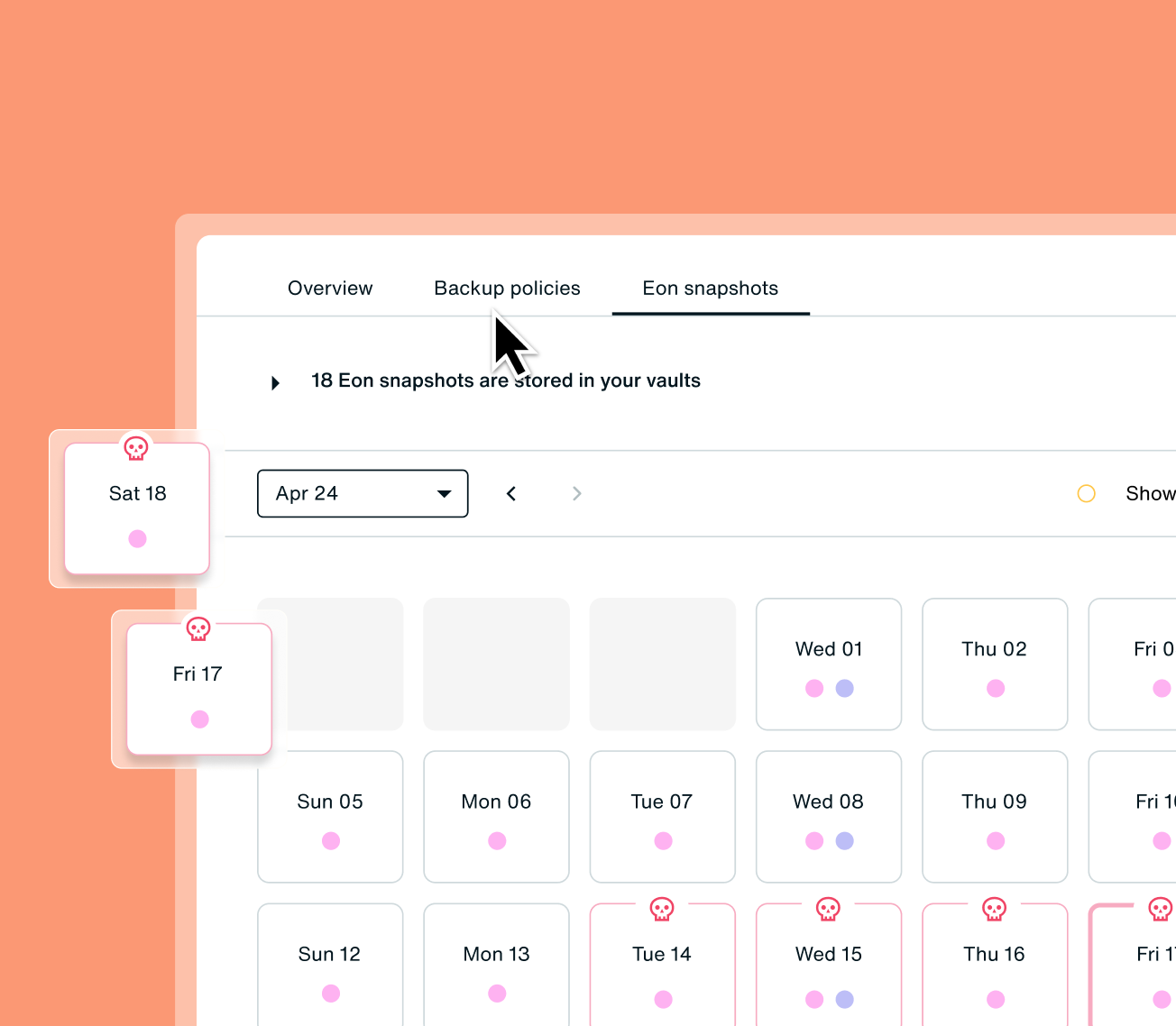
Preserve your last clean recovery point
When a threat is detected, Eon holds the last clean snapshot against deletion so retention policies can’t remove the copy you need to recover.

One engine for files, one for databases
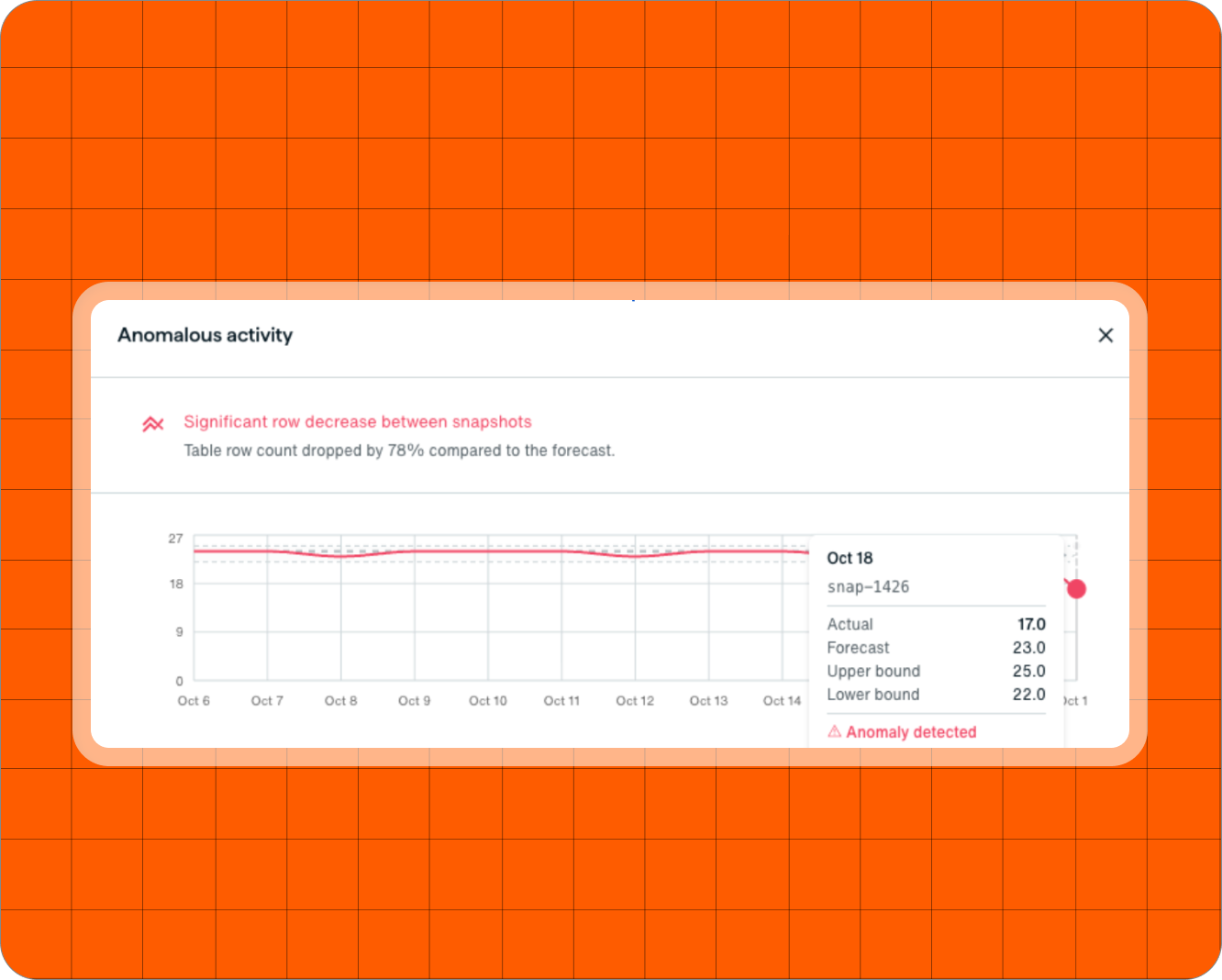
Databases
Eon analyzes databases at the table, row and column level to spot abnormal deletions, unexpected rewrites and unusual data patterns that disk-level detection can miss.
It supports PostgreSQL, MySQL, SQL Server, Oracle, DynamoDB, MongoDB and Keyspaces, including managed services like Amazon RDS.
Files, disks, buckets and drives
Eon compares every backup against previous versions and the resource’s own history, detecting suspicious encryption, renames, mass deletion, ransom notes and key changes. Normal activity stays quiet, so routine clean-ups and planned changes don’t trigger false alarms.
Known malware and threat hunting
Eon checks files against Google Threat Intelligence, powered by Mandiant research and VirusTotal, without uploading your data to Google.
Run your own YARA rules too, using curated rule packs or custom rules.
Threat detection across your workloads
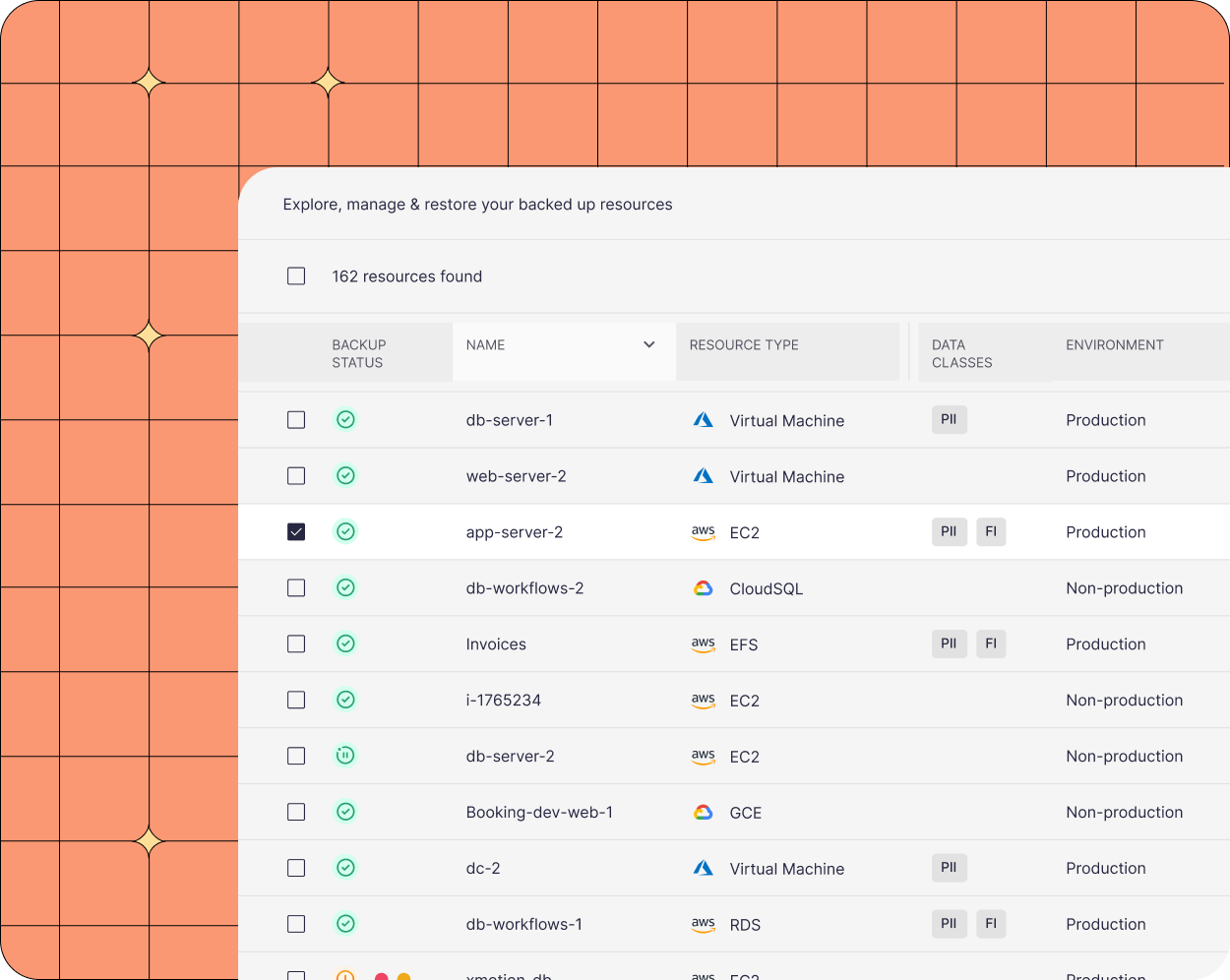
Scan virtual machines and disks, object and file storage, SaaS drives, and managed or self-managed databases. Detection looks for threats in both files and the data inside your databases.

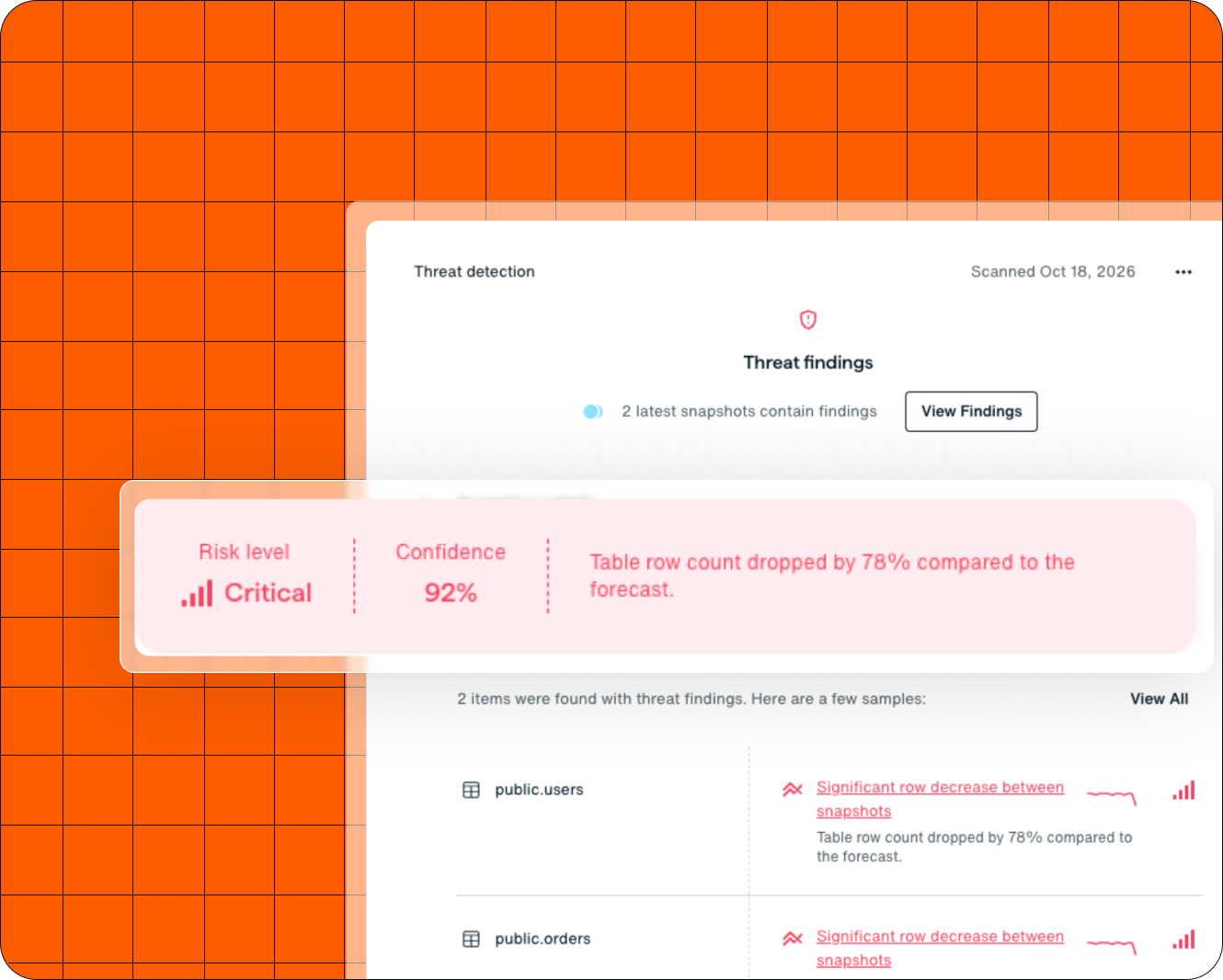
A clear verdict for every resource
Each resource gets one verdict, such as Clean, Ransomware, Malware, Anomalous activity, AI data risk or Data exposure, with a confidence figure and a reason in plain English. AI data risk and Data exposure flag sensitive data in the wrong place, such as an AI app holding PHI or PII in a public bucket.
Recover clean, from one machine to hundreds of resources
Snapshot Architect
Rebuild one machine from the newest clean version of every flagged file, then restore it to Amazon EC2 in one step.
Hundreds of resources at once
Up to 500 resources per batch, each from its own clean snapshot, checked again right before it runs.
Your SIEM and your agents
Findings flow to Splunk, ServiceNow, Datadog and Slack, and your agents can run restores over MCP behind your approval gate.
Built to protect your backups and keep you in control

Immutable, isolated backups

Cloud-native, read-only access

Multi-party approval
Learn more from our experts
Frequently Asked Questions
Yes. Threat Center scans backups Eon already holds, using Eon’s own compute. Scanning requires no agent on your resources, no queries against production, and no maintenance window.
Eon evaluates each resource against its own history, including recurring patterns such as weekly cleanups and month-end loads. Unexplained deletions are flagged as anomalous activity, separately from ransomware. You can also exclude expected changes by detector and resource.
Threat Center scans virtual machines and disks, object and file storage, and managed or self-managed databases across AWS, Azure, and Google Cloud, plus Microsoft 365 and Google Workspace drives. The coverage table above lists supported resource types. SaaS mailboxes are backed up but not scanned.
Eon examines the data inside database backups for signs of ransomware and destructive changes, including encrypted columns, dropped tables, missing rows, and ransom notes written into the data. This helps uncover threats that file-level inspection can miss, without querying production databases.
Yes. Threat Center sends findings to Splunk, ServiceNow, Datadog, Slack, Amazon SNS, webhooks, and email. Agents can access Threat Center capabilities through MCP and collaborate with Eon’s agents through agent-to-agent communication (A2A).
Role-based access controls determine who can investigate findings and take action. Agents operate with the permissions of the user who invoked them. Where required by your policies, restores need a second person’s approval before execution, whether initiated by a person or an agent.