

Most cloud migration checklists cover moving servers and databases. Fewer cover what happens to the protection around that data on the way: the backups of the source, the rollback point, and the policies that should already be waiting in the new accounts.
Leave those out, and a migration can look finished on cutover day and still go wrong a few weeks later, when someone asks for a record from before the move.
Our team has worked on both ends of this problem. Eon’s founders built CloudEndure, the migration and disaster recovery technology AWS acquired in 2019, and went on to run AWS’s cloud migration and disaster recovery business, working with some of the largest data estates in the world. Eon now protects data in the AWS, Azure, and Google Cloud environments those migrations deliver into.
Below are 19 steps grouped into the five phases of a migration, each with a “done when” test so you know when to move on.
The 5 phases of a cloud migration
This checklist covers infrastructure and data migrations: servers, VMs, databases, object storage, and file shares. SaaS tenant moves (a Jira Cloud consolidation or a Microsoft 365 tenant merge, for example) follow their vendor’s own checklists, so we’ve left them out.
Phases 1 and 2 happen once for the program; phases 3 to 5 repeat for every wave, so a program with 10 waves goes through cutover 10 times.
What you’ll need before you start
Get these in place before step 1:
- An executive sponsor and a budget owner who can approve a delayed wave
- A migration lead (often a cloud architect) who owns sequencing and the go/no-go call
- Current inventories: CMDB exports, cloud account lists, and database catalogs
- Your compliance requirements, including regulated data types, residency rules, and retention periods
- Admin access to the target accounts or subscriptions for the team building the landing zone
Time required: Plan on several weeks for assessment and planning, then a series of waves. Each migration wave runs best at six to 10 weeks, so a large estate can run for months.
Phase 1: Assessment and strategy (steps 1 to 5)
Phase 1 answers two questions: what’s in the estate, and what should happen to each piece of it.
1. Set business goals and success metrics
Write down why you’re moving and how you’ll measure it. A data center exit before a lease ends, a cost target, a latency goal, and recovery targets for critical systems are all common drivers. Each one needs a number, a date, and an owner.
A goal like "cut infrastructure spend 20% within two quarters of the final wave" gives finance and engineering the same finish line. Set recovery targets here too. Your RPO and RTO for each tier decide the backup frequency and failover design you’ll build in phase 2.
Done when: Each goal has a metric, a baseline, a target date, and a named owner.
2. Inventory every workload, data store, and owner
Pull servers, VMs, databases, buckets, file shares, scheduled jobs, and the service accounts that run them into one inventory. Native tools such as Google Cloud Migration Center and Azure Migrate can collect much of this automatically.
Then assign an owner to every item. You’ll usually find a handful of resources nobody claims. Each one is either a retirement candidate or a hidden dependency, and you want to know which before wave planning starts.
Done when: Every in-scope resource has an owner, a business function, and a placeholder for its data classification.
3. Map dependencies between applications
Dependencies decide which systems have to move together. Tools like dependency analysis in Azure Migrate help you identify the servers that must migrate as a group, so nothing gets left behind to cause an outage after the move.
Sort each dependency by type. AWS’s wave planning guidance separates soft dependencies from hard ones, where the relationship depends on location. An app server that needs a low-latency link to its database is a hard dependency, and splitting the two across waves will break the app.
Done when: Every application belongs to a dependency group, and every hard dependency moves in the same wave or has a documented workaround.
4. Classify each workload with the 7 Rs
Give each application one migration strategy. The 7 Rs of cloud migration are the version most teams use:
- Retire: Decommission or archive the application
- Retain: Keep it in the source environment for now
- Rehost: Lift and shift it with no changes
- Relocate: Move a large number of servers at once to a cloud version of the same platform
- Repurchase: Replace it with a different product, often SaaS
- Replatform: Move it with some optimization, such as switching to a managed database
- Refactor: Re-architect it around cloud-native features
Other models exist too, like Microsoft’s eight-strategy version. Pick one for the whole program. If two teams mean different things by “replatform,” your effort estimates won’t add up.
Take retire and retain seriously. Every application you retire is one less thing to move, protect, and pay for.
Done when: Every application has one R, an owner’s sign-off, and a rough effort estimate.
5. Classify data by sensitivity, residency, and retention
Mark which data sets hold PII, financial records, or health data, which regions each one is allowed to live in, and how long it has to be kept. Those three facts drive region choice, encryption, and the backup policies you’ll write in step 8. Our guide to cloud security compliance covers the requirements behind them.
Retention is the one that slips. A Senior Manager of Site Reliability and Cloud Engineering described what that looks like: “Our retention for S3 backups is six weeks. If we need something earlier than that, tough luck.” A written backup retention policy per data class closes that off.
Done when: Every data store has a classification, an allowed-region list, and a retention period signed off by compliance.
Phase 2: Planning and architecture (steps 6 to 9)
Phase 2 builds the destination and decides the order things arrive in.
6. Build the landing zone: accounts, network, and identity
Set up the target account or subscription structure, networking, and identity before any workload moves. Least-privilege IAM roles, centralized logging, and default encryption should be on from the first deployment.
Keep the shared responsibility model in mind as you go. The provider secures the underlying infrastructure. Identity, network rules, data, and how you protect it are on you, in every account you create.
Done when: A test workload deploys into the landing zone with logging, encryption, and least-privilege access already in place.
7. Plan migration waves and the cutover method
Group your dependency groups into waves. Size each wave by your risk appetite and by how much parallel change your people, skills, and budget can absorb. Smaller waves limit the damage when one gets delayed. Put low-risk, low-dependency applications in the first waves so the team learns the runbook before production-critical systems move.
Pick a cutover style for each wave: a single cutover, a phased move, or a parallel run where both environments serve traffic for a while.
Done when: Each wave has an application list, a cutover method, a date window, and exit criteria.
8. Write backup and retention policies for the target environment
Write backup policies for the new accounts before the first wave lands. Resources show up fast during a migration, and tag-based backup selection breaks the moment a tag is spelled differently in the new account.
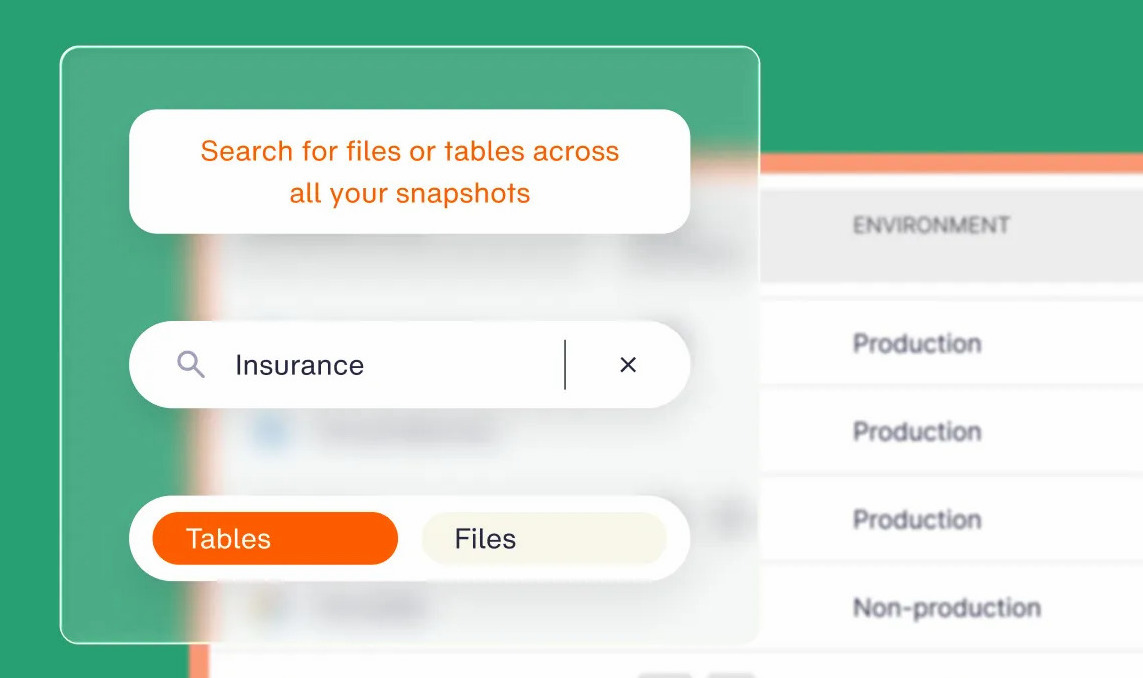
A VP of Engineering described the version of this that happens at scale: “100 new databases get turned on every day, and we don’t know what data is residing in them. So we kind of hope that the teams are backing things up as they should be.” Selecting resources by classification instead of by tag takes that guesswork out. In Eon, a backup policy can select on classification conditions such as environment and data class, so coverage doesn’t depend on every team spelling a tag the same way.
Each policy should name its scope, frequency, retention, copy locations (another region or account), and who gets alerted when something falls out of policy. Our backup policy guide walks through the 14 components.
Done when: Every data class from step 5 maps to a written policy, and that policy exists in the target before wave one.
9. Set the budget and cost guardrails
Estimate run costs for the target, then set budgets, alerts, and a cloud resource tagging standard before resources arrive. Tags applied on day one make cost allocation possible from the first invoice.
Budget for spend that only exists during the migration: replication instances, test launches, duplicate environments during parallel runs, and data transfer. Overruns are common. McKinsey’s 2021 research found the average company spent 14% more on migration than planned each year, and 38% had migrations delayed by more than a quarter.
Done when: Every target account has budgets and alerts, and the tagging standard is enforced by policy.
Phase 3: Preparation and testing (steps 10 to 13)
Phase 3 is about making every wave reversible before it starts.
10. Back up the source environment
Take a full backup of every system in the wave before you touch it, and store it somewhere the migration can’t affect. Take a final backup of the source system that you can use for rollback in an emergency.
Replication tools copy data for cutover. If a corrupted table replicates, the target gets the same corruption, and only an independent recovery point gets you back. A snapshot in the same account as the source is weak protection on its own.
For cloud-to-cloud moves, keep source backups in an immutable, logically air-gapped vault outside the accounts being migrated. Eon supports this for many resource types: recovery copies can sit in a vault hosted in a different cloud from the source, so an incident or account compromise on the source side doesn’t reach them. For databases and VMs, restores go back to the original cloud and service, so treat the vault as protection during the move, not a way to move the data.
Restore a sample before you rely on any of it.
Done when: Every system in the wave has a backup taken after its last schema change, a successful test restore, and a retention date past the planned decommission date.
11. Document a rollback plan
Write down exactly how you’d go back. A rollback plan needs three parts: checkpoints that trigger a rollback when predefined criteria are met, a strategy for the rollback and its data, and a point of contact who decides whether to fix forward or roll back.
Add the part teams forget: data written to the target after cutover. If users create orders in the new system for six hours before you roll back, you need a way to replay or reconcile them. Your existing cloud disaster recovery runbooks are a good starting point, since many of the same restore steps apply.
Done when: The rollback runbook names its triggers, a decision owner, a deadline for the decision, and a data reconciliation method, and the team has rehearsed it once.
12. Capture performance baselines
Measure response times, error rates, throughput, and resource use on the source for long enough to cover normal peaks (a month-end close or a weekly batch run, say). Record them per application and per critical path.
Without a baseline, "the app feels slower" turns into an argument nobody can settle after cutover.
Done when: Baselines are recorded for each application’s critical paths and agreed as the comparison point.
13. Run a pilot and rehearse the cutover
Migrate one low-risk application end to end. Test its functional paths, compare performance against the baseline, trigger a failover, and restore something from the new environment’s backups.
Then rehearse the production cutover with a stopwatch. Time each step, including the integrity checks in step 15, and find out whether the whole sequence fits the maintenance window with room to spare.
Done when: The pilot passes functional, performance, and restore tests, and the timed rehearsal fits inside the planned window with buffer.
Phase 4: Execution and cutover (steps 14 to 16)
Phase 4 is the shortest phase on the calendar and the one with the least room for improvising.
14. Freeze changes and run the final sync
Announce the change freeze, then stop new writes to the source. AWS calls this an ingestion freeze: it keeps the source from receiving new transactions during cutover. Run the final delta sync and take the final backup from step 10.
Keep the freeze as short as the rehearsal allows. Every extra hour adds pressure to cut corners on the next step.
Done when: Writes to the source are stopped, the final sync is complete, and the final backup is confirmed.
15. Verify data integrity: counts, samples, checksums, and access
Teams compress this step when the window runs long, and it’s the step that catches silent data loss.
Run four checks before you switch traffic:
- Record counts: Compare row counts per table and object counts per bucket between source and target.
- Sampling: Pull a random sample of records, plus the newest, oldest, and largest, and compare them field by field. Counts can match while values drift through encoding or time zone conversions.
- Checksums: Compare file and object checksums. AWS DataSync calculates and compares checksums and metadata and fails verification on any mismatch, and AWS DMS validation compares each source row with its target row, but only for tables with a primary key or unique index, and it can’t validate rows that are still changing. Expect extra query load on both databases while it runs.
- Access controls: Check IAM roles, bucket policies, database grants, and encryption keys against the landing zone design. A table that arrives intact but is readable by the wrong group is a new exposure.
Done when: Counts match, sample differences are zero or explained, checksums pass, and the access review is signed off.
16. Make the go/no-go call and switch traffic
The decision owner from step 11 reviews the integrity results, test results, and open issues against the wave’s exit criteria, then calls go or no-go.
On go, switch DNS or load balancer targets and watch error rates and latency against the step 12 baselines. Keep the rollback path open until the agreed checkpoint passes.
Done when: Traffic runs on the target, metrics sit within baseline tolerance, and the rollback checkpoint has passed.
Phase 5: Post-migration optimization (steps 17 to 19)
Phase 5 checks that the new environment is protected, sized, and ready for the source to go away.
17. Confirm backup coverage and test restores in the new environment
Check that every migrated resource is covered by the policies from step 8, with the right retention and copy locations. In Eon’s Cloud Data Infrastructure Report, 61% of respondents discover protection gaps only after an incident, audit, or failed restore, and 72% say migration or modernization frequently or sometimes exposes unexpected protection or governance gaps.
Then restore something real from each data class. Our guide on how to test backups lays out the seven steps. Until a restore has worked in the new environment, all you know is that a copy exists.
Done when: Coverage reports show zero unprotected in-scope resources, and at least one restore per data class has succeeded in the target.
18. Right-size resources and clean up migration leftovers
Rehosted workloads often arrive sized for the hardware they left. Review utilization after a few weeks of production traffic, resize, and buy commitments only for predictable workloads.
Then delete what the migration left behind: replication instances, test launches, orphaned volumes, and snapshots from cutover rehearsals. Flexera’s 2026 State of the Cloud report put wasted cloud spend at 29%, and migration leftovers add to it quietly. Our cloud cost optimization guide covers what to do next.
Done when: Every migrated workload has a right-sizing review, and migration-only resources are deleted or tagged with an expiry date.
19. Decommission the source and close out
Keep the source read-only for an agreed hold period, then decommission it and wipe its storage under your data handling policy. Before you do, confirm the source backups from step 10 stay retained for as long as compliance requires.
Update runbooks, the DR plan, and audit evidence so they describe the new environment. Our disaster recovery audit checklist covers what auditors will look for. Record what went wrong in this wave and fold it into the checklist for the next one.
Done when: The source is decommissioned, retained backups are documented, and runbooks reference only the new environment.
Copy-ready cloud migration checklist: All 19 steps
Paste this into your runbook, ticketing tool, or spreadsheet and give each line an owner and a date.
Phase 1: Assessment and strategy
☐ Set goals and metrics: Each goal has a number, a date, an owner, and RPO/RTO targets per tier
☐ Inventory workloads and owners: Every server, database, bucket, share, and job has an owner
☐ Map dependencies: Every app sits in a dependency group, with hard dependencies in the same wave
☐ Classify with the 7 Rs: Every app has one strategy, a sign-off, and an effort estimate
☐ Classify data: Sensitivity, allowed regions, and retention period recorded per data store
Phase 2: Planning and architecture
☐ Build the landing zone: Accounts, network, least-privilege IAM, logging, and encryption in place
☐ Plan waves and cutover: Each wave has apps, a cutover method, a window, and exit criteria
☐ Write target backup policies: Every data class maps to a policy that exists before wave one
☐ Set cost guardrails: Budgets, alerts, and an enforced tagging standard in every target account
Phase 3: Preparation and testing
☐ Back up the source environment: Fresh, test-restored backups stored outside the migration’s reach
☐ Document a rollback plan: Triggers, decision owner, deadline, and data reconciliation, rehearsed once
☐ Capture baselines: Performance recorded for every critical path
☐ Pilot and rehearse: Pilot passes all tests, and the timed rehearsal fits the window
Phase 4: Execution and cutover
☐ Freeze and sync: Source writes stopped, final sync done, final backup confirmed
☐ Verify data integrity: Counts, samples, checksums, and access review all pass
☐ Go/no-go and switch: Traffic moved, metrics within baseline, rollback checkpoint passed
Phase 5: Post-migration optimization
☐ Confirm coverage and test restores: Zero unprotected resources, one successful restore per data class
☐ Right-size and clean up: Sizing reviewed, migration leftovers deleted or set to expire
☐ Decommission and close out: Source retired, backups retained, runbooks and audit evidence updated
Cloud migration best practices
These four habits keep the checklist working past the first few waves.
Give data protection its own owner
Backup, rollback, and integrity checks touch every phase, which is exactly why they get dropped: everyone assumes another team has them. Name one owner for data protection across the program and give that workstream its own exit criteria in every wave.
Keep waves small and run a retro after each one
The first two or three waves are where the runbook gets fixed. A 30-minute retro after each wave (what broke, what took longer than the rehearsal, what the checklist missed) is cheap, and it compounds. By wave five, cutovers should feel routine.
Tie backup policy to data classification
Pick one owner for data classification and make backup policy follow the classification label. A new database marked as financial data then gets the right retention and copy rules the day it appears, whichever team created it.
Tell the business early
Publish freeze windows, cutover dates, and rollback triggers to application owners weeks ahead. A business owner who learns about a six-hour freeze the day before will push to skip the rehearsal, and that’s the request you don’t want to field during cutover week.
Common cloud migration mistakes to avoid
Most of these show up in the first wave or two. Each one is cheaper to catch on paper.
- Underestimating transfer time: A 1 Gbps link at full speed needs about nine days to move 100 TB, and most links never hold full speed for that long. Do the bandwidth math in phase 2, and plan offline transfer or a longer sync window for the biggest data sets.
- Forgetting data transfer charges: Data leaving a source cloud is billed per GB once you pass the free allowance, and parallel runs pay for two environments at once. If you’re moving all of your data off AWS, or all of it off a given service, you can ask AWS Support for credits that cover data transfer out to the internet. Eligible customers outside the EU get 180 days to complete the move.
- Ignoring licensing: Bring-your-own-license rules for databases and operating systems differ by cloud and by instance type. Check them before you pick a rehost target, or a cheap migration turns into an expensive license true-up.
- Training the ops team after cutover: The people on call for the new environment should run the pilot, the rehearsal, and at least one test restore before the first production wave.
How Eon protects data through a migration
We created the Cloud Backup Posture Management (CBPM) category to keep cloud data recoverable as it moves and changes.
Before the first wave, Eon discovers the resources in the cloud accounts you connect, the target and, for a move between clouds, the source, and shows which are protected by Eon and which are not. One inventory and one policy set cover AWS, Azure, and Google Cloud, so both sides of a cloud-to-cloud move sit under one control plane. For AWS, you can connect Eon at the organizational unit level instead of account by account. That gives step 2 a clean starting inventory for anything already in the cloud.
As workloads land, CBPM keeps discovering new resources across accounts, projects, and regions. It classifies each one by environment and data type (production, PII, financial) and applies the matching backup policy with no manual tagging.
Posture controls then check the result. You can require a minimum number of copies, a copy in another region, account, or cloud provider, and minimum or maximum retention, and Eon flags any resource that drifts out of policy.
Backups go into Eon-managed vaults that are logically air-gapped and immutable, outside the accounts you’re migrating.
When something goes wrong, granular recovery brings back only the unit you need, a file, table, or record depending on the service, with no full-environment rehydration. For supported databases, you can run SQL against backed-up data for the integrity checks in step 15 without restoring it first. Global deduplication typically cuts backup storage costs by 30 to 50%.
Sigdo Koppers used Eon while moving workloads onto Google Compute Engine. The team kept those workloads under compliance with consistent coverage across projects and regions, and projected about 38% lower backup costs than native GCP snapshots.
Alejandro Zuniga, IT & Security Architect, SK Converge, said: “I’m truly happy with Eon because they made it easy to get everything protected and keep us in compliance while we migrated.” The team also cut restore time for a critical financial server from about two days to a couple of hours.
Eon doesn’t move workloads, so you’ll still use your migration tools for that. Eon protects data in cloud and SaaS environments, so a data center source stays with your existing tooling until it lands in the cloud. Eon discovers resources with read access, then uses scoped permissions to take backups, with no agents or appliances for you to deploy in the environments you’re migrating.
Is your data protected from the first wave to the last?
A migration is a series of cutovers, and each one creates resources your backup policies have never seen. Treat recoverability as part of the definition of done for every wave, right next to traffic switched and source frozen.
If you can’t prove coverage in the new environment, you don’t have coverage.
Need a record from before the cutover, and not sure where it lives now? Book a demo and see how Eon finds the right backup, queries it with SQL without a full restore, pulls out that single record from an isolated vault, and shows which migrated resources still have no protection.
Frequently asked questions
What are the 5 phases of cloud migration?
The five phases of cloud migration are assessment and strategy, planning and architecture, preparation and testing, execution and cutover, and post-migration optimization. Large programs cycle through the last three once per wave.
What are the 7 Rs of cloud migration?
The 7 Rs are retire, retain, rehost, relocate, repurchase, replatform, and refactor. They’re AWS’s seven strategies for deciding what happens to each application. Gartner’s older 5 Rs model uses rehost, refactor, revise, rebuild, and replace.
How long does a cloud migration take?
Most enterprise cloud migrations take several months, because they run as a series of waves and AWS recommends keeping each wave to six to 10 weeks. A small estate that fits in one or two waves can finish in a single quarter.
Should you back up data before a cloud migration?
Yes. Back up every system in a wave before cutover and keep those backups past the date you decommission the source. Store at least one copy outside the accounts you’re migrating, so a bad cutover can’t touch it.
What should a cloud migration rollback plan include?
A cloud migration rollback plan should include rollback triggers, a strategy for managing the rollback and its data, and a named decision owner who calls to fix forward or roll back. Cover writes made to the target after cutover, and rehearse the plan once before the production cutover.