

Every workload in the cloud ends up answering the same question: does this data sit on a disk attached to a server, or in a bucket reached over an API? The wrong answer shows up as a database stuck waiting on slow reads, or a bill for terabytes of provisioned volume space nobody’s using.
That’s the practical core of object storage vs block storage. File storage, the shared-folder model, sits between the two, and plenty of teams end up running all three.
The choice also follows your data into backup and recovery. We protect EBS volumes, Azure disks, S3 buckets, and Google Cloud Storage at Eon, and the two storage types need very different handling once an outage or a ransomware attack forces a restore.
What is object storage?
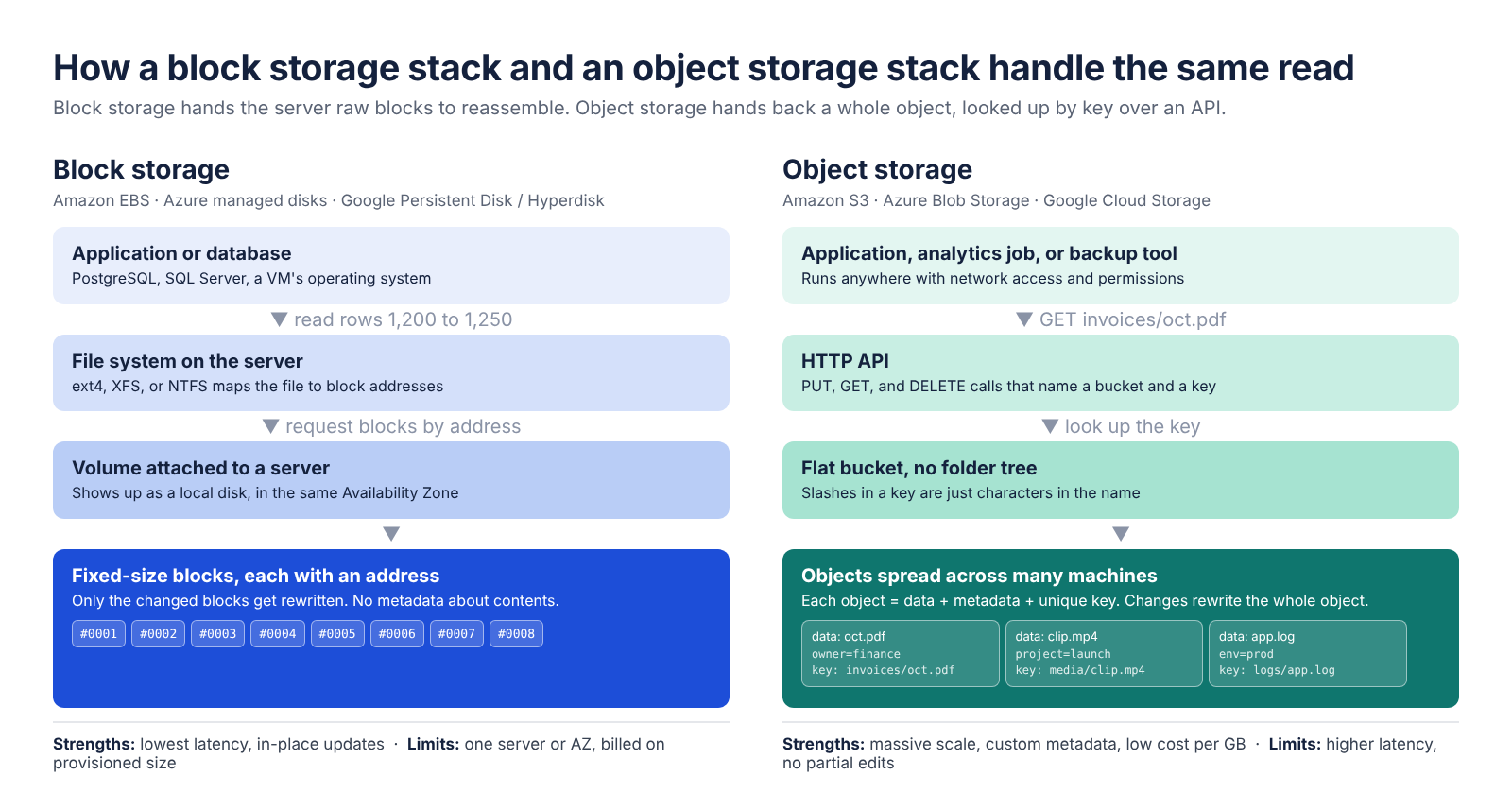
Object storage is a way of storing data as self-contained objects, where each object bundles the data, a set of descriptive metadata, and a unique key, all kept in a flat pool called a bucket (or a container on Azure). There’s no folder tree. A key like invoices/2026/october.pdf looks like a path, but the slashes are just characters in the name.
Applications reach objects through an HTTP API: PUT to write, GET to read, and DELETE to remove, with each call naming a bucket and a key. In Amazon S3, an object’s metadata is a set of name-value pairs, so a video file can carry its project name, owner, and data class right alongside the bytes.
Nothing ties an object to a single server, so the service can spread data across many machines and facilities. That spread is a big part of how S3 is designed for 99.999999999% (11 nines) durability.
The tradeoff shows up when data changes: in an S3 general-purpose bucket you can’t edit part of an object, so updating even one piece of metadata means re-uploading the whole thing. (Appending works only in the S3 Express One Zone class.)
What is block storage?
Block storage is a way of storing data in fixed-size chunks called blocks, each with its own address, on a volume that a server’s operating system treats like a local hard drive. The storage itself doesn’t know what the blocks contain. The file system (or a database engine) keeps track of which blocks make up which file or table.
When an application reads a file, the request travels down the stack. The file system works out which block addresses hold the data, the volume returns those blocks, and the file system reassembles them.
Writes work the same way in reverse, so changing a few rows in a database rewrites only the blocks those rows sit on. Blocks typically range from a few kilobytes to several megabytes in size.
In the cloud, block storage comes as network-attached volumes: Amazon EBS, Azure managed disks, and Google Cloud Persistent Disk and Hyperdisk. A volume attaches to one instance in one Availability Zone.
What is file storage, and where does it fit?
File storage organizes data as files inside a hierarchy of folders, and servers or users reach it by path over network protocols like NFS and SMB. It’s the shared drive model: many machines mount the same share and see the same folders, with permissions set per file or directory.
Amazon EFS and FSx, Azure Files, and Google Cloud Filestore are the managed versions. In the cloud, file storage often sits on top of block storage behind the scenes.
It’s the natural home for shared content, home directories, and older apps that expect a mounted path. The folder hierarchy gets harder to scale as data grows, though, which makes file storage the least scalable of the three.
Object storage vs block storage at a glance
The core difference: block storage gives a server raw, addressable chunks it can rewrite in place, while object storage gives an app whole objects it looks up by key over an API.
Here’s how all three types line up on the points that usually decide the choice. Prices are US East (N. Virginia) list prices as of October 2026.
| ㅤ | Object storage | Block storage | File storage |
|---|---|---|---|
| Data organization | Objects in a flat bucket, each with a unique key | Fixed-size blocks with addresses, on a volume | Files in a folder hierarchy |
| How you access it | HTTP API (PUT, GET, DELETE) from anywhere with permissions | Mounted as a disk by a server in the same zone | Mounted share over NFS or SMB by many servers |
| Speed and latency | Tens of milliseconds for small S3 requests; single-digit ms on S3 Express One Zone | Under 1 ms on io2 Block Express; single-digit ms on gp3 | Depends on the service and protocol |
| Metadata | Custom name-value pairs per object | None beyond block addresses | Basic attributes: name, path, permissions, timestamps |
| Editing data | Rewrite the whole object | Rewrite only the changed blocks | Edit files in place |
| Scalability | Petabytes and billions of objects; up to 50 TB per S3 object | Up to 64 TB per EBS volume; add volumes to grow | Least scalable of the three |
| Cost per GB | $0.023/GB-month (S3 Standard, first 50 TB) | $0.08/GB-month (EBS gp3) | Varies by service and tier |
| Billed on | Data stored, plus requests and transfer | Provisioned size, used or not | Varies by service |
| Best for | Media, backups, archives, data lakes, cloud-native apps | Databases, VM boot disks, transactional apps | Shared folders, home directories, legacy apps |
Object storage vs block storage: Key differences
Data organization and access
Block storage gives a server raw capacity and leaves the organizing to the operating system. Object storage organizes data itself: every object has a key and metadata, and any authorized client can fetch it over HTTPS, whether that’s an app server, a Lambda function, or an analytics engine in another account.
That makes object storage easy to share across many consumers. A block volume is tied to the instance it’s attached to, so two servers that need the same data usually reach for file or object storage.
Performance and latency
Block storage is the faster one for small, frequent reads and writes. Amazon’s io2 Block Express volumes average under 500 microseconds for 16 KiB I/O, and gp3 volumes are designed for single-digit millisecond latency.
S3 is slower per request, with median latency for small requests often in the tens of milliseconds. For object workloads that need speed, S3 Express One Zone is designed for single-digit millisecond latency, and it keeps data in a single Availability Zone.
How data gets updated
Block storage updates in place, so a database can rewrite a single 8 KB page without touching the rest of the file.
Object storage swaps whole objects. That’s fine for photos, logs, and backup files that get written once and read later. It’s a poor fit for data that changes constantly, since every edit means uploading a fresh copy of the full object.
Metadata and search
Object metadata travels with the data, so you can label objects by owner, project, or data class and find them later without opening each file.
Block storage keeps metadata minimal, so anything you’d want to search by has to be handled at the application or database level, in the file system or database on top of the volume.
Scalability and limits
Object storage scales furthest, to petabytes and billions of objects, and a single S3 object can now reach 50 TB, up from 5 TB before December 2025.
Block volumes have a ceiling per volume. After a September 2025 increase, gp3 volumes match io2 Block Express at 64 TB each, and anything bigger means striping several volumes together or moving data off the volume.
Cost and billing model
Object storage costs less per gigabyte. In US East (N. Virginia), S3 Standard runs $0.023 per GB-month for the first 50 TB (S3 pricing), while an EBS gp3 volume runs $0.08 per GB-month (EBS pricing). That’s roughly 3.5 times the price per GB.
The billing basis differs too. EBS charges for the size you provision, so a 1,000 GB gp3 volume holding 300 GB of data still bills $80 a month.
S3 bills for what’s stored, plus requests: $0.005 per 1,000 PUT, COPY, POST, or LIST requests, and $0.004 per 10,000 GET requests. An app that writes 10 million small objects a month adds $50 in PUT charges alone, and S3 cost optimization comes down to storage classes, lifecycle rules, and the transfer charges stacked on top.
Is S3 object or block storage?
S3 is object storage. Amazon S3 stores data as objects in buckets and is accessed through an API, while Amazon EBS is AWS’s block storage for EC2 instances.
Each major cloud has a service for all three types:
| Cloud | Object storage | Block storage | File storage |
|---|---|---|---|
| AWS | Amazon S3 | Amazon EBS | Amazon EFS, Amazon FSx |
| Microsoft Azure | Azure Blob Storage | Azure managed disks | Azure Files |
| Google Cloud | Cloud Storage | Persistent Disk, Hyperdisk | Filestore |
A few product names suggest the wrong storage type:
- Azure "block blobs" are objects. Azure Blob Storage is Microsoft’s object storage, and block blobs are its standard object type. Its page blobs, by contrast, store the VHD files behind Azure VM disks.
- EBS snapshots live in object storage. AWS stores EBS snapshots in Amazon S3, in buckets you can’t access directly. The volume is block storage, and its snapshots sit on object storage.
- S3 can now act like a file system. Amazon S3 Files, launched in April 2026 and based on Amazon EFS, gives AWS compute a file system view of S3 data while the same data stays reachable through S3 APIs.
Pros and cons of object, block, and file storage
Object storage pros and cons
Pros:
 Lowest cost per GB of the three, billed on what you actually store
- Scales to petabytes in a single bucket with no volumes to resize
- Custom metadata on every object makes large datasets easier to sort and govern
- Many apps, accounts, and analytics engines can read the same data at once
- Very high built-in durability (S3 is designed for 11 nines)
Cons:
 Higher latency than block storage, which rules it out as primary storage for transactional databases
- No partial edits, so frequently changing data gets rewritten in full every time
- Request fees and data transfer charges add up for small-object, high-traffic workloads
- Archive tiers add retrieval fees, minimum storage periods, and restore delays, the tradeoffs that come with cold storage backup
- Apps need to call an API instead of opening a file path, unless a layer like S3 Files sits in between
Block storage pros and cons
Pros:
- Lowest latency for small, random reads and writes
- Updates individual blocks in place, which is how databases are built to work
- Works with any operating system and file system, so existing apps run unchanged
- Can boot an operating system, which object storage can’t do
Cons:
- Higher cost per GB, billed on provisioned size whether the space is used or not
- Tied to one instance and one Availability Zone (Multi-Attach is limited to io1 and io2 in the same zone)
- Per-volume size ceiling of 64 TB on EBS, and growing a volume means modifying it and then extending the file system
- Almost no metadata, so finding data depends on the file system or database above it
- Lower built-in durability than object storage, with gp3 built for 99.8% to 99.9% durability and io2 for 99.999%, so volumes need regular snapshots
File storage pros and cons
Pros:
- Familiar folders, paths, and permissions that people and legacy apps already understand
- Many servers can share one file system over NFS or SMB with no code changes
Cons:
- Hard to scale cleanly as data grows, and performance takes a hit at higher data volumes
- A poor fit for very large volumes of unstructured data, where object storage costs less and scales further
When to use block storage vs object storage
Use block storage when:
- You’re running a relational database (PostgreSQL, MySQL, SQL Server, Oracle) on a VM or as a managed service
- You need a boot disk for a virtual machine
- The app is transactional and latency-sensitive, such as order processing or payments
- Stateful containers need persistent volumes, like Kubernetes pods running a database
- You need in-place, random writes, such as a search index or message queue on disk
Use object storage when:
- You’re storing unstructured data that grows constantly: images, video, audio, documents, and logs
- You need a target for backups and long-term archives
- You’re building a data lake for analytics or machine learning datasets
- Cloud-native and serverless apps need to read and write data from many places
- You’re serving static website assets or user uploads
Use file storage when:
- Several servers need the same folders mounted at once
- A rehosted app expects a file path and can’t be rewritten
- Teams need shared home directories or content management with file-level permissions
Many production systems mix all three. A typical e-commerce stack runs its orders database on block volumes, keeps product images and nightly exports in object storage, and shares CMS content through a file system.
How backups differ for block volumes and object buckets
Block volumes and object buckets get protected with different native tools, and each one has its own blind spot.
Volumes are usually protected with snapshots. An EBS snapshot is a point-in-time, incremental copy that saves only the blocks that changed since the last one.
Snapshots are quick to take, but by default they stay in the same account and region as the volume, and they pile up across accounts and regions until someone cleans them out. On their own, snapshots fall short as a recovery plan, and the sprawl drives up cloud backup costs.
Buckets lean on built-in features. S3 Versioning keeps every version of every object, and S3 Object Lock blocks deletes and overwrites for a set period in write-once-read-many (WORM) mode.
Both help, yet neither one creates a separate, isolated copy with retention you can audit across accounts, and old versions keep adding to the storage bill. Storing data in a bucket and backing it up are two separate jobs.
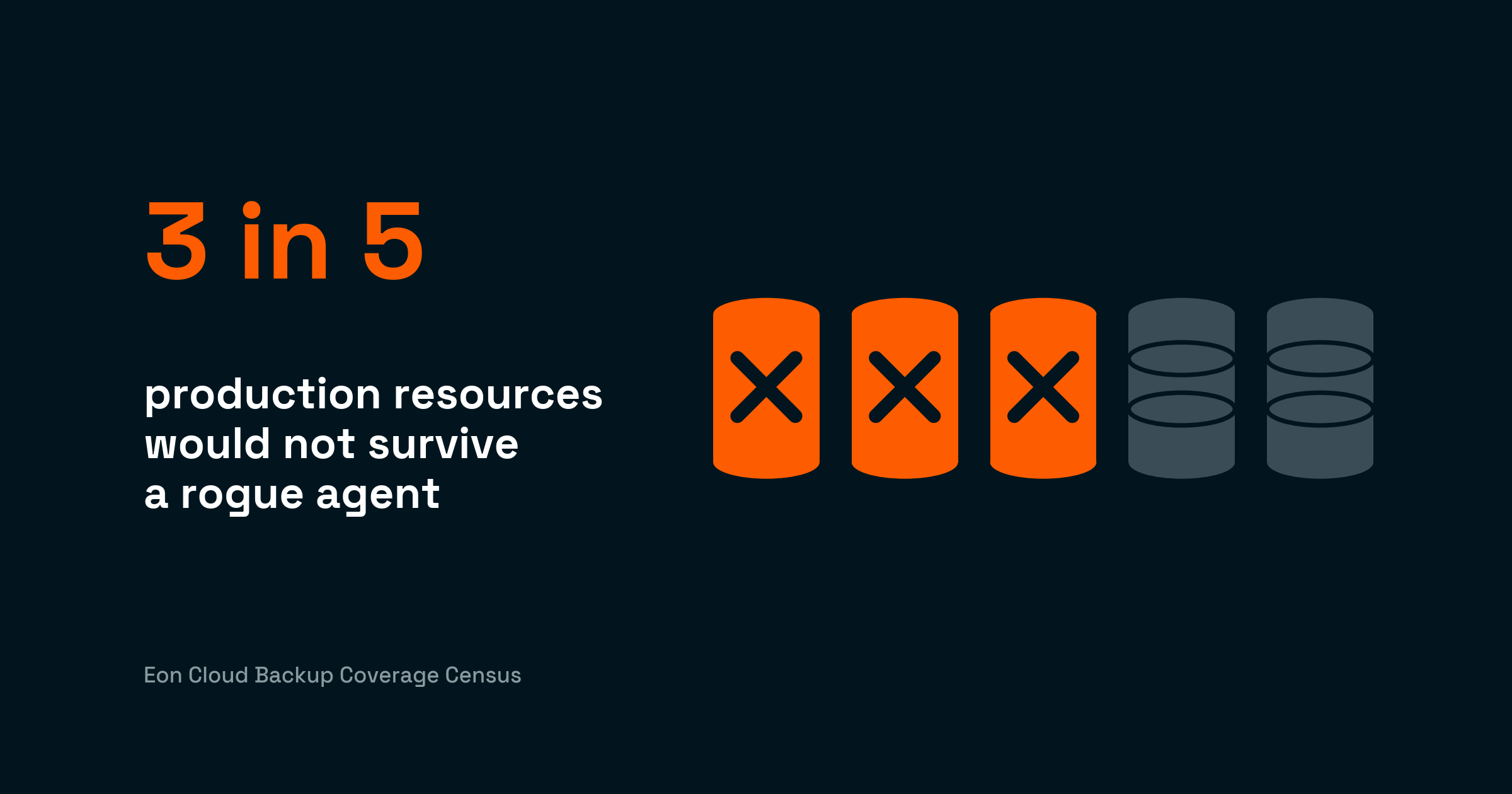
The bigger risk is coverage. Volumes and buckets often have different owners and different policies, so new resources slip through. In our 2026 Cloud Data Infrastructure Report, 63% of cloud IT leaders said they frequently or sometimes uncover unprotected workloads because of policy misconfiguration.
How Eon protects block volumes and object buckets under one policy
We created Cloud Backup Posture Management (CBPM) for exactly this split. Eon discovers EC2 instances and their EBS volumes, S3 buckets, Azure VMs and Blob Storage, and Compute Engine disks and Cloud Storage buckets across your accounts, then classifies each resource by environment and data type (production, PII, financial data).
Backup policies attach by those properties, with no manual tagging. A new bucket holding PII picks up the matching retention as soon as Eon discovers and classifies it.
Posture controls then check the result against your rules, such as a minimum number of copies or a copy in another region or account, and flag violations on one dashboard.
Backups land in logically air-gapped, immutable Eon vaults, isolated from production accounts. Global deduplication cuts backup storage costs by 30–50%. After replacing a legacy backup provider with Eon, NETGEAR cut its own storage bill by 35%.
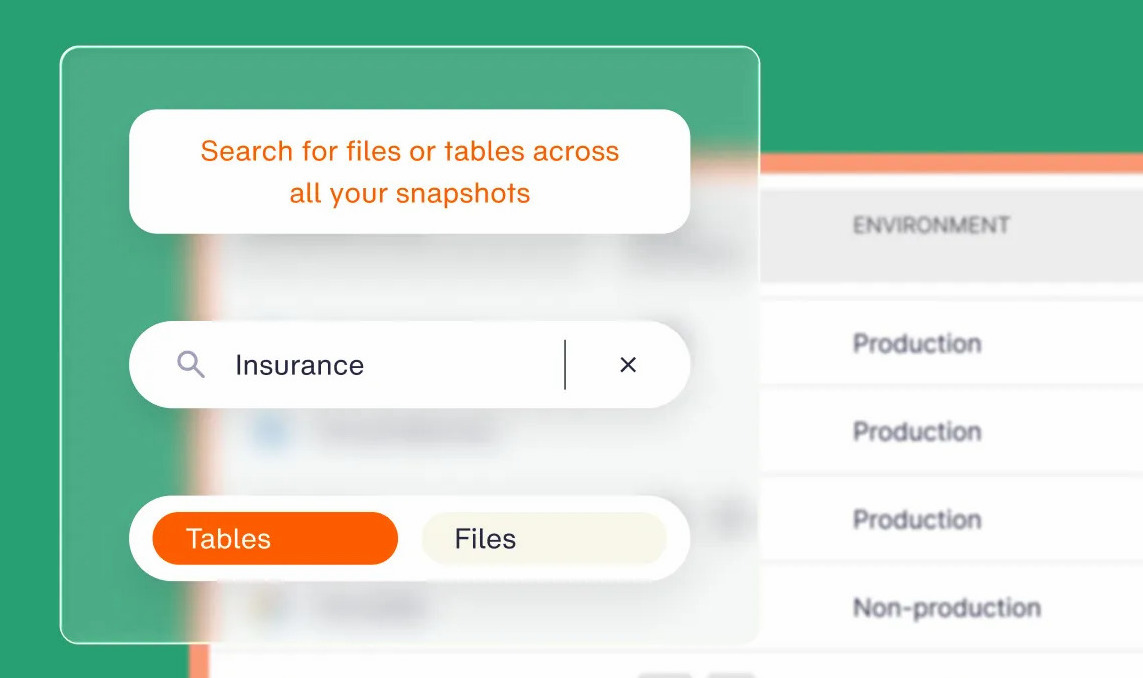
Global Search finds a file by name across backups in seconds, and granular recovery restores a single file or folder from a volume backup, or a single object from a bucket backup, with no full-environment rebuild.
Workload-aware ransomware detection (add-on) runs across managed databases, object storage, and VMs, so you can restore from a clean recovery point. Relational databases running on backed-up VMs stay queryable as well, so an audit request doesn’t turn into a full restore.
Can you prove every volume and bucket in your cloud is backed up?
Put databases, VM disks, and transactional apps on block storage, since they need fast, in-place writes. Media, logs, data lakes, and backups belong in object storage, where cost per GB stays low as the data keeps growing, and file storage covers the shared folders in between.
The protection side gets far less attention than the performance side. Volumes and buckets get backed up with different tools, often by different teams, which is how resources end up with no policy at all. If you can’t prove coverage, you don’t have coverage.
Not sure which of your volumes and buckets have no backup policy today? Book a demo to see your backup posture across every account.
Frequently asked questions
Is object storage cheaper than block storage?
Yes, object storage is cheaper per gigabyte. In US East (N. Virginia), S3 Standard costs $0.023 per GB-month, and EBS gp3 costs $0.08 per GB-month. Object storage adds request and data transfer charges, though, so high-traffic workloads with millions of small objects can narrow the difference.
Can you run a database on object storage?
No, object storage isn’t suited to hosting a transactional database’s live data files. Databases need low-latency, in-place writes to small blocks, which block storage provides. Object storage works well for database backups, exports, and analytics data that query engines read in bulk.
What are the disadvantages of block storage?
The main disadvantages of block storage are a higher cost per GB, billing on provisioned capacity whether it’s used or not, attachment to a single instance and Availability Zone, per-volume size limits (64 TB on EBS), and almost no metadata. It also has lower built-in durability than object storage, so volumes need regular snapshots.
What is the difference between file storage and object storage?
The main difference between file storage and object storage is how data is organized and reached. File storage keeps files in a folder hierarchy that servers mount over NFS or SMB. Object storage keeps objects in a flat bucket, each with metadata and a unique key, and apps reach them through an HTTP API.
Are EBS snapshots stored in object storage?
Yes, EBS snapshots are stored in Amazon S3, in buckets that customers can’t access directly. Each snapshot is incremental, saving only the blocks that changed since the previous snapshot, and you restore it to a new EBS volume.