

AWS Savings Plans are often the first commitment discount a team looks at once its AWS bill settles into a predictable baseline. You promise AWS a fixed amount of spend per hour for one or three years, and it bills that usage at a lower rate.
The headline (up to 72% off) is real, but most production fleets land well below it. We priced a 20-instance production fleet against AWS’s public Savings Plans price list in October 2026, and the one-year plans saved 27% to 34%.
What is an AWS Savings Plan?
An AWS Savings Plan is a pricing agreement where you commit to a set amount of spend per hour on eligible AWS usage for one or three years. In return, AWS bills that usage at a discounted rate, up to 72% off On-Demand prices.
Nothing in your infrastructure changes when you buy one. The discount lands on the bill automatically, hour by hour, against whatever eligible usage happens to be running, so there’s nothing to tag or match up.
You give up the freedom to scale spend down to zero, and AWS gives you a lower rate on the baseline you keep.
How AWS Savings Plans work
Savings Plans apply your hourly commitment to eligible usage every hour, and AWS starts with the usage that earns the biggest discount. Usage above the commitment bills at On-Demand rates. Commitment you don’t use in an hour is gone.
A Savings Plan also doesn’t reserve capacity, so if you need guaranteed capacity, pair it with On-Demand Capacity Reservations.
The commitment is measured at the discounted rate
Your commitment is the amount you’ll spend at Savings Plan rates, so it covers more usage than the same dollar figure would at On-Demand prices.
Take one m7i.xlarge Linux instance in US East (N. Virginia). It costs $0.2016 an hour On-Demand. On a one-year, no-upfront Compute Savings Plan, the rate is $0.14811. So a commitment of about $0.15 an hour covers that instance for every hour it runs, even though its On-Demand price is about $0.20.
Sizing from On-Demand spend is the classic mistake. Commit $0.20 an hour against that instance and roughly a quarter of the commitment goes unused, every hour, for a year.
Every hour stands alone
Each hour’s commitment can only be used within that hour and can’t be carried over. A quiet weekend doesn’t bank credit for a busy Monday.
Size commitments to the floor of usage, the lowest level your fleet runs at any hour of the week. Commit to the average instead, and every idle hour leaves part of the commitment unused. Pinning down that floor is the first move in any cloud cost optimization effort.
The order AWS applies discounts
AWS applies discounts in a fixed order:
- Free Tier, then Reserved Instances.
- EC2 Instance Savings Plans, because they’re narrower.
- Compute Savings Plans, which pick up what’s left.
- On-Demand rates for anything still uncovered.
Within a plan, AWS covers the usage with the highest savings percentage first. In an organization, the account that bought the plan gets the benefit first, then other accounts with sharing turned on.
If you need finance to see who used what, Cost Categories let you group accounts for cost allocation and chargeback.
Payment options
Compute, EC2 Instance, and SageMaker AI plans come with three payment options:
- All Upfront: You pay the full term at purchase and get the lowest rate.
- Partial Upfront: You pay at least half up front and the rest monthly.
- No Upfront: You pay monthly with nothing at purchase.
The difference between them is small. For the m7i.xlarge on a one-year Compute plan, the hourly rate was $0.14811 with no upfront, $0.14106 partial, and $0.13824 all upfront. Paying everything on day one bought a rate about 7% lower than paying monthly.
Database Savings Plans are the exception. They come with a one-year term and no upfront payment, though you can prepay through the advance pay feature in the billing console.
The seven-day return window
You can return a Savings Plan only if all of these are true:
- Its hourly commitment is $100 or less.
- You bought it in the last seven days.
- You bought it in the same calendar month (UTC). A plan bought on the 30th can only be returned for a day or two.
- It’s active, and the same account that bought it requests the return.
Returns are also capped per billing family. AWS refunds any upfront charge in full, and the usage goes back to On-Demand rates. Past that window, there’s no cancel, exchange, or resale option.
The four types of Savings Plans
AWS now sells four Savings Plan types. The newest, Database Savings Plans, launched in December 2025.
Discount ceilings from the AWS Savings Plans page, verified October 2026.
Compute Savings Plans
Compute plans are the most flexible. They apply to EC2 instances regardless of family, size, OS, tenancy, or region, plus Fargate and Lambda compute. If your team is moving to Graviton, a newer generation, or containers over the next year, the discount moves with you.
EC2 Instance Savings Plans
EC2 Instance plans lock to one instance family in one region, such as m7i in US East (N. Virginia). Inside that family, you can change size, OS, and tenancy freely. You get the highest discount AWS offers, in exchange for betting the family and region will still be running for the whole term.
SageMaker AI Savings Plans
SageMaker AI plans cover SageMaker AI instance usage across notebooks, processing, training, and inference, regardless of instance family, size, or region. They make sense for ML teams with consistent training jobs or always-on inference endpoints.
Database Savings Plans
Database plans work like Compute plans for managed databases. The commitment follows your usage across engines, instance families, sizes, deployment options, and regions. Discounts vary by usage type:
- Serverless deployments: Up to 35%.
- Provisioned instances: Up to 20%.
- DynamoDB and Keyspaces on-demand throughput: Up to 18%.
- DynamoDB and Keyspaces provisioned capacity: Up to 12%.
Check three things before you buy:
- Instance generation: Provisioned coverage applies to 7th-generation and newer families (db.r7g, db.m7i, and later, per AWS’s price list), so a fleet still on db.r5 or db.r6g gets nothing.
- Existing RIs: You can’t combine a Database Savings Plan with Reserved Instances on the same workload.
- SQL Server licensing: On RDS for SQL Server, only the instance price is covered, and Windows and SQL Server licensing bill at On-Demand rates.
Savings Plans vs. Reserved Instances
Savings Plans are the better default for EC2, Fargate, and Lambda. They reach the same discount ceilings as Reserved Instances (72% for EC2 Instance plans and Standard RIs, 66% for Compute plans and Convertible RIs) with fewer restrictions. Reserved Instances still win in a few specific cases.
A Compute Savings Plan applies across instance families, regions, Fargate, and Lambda, while a Reserved Instance only discounts the instance family and scope you bought.
Pick Reserved Instances when:
- You need guaranteed capacity in a specific Availability Zone and want it bundled with the discount.
- You run a service Savings Plans don’t cover, such as Redshift.
- You want the option to sell unused Standard RIs on the Marketplace.
- You already hold RIs. Let them run out, because RIs apply before Savings Plans and you can’t stack a Database Savings Plan with RIs on the same workload.
Compute vs. EC2 Instance Savings Plans: Flexibility against discount
Compute Savings Plans give up a few points of discount in exchange for following your workloads anywhere in EC2, Fargate, and Lambda. EC2 Instance Savings Plans pay you more to stay in one instance family and one region. For most enterprise fleets that change at least once a year, Compute is the safer buy.
On the same m7i.xlarge instance, using AWS’s October 2026 price list, the two plans compare like this:
The EC2 Instance plan wins when the family is pinned: a database fleet tied to a licensed instance type, or a stable m7i tier with no migration on the roadmap. Compute wins when anything might move (a Graviton migration, a new region, a service moving onto containers).
Savings Plans pricing: 20-instance example
Say your platform team runs 20 m7i.xlarge Linux instances around the clock in US East (N. Virginia) as a production baseline. On-Demand, that’s $0.2016 an hour per instance, or $4.03 an hour for the fleet.
Each plan’s cost for a year, using rates from AWS’s public price list (October 2026):
The three-year All Upfront plans are paid in full at purchase: $48,760 for Compute and $41,833 for EC2 Instance. The table spreads that cost across each year of the term.
On paper, the EC2 Instance plan saves about $2,600 more a year than Compute on a one-year term.
Now say your team moves eight of the 20 instances to Graviton (m7g.xlarge, $0.1632 an hour On-Demand) right after the purchase. Running the new mix fully On-Demand would cost $32,629 a year.
- With the EC2 Instance plan: The 12 remaining m7i instances use $1.60 of your $2.67 hourly commitment. The other $1.07 an hour goes unused, about $9,350 a year. The eight Graviton instances bill at full On-Demand rates. Your total comes to $34,802, about $2,170 more than if you’d never bought a plan.
- With the Compute plan: The Graviton instances pick up the Compute rate ($0.1199 an hour). The whole fleet uses $2.74 of your $2.96 commitment, and your total stays at $25,949. You still save $6,680 (about 20%) and have a little headroom for new usage.
The bigger discount only pays if the fleet holds still, which is why we’d default to Compute unless a family is truly locked in.
What Savings Plans don’t cover
Savings Plans don’t cover storage. Compute plans discount EC2 instance hours, Fargate, and Lambda. Database plans discount database instances, serverless capacity, and throughput. Your EBS volumes, EBS snapshots, S3 buckets, AWS Backup vaults, and data transfer all stay at their normal rates.
Other exclusions worth knowing:
- Spot usage and usage already covered by Reserved Instances.
- Database storage, I/O, and backup storage, even under a Database Savings Plan.
- Windows and SQL Server licensing on RDS for SQL Server.
- Older database instance generations.
At $0.05 per GB-month for standard EBS snapshot storage, an environment holding 500 TB of snapshots pays about $25,000 a month, and no Savings Plan touches a cent of it. The same goes for AWS Backup vault storage and S3.
Backup storage also grows in ways compute doesn’t. Snapshots outlive the instances they came from, retention defaults get copied from one account to the next, and nobody owns the cleanup, which is how cloud backup costs pile up across accounts.
That’s the part of the AWS bill we focus on at Eon. Cloud Backup Posture Management (CBPM), the category we created, discovers and classifies resources across your AWS accounts and applies backup policies and retention by data type, with no manual tagging.
It flags unprotected resources, policy drift, and retention that breaks your rules as the environment changes.
Cloud-native deduplication cuts backup storage costs 30% to 50%, and Eon’s Cost Explorer breaks backup spend down by resource, resource type, and source account. NETGEAR cut its backup storage costs by 35% after moving from a legacy backup provider to Eon.
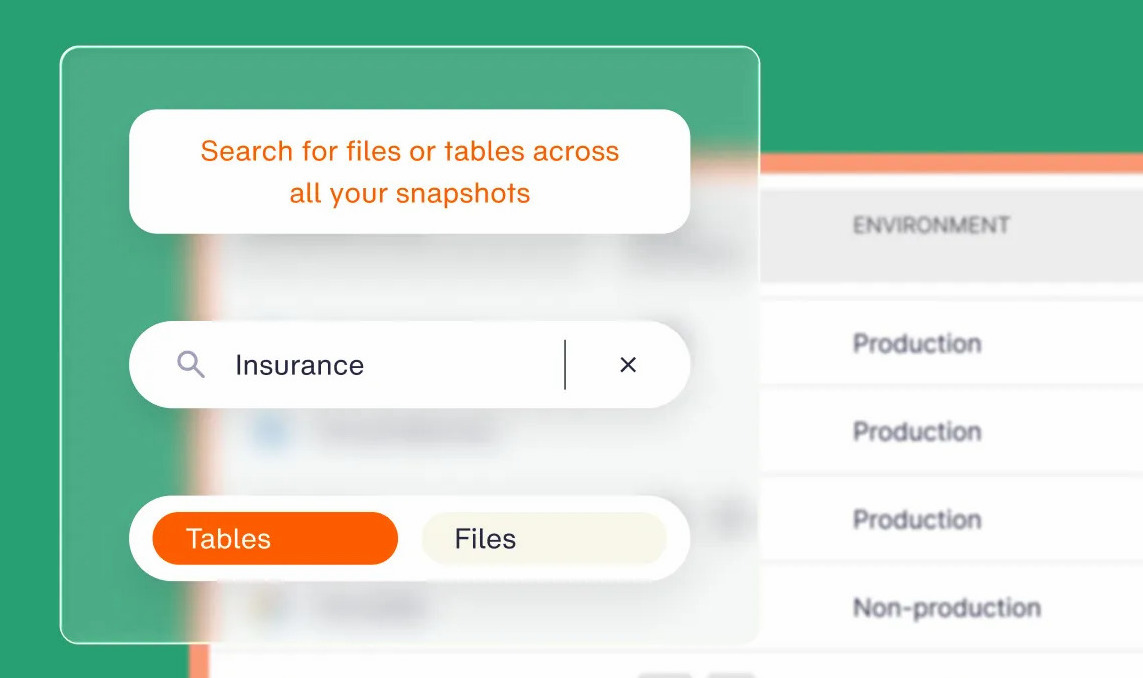
Lower backup spend only helps if the copies you keep can still restore. Eon keeps backups in immutable, logically air-gapped vaults, and Global Search finds a single file or database record in seconds so you can restore just that item.
Where Savings Plans help and where they hurt
Savings Plans are one of the easiest discounts AWS sells, and also one of the easiest to overbuy.
Pros
- They apply automatically: There’s no instance matching or tagging, and the discount lands on whatever eligible usage runs.
- Compute plans survive modernization: Moving to Graviton, a newer generation, Fargate, or Lambda keeps the discount.
- Rates are locked: Your Savings Plan rates stay fixed for the term.
- No Upfront is an option: You can get most of the discount without tying up capital.
Cons
- Unused hours are lost: Overcommit, and you can end up paying more than On-Demand, as the Graviton example shows.
- There’s no way out: After the return window, you can’t cancel, exchange, or sell the plan.
- No capacity guarantee: You’ll need separate Capacity Reservations for that.
- Storage isn’t covered: Snapshots, S3, backup vaults, data transfer, and licensing all bill at normal rates.
Should you buy a Savings Plan?
Yes, if you have compute that’s been running at a stable floor for months and will still be running a year from now. The longer and more stable that floor, the more of it you should commit.
A Savings Plan fits if you:
- Run a production baseline that hasn’t dipped below a consistent level over the last 60 days.
- Plan to modernize instance families or move to containers and want the discount to follow (Compute).
- Manage purchasing centrally for a multi-account AWS Organization.
Hold off if you:
- Run mostly spiky, short-lived, or Spot workloads.
- Expect to migrate off AWS, consolidate regions, or shrink the fleet within the term.
- See storage, snapshots, or backup as your fastest-growing line item. A compute commitment won’t change that number, so start with the storage side of AWS cloud cost reduction.
Savings Plans best practices
Five habits keep a commitment matched to the fleet after you buy:
- Start from the Recommendations: AWS sizes a suggested commitment from a 7, 30, or 60-day lookback of your actual usage, and accounts for plans you already hold. Set yours at or below that number.
- Buy from the management account: Purchase from the management account so the commitment is shared org-wide. A plan bought in a member account with sharing turned off can only draw on that account’s usage, so its idle hours go to waste while other accounts pay On-Demand.
- Buy in tranches: Several smaller purchases a few months apart stagger the expiry dates, so you can resize as the fleet changes.
- Watch utilization weekly: Cost and Usage Reports show Savings Plan line items for covered usage and the recurring commitment fee, so you can spot unused commitment early. Many AWS cost optimization tools also track coverage and utilization for you.
- Rerun the math before renewal: Your fleet a year or three from now won’t match the one you sized for. When you do renew, queue it to start the moment the old plan expires so the fleet never slips back to On-Demand.
Commit to compute, then look at backup
Buy AWS Savings Plans for the compute baseline you’re confident will still be running a year from now, and default to Compute plans unless your fleet is truly pinned. In our m7i example, the extra seven points of discount on an EC2 Instance plan turned into a loss once eight of the 20 instances moved to Graviton.
A compute commitment locks in a rate. Storage and backup stay at list price, and they only come down when you control what gets backed up, where the copies live, and how long they’re kept.
Is your backup bill growing faster than your compute? Book a demo and see what Eon’s cloud-native deduplication would cut from it.
Frequently asked questions
Is a Savings Plan worth it?
Yes, for compute that runs at a consistent level for at least a year. A one-year, no-upfront Compute plan saved about 27% on a 20-instance m7i.xlarge fleet we priced in October 2026, with no money down.
Can you cancel a Savings Plan?
No. You can’t cancel, exchange, or sell a Savings Plan. The only exit is a return within seven days of purchase, in the same calendar month, for plans with an hourly commitment of $100 or less.
What is the difference between Savings Plans and Reserved Instances?
The main difference between Savings Plans and Reserved Instances is what you commit to. Savings Plans commit you to dollars per hour and apply automatically to changing usage, while Reserved Instances commit you to a specific instance configuration. Only zonal Reserved Instances reserve capacity.
What is the difference between Compute and EC2 Instance Savings Plans?
The main difference between Compute and EC2 Instance Savings Plans is flexibility. Compute plans (up to 66% off) apply across instance families, regions, Fargate, and Lambda. EC2 Instance plans (up to 72% off) lock to one instance family in one region.
Do Savings Plans apply across AWS accounts?
Yes. By default, a Savings Plan applies to eligible usage across all accounts in your AWS Organization. AWS covers the purchasing account first, then other accounts with discount sharing turned on.
Do Savings Plans cover EBS, S3, or backup storage?
No. Savings Plans discount compute and database capacity only, so EBS volumes and snapshots, S3, AWS Backup vaults, database storage, and data transfer all bill at standard rates. Eon brings backup storage costs down 30% to 50% with cloud-native deduplication and retention policies set by data type.