Back up and restore your identity provider
People, service accounts and now AI agents all sign in through your identity provider. Detection tools tell you when something goes wrong there. Eon Data Protection puts it back, restoring Microsoft Entra ID and Okta from a vault outside your tenant with every group, app and policy as it was.












Attackers keep going after identity
71%
14 days
109:1
Agents are identities now
AI agents sign in, hold admin rights and change things at machine speed, and one bad call can delete data along with the backups behind it. Eon backs up your identity provider next to Microsoft 365, Google Workspace and AI apps and agents, in one vault and one console, so you can undo what an agent did.
Read how an AI agent deleted production data and its backups →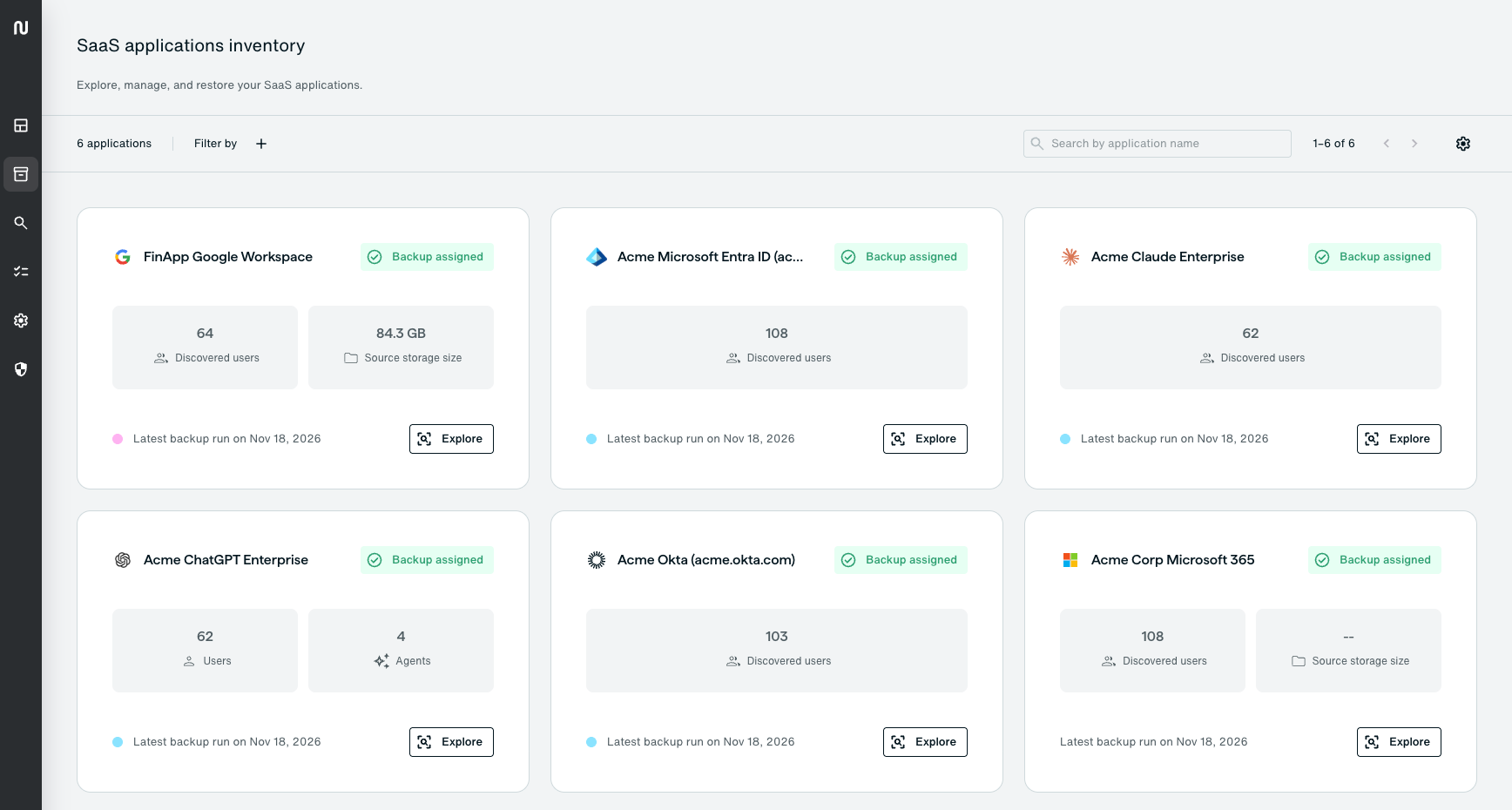
How Eon protects identity
Four principles behind every Entra ID and Okta backup.

Backups an admin can't reach
Identity backups live in an immutable, airgapped vault outside your Entra tenant or Okta org. No admin account inside the tenant can delete or change them, including a compromised one.

Group and app access restored
Restores re-link group memberships, roles and app assignments, plus licenses in Entra ID, so a restored group grants the same access it did before.

See the directory as it was
Open any backup and look up a user, group or policy by name to see its members, rules and assignments at that point in time. Before you restore, a preview shows what will change. After the restore, you get a report for each object.

Clear next steps after a restore
Neither Entra ID nor Okta lets anyone export passwords, MFA secrets or app secrets, so Eon doesn't back them up. Recreated users set a new password, and the restore report lists the follow-up steps.
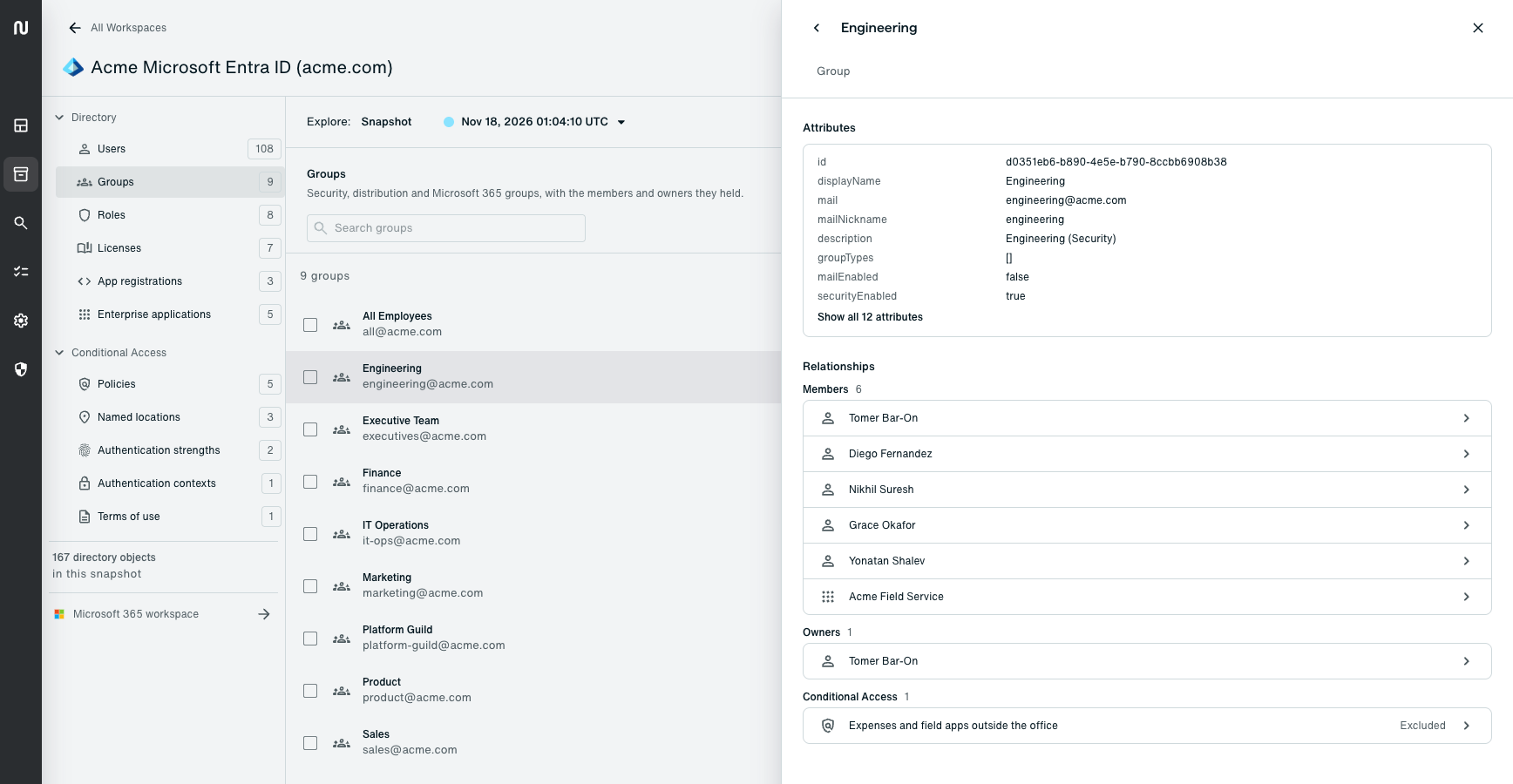
Any group, as it stood in a backup: its members, its owner and the Conditional Access policy it ties into.
Choose your identity provider


How identity damage happens

A compromised admin

A weakened policy

Runaway automation

A cleanup gone wrong
What Entra ID and Okta can't undo
Both vendors document these limits. Each product page has the full comparison with Eon.
Entra ID on its own
Okta on its own
Deleted objects
Kept 30 days in the recycle bin, and an admin can purge it sooner.
Okta says a deleted user can't come back.
Hard deletes
Microsoft says it can't restore hard-deleted items. Hard Deletion Protection, in preview, adds a seven-day hold for enrolled objects.
Okta says it offers no native backup or rollback tools.
Native backup
Entra Backup and Recovery keeps seven days of daily snapshots with P1 or P2, without Intune policies.
No native backup for an org.
What changed
Audit logs cover 30 days, with no snapshot of the directory as it was.
The System Log covers 90 days, with no point-in-time view of the org.
10 questions to test your identity recovery
Can you restore a group with its members and app assignments? Could a compromised super admin, or an agent with admin rights, delete your backups? The checklist covers what native tools do and where they fall short.
More on identity recovery
Protecting the identity layer: Eon Data Protection for Okta
Expanding Eon Data Protection to Microsoft Entra ID
How Eon backs up and restores Microsoft Entra ID
How an AI agent deleted production data and its backups
FAQs
It means backing up the objects and configuration in your identity provider, so you can restore them after a deletion, a bad change or a compromise. Threat detection tools watch for attacks as they happen. Eon gives you a copy of the directory from before the damage and a way to put it back.
Eon keeps backups for as long as your policy sets, in a vault outside your Microsoft tenant. It can recreate objects that Entra ID has already purged, and the advanced plan covers Intune policies, which the native tool doesn't back up.
Through two Okta API Services apps, one read-only for backups and one for restores, set up from the console wizard, a script or Terraform, with no agents or appliances.
A restored mailbox or OneDrive helps nobody whose account no longer exists or has lost its group memberships, so the account and its access have to come back first.
See an identity restore end to end
Watch Eon bring back a deleted group and its app assignments after a compromised admin removes them.