

Quick Summary
- Inbound data is free. Internet egress from US East costs $0.09 per GB after the first 100 GB a month, falling to $0.05 above 150 TB.
- Traffic inside AWS costs money too: $0.01 per GB each way between Availability Zones, and $0.01 to $0.02 per GB from US East to other regions.
- NAT gateways add $0.045 per GB processed on top of normal transfer rates, which makes them one of the most common surprise line items.
- Most savings come from routing: CloudFront for internet traffic, free gateway endpoints for S3 and DynamoDB, and keeping chatty services in one AZ.
- Cross-region backup copies and restores bill as inter-region transfer, and the first EBS snapshot copy into a new region is a full copy.
Data transfer is the AWS line item most teams can’t predict. Compute and storage follow what you provision. AWS data transfer pricing follows where each byte goes: out to the internet, across Availability Zones, between regions, or through a NAT gateway on the way.
That’s how one new service reading from a database in another AZ, or one replication rule pointed at a far-off region, can add a few hundred dollars to your AWS bill before anyone notices.
Our team built CloudEndure (the migration and disaster recovery service AWS later acquired), so moving data between regions is something we’ve done directly.
Every rate below comes from AWS’s pricing pages and public price list as of October 2026, with US East (N. Virginia) as the reference region. At Eon, we focus on backup costs, so we look hardest at what backup and DR copies add to the transfer bill.
How AWS data transfer pricing works
AWS data transfer pricing is the set of per-GB rates AWS charges when data leaves a service and crosses a boundary: out to the internet, into another region, into another Availability Zone, or through a managed networking service like a NAT gateway. Data coming in from the internet is free.
Three things set the price of each GB: the region it leaves from, where it’s headed, and which networking services it passes through. The same 1 TB can cost nothing (S3 to EC2 in the same region), about $20 (between two AZs), or roughly $92 (out to the internet from US East).
How AWS decides what each GB costs
- Direction: On transfers between regions only the sending side pays. Cross-AZ traffic is the exception, billed on both sides.
- Source region: Internet egress costs $0.09 per GB from US East (N. Virginia), $0.114 from Tokyo, and $0.15 from São Paulo for the first 10 TB.
- Pooled tiers: The 100 GB free allowance is pooled across all services and regions (except China and GovCloud), and the volume tiers combine your internet egress across EC2, S3, RDS, DynamoDB, CloudWatch Logs, and about nine other services.
- Stacked fees: NAT gateways, Transit Gateway, and interface endpoints each add their own per-GB processing fee, and standard transfer charges still apply on top.
Data transfer vs. data processing charges
The main difference between data transfer and data processing charges is what triggers them. Transfer charges apply when data crosses an AZ, region, or internet boundary. Processing charges apply when data passes through a managed networking service, wherever it’s going.
Processing fees are easy to miss. A NAT gateway handling 10 TB a month adds about $460 in processing alone, even if every byte stays inside the region.
AWS data transfer rates by transfer type
These are the on-demand rates from US East (N. Virginia), taken from AWS’s EC2 and VPC pricing pages, and public price list (October 2026). Many regions charge more (Tokyo and São Paulo among them), so check your own region before you budget.
Internet egress
Anything you send to users, partners, or another cloud bills at the internet egress rate, including the responses your load balancer sends back to users. The first 100 GB each month is free, and the per-GB rate drops as monthly volume passes 10 TB, 50 TB, and 150 TB. Above 500 TB a month, AWS asks you to contact it for pricing.
There are two exceptions. EU customers can request reduced rates for eligible use cases under the European Data Act, and customers moving all of their data off AWS can apply for free egress for that move.
Cross-AZ transfer
Data crossing Availability Zones costs $0.01 per GB on the way out and another $0.01 on the way in, so each GB costs $0.02 in total. The CUR shows two line items for every cross-AZ transfer, one for each direction.
Public IPs can trigger the same charge inside a single AZ. AWS bills traffic sent to a public or Elastic IP address inside the region, often by calling a service by its public DNS name, at the same $0.01 regional rate. Two instances in one AZ talking over Elastic IPs can pay for traffic that would cost nothing over private IPs.
Inter-region transfer
Moving data between regions bills only the sending side. From US East, it’s $0.01 per GB to Ohio and $0.02 per GB to almost every other commercial region.
The direction changes the price a lot. Sending data from Tokyo to N. Virginia costs $0.09 per GB, and from São Paulo it’s $0.138, versus $0.02 or less heading the other way. The sample bill below shows what that reversal does to a real monthly copy.
NAT gateway, Transit Gateway, and VPC endpoints
A NAT gateway charges $0.045 for every hour it runs and $0.045 for every GB it processes, and standard data transfer charges still apply on top of that.
That’s why a NAT gateway in front of S3 traffic gets expensive. The S3 transfer itself is free inside the region, but the NAT gateway still charges $0.045 per GB to process it.
Transit Gateway and interface endpoints follow the NAT model: an hourly fee plus a per-GB processing fee. Gateway VPC endpoints and VPC peering avoid the processing fee entirely, which is where two of the cost-cutting tactics below start.
CloudFront and Direct Connect
Data moving from an AWS origin (S3, EC2, or a load balancer) to CloudFront is free, so serving traffic through CloudFront shifts it off EC2 and S3 egress rates (the savings math is in tactic 1).
AWS Direct Connect carries traffic to your own data center at $0.02 per GB from US East to a US location, plus an hourly port fee.
Since September 2026, dedicated 10 Gbps and 100 Gbps connections can also move to flat-rate pricing, a fixed monthly fee that includes data transfer out within the tier you pick.
How to find data transfer charges on your AWS bill
Data transfer doesn’t get its own service line in AWS billing. Each service bills its own transfer, and the EC2 and VPC networking charges land under EC2-Other in Cost Explorer.
In Cost Explorer
- Open Cost Explorer and filter Service to EC2-Other.
- Group by Usage type.
- Filter to usage type groups that start with "EC2: Data Transfer," such as "EC2: Data Transfer – Region to Region (Out)".
- Repeat the grouping for S3, RDS, and CloudFront, since each one reports its own transfer.
A transfer line that jumps from one month to the next usually points to a new service, a new replication rule, or traffic that started crossing AZs. If you tag resources for cost allocation, grouping by tag shows which team or app sent it.
Usage types decoded
The usage type tells you which kind of transfer you paid for. Usage types without a region prefix come from US East (N. Virginia), and other regions add a prefix such as USE2 (Ohio) or USW2 (Oregon).
In the Cost and Usage Report
The Cost and Usage Report (CUR) shows the same usage types in the lineItem/UsageType column, down to the resource if you turn on resource IDs.
Query it with Athena to rank the instances, buckets, or gateways sending the most data. Use lineItem/ProductCode to separate CloudFront transfer from regular internet egress, since their usage types look alike.
Cost Explorer and the CUR show what you paid. To find the connection behind a charge, turn on VPC Flow Logs and match the heaviest source and destination IPs to resources.
Many AWS cost optimization tools also break transfer out by resource for you.
What a multi-AZ app with cross-region DR pays for data transfer
Here’s an illustrative monthly bill for a common setup, using US East rates and 1 TB = 1,024 GB (the same tier math AWS’s price list uses). The app runs across two AZs in N. Virginia and copies backups to Oregon.
The bill covers data transfer only, with no instance, load balancer, or storage charges:
- 15 TB a month served to users on the internet through a load balancer.
- Two NAT gateways (one per AZ) running all month and processing 8 TB. About 5 TB of that is S3 traffic, and the rest is data coming back from third-party APIs.
- 10 TB a month of app traffic crossing AZs between app servers, a cache, and a database.
- 6 TB a month copied to Oregon for DR: 3 TB of S3 replication, 2 TB of EBS snapshot copies, and 1 TB of RDS backup replication.
The monthly bill, line by line
Internet egress makes up about 64% of this bill, and the NAT gateways add another 21%. The DR copies are the smallest line here, but that flips if the primary region changes. Run the same 6 TB from Tokyo to N. Virginia, and that line jumps to $552.96.
Bills like this can also jump in a single month. One real AWS data transfer bill went from $37 to about $12,000 in a month after services spread across regions started moving large volumes back and forth.
What three routing fixes save on the same bill
The new monthly total comes to about $1,602. The S3 endpoint is the fastest win of the three: it’s free, and it takes a route table change.
How to cut AWS data transfer costs: 8 tactics
Most data transfer savings come from changing where traffic flows. These tactics start with the ones that need the least engineering, and each one has a cost we’ve noted. They cover transfer only; compute and storage savings follow a different set of moves.
1. Put CloudFront in front of internet traffic
CloudFront doesn’t charge for fetches from AWS origins, so traffic that used to bill as EC2 or S3 egress bills at CloudFront’s rates instead. You also get 1 TB and 10 million requests free each month, and the US rate falls to $0.08 per GB after 10 TB and $0.06 after 50 TB.
The tradeoff is request fees ($0.01 per 10,000 HTTPS requests in the US) and cache rules you have to manage. For steady traffic, CloudFront’s flat-rate plans bundle data transfer, requests, WAF, and DDoS protection into a fixed monthly price per distribution, starting at $15 for the Pro plan. Check each plan’s request allowance before you pick one.
2. Add gateway VPC endpoints for S3 and DynamoDB
Gateway endpoints are free, and they route S3 and DynamoDB traffic from private subnets around the NAT gateway. If your instances pull container layers, logs, or backups from S3 through a NAT gateway today, this alone removes $0.045 per GB. The same buckets usually carry storage costs as well, so it is worth cutting S3 storage cost at the same time.
They only work inside one region, and you’ll want an endpoint policy so the endpoint can’t reach every bucket in AWS. Other services need interface endpoints at $0.01 per hour per AZ and $0.01 per GB. That’s still cheaper than NAT processing once an endpoint carries more than about 200 GB a month per AZ.
3. Keep chatty services in the same AZ
Every GB that crosses an AZ costs $0.02 round trip. App servers that read from a cache or database replica in another AZ all day can rack up a lot of that.
Keep replicas in every AZ for resilience, and send routine reads to the copy in the caller’s own AZ. The cost here is availability planning: pin everything to one AZ and an AZ outage takes the whole service with it.
4. Run one NAT gateway per AZ
Instances that reach a NAT gateway in another AZ pay cross-AZ transfer on every GB, on top of NAT processing. NAT-to-EC2 traffic in the same AZ has no data transfer charge.
An extra NAT gateway runs about $33 a month in hourly charges ($0.045 × 730 hours), on top of per-GB processing. Once more than roughly 1.6 TB a month crosses AZs to reach a shared gateway, a local one pays for itself.
5. Consolidate regions and watch the direction of copies
Each region you add brings replication, log shipping, and service-to-service paths that bill at inter-region rates. Fewer regions means fewer of those paths. When you do need two regions, pick the pair and the direction with care: US East to Ohio costs $0.01 per GB, while Tokyo to US East costs $0.09.
The tradeoff is latency for users far from your regions and, for regulated data, residency rules. Cross-region paths are a frequent source of hidden cloud costs beyond the transfer line itself.
6. Use VPC peering for high-volume VPC pairs
Transit Gateway charges $0.02 per GB processed on top of transfer. For two VPCs that swap many TB a month, a direct peering connection skips that fee, and peering traffic within one AZ is free.
Peering doesn’t route transitively, so a large mesh of peered VPCs gets hard to manage. A common setup keeps Transit Gateway as the hub and adds peering only for the busiest pairs.
7. Use Direct Connect for heavy on-premises egress
If you regularly send many TB back to your own data center, Direct Connect drops the per-GB rate from $0.09 to $0.02 (US East to a US location). Inbound over Direct Connect is free, the same as over the internet.
You pay the port fee whether the link is busy or not. A 1 Gbps dedicated connection costs $0.30 an hour (about $219 a month), plus your network provider’s charges and the lead time to get a circuit in place. On port fees alone, that link breaks even at roughly 3 TB of egress a month.
8. Set alerts on data transfer usage types
An AWS Budgets alert filtered to data transfer usage types catches a bad routing change in days, and Cost Anomaly Detection can flag sudden jumps in EC2-Other spend. Without either, the first sign is the month-end bill. Set separate budgets for internet egress, cross-AZ, inter-region, and NAT processing so you know which path changed.
Backup and DR data transfer costs
Backup and DR copies move a lot of data between regions, and teams rarely count them as network traffic. Every cross-region copy is an inter-region transfer, and every restore back to the primary region is another one.
Cross-region backup copies
The main backup copy paths each bill a little differently:
- EBS snapshots: Copying a snapshot to a new region creates a full, non-incremental copy, and EC2 data transfer charges apply. Later copies are incremental only if the last copy still exists in the destination, hasn’t been archived, and uses the same KMS key.
- RDS backups: Cross-region automated backups copy every snapshot and transaction log as soon as it’s ready. You pay for the transfer, then for storage in the destination region.
- S3 replication: With Cross-Region Replication, you pay inter-region transfer out to each destination region, plus replication requests and destination storage.
- AWS Backup copies: Cross-region copy transfer is billed per resource type, with storage billed to the destination account. EBS copies from US East to Ireland run $0.02 per GB and EFS copies $0.04.
Changing encryption keys during a copy can make you pay twice. A copy encrypted with a different KMS key is a full copy, so you pay full transfer and storage again.
Restores and exports out of AWS
Restoring a cross-region copy back to its home region is another inter-region transfer, billed by the region holding the copy. If that copy lives in Tokyo and production runs in N. Virginia, the restore costs $0.09 per GB, more than four times the $0.02 it cost to send it there.
Exporting backups out of AWS (to a data center or another cloud) bills at internet egress rates for the region the data leaves from. The exception is a full move off AWS, where eligible customers can request free egress.
How Eon ties backup copies to your recovery plan
Backup transfer costs usually mirror backup posture. Copies pile up for test resources nobody needs in a second region, while some production databases have no off-region copy at all. In Eon’s 2026 Cloud Data Infrastructure Report, 63% of cloud IT leaders and managers said storage costs force them to retain or protect less data than they should.
We created the Cloud Backup Posture Management (CBPM) category for this problem. Eon continuously discovers and classifies resources across your AWS accounts and regions, then applies backup policies by environment and data class (production, PII, financial data) with no manual tagging. Posture controls flag any resource missing a copy in a second region or account.
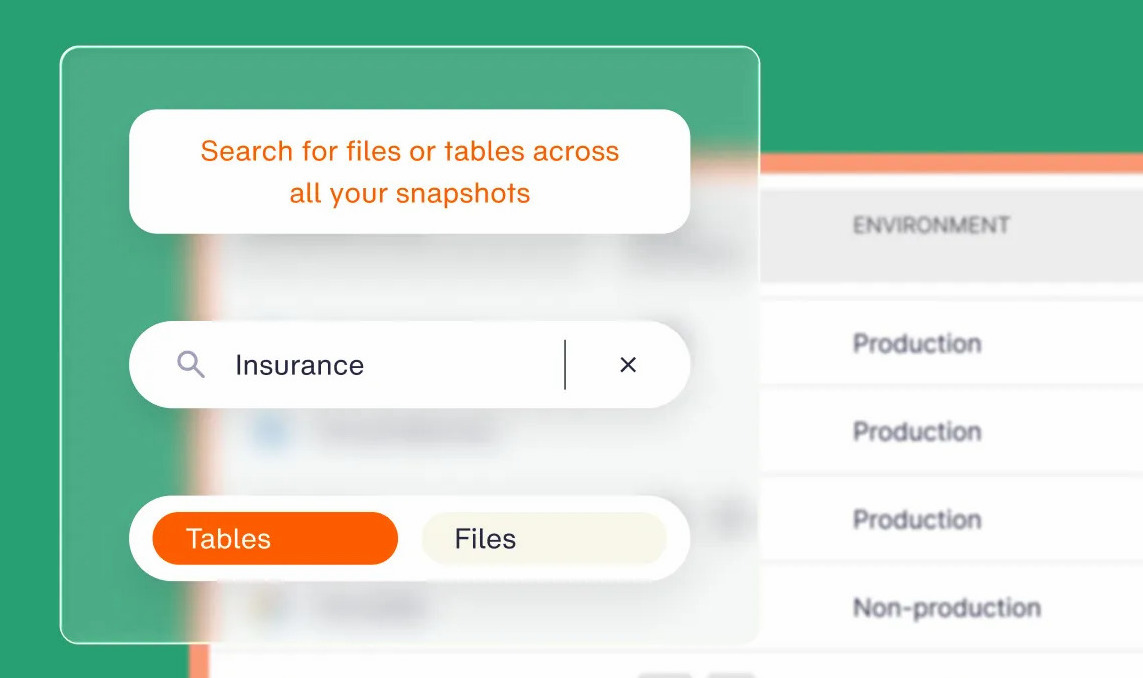
After the first full copy into an Eon vault, each backup is incremental, so routine runs move only changed data. Restores stay small, too: Global Search finds a file or database record in seconds, and granular recovery restores just that file, table, or record, so a cross-region restore moves only what you need back.
Recovery and data access are built into the platform, so Eon adds no separate retrieval, restore, or egress fees of its own on top of the underlying transfer.
For audits and investigations, you can query backed-up database data directly with no restore at all. Copies sit in immutable, logically air-gapped vaults, and global deduplication cuts backup storage costs by 30% to 50%. Eon’s Cost Explorer breaks backup spend down by resource, resource type, and source account.
SoFi rolled Eon out across five AWS regions in under four weeks, with no per-region setup, and reports over 100% ROI versus its previous solution.
Price every data path, including your backups
Data transfer bills come from architecture decisions, so that’s where they get fixed. Start with the cheap wins: gateway endpoints for S3 and DynamoDB, a NAT gateway in each AZ, and private IPs for traffic inside a region. Then price CloudFront for internet egress and check the direction of every cross-region copy.
Backup copies deserve the same review as any other data path. A DR plan with copies in the right regions, and restores that pull back only what broke, costs less every month and moves far less data on a bad day.
Which of your cross-region backup copies does your recovery plan actually need? Book a demo and see how Eon maps backup coverage across every account and region.
Frequently asked questions
Is data transfer into AWS free?
Yes. AWS doesn’t charge for data transferred in from the internet, and on inter-region transfers only the sending region pays. The services you use to move data in, such as DataSync, Snowball, or S3 Transfer Acceleration, carry their own charges.
Does VPC peering reduce inter-region data transfer cost?
No. Traffic over an inter-region peering connection bills as inter-region data transfer, the same per-GB rate you’d pay without peering. Peering saves money by skipping Transit Gateway’s $0.02 per GB processing fee and NAT gateway processing, and peering traffic within a single AZ is free.
Is there an AWS data transfer pricing calculator?
Yes. The AWS Pricing Calculator models data transfer alongside the services that send it. The public version at calculator.aws needs no AWS account, and the in-console version can import last month’s usage into a bill estimate (five free per month, then $2 each).
Why is my AWS data transfer bill so high?
High data transfer bills usually come from four places: NAT gateway processing, cross-AZ traffic between app tiers, inter-region replication, and internet egress from a high-cost region. Filter Cost Explorer to EC2-Other and group by usage type to see which one grew.
Is data transfer between Availability Zones free?
No. Data moving between AZs in the same region costs $0.01 per GB in each direction, so $0.02 per GB in total. Traffic within a single AZ over private IPs is free.
How do you reduce data transfer costs for cloud backups?
Copy only the data your recovery plan needs to a second region, keep later copies incremental, and restore at the file or record level. Eon applies backup policies by data class across accounts and regions, flags resources missing an off-region copy, and restores single files or records from isolated vaults.