

Someone runs a cleanup script against the wrong AWS account, and three production tables are gone. Disaster recovery planning gets its first real test on an incident about this size.
The backups probably exist. The recovery stalls on everything around them: nobody's sure who can call it a disaster, which table comes back first, or how long checkout can stay down while the team sorts it out.
We see this pattern across large cloud environments. In our 2026 Cloud Data Infrastructure Report, 98% of executives said they were confident in their organization's recovery, and 56% had been through three or more recovery failures in the past year.
The distance between those two numbers is what a working DR plan closes: named owners, targets that have been measured rather than estimated, and a runbook for each way the data actually breaks.
What is disaster recovery planning?
Disaster recovery planning is the process of deciding how your organization will restore its IT systems, applications, and data after an outage, a cyberattack, or a data loss event, and writing those decisions down as a disaster recovery plan (DRP).
The plan is the playbook your team follows during the incident. It names the systems in scope, the recovery target for each one, the recovery method, the people who run it, and the steps they take. You’ll also see it called an IT disaster recovery plan, the same document named for the layer it covers.
NIST uses the term narrowly. SP 800-34 reserves the DRP for long-term, mostly physical disruptions that force operations to an alternate site. Cloud teams use it more broadly, for any incident that takes a system down or damages its data, from a region outage to a dropped table. This article follows the cloud usage.
Recovery time and recovery point objectives (RTO and RPO)
Each system in the plan carries two numbers:
- Recovery time objective (RTO): The longest a system can stay down before the outage does unacceptable damage to the business processes that depend on it
- Recovery point objective (RPO): The point in time you can recover data back to, which sets how much data you can afford to lose (a 15-minute RPO means you accept losing up to 15 minutes of writes)
Treat the RTO as a target, then check it against what your restores really take. In our 2026 report, 60% of respondents needed six or more hours to complete a full restore, and only 5% could do it in under an hour. Teams that set RTO and RPO together often end up testing only one of them.
How to tier workloads by business impact
Setting targets one system at a time stops working past a few dozen workloads. Group them into three or four tiers based on what an hour of downtime costs, then give each tier a target range and a recovery strategy.
These ranges are a starting point. Set your own from the business impact analysis.
| Tier | Example workloads | Example RTO | Example RPO | Typical strategy |
|---|---|---|---|---|
| Tier 1: Revenue-critical | Payments database, checkout API, authentication | 1 hour or less | 15 minutes or less | Warm standby or multi-site active/active |
| Tier 2: Business-important | CRM, order history, internal admin tools | 4 to 12 hours | 1 to 4 hours | Pilot light or backup and restore |
| Tier 3: Deferrable | Analytics warehouse, logs, dev and test | 24 to 72 hours | 24 hours | Backup and restore |
The tier also decides restore order during an incident. When a region goes down, tier-1 recovery starts first, and tier-3 waits, so nobody has to argue priorities on the bridge call.
What a disaster recovery plan should include
These are the components of the finished document, with the part each one usually misses.
- Scope and disaster declaration: The accounts, regions, and systems covered, plus who declares and their named backup. Most plans name the systems and forget the person.
- Recovery objectives per system: An RTO and RPO for each system, taken from its tier's range.
- Asset inventory with dependencies: Every account, database, bucket, VM, and volume, with an owner. The dependencies set the recovery order, and they are what most inventories miss.
- Risk scenarios: The events you are planning for, rated by likelihood and impact.
- Backup and redundancy: What is backed up, how often, where the copies live, how long they are kept, and what stops them being deleted.
- Recovery runbooks: Failover, restore, and failback per tier.
- Communication plan: Who hears what and through which channel, with a fallback for when chat is down and the contact list kept offline.
- Testing and maintenance records: The schedule, last results, open fixes, next review date, and who owns the document. These are what prove the rest is real.
How to build a disaster recovery plan in 7 steps
These seven steps build a DR plan for cloud systems, applications, and data, the practical half of cloud disaster recovery. Multi-entity organizations add a layer on top: enterprise disaster recovery has to reconcile different RTOs across business units that share the same infrastructure.
1. Define the scope and who declares a disaster
Decide which accounts, regions, clouds, and systems the plan covers. Then name the person who can declare a disaster, a backup for that person, and the criteria they'll use.
Good criteria come down to three things: the extent of the damage, how critical the system is, and whether the outage will run longer than the RTO. A team that waits two hours for a senior sign-off on a failover has already spent two hours of its RTO.
2. Inventory your systems and data
List every account, subscription, project, and region, then every database, bucket, VM, and Kubernetes volume inside them. Record an owner, a data type, and the other systems each one depends on.
Across the 78 cloud environments in our backup coverage census, 61% of production resources had no backup policy, no recovery point, and no native snapshot we could see.
Cover the connectivity layer in the same pass. Network disaster recovery plans account for DNS, VPN tunnels, load balancers, firewall rules, and the routes between regions, and those are the pieces that strand a restored database when nobody wrote them down.
3. Run a risk assessment and business impact analysis
The risk assessment lists what could go wrong and how likely each event is. Cover the headline events (a region outage, ransomware) and the smaller, more frequent ones: a dropped table, a failed migration, an AI agent with write access to production.
The business impact analysis works out what each outage costs. For each critical process (checkout, claims, payroll), note the systems behind it and how the damage grows hour by hour.
Splunk and Oxford Economics surveyed 2,000 Global 2000 executives for their 2026 Hidden Costs of Downtime research and put their combined downtime cost at $600 billion a year, with the average organization losing $15,000 per minute it is down.
Past a certain point, the outage lasts longer than the business can accept. That threshold is what NIST calls the maximum tolerable downtime, and each system's RTO has to fit inside it.
4. Set RTO and RPO for each workload
Use the impact analysis to place every system in a tier, then give it an RTO and RPO from that tier's range. Write the targets next to each system in the inventory, so the restore order is visible to anyone reading the plan.
Get the business owner to sign off on each target. Tighter targets cost more to meet, and that tradeoff is theirs to make.
5. Choose a recovery strategy for each tier
Cloud DR comes down to four strategies: backup and restore, pilot light, warm standby, and multi-site active/active. Each step up costs more to run and recovers faster.
Match the strategy to the tier. Warm standby for a dev environment wastes money, and backup and restore for a payments database usually can't meet a one-hour RTO. The types of disaster recovery plans differ mainly in what you pay to keep idle capacity warm.
Add a path for partial-data incidents too. When a table is deleted or a set of records is corrupted, the plan should restore only the affected data from a clean point in time and leave the healthy systems running.
6. Document runbooks and the communication plan
Write a runbook for each tier and each major scenario in four parts: the trigger, who declares, the recovery steps in order, and how to verify the data is correct.
Add a failback step wherever there is a failover to reverse. Write it so an engineer who has never touched the system can follow it without calling the owner.
Then write the communication plan: who hears what, in which order, and through which channel.
Keep copies outside the systems they describe. A hard copy and an offline version are the standard for incident response plans, and DR runbooks need the same.
7. Test the plan and keep it current
Test on a schedule, record the real restore time and data loss, and compare both with the targets. In our 2026 report, 75% of executives said their teams estimate recovery time from assumptions, with no verified test behind the number.
The floor in NIST's sample contingency policy is annual testing of recovery capabilities. For tier-1 workloads, we go further: quarterly tabletop exercises, monthly partial restore tests, and a full drill at least once a year. A tabletop, a partial restore, and a full drill each catch different failures, which is why disaster recovery testing runs on a mixed schedule.
Update the plan after every test, every new account or region, and every major architecture change.
Disaster recovery plan template
Copy this template and fill in each row in your own doc. Keep the plan itself short enough to read mid-incident, and put the detailed steps in linked runbooks.
| Section | What to fill in | Example entry |
|---|---|---|
| Plan owner and version | Owner, approver, version, last review date | Platform lead; approved by CTO; v3, reviewed Oct 2026 |
| Scope | Accounts, regions, clouds, and systems covered | All production AWS accounts in us-east-1 and eu-west-1 |
| Disaster declaration | Who can declare, their backup, and the criteria | Head of SRE (backup: on-call lead); declare if a tier-1 outage will exceed its RTO |
| Contacts | Recovery team, vendors, and cloud support, stored offline | Printed list in the on-call binder, updated monthly |
| Risk scenarios | Top scenarios with likelihood and impact | Ransomware (medium, high); region outage (low, high); accidental deletion (high, medium) |
| System inventory and tiers | Each system, its owner, tier, and dependencies | Orders DB; payments team; tier 1; depends on the auth service |
| Recovery objectives | RTO and RPO for each system | Orders DB: RTO 1 hour, RPO 15 minutes |
| Backup and recovery strategy | Strategy, backup frequency, copy locations, retention | Warm standby in eu-west-1; hourly backups to a separate account; 90-day retention |
| Runbooks | The name and link of each tier and scenario runbook, covering trigger, declaration, recovery, and verification | "Restore orders DB to last clean point" |
| Communication plan | Audiences, channels, message templates, fallback channel | Status page and customer email; phone bridge if Slack is down |
| Testing log | Date, test type, actual recovery time and data loss, fixes | Sept 2026 restore test: 2.5 hours against a 1-hour RTO; fix open |
| Review schedule | Next review date and what triggers an early review | Quarterly, plus after any new account or region |
Auditors tend to open with the same handful of questions, so run the filled-in plan past a disaster recovery audit checklist before anyone else sees it.
Disaster recovery plan examples
These three examples address the scenarios in the risk row: ransomware, a regional outage, and an accidental deletion. Each one follows the four-part runbook shape, and Example 2 adds the failback step its failover calls for.
Example 1: Ransomware encrypts a production database
- Trigger: Security alerts show encryption activity on the orders database and unusual deletes against its backup copies
- Declaration: The incident commander declares a disaster once security confirms the data can't be trusted and the outage will run past the 1-hour RTO
- Recovery: Isolate the affected accounts, find the last clean recovery point before the encryption started, and restore from immutable, logically air-gapped copies the attacker could not delete
- Verification: Check row counts and schema against the pre-attack baseline, then reopen writes
The security team runs its incident response plan alongside the recovery. Restoring from an encrypted copy restarts the incident, so everything hinges on identifying clean recovery points before anything is written back.
Example 2: A cloud region outage
- Trigger: The provider reports a service disruption in your primary region, and tier-1 health checks start failing
- Declaration: The recovery lead declares when the provider gives no recovery estimate, and the outage is likely to exceed the tier-1 RTO
- Recovery: Fail tier-1 services over to the standby region and point DNS at it, then restore tier-2 and tier-3 systems from cross-region backups in tier order
- Verification: Run test transactions against checkout and confirm data loss stayed within the RPO
- Failback: Return traffic to the primary region once the provider confirms it is stable, then re-point DNS and resume cross-region backups
This only works if the backups, and the tools that restore them, live outside the failed region, which is the first thing a cloud outage recovery plan has to account for.
Example 3: Someone deletes a production table
- Trigger: A migration script drops the customer preferences table at 4:10 p.m., and the settings page starts throwing errors
- Declaration: The tier-2 recovery lead declares a data-loss incident, with no failover, since the rest of the system is healthy
- Recovery: Restore the table from the last recovery point before 4:10 p.m., then copy the data back into the production database
- Verification: Compare row counts with the pre-incident backup and confirm the settings page loads
Plan for that copy-back step. Native snapshot restores often create a new resource: Amazon RDS restores a snapshot to a new DB instance, and DynamoDB restores a backup to a new table.
Disaster recovery plan vs. business continuity plan vs. incident response plan
A disaster recovery plan restores IT systems and data. A business continuity plan keeps the business running while that happens, and an incident response plan handles the security side of an attack. The DRP is the IT-focused subset of the business continuity plan, and the incident response plan often sits inside it.
| ㅤ | Disaster recovery plan | Business continuity plan | Incident response plan |
|---|---|---|---|
| Main goal | Restore IT systems and data | Keep critical business operations running | Detect, contain, and remove a security threat |
| Scope | Applications, infrastructure, and data | People, processes, sites, suppliers, and IT | Security incidents such as breaches, malware, and ransomware |
| Starts when | A system or data set is lost or unusable | A disruption hits business operations | A security incident is suspected |
| Owners | IT, platform, SRE, and data teams | Leadership, operations, and comms | Security team |
| Measured by | RTO and RPO | Maximum tolerable downtime per process | Time to detect and contain |
A ransomware attack usually triggers all three at once. Security contains the attacker, operations switches to manual workarounds, and the recovery team restores from a clean point.
The handoff between them is the part teams rehearse least: business continuity and disaster recovery share a trigger but almost never share an owner.
Disaster recovery planning best practices
- Keep backup copies in a separate account and region: A copy that sits next to production goes down with it, and a separate account keeps one stolen credential from reaching both
- Make copies immutable and logically air-gapped: In our 2026 report, 77% of cloud leaders were concerned their recovery environments could be targeted in a cyberattack. Immutability has to survive the credential that reaches production, which is the whole point of ransomware backup protection
- Plan for partial-data recovery: Decide now which tool restores a single table, set of records, or file, and test that path separately from full failover
- Cover new resources automatically: Teams launch databases and buckets every week and manual tags get missed, so apply backup policy by data type the moment a resource appears
- Time every restore test: Log the real restore time next to the written RTO, and when the two disagree, fix the slower one
- Review after every change: New accounts, regions, vendors, and major releases all change what the plan has to cover
Bringing the plan together
Disaster recovery planning comes down to decisions you can make this quarter: what is in scope and who declares a disaster, what each system's RTO and RPO are, which recovery method meets them, and how often you prove it.
Write those into the template, keep the runbooks somewhere people can reach during an outage, and put the next drill on the calendar before you close the document.
Where Eon fits in a disaster recovery plan
A DR plan is only as strong as the data it restores. Eon is a cloud data protection and recovery platform, and it covers that data layer for cloud workloads, so the backup and recovery sections of your plan describe something you can prove.
Cloud Backup Posture Management (CBPM), a category we created, discovers and classifies resources across accounts, regions, and clouds, applies backup policy by data type with no manual tagging, and flags unprotected resources and policy drift.
Backups land in immutable, logically air-gapped vaults, and logical ransomware detection (add-on) for managed databases such as Amazon RDS and Aurora points you to a clean recovery point.
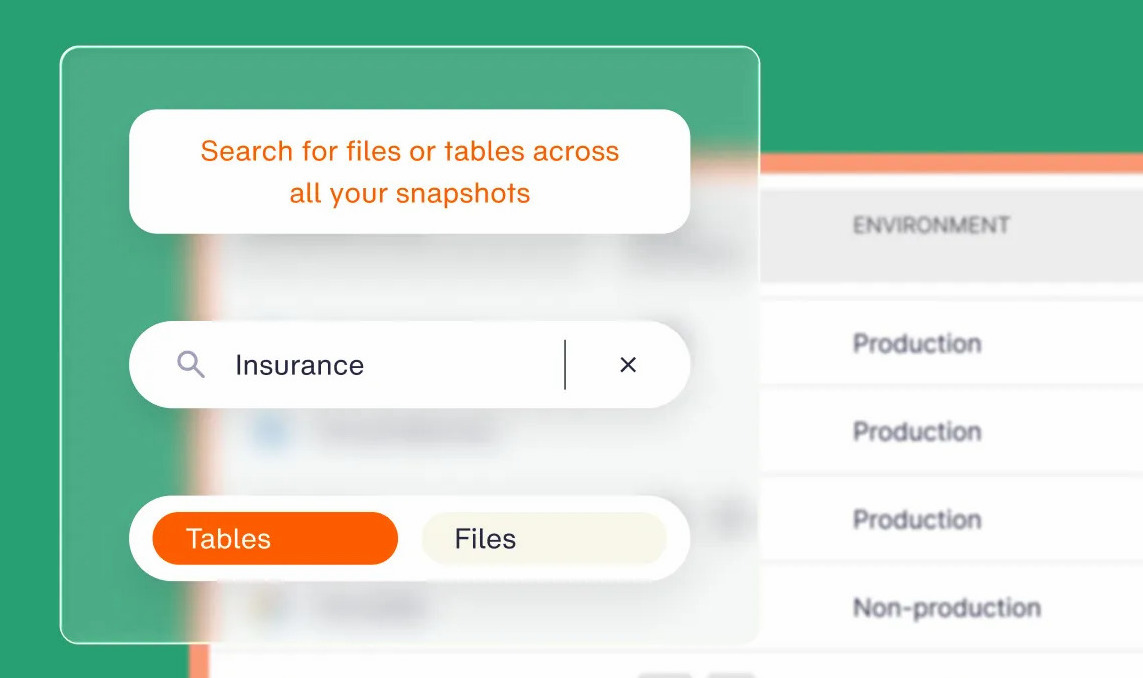
When something breaks, Global Search finds the exact files and database records in seconds, and granular restoration brings back only those records, tables, or files with no full-environment rebuild. Restore time still scales with data size.
After leaving its previous backup provider, NETGEAR cut a 10TB SQL Server recovery from 24 hours to under three.
Not sure which production resources your DR plan could restore today? Book a demo to see your backup posture across every account.
Frequently asked questions
What are the 5 steps of a disaster recovery plan?
The five steps usually listed for a disaster recovery plan are: assess risks and business impact, set RTO and RPO for each system, choose recovery strategies, document runbooks and communication, and test and update the plan. Our seven-step version adds two steps at the start: defining the scope and taking an inventory.
What are the four C's of disaster recovery?
The four C’s of disaster recovery are most often listed as communication, coordination, continuity, and collaboration. A competing version, command, control, communication, and coordination, borrows from emergency-management doctrine and puts more weight on who holds the authority to declare a disaster. Neither comes from a formal standard.
When would a DRP be activated?
A DRP is activated when an outage or data loss meets the plan's activation criteria, and the designated person declares a disaster. Set those criteria in advance and key them to the extent of the damage, how critical the system is, and whether the outage will run past the RTO.
How often should you test a disaster recovery plan?
You should test a disaster recovery plan at least once a year, and more often for critical systems. Annual is the floor NIST's sample contingency policy sets. For tier-1 workloads, quarterly tabletop exercises and monthly partial restore tests work better, plus a retest after any major architecture change.
What's the difference between backup and disaster recovery?
A backup is a copy of your data. Disaster recovery is the full process of bringing systems and data back within set RTO and RPO targets, which includes failover, roles, communication, and testing. The copy is one input to that process.