

The cloud bill shows up every month, and most enterprise teams can tell you the total. Fewer can say which team drove last quarter’s jump, or how much of it paid for resources nobody used. Cloud spend management is the practice that answers those questions before finance asks them.
We focus on one slice of that bill. Eon handles cloud data protection and recovery for enterprises on AWS, Azure, and Google Cloud, so backup and snapshot spend is the line we work on every day.
What is cloud spend management?
Cloud spend management is the ongoing practice of tracking, assigning, controlling, and forecasting what an organization pays its cloud providers, so each cost has an owner and a reason. It runs alongside engineering work all year, with named owners and a set review cadence.
In practice, it pulls together billing data, resource metadata, budgets, and purchasing decisions. Engineers decide what runs and finance decides what the business can afford, so the practice gives both sides the same numbers to work from.
The output is a short list of answers leadership can rely on: what the company spent, who spent it, whether it was planned, and what next quarter will look like.
Spend management vs. cloud cost management vs. FinOps
Search engines and plenty of vendors treat these terms as synonyms. We draw the line by scope.
Cloud cost management is the optimization side. It lowers what each resource costs through right-sizing, cleanup, and better rates. Spend management takes in that work plus everything around it: visibility, ownership, budgets, commitments, and forecasts.
FinOps is the operating framework wrapped around both, and its scope now reaches past cloud into SaaS, AI, licensing, and data centers.
| ㅤ | Cloud cost management | Spend management | FinOps |
|---|---|---|---|
| Main question | How do we pay less for this resource? | Where is our cloud money going, and who owns it? | Is our technology spend creating business value? |
| Scope | Usage and rates | Cloud bills, end to end | Cloud, SaaS, AI, licensing, data centers |
| Usual owner | Engineering and platform teams | FinOps lead, with engineering and finance | FinOps team inside the CTO or CIO org |
| Main output | Savings actions | Showback, budgets, forecasts, commitment plans | Operating model, KPIs, governance |
Why cloud spend is hard to control
Cloud spend is hard to control because the people who create costs rarely see the bill, and the people who see the bill rarely know what’s running. Any engineer with the right permissions can start a resource in minutes, and the cost shows up weeks later on an invoice someone else reads.
That disconnect gets expensive quickly. An estimated 29% of IaaS and PaaS spend goes to waste, and 85% of organizations say keeping cloud costs in check is their biggest challenge.
How it works: 4 pillars
Spend management works through four pillars: visibility, allocation, control, and forecasting. Each one depends on the one before it. You can’t assign costs you can’t see, and you can’t forecast spend nobody owns.
The three FinOps phases (Inform, Optimize, and Operate) run the same loop at a higher level. The pillars below are what that loop looks like when the bill in question is a cloud bill.
Visibility: See the whole bill in one place
Visibility starts with raw billing data at daily or hourly granularity. Each provider exports it: AWS through Data Exports, Azure through Cost Management exports, and Google Cloud through its billing export to BigQuery.
Multi-cloud teams then have to stitch those exports together, since each provider names services and charges differently. FOCUS, an open billing specification, puts billing data from different vendors into one common format, which cuts down the mapping work.
Native billing exports rarely stitch into clean multi-cloud cost visibility on their own, which is where most single-cloud tooling stops.
Allocation: Give every dollar an owner
Allocation assigns each cost to a team, product, environment, or customer. Most of it rides on resource tags and account structure, with rules for the shared costs no single team owns (networking, support plans, shared clusters).
Tagging is where allocation usually breaks. A missing "team" tag on a few hundred resources turns into an unallocated line that nobody defends in a budget review, which is why a short tag schema with enforcement comes first.
Once costs have owners, you choose how to report them. Showback shows each team its spend; chargeback bills it back to their budget. The choice between the two is where cloud cost allocation most often breaks down, usually over the shared costs no clean rule covers.
Control: Budgets, alerts, and guardrails
Control keeps spend inside agreed limits. The basics are budgets with alert thresholds and anomaly detection that flags unexpected jumps. On AWS, that’s AWS Budgets and Cost Anomaly Detection, and Azure and Google Cloud offer budgets and anomaly alerts of their own.
Guardrails go further. Tag policies, instance-type restrictions, and approval steps for large purchases stop expensive mistakes before they hit the bill. Push too hard and guardrails send engineers looking for workarounds, so start with alerts and tighten from there.
Forecasting: Predict next quarter’s bill
Forecasting turns past spend and planned work into a number finance can budget against. Trend lines from tools like AWS Cost Explorer are a starting point, but they miss launches, migrations, and new AI workloads that haven’t shown up in the data yet.
The better forecasts combine trend data with input from engineering leads about what’s coming. Unit costs (cost per customer, per transaction, or per GB stored) make the forecast easier to defend, since they tie spend to growth the business already plans for.
The levers that cut cloud spend
We see most teams start with five levers, each with a tradeoff worth knowing upfront so a savings plan doesn’t turn into an outage. They’re the cloud cost optimization strategies that pay back first.
Right-size overprovisioned resources
Right-sizing matches instance sizes to actual usage. Tools like AWS Compute Optimizer analyze utilization and recommend smaller or different instance types.
The tradeoff is headroom. A database sized for a year-end peak will look oversized in July, so check recommendations against the workload’s busiest period before you downsize.
Remove idle and orphaned resources
Idle resources cost money while doing nothing: unattached volumes, stopped instances with storage still billing, unused NAT gateways, and test databases nobody shut down. Compute Optimizer now flags idle EC2 instances, EBS volumes, RDS databases, NAT gateways, and more.
Snapshots are the classic orphan. Deleting a volume has no effect on the snapshots made from it, so snapshots keep billing long after the volume behind them is gone.
Schedule non-production workloads
Dev, test, and staging environments rarely need to run nights and weekends. Instance Scheduler stops and starts EC2 and RDS instances on a schedule, and cutting weekly runtime from 168 hours to 50 can save up to 70% on those instances.
Teams in other time zones, or engineers who work late, will hit stopped environments, so give them a simple way to start one on demand.
Use commitment discounts for predictable usage
Commitment discounts trade flexibility for a lower rate. AWS Savings Plans offer up to 72% off On-Demand rates in exchange for a one- or three-year commitment, and Azure Reservations and Google Cloud committed use discounts work along similar lines.
Many teams leave this lever half-pulled: fewer than half of organizations use any one commitment discount per cloud provider. The risk runs the other way too: you pay for the commitment even if usage drops, so commit to your baseline usage first and add more once usage holds.
Move cold data to cheaper storage tiers
Storage tiers cut the cost of data you rarely read. In AWS’s US East (N. Virginia) region, standard EBS snapshot storage costs $0.05 per GB-month, while the archive tier costs $0.0125.
Getting them back costs more. Archived snapshots carry a 90-day minimum retention period and a $0.03 per GB retrieval fee, so they suit long-term copies you hope never to restore. For object storage, the same idea runs through S3 lifecycle rules.
Which tools teams use to manage cloud spend
Many enterprises run their provider’s native billing tools plus one or two specialist platforms. A cloud financial management tool should cover three basics: reporting and dashboards, analytics that find inefficiencies, and cost incident detection.
The tools split into a handful of categories:
| Category | What it covers | Examples |
|---|---|---|
| Native provider tools | Billing data, budgets, forecasts, and basic recommendations for one cloud | AWS Cost Explorer and Budgets, Azure Cost Management, Google Cloud Billing |
| Cost intelligence platforms | Multi-cloud allocation, unit costs, and anomaly alerts | CloudZero, Vantage, Finout, IBM Cloudability, Flexera One FinOps |
| Observability-linked cost tools | Cost data next to performance data | Datadog Cloud Cost Management |
| Commitment automation | Buying and managing Savings Plans and reservations | ProsperOps, Archera |
| Kubernetes cost tools | Cost by cluster, namespace, and workload | Kubecost |
| Pre-deploy cost tools | Cost estimates on infrastructure-as-code changes before deploy | Infracost |
Native tools come with your cloud account and are often enough for a single-cloud team with clean tagging. A cost intelligence platform earns its license once you span clouds, need allocation that tags can’t handle, or want unit costs by customer or feature.
The right native and third-party tools depend on your cloud, and the shortlist narrows fast once you pick one for AWS, Azure, or Google Cloud.
Backup rarely gets its own category. General cost platforms show it as a storage line item, but they usually can’t tell you which copies exist for compliance and which are leftovers.
Where cloud spend hides: Backup and storage
Backup and storage spend grows by default, and few spend reviews look past the storage total. Here’s where a backup-focused cost analysis usually finds it:
- Orphaned snapshots: Once the source volume is gone, nobody owns the copy, so it keeps billing unnoticed until a cleanup finds it.
- Retention drift: Rules set years ago keep daily copies for a year, and non-production databases end up on production-grade retention.
- Overlapping backup tools: Native snapshots, AWS Backup plans, and a third-party tool can all copy the same volume, and each team assumes another one owns cleanup.
- Unallocated backup costs: Snapshot and recovery-point tags depend on how each job was configured, so backup spend often lands in the unallocated column.
- Heavy restores: Recovering one table by rebuilding a full environment adds compute and data transfer charges that rarely make it into the backup budget.
Cut these blindly and you risk the unprotected data that 61% of teams only find after an incident, audit, or failed restore, so the fix starts with seeing every copy and what it costs.
How Eon brings backup into your spend reviews
We built Eon to give backup spend the same owners, policies, and reporting as the rest of the bill.
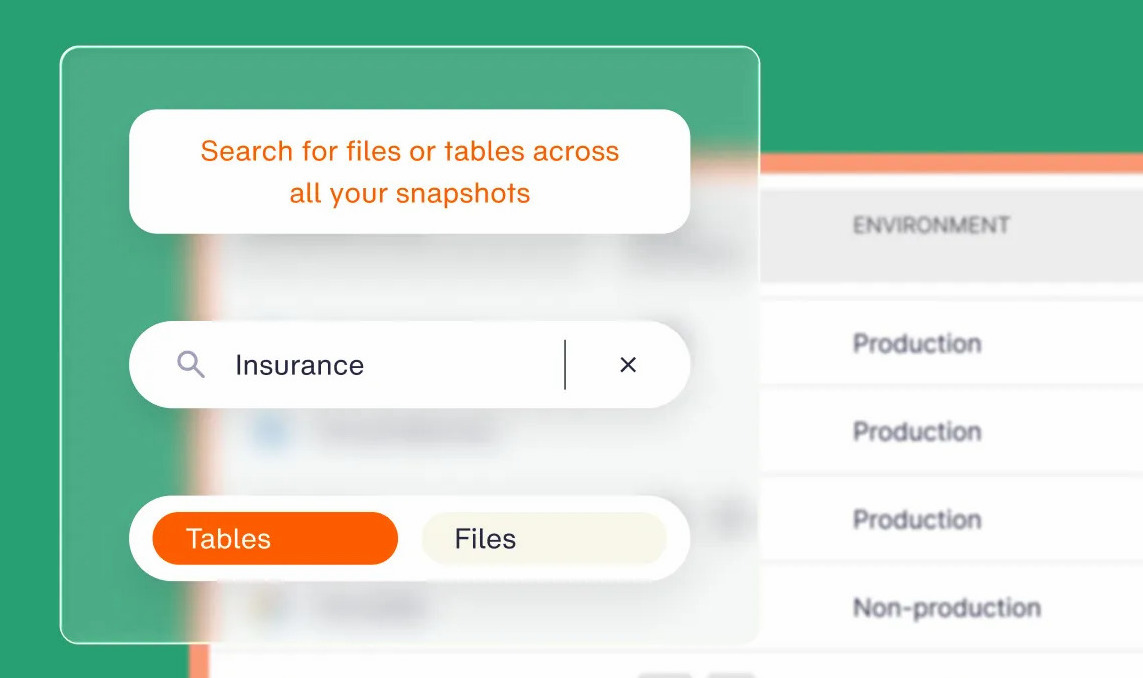
Eon’s Cost Explorer shows backup spend over time, grouped or filtered by resource, resource type, or source account. That gives FinOps a per-account backup report for showback or chargeback, and a daily view to catch spikes from backup sprawl.
Cloud Backup Posture Management (CBPM), the category we created, keeps that spend tied to policy. Eon discovers resources across your accounts, classifies them by environment and data type, and applies the matching backup policy with no manual tagging.
Non-production stops inheriting production retention, and posture controls flag retention that runs longer or shorter than your rules allow.
Storage costs drop too. Eon’s global deduplication removes redundant copies across your backups, so you store less without protecting less. Sigdo Koppers projected about 38% lower backup costs than native GCP snapshots after moving off native tooling.
Recovery is part of the cost picture as well. Granular recovery restores a single file, table, or record, so getting back one corrupted table doesn’t mean paying to rebuild a whole environment first.
How to start a spend management practice
If you’re setting this up for the first time, start small and build the habit before the tooling:
- Name an owner: Give one person (often a FinOps lead) responsibility for the cadence, reports, and follow-up.
- Get the data in one place: Turn on billing exports for every provider and account now, and pull whatever history each provider can backfill.
- Fix ownership before optimization: Agree on a short tag schema and account structure, and shrink the unallocated share of the bill before chasing savings.
- Set budgets and anomaly alerts: Start at the account or team level, so alerts reach someone who can act on them.
- Run a monthly review: Pull the top cost movers, assign actions, and track them to done.
Note: Put backup and snapshot storage on your first review’s agenda, broken down by account.
Cloud spend management best practices
These practices keep the program useful after the first round of savings:
- Pair engineering and finance: Review spend weekly with engineering leads and monthly with finance, using the same reports.
- Track unit costs: Put one unit metric in every monthly report so a rising bill reads clearly as growth or as waste.
- Automate the guardrails: Tag enforcement, budgets, and anomaly alerts should run on their own, with humans handling the exceptions.
- Buy commitments in layers: Commit to the usage that hasn’t moved in six months, then add a tranche each quarter.
- Put backup and storage in scope: Review retention, snapshot counts, and backup tool overlap alongside compute.
Is backup the line item your spend reviews skip?
The practice itself is settled: give every cost an owner, set budgets and alerts, forecast with engineering input, and pull the standard levers. Teams that run it as a monthly habit tend to find the next round of savings before the bill forces the question.
Backup is where that habit usually stops. Cutting it blindly creates recovery risk, and if you can’t see what each backup costs and why it exists, you can’t cut it safely.
Do you know what your backups cost per account, and which copies you could safely drop? Book a demo and see how Eon breaks down backup spend by resource and account, then cuts storage costs with cloud-native deduplication.
Frequently asked questions
What is the best software for managing cloud costs?
The best software for managing cloud costs depends on how many clouds you run. Native tools like AWS Cost Explorer and Azure Cost Management cover most single-cloud teams.
Multi-cloud enterprises usually add a cost intelligence platform such as CloudZero, Vantage, or IBM Cloudability, and teams with large backup estates add Eon’s Cost Explorer for backup spend.
What are the top 10 cloud FinOps tools?
The top 10 cloud FinOps tools to shortlist are AWS Cost Explorer, Azure Cost Management, Google Cloud Billing, CloudZero, Vantage, Finout, IBM Cloudability, Flexera One FinOps, Datadog Cloud Cost Management, and Kubecost. Which ones fit depends on your clouds and whether you need Kubernetes coverage.
What are the main pillars of cloud cost management?
In the broad sense most teams use the term, cloud cost management runs on four pillars: visibility, allocation, control, and forecasting. Visibility shows what you spend, allocation assigns it to owners, control keeps it inside budgets, and forecasting predicts the next bill.
Is FinOps the same as cloud cost management?
No, FinOps is broader than cloud cost management. Cost management focuses on lowering what cloud resources cost, while FinOps is an operating framework that brings engineering, finance, and business teams together across cloud, SaaS, AI, and licensing spend.
Do backups count toward cloud spend?
Yes, backups count toward cloud spend. Snapshot and backup storage is billed per GB-month on your cloud invoice, and restores can add compute and data transfer charges.